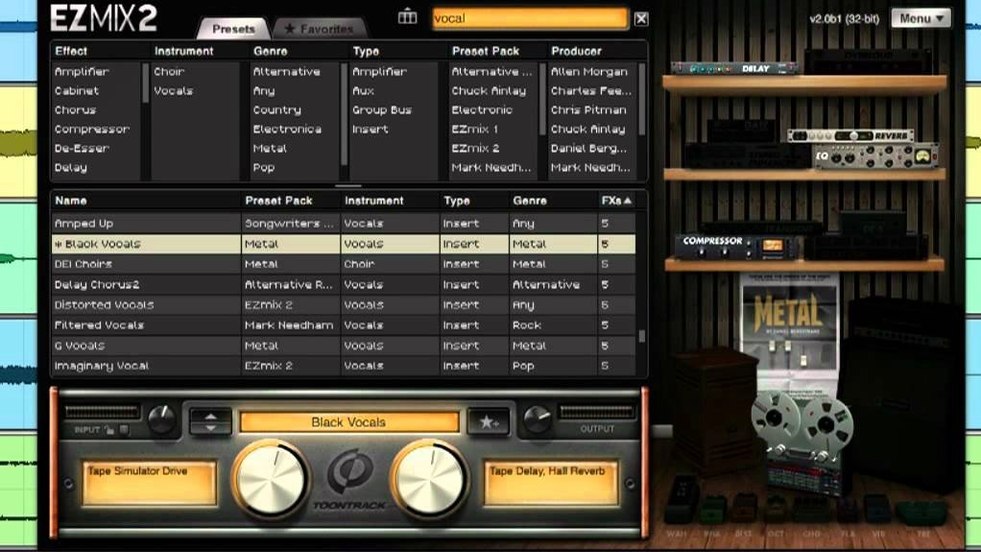
Home recordists and project studio owners reach for the Toontrack EZmix Bundle when they want a finished sound without building effect chains from scratch. The bundle covers the channels that show up in most sessions — drums, vocals, guitar, bass, and keyboards — using professionally designed presets that stack EQ, compression, and other processing into a single insert.
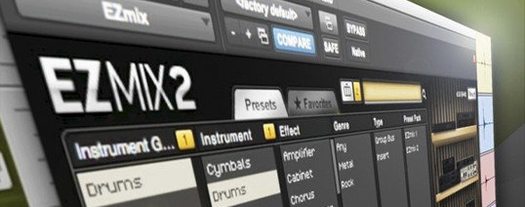
On the compatibility side, it runs as a standard plugin in your DAW and also includes an independent host for guitar practice, complete with amp and cabinet simulations. The interface got a full redesign in EZmix 2, and all earlier EZmix content and functionality carries over. Mac users need macOS 10.13 or higher, and it runs on both Intel and Apple silicon machines.
What makes it useful for a small shop like mine is the speed: pick a preset, tweak a couple of macro controls, and move on. It is not a substitute for learning to mix, but it keeps rough sessions listenable and practice time focused on playing rather than routing.
CPU footprint stays whisper-quiet on Apple Silicon
I keep Activity Monitor open more than I'd like to admit, and the EZmix Bundle barely registers. On an M1 Mac mini with 16 GB of RAM, a single instance sits around 2–3% CPU with a moderate preset loaded. Stack a dozen across a session and the system still breathes easy — no clicks, no dropouts, no sudden fan spin-ups. That matters when you are tracking ideas late at night and do not want to stop and freeze tracks.
Stability has been uneventful in the best way. I have used it inside Logic Pro and Ableton Live, and it has not caused a single crash or validation hiccup since the 3.x updates landed. The AU and VST3 versions both load reliably, and the standalone host for guitar practice opens quickly without hunting for audio drivers. Memory use floats around 80–120 MB per instance depending on the preset — lighter than some single-purpose amp sims I have tried.
One thing I appreciate: the plugin does not bog down when you flip through presets quickly. The browser previews are snappy, and the audio keeps running while you audition sounds. For a preset-heavy workflow, that responsiveness keeps the creative thread intact instead of breaking it with loading pauses every time you want to hear a different snare treatment.
Home recordists and rough-mix songwriters click instantly
The bundle makes the most sense for a few specific kinds of Mac users. If you see yourself in one of these groups, the fit is probably good.
- Songwriters tracking demos at home. You want vocal and acoustic guitar tracks that sound finished enough to share with bandmates or a producer. A single plugin on each channel replaces a pile of separate EQs, compressors, and reverbs you would otherwise have to dial in yourself.
- Guitarists who practice at the computer. The standalone host means you plug in, pick an amp preset, and play. No DAW to open, no track to arm. The amp and cab simulations cover clean, crunch, and high-gain territory, so you can run through scales or work out a lead without routing anything.
- Content creators doing spoken word. A clean voiceover chain — gentle compression, some presence EQ, a gate to catch room noise — lives inside a single preset. Drop it on your narration track and you are done. Podcasters and video folks on a deadline notice this immediately.
- Mix engineers who need rough balances fast. When a client sits next to you, speed matters. Grabbing a full-chain preset for kick, snare, bass, and vocals gets you to a believable starting mix in minutes instead of building from an empty insert rack.
Power users who want surgical control over every parameter will probably reach for individual plugins. That is not a flaw — it is just not the audience Toontrack designed this for. The EZmix approach trades deep editing for decisions already made, and for plenty of working musicians, that trade-off pays off every session.
A quick scenario: vocalist prepping a demo
Imagine a singer-songwriter on a MacBook Air, recording a vocal take in an untreated bedroom. She has a decent condenser mic, a simple interface, and about forty minutes before her co-writer arrives. The raw recording sounds like what it is: a dry vocal in a small room with a little too much low-mid clutter.
She inserts EZmix on the vocal track and browses to the vocal category. A preset labeled "Lead Vocal – Warm Presence" catches her ear. One click, and the track tightens up — the low end clears, the midrange pushes forward, and a tasteful plate reverb sits behind the voice without sounding like an effect. She nudges the macro knob labeled "Brightness" up two points to add a little air, and the whole thing sounds like it was tracked in a treated space with outboard gear.
The co-writer arrives, she hits play, and the conversation moves to song structure instead of sound quality. That is exactly the kind of workflow this bundle was built for — and it is why tools like the toontrack ezmix bundle stick around in project templates long after the trial period would have ended.
A few things worth knowing
If you are searching for an ezmix 3 free download or an ezmix torrent, you will find plenty of links floating around. What those links rarely mention is that version 3.2.2 is required for preset packs released from Q4 2025 onward — older versions simply will not load newer content. On the Mac side, both Intel and Apple silicon machines are supported back to macOS 10.13, so even older studio Macs can run the current build without issue.
The bundle includes everything from earlier EZmix releases, so you are not losing content by updating. That continuity matters when you have sessions from years ago that relied on specific presets. Open the project, the plugin loads, and the sound is exactly what you printed back then.
Version 3.2.2 keeps the bundle current with newer content. If you want to use EZmix packs released from Q4 2025 onward, you'll need this update.
- macOS 10.13 or higher
- Intel or Apple silicon processor
Questions from the stall
What does the EZmix Bundle include?
It includes the EZmix mixing plugin with presets for drums, vocals, guitar, bass, and keyboards, plus an independent host with amp and cabinet simulations for guitar practice.
Can I run EZmix on an Apple silicon Mac?
Yes. The Mac requirements list both Intel and Apple silicon processors, with macOS 10.13 or higher.
Does EZmix 2 keep my earlier EZmix content?
Yes, EZmix 2 includes all previous EZmix functionality and content, so older presets remain available alongside the redesigned interface.
Notes from other shops 0
Sign in or open a shop account to leave a note.
No notes yet. If you've used this on a shop Mac, tell me how it went.