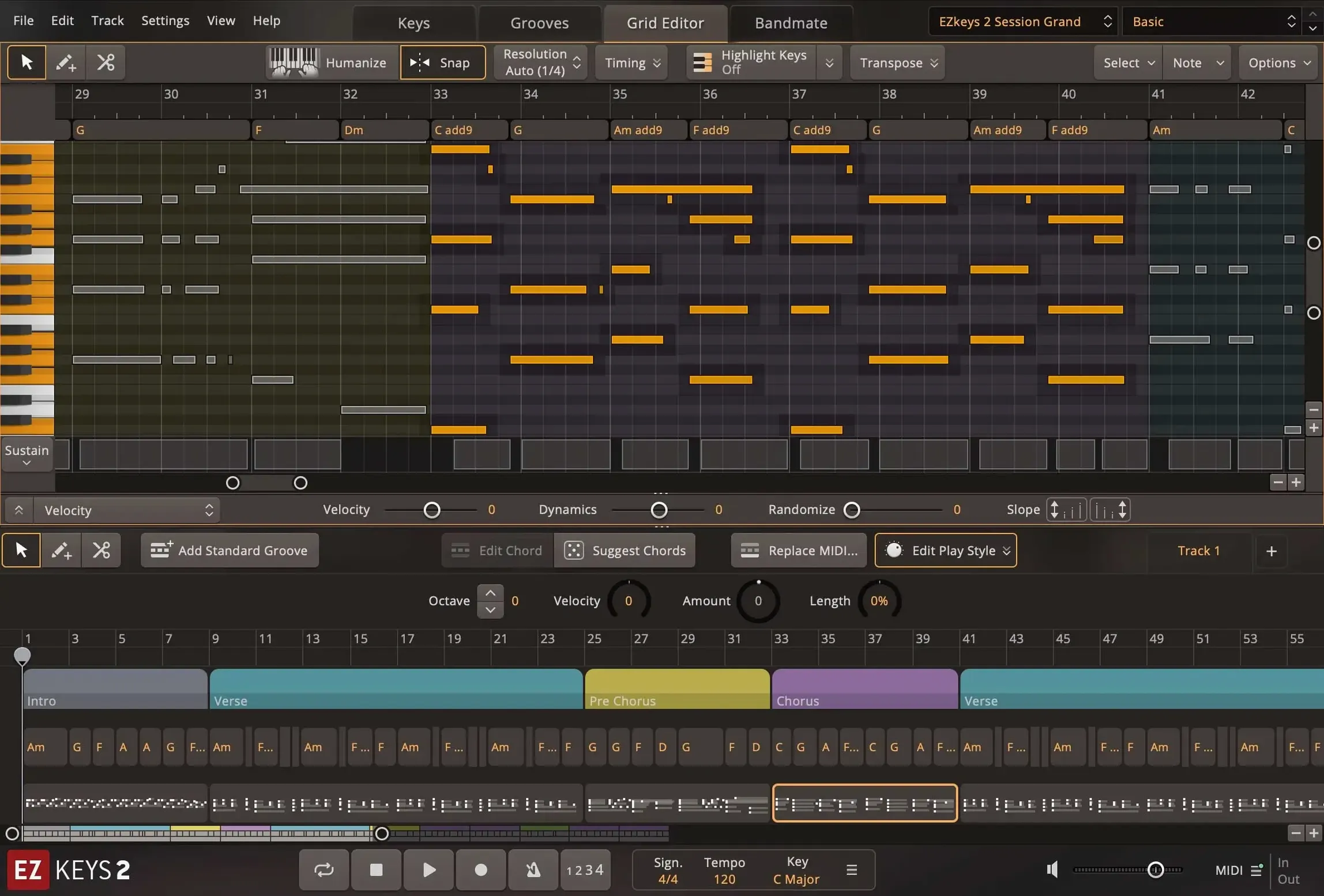
EZkeys 2 ships as a standalone application, an AAX plugin, and an AU and VST3 instrument — so it slides into Pro Tools, Logic, or any DAW you already use without fuss. The core library is built around a grand piano captured with multiple mic sets and room ambiences, which means you can dial in anything from a close, dry tone to a wide concert-hall wash without leaving the interface.
The sound reacts well on a weighted controller. Velocity layers feel even, and the multi-core performance update in version 2.1.5 makes a real difference on Mac — CPU spikes are less jumpy, even with the sustain pedal down and a dense MIDI part rolling. If you write in a DAW that already taxes your machine, that matters.
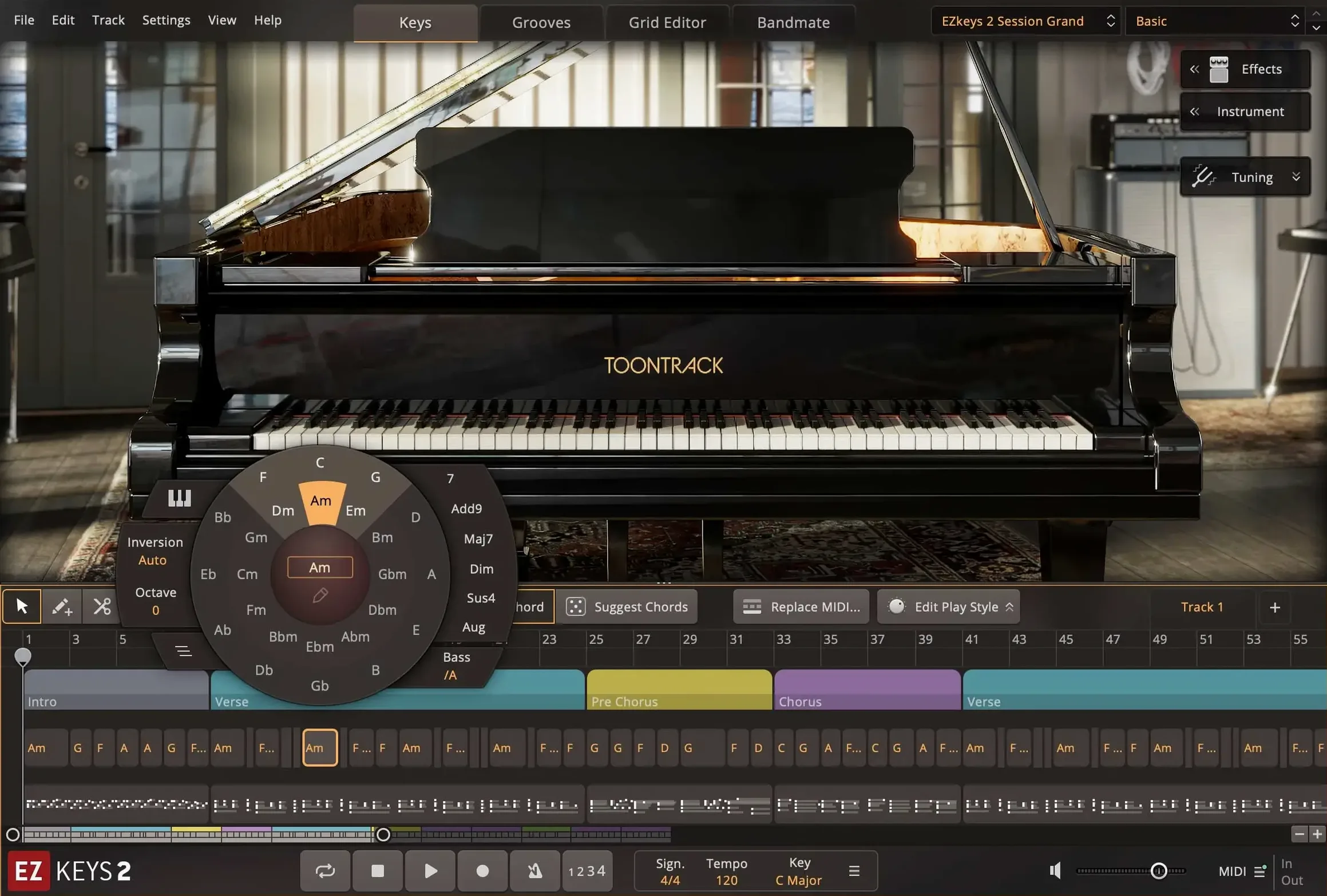
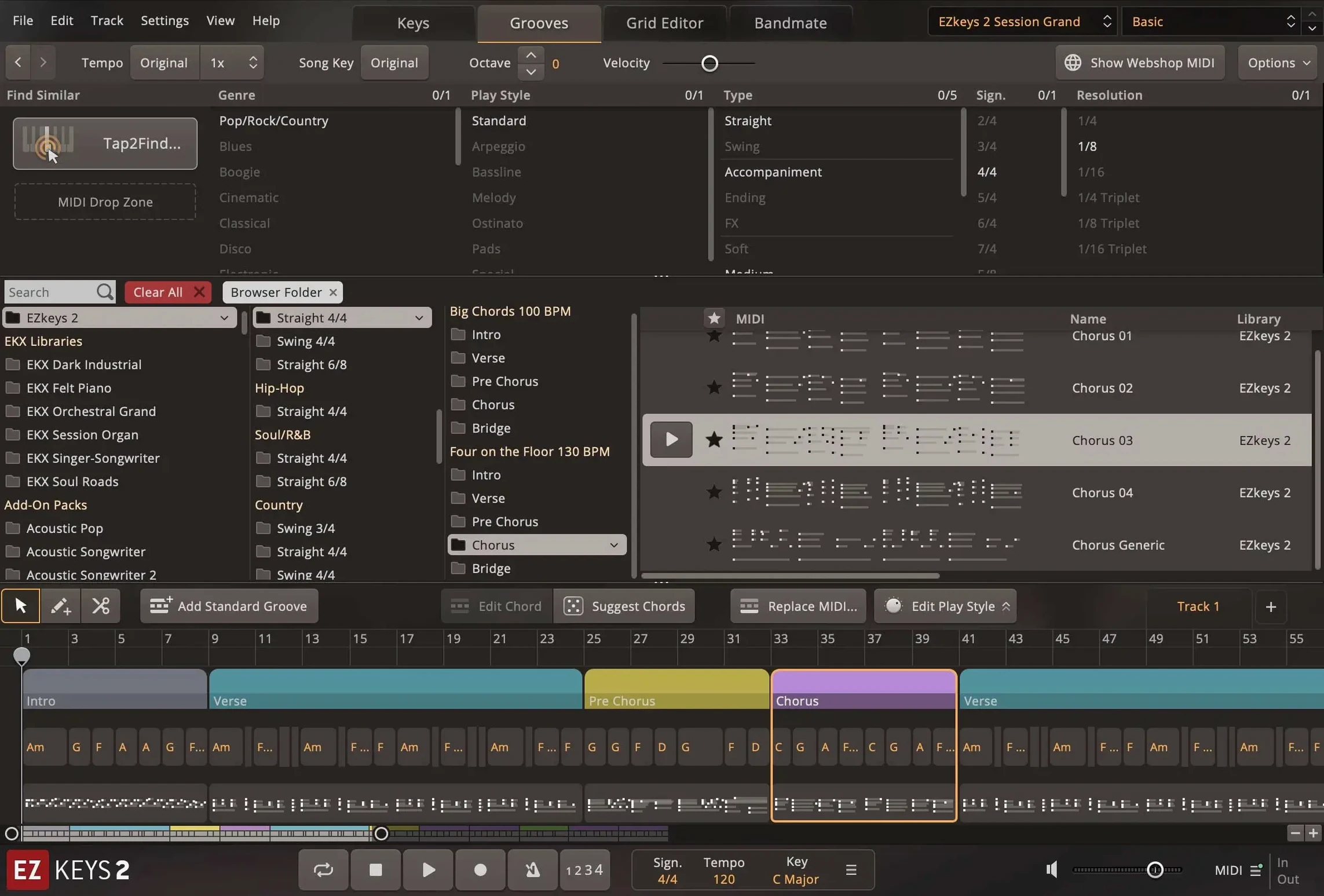
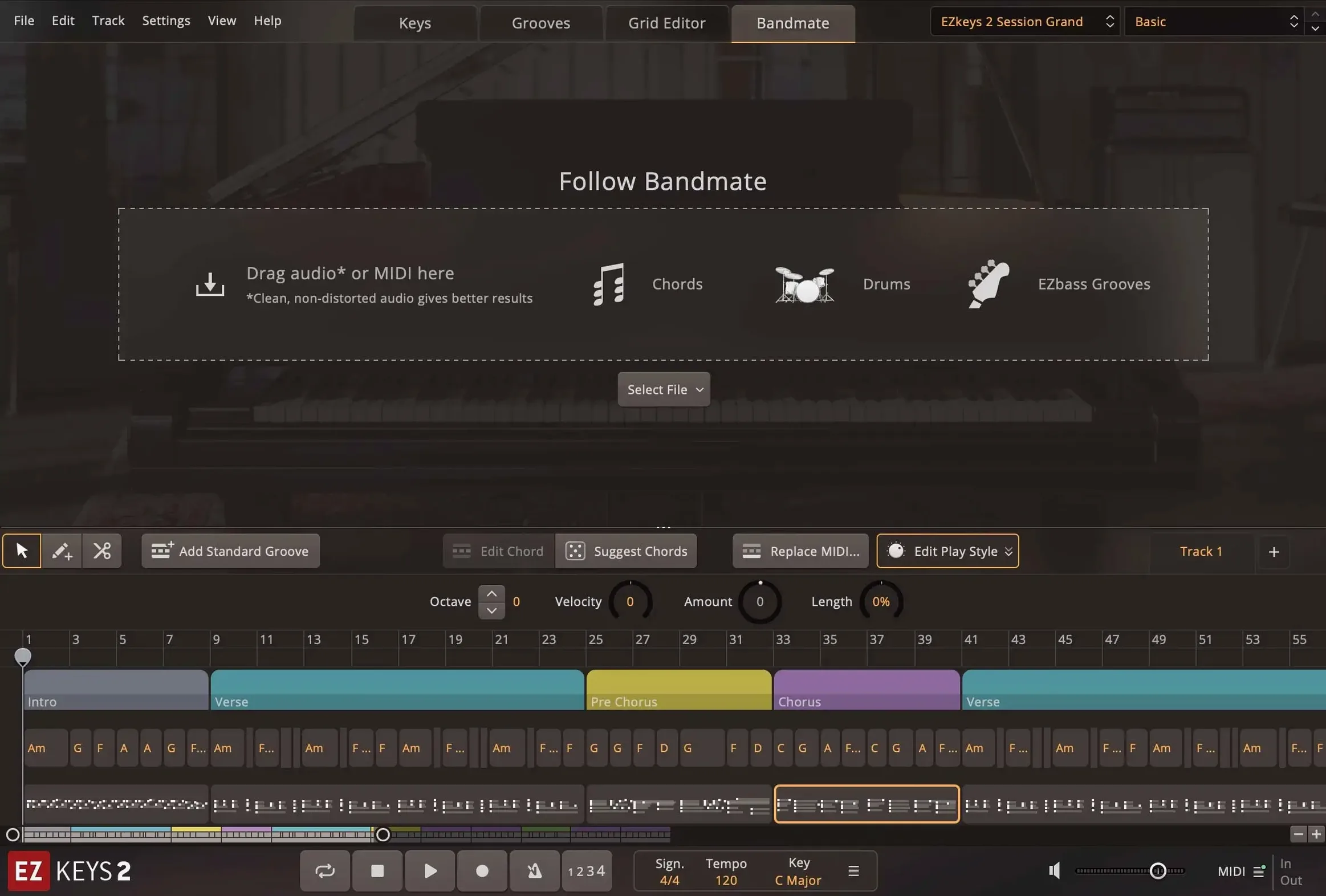
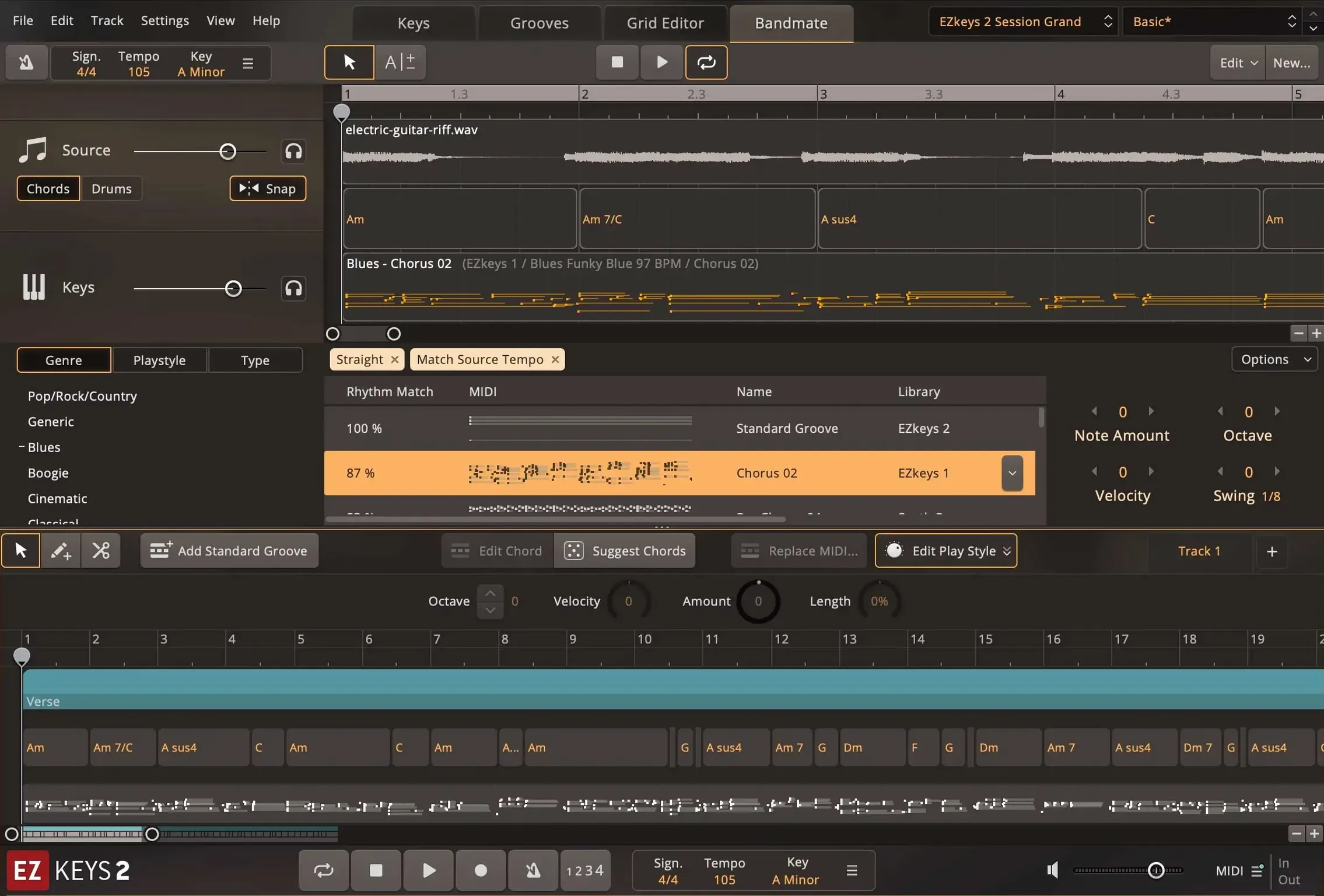
Beyond the piano, the songwriting tools are what set it apart. Tap2Find listens to a rhythm and a few notes you play, then suggests accompaniment parts from the built-in MIDI library — which spans genres and playing styles, from pop ballads to jazz voicings. Bandmate goes a step further and generates chord progressions and grooves from an audio or MIDI clip you feed it. The Chord Wheel is always there too, so you can test substitutions or build a progression by feel instead of hunting through menus.
For a small shop or a home studio, the self-contained nature of EZkeys 2 keeps things moving. You aren't jumping between three plugins to sketch an idea. The piano, the MIDI library, and the chord tools live in one window, and it works the same whether you launch it standalone or inside a session.
Taking an Idea from Hum to Rough Arrangement
People open EZkeys thinking they need to play something polished right away. I find the opposite approach works better — treat it like a scratch pad. Here’s a workflow I’d use to turn a half-formed melody into a workable sketch.
Start in standalone mode so you’re not staring at an empty DAW project. Hum or tap the rhythm into Tap2Find first — just a few bars of whatever’s in your head, even on a single key. The MIDI library will throw back a handful of patterns played by actual pianists, and you can flip through them with the arrow keys while the loop runs. Pick the one closest to your feel, drag it into the timeline, and don’t worry about the voicings yet.
Now turn on the Chord Wheel and use it to test substitutions while the pattern plays. If the original phrase implied a predictable I–V–vi–IV, try pulling the vi toward a borrowed chord or a secondary dominant — the wheel shows you what’s available in the scale and lets you hear it before committing. Once the harmonic shape feels right, open Songwriting Scales to lock the generated content to a mode or key center so you aren’t fighting wrong notes later.
With the harmonic and rhythmic skeleton in place, switch to the sound side. Browse the mix-ready presets — not to find a finished tone, but to pick a starting point that fits the energy of the piece. If the arrangement is busy, a drier, closer mic blend will sit better in a mix later. Sparse ballads can handle the bigger room ambiences. Bounce or drag the MIDI into your DAW as a single clip, then split it across separate tracks for the left-hand and right-hand parts if you want independent processing. The whole process, from tap to a rough arrangement in Logic, takes me under ten minutes, and I’ve rarely had to delete anything I built this way.
How EZkeys Sits Next to Similar Mac Instruments
If you’re already using a general-purpose piano library like Native Instruments Noire or Spitfire Audio’s Hans Zimmer Piano, you know the tradeoff: those libraries sound gorgeous but expect you to bring the performance. They rarely include songwriting assistants or playable MIDI patterns beyond basic arpeggiators. EZkeys fills the opposite role — it’s less about deep multisampling nuance and more about getting an idea onto the timeline while you’re still excited about it.
Compared to XLN Audio Addictive Keys, which also runs standalone and has a healthy preset browser, EZkeys leans harder into composition tools. Addictive Keys gives you solid tonal control with mic mixing and effects, but it doesn’t generate chord progressions from audio or tap input, and its MIDI library is smaller in scope. If you mainly want to play in your own parts and tweak the tone, Addictive Keys is a natural fit. If you need something that helps you write when you’re stuck, EZkeys earns its place.
Against UJAM’s Virtual Pianist series, the difference is flexibility. Virtual Pianist offers genre-specific instruments that generate performances from single keys, which is brilliant for quick backing tracks, but you can’t dig into the MIDI patterns or drag them out for editing the way you can in EZkeys. For a producer who wants to revise every note later, EZkeys gives more control. For someone who needs a convincing piano part in two clicks, UJAM’s approach might feel faster.
Slicing and reworking patterns instead of just hitting play
Treating the MIDI library like a preset browser. Dragging a pattern in and hitting play is step one, not the finish line. The real power comes from slicing patterns, transposing sections with the Chord Wheel, and letting Tap2Find re-suggest parts for just a bridge or a chorus. Ignoring those editing tools turns EZkeys into an expensive loop player.
Leaving Bandmate on its default sensitivity. If you feed it a busy audio loop, Bandmate can over-interpret and spit out progressions that sound more complicated than what you wanted. Tighten the sensitivity and restrict the key range before you generate, or you’ll lose the simplicity that made the original idea work.
Skipping the Songwriting Scales pane. New users often let the MIDI library play diatonically and wonder why borrowed chords from another section clash. Locking the scale early keeps every generated part in the same harmonic lane, and it saves a ton of cleanup later. It’s a small checkbox that changes how everything else behaves.
Overlooking the CPU improvements in 2.1.5. On an older Intel Mac, the multi-core update matters. If you haven’t launched the standalone app since installing the update, you might still be running with higher buffer settings than you need. Drop the buffer a notch and see if your machine handles it — the extra headroom can make real-time playing feel tighter.
A few smart updates arrived in 2.1.5:
- Support for the Transistor Organ EKX expansion — the organ now works inside EZkeys 2.
- The standalone icon and project icon now use the macOS Tahoe style, so it looks at home in the Dock.
- Multi-core CPU performance got a boost, especially on Mac, which means smoother playback with larger arrangements.
- macOS 10.13 or newer
- Intel or Apple Silicon Mac
- Runs standalone, AAX, AU, and VST3
Questions from the stall
What songwriting helpers does EZkeys 2 include?
It includes Tap2Find for suggesting parts from your input, Bandmate for generating chords and grooves from audio or MIDI, and a Chord Wheel for building progressions.
Notes from other shops 0
Sign in or open a shop account to leave a note.
No notes yet. If you've used this on a shop Mac, tell me how it went.