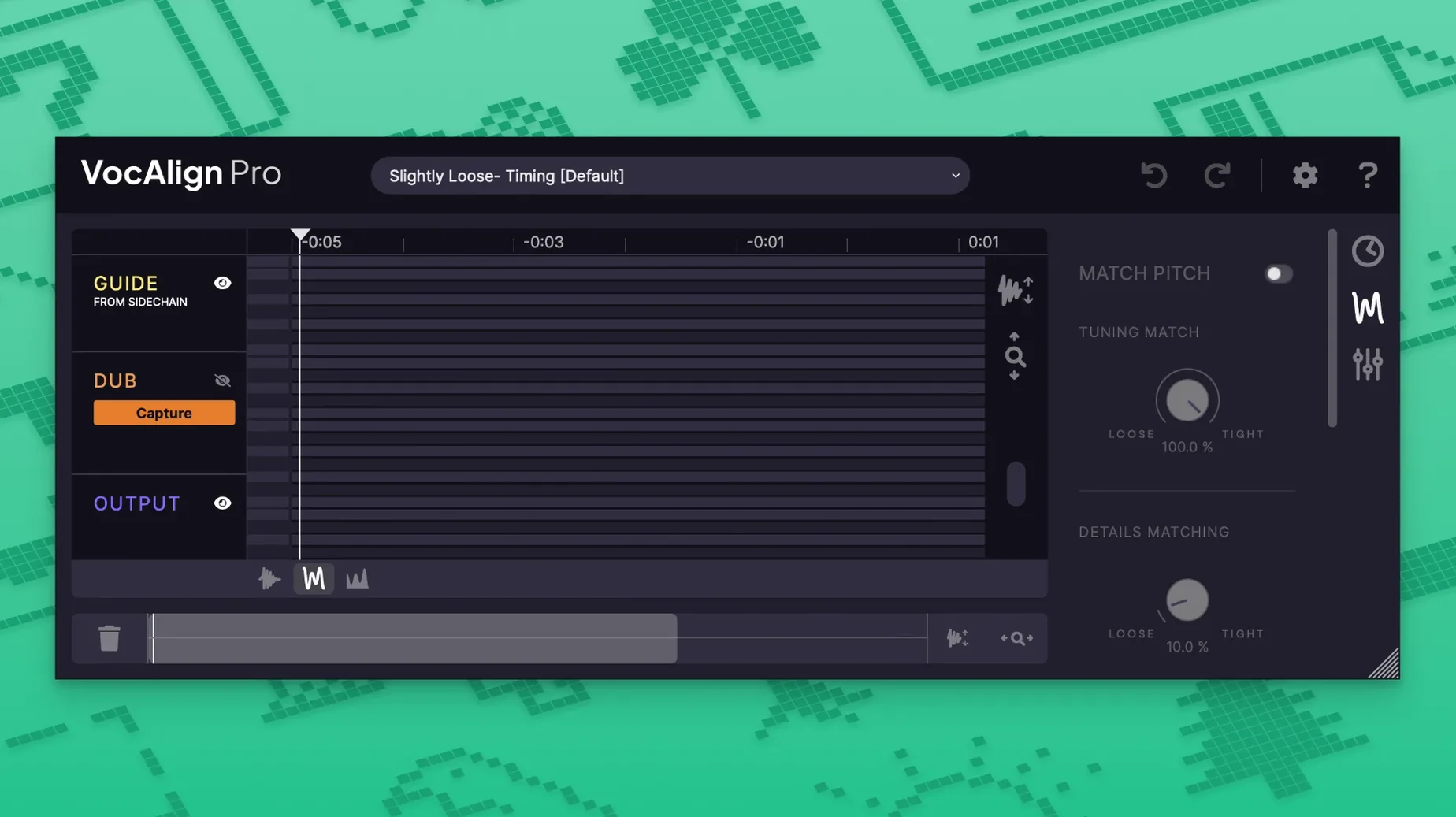
VocAlign 6 Pro is the plugin that grabs the phrasing, timing, and pitch from one performance and applies it to another. If you're stacking vocal doubles, tightening a bass to a kick, or making ADR sit in a scene, this does the heavy lifting so you're not nudging waveforms by hand.
- Formats and hosts: Runs as AU, VST3, or AAX — so it drops into Logic Pro, Pro Tools, Ableton Live, Cubase, Studio One, and pretty much any modern DAW on macOS 10.14 or later. Intel and Apple Silicon are both supported natively.
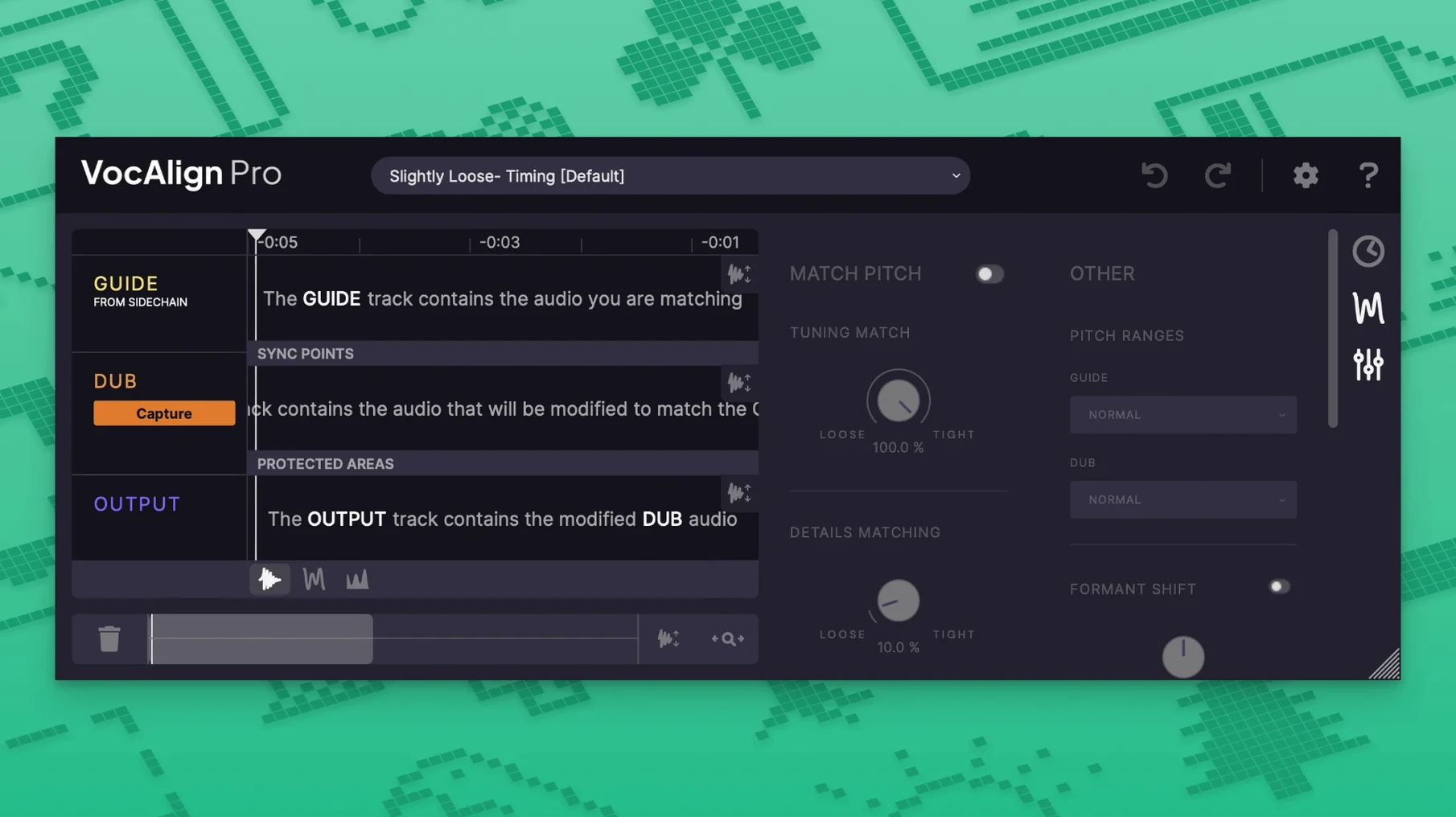
- Time and pitch alignment: Align one track to a guide in the time domain, the pitch domain, or both at once. The new Tightness Control lets you dial in how closely the follower snaps to the guide.
- SmartPitch: Built-in pitch correction works during alignment, so doubled vocals stay in tune with the lead without a separate tuning pass.
- Sync Points and Protected Areas: Lock specific transients or phrases in place. If a syllable needs to land exactly on a beat, you pin it. Protected Areas let whole sections stay untouched while the rest follows the guide.
- Process Groups: Align multiple tracks — like a four-part harmony stack — against a single guide in one move.
- Formant shifting and presets: Shift formants to keep a natural tone when pitch changes are drastic. Alignment presets give you sensible starting points for tight doubles, loose ADR, or instrument matching.
The resizable interface means you're not squinting at tiny waveforms on a modern display. Whether you're cleaning up a podcast interview or building a layered vocal production, VocAlign 6 Pro turns what used to be an afternoon of editing into a few seconds of listening.
Near-instant alignment on Apple Silicon
Speed is the whole point of VocAlign, and version 6 doesn't keep you waiting. On an Apple Silicon Mac, alignment calculations finish in a second or two for typical verse-length phrases. Even stacked Process Groups with four or five harmony tracks resolve quickly enough that you stay in a flow state — drop the guide, capture the followers, hit align, and you're listening to results before the coffee cools. Intel machines run it fine too, just expect a slightly longer beat before playback starts.
Stability has been solid across Logic Pro and Pro Tools sessions here. No mysterious dropouts or plugin scans failing mid-project. Memory use stays modest — you're not watching the Activity Monitor spike just because VocAlign is sitting on a few tracks. It loads what it needs, does the math, and gets out of the way.
A practical note: ARA integration in Pro Tools means you skip the real-time capture step entirely. That alone saves enough clicks per session to matter when you're aligning dialogue across a twenty-minute reel.
Aligning a lead with two doubles in seconds
Say you've tracked a lead vocal and two doubles that are close but not quite locked. Here's how a pass with VocAlign 6 Pro usually goes:
- Insert and route. Drop VocAlign on the first double. Set the lead vocal bus as the sidechain input so the plugin can hear the guide.
- Capture both signals. Hit Arm Capture All, play through the verse, and VocAlign grabs the guide and the follower in one pass. No separate recording steps.
- Choose a preset. The Tight Double preset is a good start for stacked vocals. If you want a looser feel, back off the Tightness Control a notch.
- Check SmartAlign. SmartAlign marks which sections actually need work. Glance at the waveform display — protected areas show up where the timing is already fine, so you're not over-processing.
- Align and listen. Click align and play back. The double now rides the lead's timing and pitch. Toggle bypass to hear the before-and-after.
- Repeat for the stack. Use Process Groups to capture the remaining doubles at once. Point them all at the same guide, tweak formants if a double sounds thin after pitch correction, and you're done.
Five minutes from messy to mix-ready, and you spent most of that time listening rather than editing.
- macOS 10.14 or later
- Intel or Apple Silicon Mac
- AU, VST3, or AAX host
- Interface: English
Questions from the stall
Does VocAlign 6 Pro work with instruments, not just vocals?
Yes — it can align one instrumental performance to another in time, pitch, or both, so bass and kick or doubled guitar parts lock in.
What does Tightness Control actually do?
Tightness Control lets you set how strictly the aligned track follows the guide's timing, from a loose overall match to a sample-tight lock.
Notes from other shops 0
Sign in or open a shop account to leave a note.
No notes yet. If you've used this on a shop Mac, tell me how it went.