Runs on Apple Silicon and Intel Macs with AAX, VST3, and AU
Supertone Air runs on macOS 10.13 and later, with native support for both Apple Silicon and Intel Macs. It comes as AAX, VST3, and AU, and handles 44.1 kHz, 48 kHz, and 96 kHz sample rates. It's built for offline processing in Pro Tools AudioSuite, where ADR work really lives.
How it shapes a room match
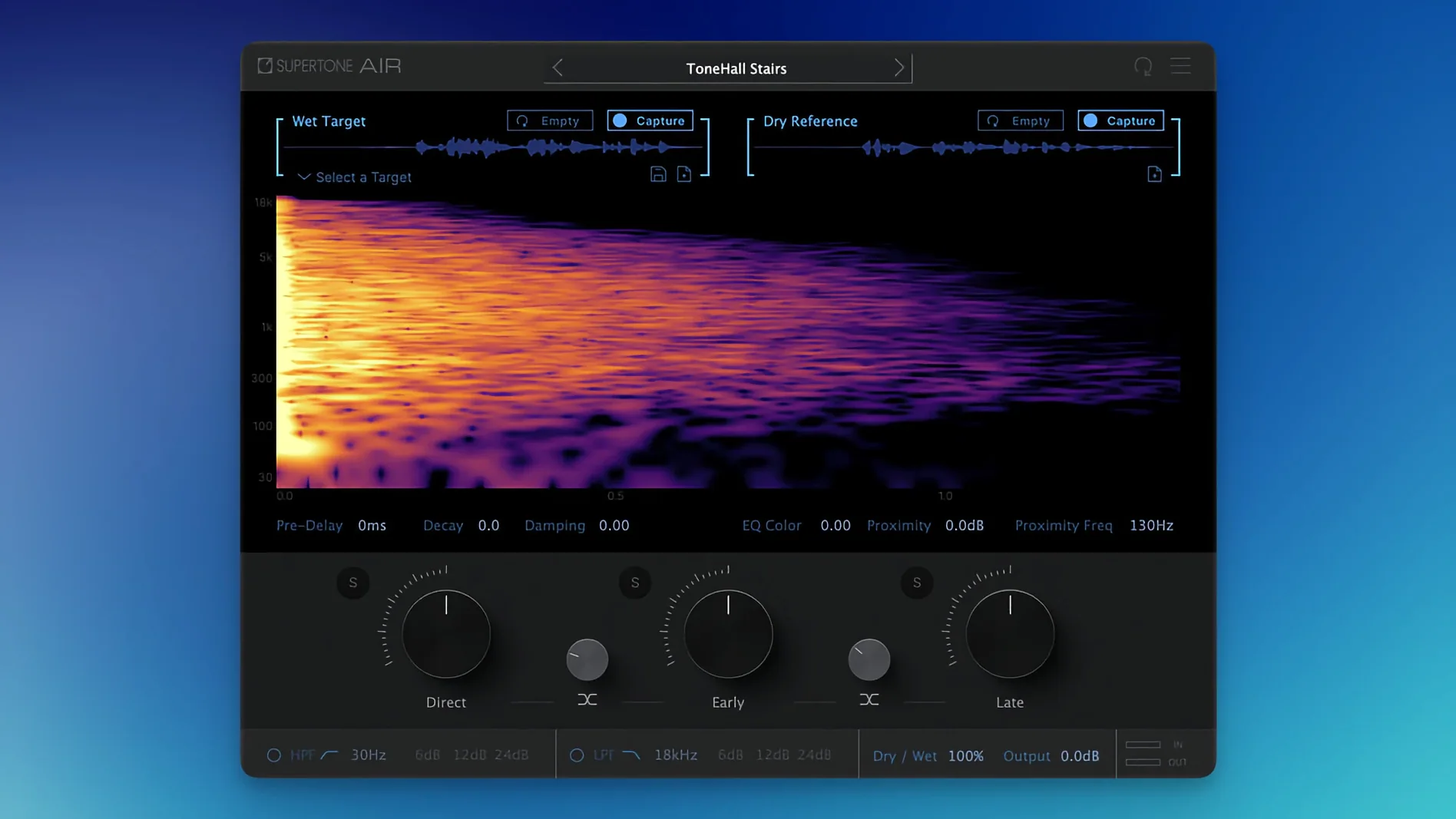
The workflow is refreshingly straightforward, and the controls tell you a lot about what the plug-in is doing to your dialogue.
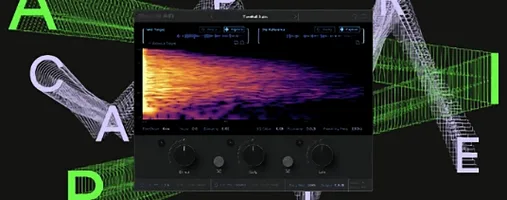
- Capture a reference. Feed Air a clip of the production audio — the room tone and reverb you need to match. The plug-in analyzes the space.
- Dial in the direct signal. Adjust how much of the clean, close-miked character comes through. This sets the foundation before you layer in the room.
- Shape the early reflections. These first bounce-backs define the size and surface feel of a space. Push them forward for a tighter booth sound or pull them back.
- Set the late reflections. This is the tail — the bloom of the room. Blend it in subtly so the ADR line sits in the same acoustic pocket as the location audio.
- Refine the EQ match. Air applies a spectral imprint from the reference. You're not just adding reverb; you're shaping the tone so the new recording genuinely sounds like it belongs.
You can export the captured space as a WAV file, which is handy if you want to keep a library of tricky locations or pass it along to another session.
First days with Air — where to start
Don't throw it at your most complicated scene on day one. I'd pick a line or two of ADR that already sits reasonably well, then use Air to nudge it the last 5%. That teaches your ears what the plug-in actually changes, without the pressure of a deadline.
A few things worth doing early:
- Capture a handful of spaces you know well. Your own booth, a voiceover closet, the kitchen where you've recorded scratch tracks. Export them as WAV files so you have a quick-access palette of familiar rooms.
- Test the proximity control. It's one of those parameters that's easy to overlook, but it shifts how near or far the speaker feels. On a rushed ADR session where the actor was too close to the mic, backing off the proximity can save you from that "I can hear their tonsils" quality.
- Save profiles the moment you nail a match. Air profiles take seconds to export. If you're working on an episodic series or a feature with recurring locations, you'll reuse them constantly.
- Compare at matched levels. Louder always tricks the ear into thinking "better." Adjust the output so the processed and bypassed signals sit at the same perceived loudness, then judge the match.
ADR not sitting? Check your direct signal balance first
No plug-in is frictionless, and Air has a few spots where I see people get stuck.
The reference clip sounds great, but the ADR still doesn't sit. Nine times out of ten, the problem is the direct signal balance. If the dry voice is too prominent, no amount of reverb will glue it into the scene. Pull the direct level back further than feels natural, then bring it up until it just anchors the voice. The room tail does the heavy lifting after that.
Air feels sluggish during playback. It's an offline process by design — AudioSuite in Pro Tools handles the heavy lifting. If you're trying to use it as an insert during live playback, you're fighting its nature. Render the clip, listen, tweak, render again. That's the rhythm.
The plug-in doesn't appear after installing. This one has a specific backstory. Early builds named the file Air, which conflicted with Sound Particles' Air plug-in if you happened to own both. Version 1.0.1 renamed it to Supertone Air specifically to sort that out. If you updated from an earlier version, a clean rescan of your plug-in folders usually clears any lingering ghost entries.
The exported WAV sounds different from what you hear in the session. Check your sample rate. Air supports 44.1 kHz, 48 kHz, and 96 kHz, and a mismatch between your session and the export setting can shift the reverb tail's character. Match them up and the export stays true.
Does Air work outside Pro Tools? AAX is AudioSuite-only
These are the questions I hear most often from editors considering Air.
"Does it only work in Pro Tools, or can I use it in my DAW?" The AAX version is built for AudioSuite, which is Pro Tools territory, but Air also ships as VST3 and AU. If you're working in Nuendo, Reaper, Logic, or Studio One, you can use it as an insert — just know that the offline-processing mindset still applies. It won't be a low-latency live reverb you ride with a fader. Render it, then move on.
"How different is this from matching EQ and a convolution reverb?" The Acoustic Scene Transfer under the hood isn't just slapping an EQ curve on top of an impulse response. It's a neural network that analyzes the reference and learns both the spectral imprint and the reverb structure together, then applies them as a unified match. You get direct, early, and late reflection controls that already know how the reference behaves. A manual chain of EQ and IR reverb can get you close, but Air gets there faster and with fewer second-guesses.
"Can I trust it on quiet scenes?" Rooms with subtle ambience — a car interior at night, a hushed apartment — are where Air shines hardest. Big reverb tails are easy to hear and easy to match by ear. The quiet spaces are where the EQ matching part pulls its weight, because a dry booth recording against a faint city-hum reference needs spectral shaping more than an obvious tail.
What changed in version 1.0.1:
- The plug-in file name was updated from Air to Supertone Air, so it's easier to spot in your folder.
- Fixed an installation problem for anyone who also had Sound Particles Air on their system.
- macOS 10.13 or later
- Apple Silicon or Intel processor
- Supports 44.1 kHz, 48 kHz, and 96 kHz sample rates
- AAX, VST3, and AU formats
Notes from other shops 0
Sign in or open a shop account to leave a note.
No notes yet. If you've used this on a shop Mac, tell me how it went.