When a drive goes silent or a folder vanishes, you need a tool that can look past the empty space and find what the system insists is gone. That's what Disk Drill does.
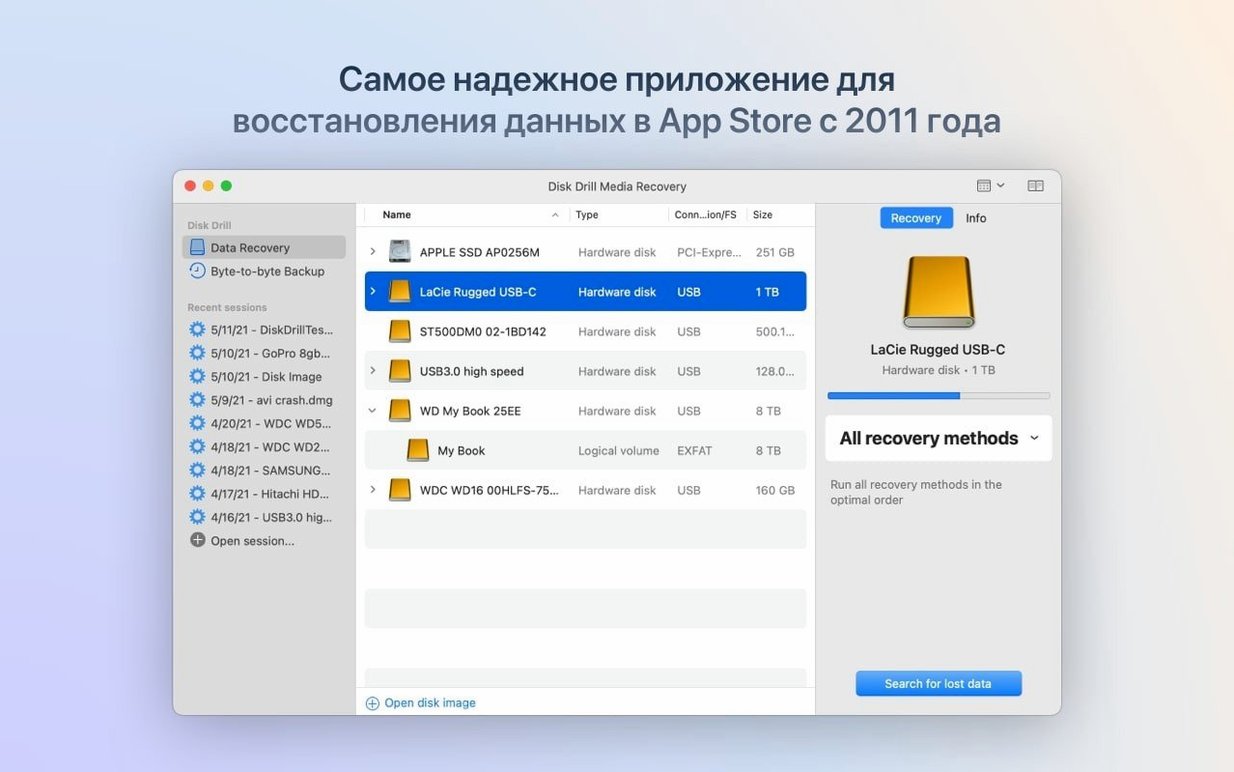
- Set your scan area. Pick a whole disk, a lost partition, or a specific folder. The app can also work with iPhones, iPads, and Android devices — recovering call history, contacts, and messages where supported.
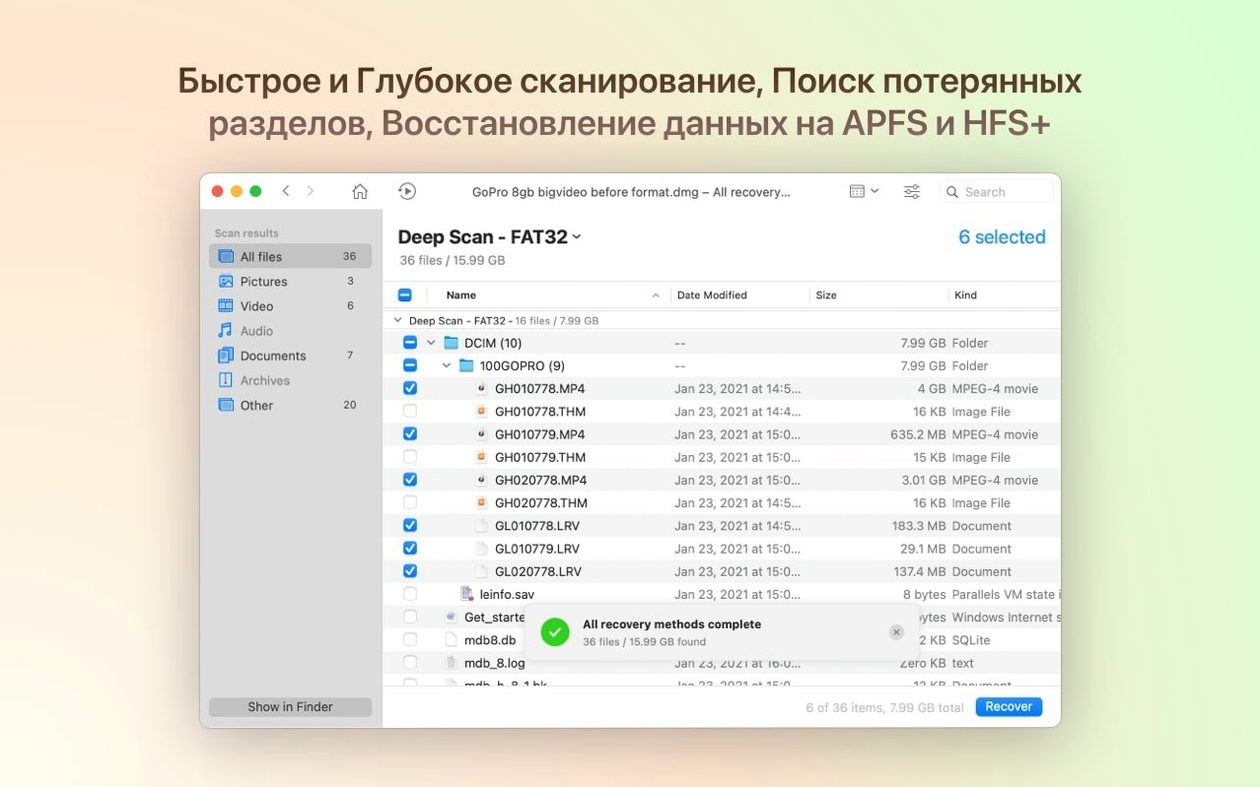
- Run the scan. Choose a quick scan for recently deleted items or a deep scan that reads the storage block by block. Version 6.3.2326 handles encrypted APFS partitions better than before and can now detect lost BitLocker partitions.
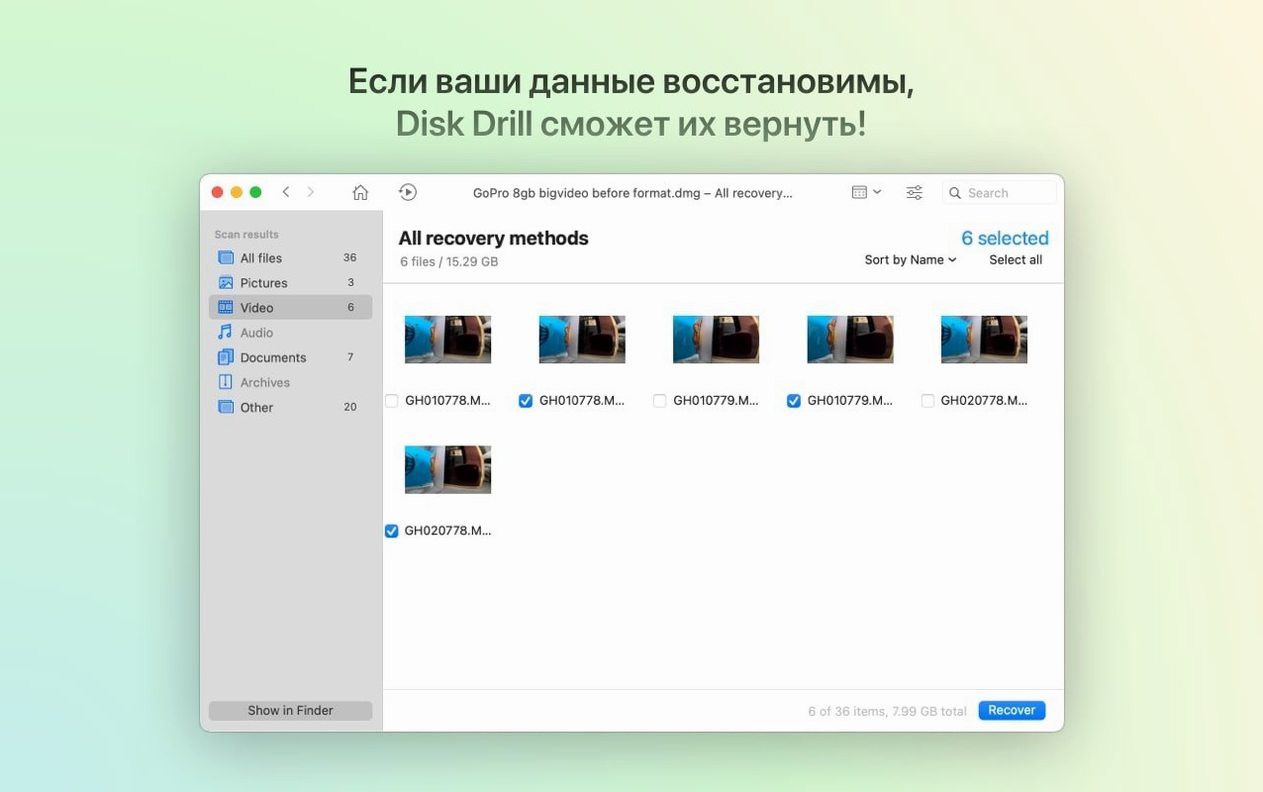
- Preview what it finds. File names, folder paths, and previews show up while the scan is still running. The latest update catches .dng and .rwl files more reliably, and adds support for .p8, .pfx, and .m4a formats in its recovery modules.
- Recover what you need. Tick the files you want and set a safe destination — never the same drive you're recovering from. Recovered data lands back on your desktop, ready to use.
The app runs on macOS 10.15.7 and later, with full support for both Apple Silicon and 64-bit Intel Macs. It's built for shop owners who keep their own backups, photographers facing a corrupted card, or anyone who needs files back without a forensic degree.
Writing recovered files straight back to the problem drive
Most people open Disk Drill with exactly the right instinct — get the scan running, find the files, get back to work. But a few simple missteps can turn a straightforward recovery into a headache.
Writing recovered files to the same drive you're scanning. This is the big one. When the system writes new data to a drive, it might overwrite the very sectors you're hoping to recover. Always set the destination to a different physical drive, a USB stick, or an external enclosure. The app warns you about this, but it's easy to click through in a hurry.
Continuing to use the drive after deletion. If you realize you've lost something important, stop using that drive immediately. Don't launch apps from it, don't save new files to it, don't even browse around. Every write operation — including temporary files your browser or email client creates in the background — reduces your chances. Power the machine down if you can, connect the drive to another Mac as a secondary volume, and scan from there.
Skipping the preview step. It's tempting to tick everything and hit recover, but you'll spend more time sorting through a messy folder than you saved. Use the preview pane to confirm file names, sizes, and when available, the actual content. The latest build groups iPhone photos and videos better than before — less scrolling, less guessing.
Assuming a quick scan is enough. Quick scan pulls recently deleted items from directory records. Files deleted a while ago, or anything on a formatted or corrupted drive, usually needs a deep scan. Let it run. The time estimate shrinks after the first few minutes, and you can browse partial results while it works.
Pause a deep scan that’s taking all afternoon
Some features sit just off the main path and make daily use smoother. None of them require reading a manual — you just need to know where to look.
- Pause and resume. Deep scans on large drives can run for hours. The pause button lets you suspend the scan, put the Mac to sleep, and pick up where you left off the next morning. Handy when you're working on a customer's 4TB external drive overnight.
- Filter during scan. The search field and file-type filters work on results that are still coming in. If you only care about .dng raw photos or .m4a voice memos, you can narrow the list before the scan finishes. The ACR module in version 6.3.2326 brings better support for exactly those formats.
- Disk health monitoring. Tucked into the sidebar, S.M.A.R.T. monitoring watches your drives for early warning signs — reallocated sectors, pending sectors, high temperatures. It won't replace a backup routine, but it will tell you when a drive is thinking about failing. For a shop owner with years of customer photos on a spinning disk, that's a quiet safety net.
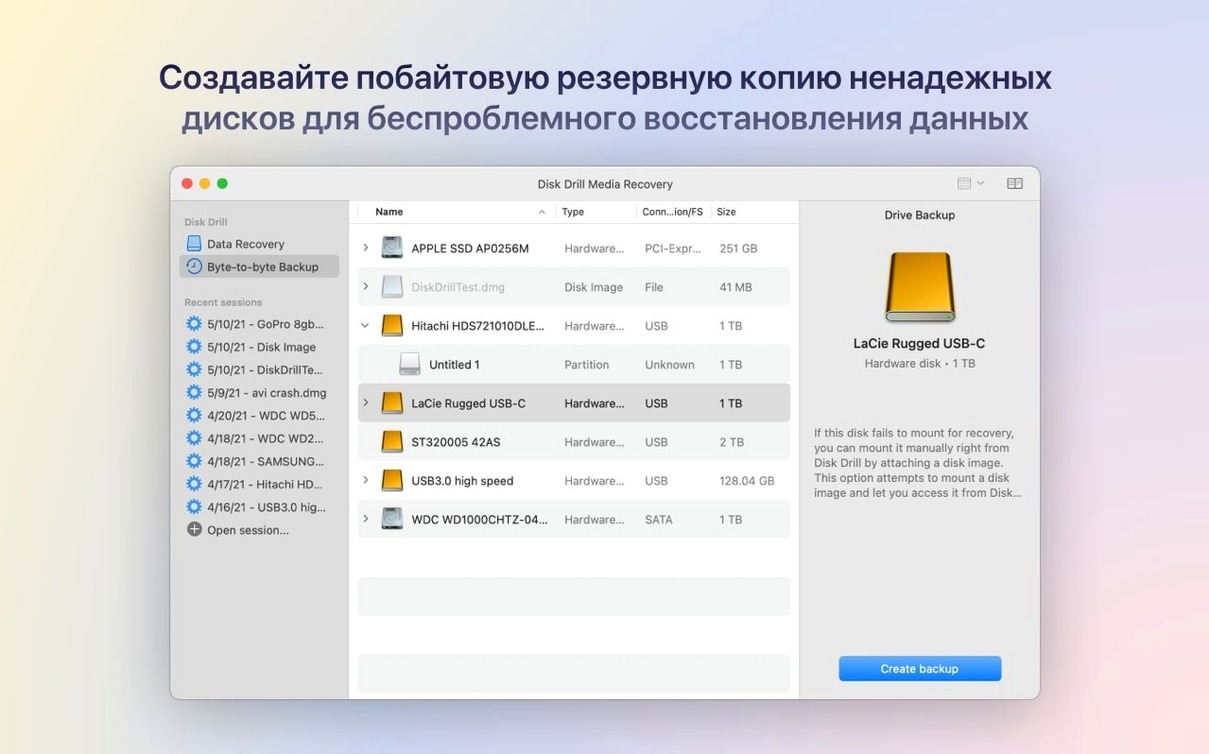
- Byte-to-byte backups. Before you attempt anything risky on a failing drive, create a raw DMG copy. Version 6.3.2326 fixed a bug with byte-to-byte DMG scanning, so the process is steadier than before. Scan the copy instead of the original, and if the drive dies mid-recovery, you haven't lost your chance.
A photographer's Tuesday afternoon
Freelance photographers live by their cards — SD, CFexpress, whatever the camera takes. One of mine, a wedding shooter I trade work with, messaged me in a mild panic. She'd formatted a card mid-wedding without realizing the ceremony shots were still on it. No backup, no second body with duplicates. Just one 128GB card, now showing as empty in her MacBook's card reader.
She stopped using the card immediately — the single smartest move she made. We connected it through a USB reader to a Mac mini back at the shop, launched Disk Drill, and pointed it at the card. Quick scan turned up nothing useful; the format had already rewritten the directory. Deep scan took about forty minutes and surfaced thousands of recoverable files, including a block of .rwl raw files — the format her Leica uses — that matched the ceremony timeline. The ACR module in the current build recognized them without fuss.
Previews confirmed the images were intact. She ticked the ceremony batch, chose a folder on the Mac mini's internal drive as the destination, and walked out with a USB stick twenty minutes later. The whole thing ran without a hiccup. No fan noise spike, no beachball. Disk Drill sat quietly in the background while she edited a different gallery, barely touching system resources.
It works on Macs all the way back to Catalina
Friends and shop customers tend to ask the same few things when they hear about the app. Here's what I tell them.
Will it work on my old Mac? If it runs macOS 10.15.7 or newer, yes. That covers Macs going back to 2012 or so. The app runs natively on Apple Silicon and 64-bit Intel, so you're not losing performance to Rosetta on newer machines.
Can it get files back from a phone? iPhones and iPads — call history, contacts, messages. Android devices — broader file recovery. The iOS side requires a connection over USB, and you'll need to trust the computer. It's not a magical over-the-air rescue, but for a shop owner who accidentally wiped a customer's contact list, it saves hours of manual re-entry.
Does scanning wear out the drive? No more than reading files normally. The scan reads sectors; it doesn't hammer them with writes. On a drive that's already failing mechanically, any activity is a risk — which is why the byte-to-byte backup option exists. Make the copy first, then scan the copy.
What if I only need a few file types back? The duplicate finder and disk cleanup tools are bonuses, but if you're after recovery only, you can ignore them. The app doesn't force extra features into your workflow.
Some folks search around for terms like disk drill for mac crack or activate disk drill before they understand how the tool fits their setup. Others look for a Disk Drill torrent or Disk Drill Mac torrent, and occasionally someone asks about a Disk Drill Pro torrent. The conversation usually comes back to the same questions above once they see what the app actually recovers.
Quick scans on a healthy SSD wrap up in under two minutes
I've run Disk Drill on everything from a shop Mac mini with 8GB of RAM to a loaded MacBook Pro. Across those machines, the app stays unobtrusive.
Quick scans on a healthy 512GB SSD finish in under two minutes. Deep scans on a 4TB external hard drive — the kind you might use for Time Machine and client archives — take about three to four hours with the drive connected over USB 3.0. The progress bar gives a realistic estimate after the first five percent, and you can step away knowing it won't balloon into an overnight wait without warning.
Memory usage during a deep scan hovers between 400MB and 800MB, which leaves plenty of room for a browser, email, and design tools running alongside it. CPU load is moderate during active scanning — the fans on my MacBook Pro stay quiet — and drops to near zero when the window is in the background with the scan paused.
Stability has been solid across the 6.x releases. Version 6.3.2326 cleaned up a DMG scanning issue and improved encrypted APFS partition handling, which matters if you use FileVault or work with clients who do. Lost BitLocker partition detection arrived in this update too, so external Windows-formatted drives aren't a blind spot anymore. I haven't seen a crash mid-scan in months, and I've put the app through long overnight sessions on drives that made clicking sounds — the kind you expect to fail before breakfast. It handled them without freezing or beachballing.
What's new in version 6.3.2326:
- Detects and recovers lost BitLocker partitions
- Adds support for .p8 and .pfx files
- Adds .m4a support in the ACR module
- Improves handling of encrypted APFS partitions
- Fixes byte-to-byte DMG scanning
- macOS 10.15.7 or later
- Apple Silicon or 64-bit Intel Mac
Notes from other shops 0
Sign in or open a shop account to leave a note.
No notes yet. If you've used this on a shop Mac, tell me how it went.