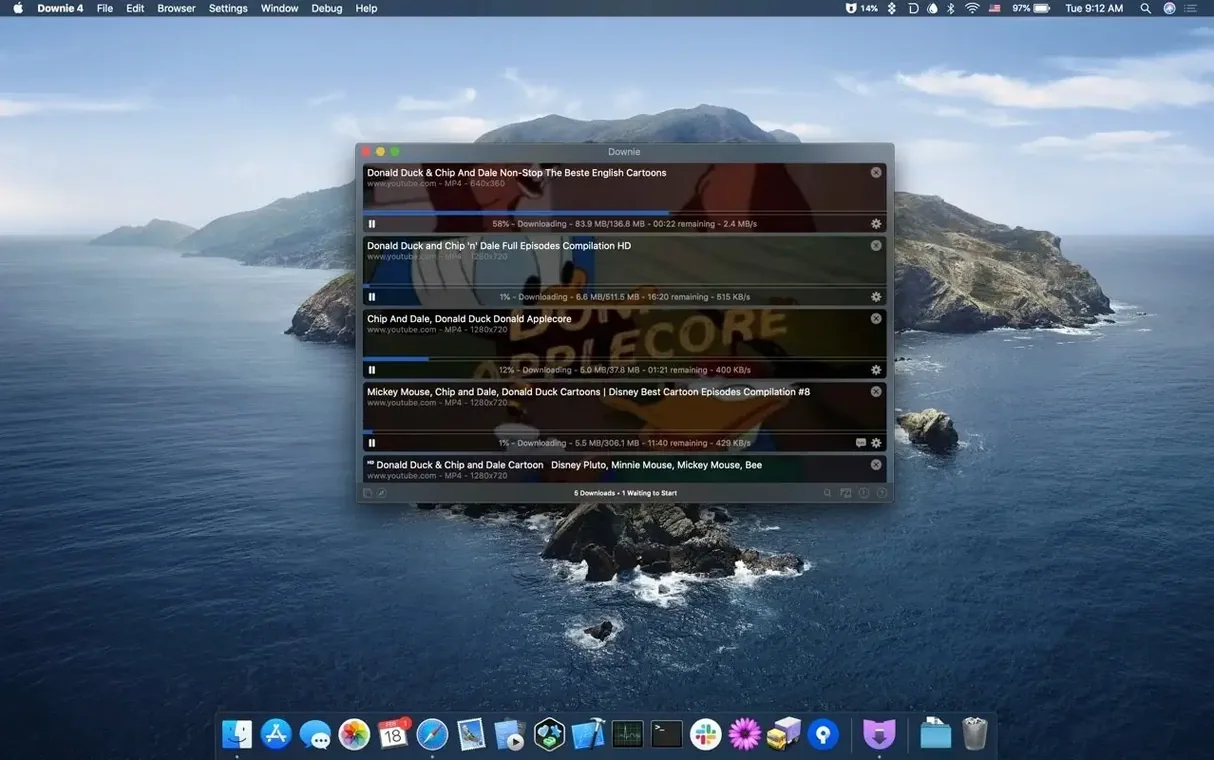
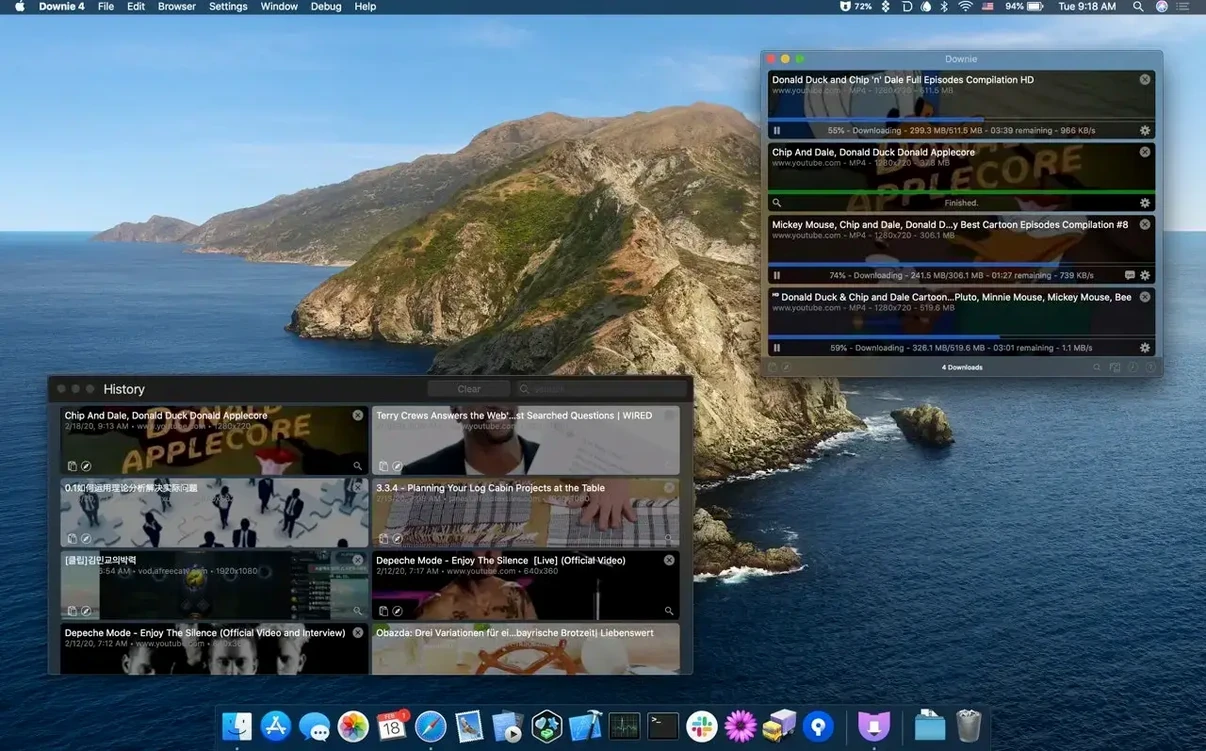
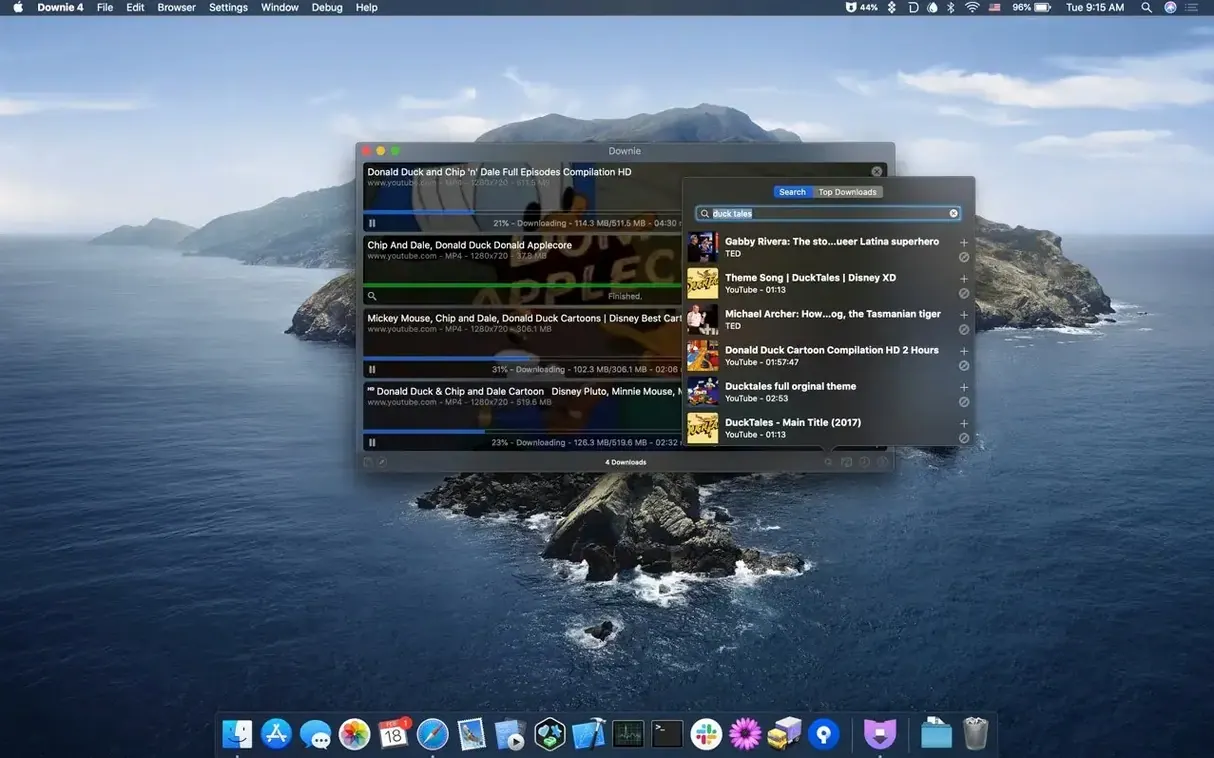
Finding a video online is easy. Keeping a copy for a presentation, a flight, or your editing timeline shouldn't be a puzzle. Downie 4 handles that part so you can get on with your day. Drop in a link, and the app snags the video—no clicking through ad-laden converter sites required. Before you jump in, here’s what matters for your setup.
- What it needs: macOS 11 (Big Sur) or newer, runs natively on both Apple Silicon and Intel Macs.
- Where it grabs from: YouTube, Vimeo, Facebook, Instagram, and over 1,200 other sites.
- Handy extras: Browser extensions let you send links straight to Downie without copying and pasting.
- Format smarts: Automatic MP4 conversion is built in. Pair it with Permute to join separate video parts or convert to more formats.
- Language support: The interface speaks 32 languages, so you can work in the one you’re most comfortable with.
It’s a focused tool—no editing suite, no media library. Just point it at a page, get the file, and move on. If your Mac is from the last several years, it’ll feel right at home.
Why I keep coming back to Downie after trying the free alternatives
Downie isn't the only video downloader for macOS, but it's the one I keep coming back to. Here's how it compares with a couple of other well-known options.
Downie vs. ClipGrab — ClipGrab is straightforward and free, and it handles YouTube and Vimeo without fuss. Where Downie pulls ahead is breadth: 1,200-plus supported sites versus ClipGrab's handful of big platforms. ClipGrab also lacks a browser extension, so you're copying and pasting every link. If you only save an occasional YouTube clip, ClipGrab does fine. But when I need to grab a video from a smaller site—a local news clip, a niche tutorial platform—Downie is the one that actually works. The 4K support in Downie is another gap; ClipGrab tops out at 1080p for most downloads.
Downie vs. JDownloader — JDownloader is a beast. It handles video, file lockers, image galleries, you name it. The trade-off: it's heavy, the interface feels like a 2005 control panel, and it requires Java. Downie is built for macOS from the ground up, with a clean single-window design and native performance on Apple Silicon. JDownloader can queue hundreds of files across different services, which Downie doesn't aim to do. But for pure video grabs with minimal clicks, Downie feels lighter and more focused. If your only job is saving videos, Downie gets there with less overhead.
Downie vs. Pulltube — Pulltube shares a lot of Downie's sensibilities: a tidy Mac interface, broad site support, and browser integration. Both handle 4K and audio extraction. The difference often comes down to the Permute tie-in. With Downie and Permute together, you get a post-processing pipeline that Pulltube doesn't match without extra steps. Permute can join split video parts, create GIFs from clips, or batch-convert formats after the download finishes. If your workflow ends with the raw file, they're close competitors. If you often need the file in a specific format or stitched together, Downie plus Permute is the smoother combo.
Post-processing tricks that save time after each download
A few things in Downie aren't obvious on first launch, but they save time once you spot them.
Custom post-processing with Permute. In Downie's preferences, you can tell the app to hand every finished download over to Permute with a preset conversion applied. Set it once, and every video you grab lands on your drive already in the format you need. No extra drag-and-drop.
User extraction for logged-in content. Some sites hide videos behind a login. Downie can use your browser's cookies to access them. In preferences, under the Cookies section, you can point Downie to your browser's cookie storage. It's how you save videos from sites that require a subscription or account. The setting is tucked away, but it unlocks a lot of walled-off content.
CSV and XML batch import. If you maintain a list of video links—say, for a course you're archiving—Downie can import a CSV or XML file and work through the queue. You can even include custom filenames in the file so each download is named what you want from the start. It's a feature that doesn't get much attention, but for bulk work it turns an hour of copying and pasting into a two-minute setup.
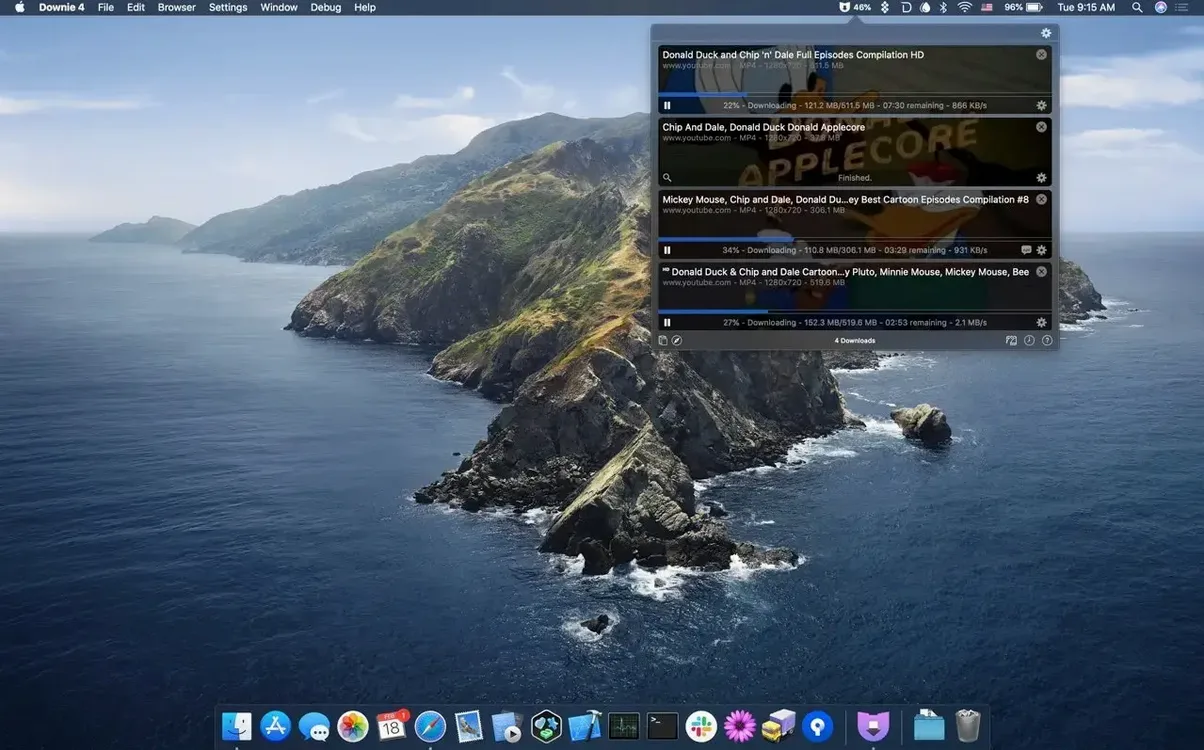
Menu bar mode. Downie can live in your menu bar instead of the dock. Click the icon, drop a link, and it starts downloading without opening the main window. Handy when you're screen-sharing a presentation and want to grab a clip without the audience seeing a downloader window pop up.
Paste-and-go detection. When you copy a supported video URL anywhere on your Mac, Downie can detect it and start downloading immediately—no need to switch to the app. Enable "Start downloads immediately after detection" in preferences. It's fast enough that I sometimes forget it's on until the finished file notification appears.
Offline copies for the classroom — when spotty Wi-Fi can't interrupt your talk
A tool this specific clicks best with certain kinds of Mac users.
Educators and presenters who need offline copies of videos for classrooms or conference talks. Spotty Wi-Fi in a lecture hall doesn't matter when the clip is already on your desktop. Downie's 4K support means you're not stuck with a blurry projection on a big screen.
Video editors pulling reference footage or b-roll from the web. The direct-to-MP4 conversion and Permute integration mean footage arrives ready for Final Cut Pro or DaVinci Resolve without a separate transcoding step. The audio-only extraction is a quiet gem here—grab a spoken-word clip or a sound effect from a video without pulling the whole file apart in an editor.
Language learners saving videos for offline study. Download a clip, extract the audio, load it into a spaced-repetition app. The 32-language interface also helps if you're more comfortable navigating in your first language while pulling content in your target language.
Field researchers and journalists who archive online videos as source material. A video available today might be taken down tomorrow. Downie's wide site support covers local news outlets and smaller platforms that bigger downloaders ignore. The CSV import is a quiet lifesaver when you're tracking dozens of links across a long-running investigation.
The Permute handoff that feels like one extended conversion workflow
Downie plays well with other parts of macOS and third-party tools, often in ways that aren't immediately obvious.
With Permute: The pairing is tight enough that it feels like one extended workflow. Downie downloads, Permute converts, and you set the rules once. Join multi-part videos, convert to HEVC for smaller files, or create an animated GIF from a short clip—all triggered automatically when a download finishes.
With Safari, Chrome, and Firefox: The browser extensions send the current page's video directly to Downie. If you're browsing a playlist, the extension can detect all videos on the page and send them as a batch. Less tab-switching, more doing.
With Finder tags and Quick Look: Downie saves files wherever you tell it—your Movies folder, a project folder, a cloud-synced directory. Tag the download folder with a Finder tag, and every saved video inherits it. Quick Look works instantly on the MP4 and M4A files Downie produces, so you can preview without opening an app.
With Shortcuts and Automator: Downie doesn't have a Shortcuts integration built in, but you can wrap it into an Automator workflow. A Folder Action attached to a "Watch Links" folder can trigger Downie via its URL scheme. Drop a link file into the folder, and the download kicks off silently. It's a small DIY bridge, but it's there if you like tinkering.
With cloud storage: Point Downie's download location to a folder inside iCloud Drive, Dropbox, or OneDrive, and every saved video appears on your other devices without extra steps. The automatic MP4 conversion helps here—standard MP4 plays on practically anything, so the files are ready for iOS, Windows, or a smart TV as soon as they sync.
- macOS 11 (Big Sur) or later
- Works on Apple Silicon and Intel Macs
Questions from the stall
Can Downie 4 convert videos to MP4 automatically?
Yes, you can set it to convert downloads to MP4 as soon as they finish, or send them to Permute for broader format options.
Notes from other shops 0
Sign in or open a shop account to leave a note.
No notes yet. If you've used this on a shop Mac, tell me how it went.