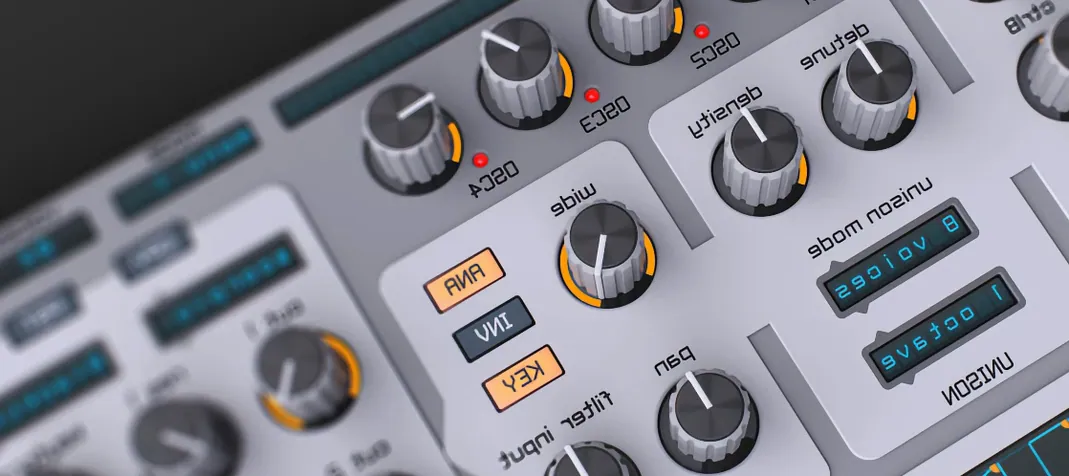
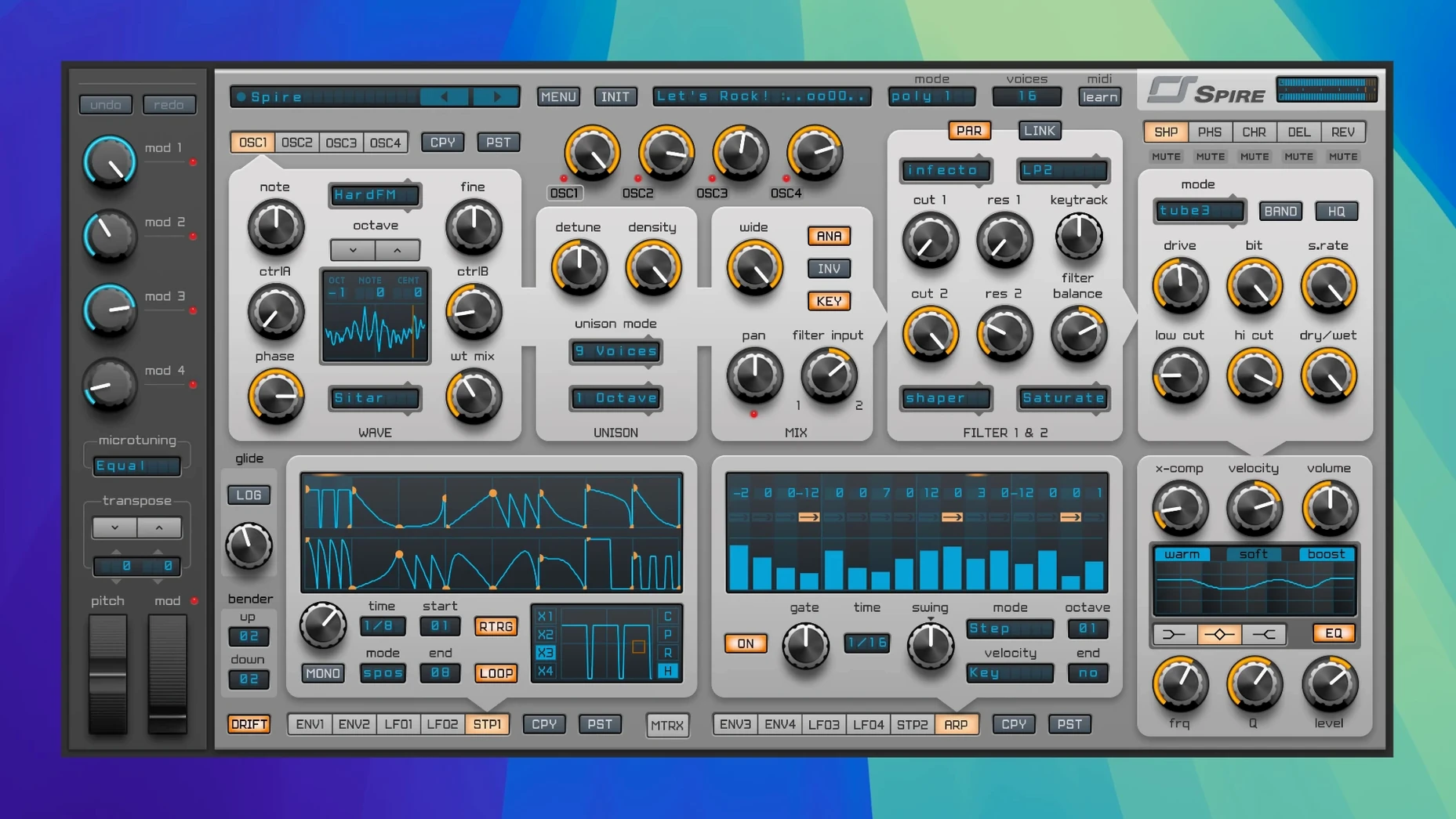
Four oscillators, each with its own flexible voice mode. That is the first thing you notice when you open Spire — it is built for stacking thick, moving tones without leaving the plugin window. The wavetable option sits alongside classic shapes, so you can dial in everything from a clean saw lead to a glassy pad that evolves over eight bars.
In a busy session, I drop it on a synth bus when a track needs a sound that cuts through a dense mix. The multimode filter gives me 12 or 24 dB slopes with low-pass, high-pass, band-pass and notch modes, which means I can shape the top end of a bright pluck without reaching for an extra EQ. The modulation matrix ties it together — routing an LFO to filter cutoff or oscillator pitch takes a few clicks, and the result feels alive rather than static.
For bass duties, a single instance on a mono channel does the job. Disable the extra voices, tighten the envelope and let the filter slope do the heavy lifting. The more than 1500 presets are a solid starting point when I need a quick dubstep wobble or a trance gate pattern; they are organized well enough that I can audition ideas without losing momentum.
Spire fits where a hardware synth would sit in a hybrid setup: front and center for lead lines, tucked under a reverb send for spacious chords, or layered with a drum bus for rhythmic texture. It handles polyphonic pads and aggressive unison basses equally well, which keeps my plugin folder a little tidier.
How Spire Stacks Up Against Similar Synths
If you already own a wavetable workhorse like Serum, you might wonder whether Spire brings enough of its own character to the table. Serum excels at deep, surgical sound design — its visual feedback on every modulation and its custom wavetable editor make it a precision tool. Spire takes a different path. Its four-oscillator architecture encourages layering from the start, and the built-in effects section feels more like a pedalboard than an afterthought. I find myself reaching for Spire when I want a finished tone right in the plugin, rather than building a sound that still needs external processing.
Then there is Sylenth1, another four-oscillator synth that has been a staple in trance and house for years. Sylenth1 leans into a warmer, slightly older-school character that sits beautifully in a pad or a lead without much tweaking. Spire sounds cleaner and more modern by comparison — it cuts through a mix with a bit more edge. The modulation matrix in Spire is also more flexible, which matters when you want to route an envelope to a reverb mix or animate a wavetable position over time. Sylenth1 keeps things simpler, and for some producers that simplicity is the whole point. For me, Spire strikes a balance: not as deep as Serum, not as restrained as Sylenth1, but covering enough ground to handle most electronic styles without plugin-hopping.
Dune 3 comes up in the same conversation. It shares Spire's love for stacked oscillators and polished effects, and its filter section is excellent. Where Spire pulls ahead is in its preset library and its immediacy — the factory sounds are tuned for EDM, dubstep and trance in a way that feels ready to drop into an arrangement, whereas Dune 3 often needs a bit more massaging to fit a specific genre pocket.
How Spire Fits Into a Real Workflow
Spire plays well with other tools when you treat it as a sound source rather than an island. I route its output into a channel strip with a lightweight saturation plugin for extra warmth on bass patches — the built-in distortion is useful for aggressive tones, but a subtle tape emulation after Spire rounds off the digital edge without losing clarity. For pads, I often pair it with Valhalla Supermassive on a send; Spire's own reverb handles short ambience, but a long, modulated tail from an external plugin turns a simple chord stab into a backdrop that breathes.
On the macOS side, I lean on Audio Units hosting in Logic Pro, and Spire has been stable there across every update since I installed it. The plugin also works nicely with Ableton Live's Rack system — grouping Spire with a MIDI effect like a chord generator or an arpeggiator ahead of it turns a single note into a full melodic phrase. The internal arpeggiator and step sequencer cover basic patterns, but for polyrhythmic or probability-based sequences, an external MIDI device or Live's own tools give you more control.
Tip: Save a channel strip preset with Spire followed by an EQ and a compressor tuned for your typical lead or bass chain. It cuts down on setup time when you are sketching ideas, and you can always swap the patch later.
Set your default voice mode and detune taste
A few tweaks make Spire feel more like your own instrument. Head to the global settings and set the voice mode to your default preference — Mono for bass duties, Poly for pads and leads. The unison detune amount is generous out of the box; dialing it back to around 20 percent on bass sounds keeps the low end focused instead of phasey.
The mod wheel routing is another spot worth visiting early. Out of the box, many presets map it to vibrato, but I reassign it to filter cutoff or wavetable position on my go-to patches. That one change turns the mod wheel into an expressive tool instead of an afterthought. In the effects section, the phaser defaults to a fairly pronounced sweep. Pulling the mix down to 30 percent or less on a pad keeps the movement without making the sound seasick.
One more: the arpeggiator syncs to host tempo by default, which is usually what you want, but switching it to a free-running rate and nudging the timing slightly off-grid can give a pluck pattern a looser, more human feel. It is a small thing that makes a loop less robotic over a four-bar phrase.
From cold metal to warm breathing in one patch
Imagine a sound designer working on a sci-fi game score. She needs a drone that suggests machinery waking up — something that starts cold and metallic, then opens into a warmer, breathing texture over about thirty seconds. She loads Spire on a stereo track and initializes a blank patch. Oscillator one gets a wavetable set to a digital-sounding sweep; oscillator two adds a detuned saw an octave below for weight. She routes a slow LFO to the wavetable position on oscillator one and a second LFO — this one with a slight delay before it kicks in — to the filter cutoff, which starts at 800 Hz and gradually opens to 4 kHz.
In the modulation matrix, she assigns velocity to the reverb mix, but since the drone is sequenced rather than played live, she draws automation curves instead. The distortion module sits at the end of the chain, dialed low enough to add grit only on the peaks. By the time she automates the arpeggiator to pulse faintly in the background of the drone, the sound has become a self-contained cue element — no layering required. She saves the patch, drops it into the project, and moves on to the next sound. That is where Spire earns its spot: when a single instance can carry a scene, you spend less time patching and more time composing.
Version 1.5.19 ships as build 5343 — a maintenance update that keeps things running smoothly on current systems.
- macOS 10.13 or later
- Apple Silicon and Intel Macs
Questions from the stall
What genres is Spire best suited for?
It is used a lot in EDM, trance, house and dubstep, but its flexible oscillators and filters work for any electronic style that needs rich synthetic tones.
Does Spire come with presets?
Yes, it includes more than 1500 factory and user presets, covering basses, leads, pads and effects.
Notes from other shops 0
Sign in or open a shop account to leave a note.
No notes yet. If you've used this on a shop Mac, tell me how it went.