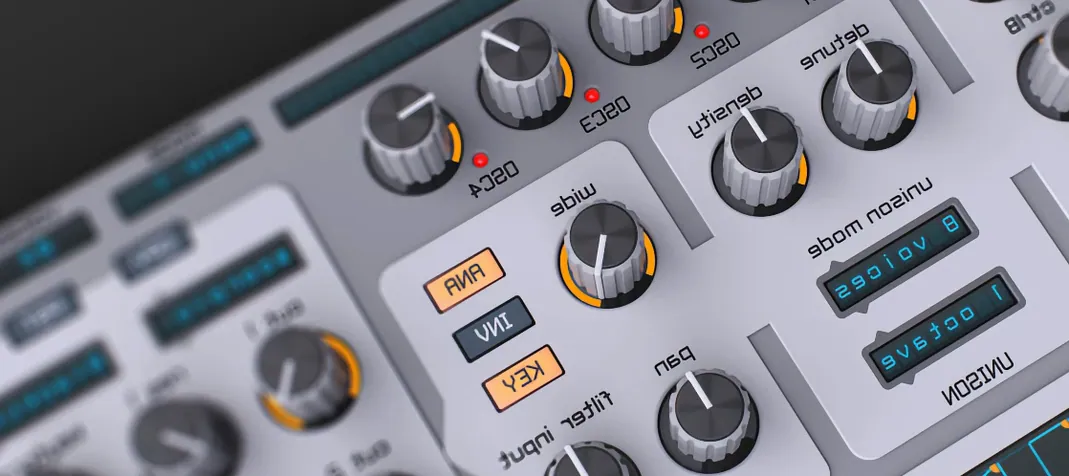
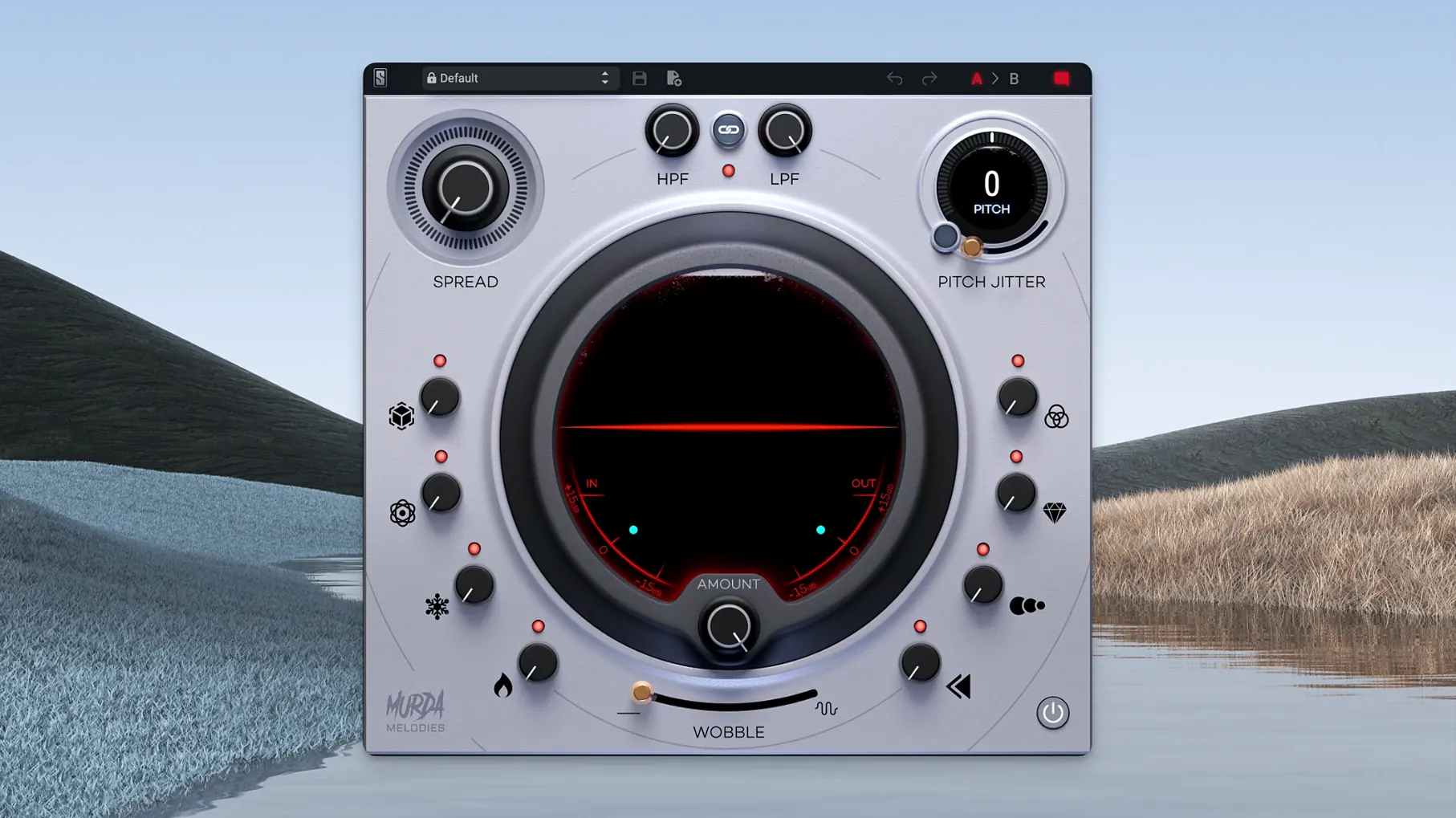
The Pitch Jitter control is where things get wobbly in the best way. It introduces those nonlinear, slightly unstable artifacts that make a clean synth line sound like it came off a dusty tape machine. That one knob tells you a lot about how Murda Melodies fits into a session. It’s not a surgical tool—it’s a character piece you reach for on a melodic bus or an insert when a part feels too static.
Where I’d patch it in
- On lead tracks. The pitch shifter spans four octaves, so shifting a lead up for a glittery layer or down for a dark undertone is immediate. Combine it with a touch of the synced delay to widen the stereo field without cluttering the arrangement.
- Across a melodic bus. Sending keys, plucks, or vocal chops here lets you apply a consistent texture. The analog-modeled low-pass and high-pass filters help the wet signal sit in the mix without eating the low end.
- For reverse and modulation textures. Eight effect controls—covering reverb, modulation, and reverse processing—each get their own knob. That direct access encourages quick experimentation when you’re building an intro or a transition and need something unpredictable.
Building a sound from scratch
The plugin ships with more than 50 presets crafted by Murda Beatz and the Slate Digital team, which is a solid starting point. But the layout makes it just as easy to dial in your own sound. Every effect has a dedicated knob, so you’re never menu-diving while an idea is forming. I’d start by pulling the pitch up a fifth, adding a short reverse swell, and then dialing the Pitch Jitter until the tail of each note catches a little grit. It’s a fast way to turn a basic melody into something that feels less predictable and more alive.
Where Texture leans layering, Murda Melodies keeps it direct
Murda Melodies isn’t the only plugin that promises quick, vibe-heavy sound shaping. A couple of alternatives come up in conversation often, and each has a different personality.
Devious Machines Texture. Texture is a dedicated layering and effect engine, and it goes deep on granular and spectral processing. You can stack multiple effects per layer and modulate almost anything. It’s broader in scope, but that comes with more complexity. Murda Melodies keeps things more immediate—eight knobs, no layers to manage, no modulation matrix to learn. If you want to design a sound from the ground up with fine control, Texture pulls ahead. If you want to grab a knob and reshape a melody in ten seconds, Murda Melodies feels faster.
Freakshow Industries Backmask. Backmask shares the chaotic, reverse-obsessed spirit, but it leans hard into glitch and destruction. It’s wonderful for experimental textures, though it can overwhelm a mix if you’re not careful. Murda Melodies has a similar taste for the unexpected—pitch jitter, reverse swells, vinyl wobble—but it’s built to sit inside a hip-hop or R&B arrangement without fighting for space. The stereo widener and the analog-modeled filters give you more control over how the weirdness lands in the mix.
Soundtoys Effect Rack. The Effect Rack bundles classic Soundtoys algorithms into a single window. It’s supremely flexible and the saturation options are gorgeous. The trade-off is that it feels more like a modular rack than a focused melody processor. Murda Melodies doesn’t try to do everything—it zeroes in on one job, and the curated control set reflects that.
A workflow from a blank loop to a finished hook
Say I’ve got a simple bell melody that’s doing its job but doesn’t grab attention. Here’s a path I’d take with Murda Melodies to turn it into something worth building a beat around.
- Load the plugin on the melody track. I usually insert it directly on the channel rather than a send, because I want the effects to feel fused to the source, not layered on top.
- Pick a preset close to the mood. I browse the factory bank until something has the right general energy—maybe “Waterform” or a preset with obvious reverse movement. The preset gives me a starting balance of effects without starting from zero.
- Shift the pitch up or down. I tweak the pitch shifter to find a register that contrasts with the dry signal. Sometimes a fifth or octave above creates a nice glassy double; dropping an octave introduces weight. I keep the mix knob around 50% at first so the original tone still anchors the sound.
- Time the reverse swell. I set the reverse effect to a quarter-note sync and pull back the mix until it’s a subtle swoop before each note attack. If the track is slower, a half-note setting gives the swell room to breathe.
- Add wobble and jitter. I bring in the vinyl wobble for a slow, seasick pitch drift and then nudge the Pitch Jitter until short, unstable bursts poke through the tail of the sound. Between these two, the bell loses its stiffness fast.
- Shape with filters. I roll off some low end with the high-pass filter to keep the effected signal from clashing with the 808, then tighten the top with a gentle low-pass cut so it doesn’t compete with the hi-hats.
- Print or commit. Once the sound feels right, I bounce the track in place. That frees up the plugin for the next channel and locks in the texture so I don’t second-guess it later.
Beatmakers land in familiar territory right away
Certain Mac users are going to feel at home here faster than others. Beatmakers working in hip-hop, trap, and R&B are the obvious fit—the preset bank was built for those genres, and the effect selection (pitch, reverse, wobble, delay) maps directly to sounds that are already in rotation. If you’ve ever searched for a murda melodies free download or a murda melodies vst free download just to see what the workflow feels like, you’re probably in this camp.
Producers who build around quick decisions also get a lot out of it. The one-knob-per-effect layout doesn’t punish you for moving fast. You hear an idea, you twist a knob, the sound changes—no submenus, no right-clicking. That’s especially useful during writing sessions where momentum matters more than precision.
Mixing engineers who handle melodic vocals and synth stacks will find it useful as a character insert, not as an all-purpose channel strip. It’s the plugin you pull up when a hook sounds too clean, too digital, or too flat. A touch of the reverb and a narrow pitch shift can push a vocal chop toward something that feels sampled and textured rather than pristine.
If you’re the kind of producer who’s ever looked into a slate digital mac torrent or a murda melodies crack mac situation just to try the plugin on your own system before committing, the immediate appeal is the speed. It doesn’t ask you to learn a new interface
- macOS 11 or newer
- Apple Silicon native support
- AU, VST, VST3, or AAX compatible host
Questions from the stall
What effects are built into Murda Melodies?
It covers modulation, reverb, synced delays, reverse processing, a pitch shifter with a 4-octave range, Pitch Jitter for nonlinear artifacts, and analog-modeled low-pass/high-pass filters.
Does Murda Melodies come with presets?
Yes, it includes more than 50 custom presets created by Murda Beatz and Slate Digital to help you get started quickly.
What plug-in formats does Murda Melodies support on Mac?
It runs in AU, VST, VST3, and AAX formats on macOS 11 and later, with native Apple Silicon support.
Notes from other shops 0
Sign in or open a shop account to leave a note.
No notes yet. If you've used this on a shop Mac, tell me how it went.