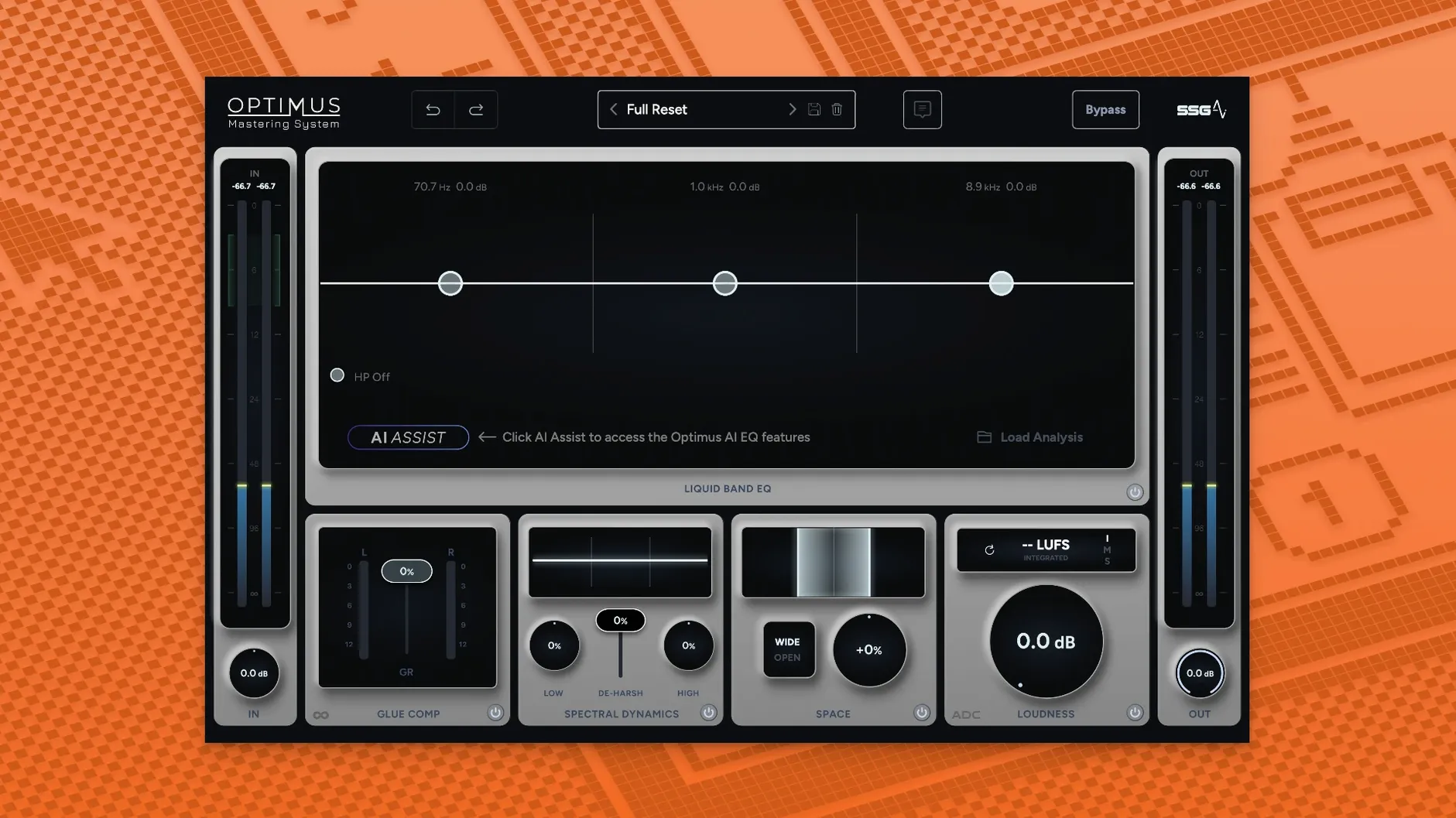
SSG Audio Optimus is an AI-assisted mastering plugin that runs inside your existing DAW, handling final sound balance, loudness, and clarity without leaving your session.
Runs natively on Apple Silicon
- Plugin formats: AU, VST2, VST3, and AAX (all 64-bit)
- Host compatibility: any DAW that loads one of those formats — Logic Pro, Ableton Live, Pro Tools, Cubase, Reaper, and others
- Processor support: runs natively on Apple Silicon and Intel Macs
- macOS version: 10.13 or later
- Memory: 8 GB RAM minimum
What the sound processing does
The plugin splits its work across two intelligent modules. One focuses on overall spectral balance, shaping the tonal picture without making every track sound the same. The other module monitors loudness and clarity in real time, reacting both to the incoming audio and to any adjustments you make. The idea is that you stay in creative control while the analysis engine handles the heavy lifting of consistent, competitive output. Version 1.5.143 speeds up that analysis and makes it more accurate, so tweaks register faster and the dynamic module keeps output louder and clearer without pumping or distortion.
Why a one-click fix disappoints
Most early slip-ups come from treating the plugin as a one-click fix. Dropping it on a mix that still has masking problems or a muddy low end and expecting the AI to sort everything out leads to disappointment. The two modules are smart, but they work with what you give them — a cleaner mix going in means a cleaner master coming out.
Another common misstep is over-driving the loudness module right away. Cranking the real-time processing hard on a first pass often leaves the top end feeling brittle or the transients flattened. It helps to dial things in gently, let the updated analysis settle, and then nudge further if the track actually needs it.
Skipping the frequency balance module entirely is a quiet mistake too. Some users jump straight to loudness and clarity, assuming the tonal work is secondary. The balance module shapes the spectral groundwork, and without it the dynamic module has to work harder — sometimes pushing harsh frequencies forward that could have been tamed earlier.
Doesn’t replace a mastering engineer
Does Optimus replace a dedicated mastering engineer? Not really — it’s a tool for final processing when you’re mastering your own work or need a quick, polished reference. It handles technical decisions well, but it won’t make subjective arrangement or mix choices for you. If anything, it frees you up to focus on those creative calls.
Will it work in my current setup? If your DAW hosts AU, VST2, VST3, or AAX 64-bit plugins on macOS 10.13 or later, you’re set. That covers Logic Pro, Ableton Live, Pro Tools, Cubase, Reaper, and most other modern hosts. Both Intel and Apple Silicon Macs are supported natively, so no Rosetta gymnastics needed.
Is the analysis really real-time? Yes — the updated analysis engine in version 1.5.143 reacts as audio plays and as you move controls. The dynamic module monitors continuously, so you hear changes as you make them rather than waiting for a re-analysis pass.
How Optimus compares with similar Mac plugins
Stacked against iZotope Ozone, Optimus takes a noticeably simpler path. Ozone gives you a full modular chain with EQ, dynamics, stereo imaging, and a deep set of tonal-match references. Optimus pares that down to two focused modules — balance and loudness — which means less decision fatigue when you just need a solid master quickly. Ozone rewards deep tweaking; Optimus rewards speed.
Compared to IK Multimedia T-RackS, the difference is workflow philosophy. T-RackS offers a suite of individual emulated processors you chain together, which is great for building a custom rack but takes time to learn. Optimus bundles the core spectral and dynamic work into one intelligent system, so you’re not auditioning five different compressors to find the right glue.
Then there’s Waves Abbey Road TG Mastering Chain, which leans heavily on analog console character. It colors the sound in a way that Optimus deliberately avoids — the SSG Audio approach is cleaner, more transparent, and built around analysis rather than saturation. If your mix already has the vibe you want and you just need it balanced and loud, Optimus gets there with less sonic imprint.
Version 1.5.143 brings a pair of smarter processing modules and a snappier analysis engine:
- One module now handles sound balance, the other focuses on real-time loudness and clarity — two distinct tasks instead of one catch-all process.
- The dynamic module continuously monitors the signal, reacting to keep output louder and clearer without constant manual gain-riding.
- Sound analysis is faster and more accurate, so changes you make register with less lag and better results.
- macOS 10.13 or later
- Apple Silicon or Intel processor
- 8 GB RAM minimum
- AU, VST2, VST3, or AAX 64-bit host
Notes from other shops 0
Sign in or open a shop account to leave a note.
No notes yet. If you've used this on a shop Mac, tell me how it went.