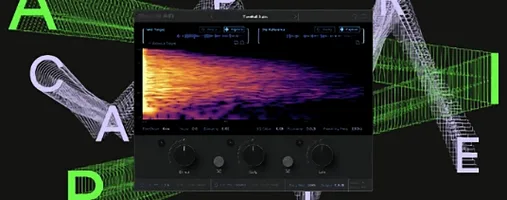
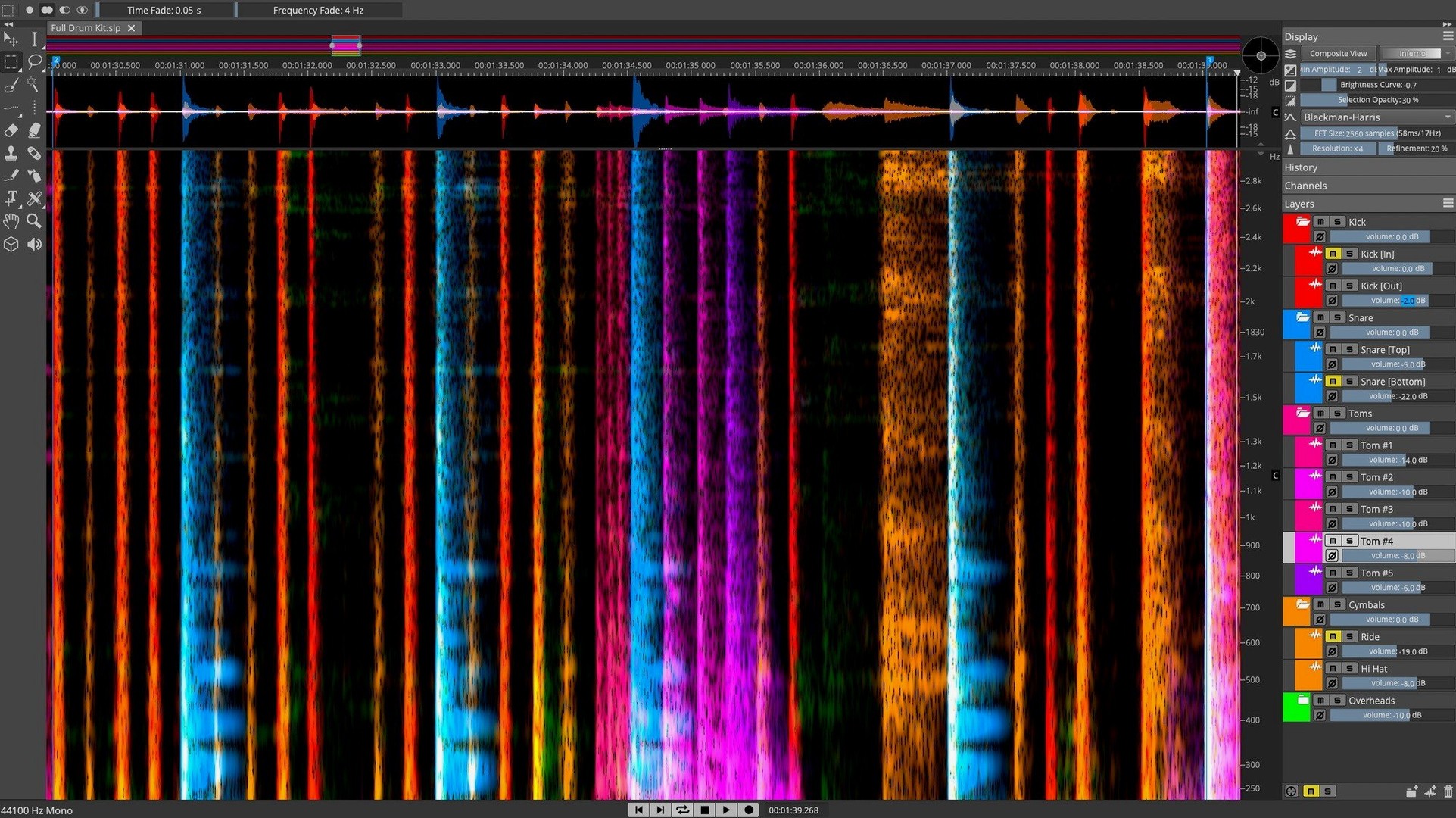
You open a field recording with a distant, irritating hum running through the best take. A standard EQ can't touch it without dulling the voice you want to keep. You zoom into the spectrogram, see the hum as a faint orange line, select it, and hit delete. The voice remains clear. That's the kind of direct repair SpectraLayers Pro is built for.
- See the sound. Load an audio file and the spectrum display shows frequencies as a visual layer, with 3D view as an option when you need to spot patterns across time and pitch.
- Select and edit. Draw directly on the spectral data to isolate a noise, a breath, or a single guitar pluck. The Pattern Finder helps locate similar events across the whole file without hunting by ear.
- Clean or separate. Run the Voice Denoiser to pull speech out of background noise, or use the de-essing tools — both manual and automatic — to tame harsh highs on a vocal track.
- Finish in your DAW. ARA 2 integration with Cubase and Nuendo means edits flow back and forth without bouncing files manually.
It comes in Pro and Elements editions. If you work with audio restoration, post-production, or sample manipulation and need to edit sound at the spectral level rather than the waveform level, this is the kind of tool that makes tricky fixes feel straightforward.
When the layers panel feels like a puzzle
Some things trip people up the first few times. Here are the ones I see most often and what actually helps.
- The layers panel feels confusing at first. Every edit you make creates a new layer, which is powerful but can get messy fast. Name your layers as you go — something like "vocal de-ess" or "hum removed" — and merge them only when you're sure. You can always step back with undo if you merge too early, but keeping them separate gives you more room to adjust later.
- AI unmixing leaves artifacts on busy material. The track-to-stems separation works best on full mixes with clear instrumentation. On dense, lo-fi recordings, you might hear faint ghosting in the extracted parts. When that happens, try running the separation on a shorter section first to check the result, then clean up leftover bits manually with the brush tool rather than re-running the whole file.
- 3D view slows things down on older machines. The 3D visualization is genuinely useful for spotting patterns, but it's GPU-hungry. If the display gets choppy, switch back to the standard 2D spectrogram for editing — you lose nothing in precision — and flip to 3D only when you need to scan for repeating events across time.
- Pattern Finder picks up false matches. If you search for a short click and get dozens of hits that aren't actually the same sound, tighten the similarity threshold and limit the frequency range in the selection. A narrower search almost always gives cleaner results.
- ARA connection drops in Cubase or Nuendo. This usually happens after a DAW update. The fix is straightforward: open SpectraLayers as a standalone once after installing or updating either program, let it finish its plug-in scan, then restart the DAW. The link should re-establish itself.
Silencing fridge hum and chair squeaks in a podcast
Imagine someone cutting a weekly interview podcast. They record in a room that isn't treated — bookshelves help, but there's still a low fridge hum from the next room and the occasional chair squeak the guest didn't notice. The voice tracks are otherwise warm and well-recorded.
What I'd use it for: loading the raw interview file, running the Voice Denoiser to pull the speech forward and push the room tone back, then scanning the spectrogram for the chair squeaks — they show up as short vertical streaks at the high end. Rather than cutting syllables around them in the waveform, you brush them out directly in the spectral view and the timing stays intact. The hum sits at a steady 120 Hz; you select that narrow band across the whole file and reduce it by a few decibels without touching the fundamental of the speaker's voice. What used to take an hour of notch EQ automation in the DAW now takes ten minutes of visual cleanup, and the result sounds like it was recorded in a better space.
Softening guitar string squeaks without dulling the attack
Let's say you brought home a live recording of an acoustic trio — guitar, cello, and voice — and the guitar track has some string squeaks you want to soften without losing the attack of the notes.
You open the file in SpectraLayers. The spectrogram fills the screen, warm oranges and yellows mapping the performance. You zoom into the midrange where the squeaks live, around 2 to 5 kHz, and spot them as quick bright arches sitting above the sustained guitar tone. You select the first one with the lasso tool, just tracing the shape of the noise, and lower its gain by 6 dB. It's still there, but it's no longer distracting.
Rather than hunting for the rest by scrubbing, you right-click the selection and send it to Pattern Finder. You set the similarity fairly high — these squeaks all share the same frequency curve — and it returns eight more matches across the song. You check each one by ear with the audition button, deselect two that turned out to be harmonics from the cello, and apply the same gain reduction to the remaining six. The whole process takes about four minutes.
You notice the cello has a resonant boom around 180 Hz that blooms on longer notes. You switch to 3D view, tilt the display slightly, and see a ridge running through the low end. You select that frequency band, apply a gentle dynamic reduction, and the boom tucks in without thinning the body of the instrument. You save the layer stack and send the file back to Cubase through ARA, where it sits in the project exactly where you left it, edits intact.
Apple Silicon support and DAW-free use
Does it work on Apple Silicon? Yes, it runs natively on both Intel and Apple Silicon Macs. The installer handles that automatically — no Rosetta gymnastics needed.
Do I need a DAW to use it? No, it works as a standalone application. You can open, edit, and save audio files without any other software. The ARA integration is a bonus if you use Cubase or Nuendo, but it's not required.
How steep is the learning curve? If you've worked with spectral analyzers or EQ plugins before, the visual language clicks quickly — you're basically looking at a heat map of frequency over time. The editing tools feel like painting or selecting in an image editor. The deeper features like component unmixing and Pattern Finder take more practice, but basic cleanup is something you can do on day one.
Will the AI separation work on a mono mix? Yes, though results are better with stereo files where the algorithm has more spatial information to work with. On mono, it relies entirely on frequency and timbral cues, which still works but may leave slightly more artifacts to clean up manually.
Can I try before committing to a full workflow? Many people look for a spectralayers 12 free download or older version first, or they search for spectralayers torrent or spectralayers 12 torrent to test it out before upgrading. The same goes for spectralayers pro 12 torrent and spectralayers 12 download — it's a common path for editors who want to see if spectral editing fits their workflow before investing time in the full Pro feature set.
What's new in version 13.0.20:
- Installer release notes are now available for this update.
- macOS 12 or later
- Works on Intel and Apple Silicon Macs
Questions from the stall
What's the difference between SpectraLayers Pro and Elements?
The Pro edition includes advanced tools like the Pattern Finder, Voice Denoiser, full ARA 2 support, and more layers for complex work, while Elements gives you core spectral editing at a lighter feature set.
Does it work with DAWs other than Cubase and Nuendo?
Yes, it runs as a standalone application and as a plug-in in other DAWs, though the tightest ARA 2 integration is with Steinberg's own hosts.
Can I really edit audio by drawing on it?
Exactly. The spectral display lets you select and modify individual frequencies, letting you remove a cough or reshape a note by working directly on the visual representation of the sound.
Notes from other shops 0
Sign in or open a shop account to leave a note.
No notes yet. If you've used this on a shop Mac, tell me how it went.