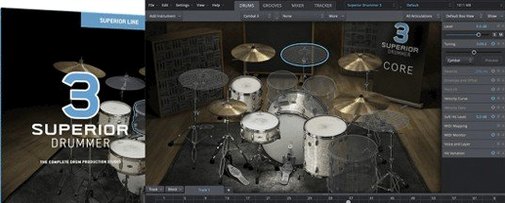
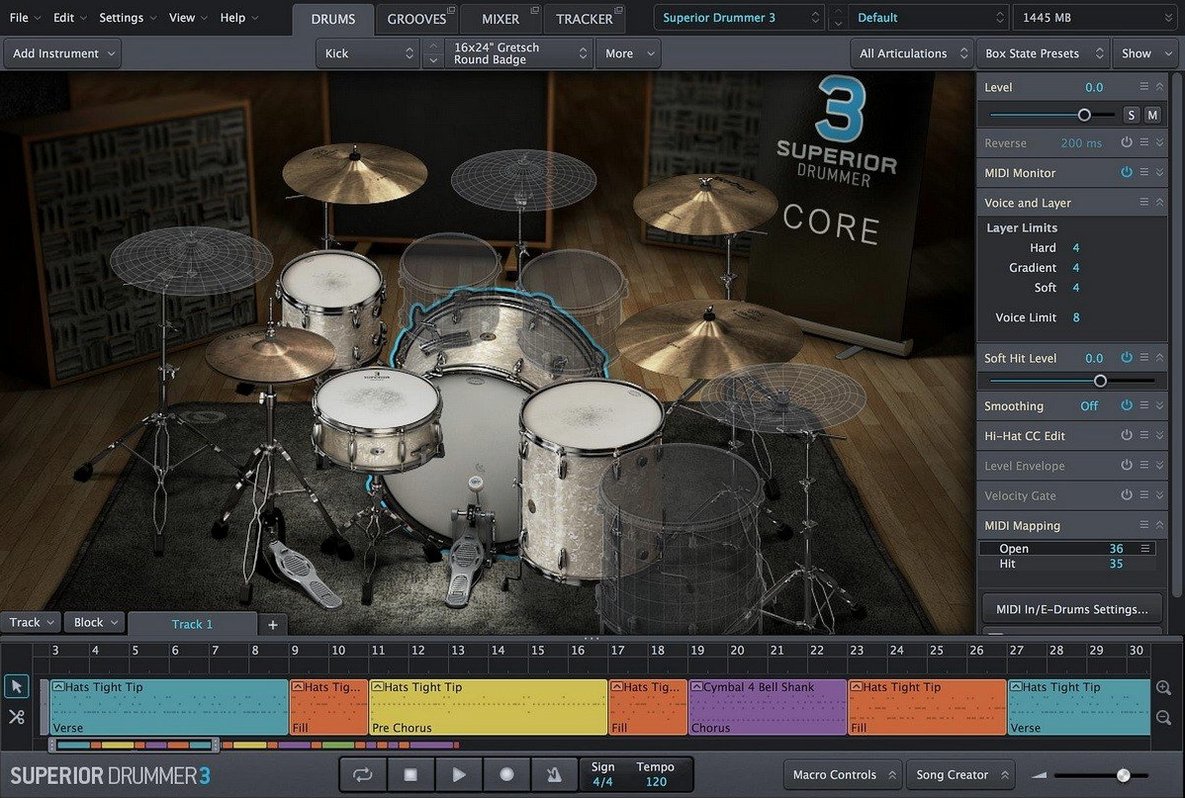
If you’ve ever pushed a standard drum sampler’s mixer as far as it’ll go, Superior Drummer feels like the room next door you were locked out of. It doesn’t just play samples — it hands you a full studio with close mics, overheads, room ambience, and a channel strip for every single drum. The bleed controls alone let you decide how much snare rattle hums through the tom mics, which is the kind of detail a mix engineer notices immediately.
The built-in mixer is the core of it. Thirty-five effects — EQs, compressors, gates, transient shapers, and reverbs — sit right inside the plug-in, so you shape the kit tone before it ever hits your DAW. You can bus the kick and snare to parallel compression, send the room mics through a tape saturator, or dial in a gate on the toms that responds to the actual performance.
The 230 GB library covers seven full kits, but the instrument browser makes it easy to pull a snare from one and a kick from another. Audio-to-MIDI conversion means you can drop in a reference loop, and Superior Drummer will translate the hits into MIDI that triggers its own samples — handy when you want the feel of a live break with a cleaner recording chain behind it.
Treating it like a preset machine misses the full console
The biggest one I see is treating the library like a preset machine — loading a kit, flicking through the factory mixer channels, and stopping there. Superior Drummer gives you a full multi-channel console, but a lot of new users stay inside the default stereo bus and wonder why it doesn't sound like the demos. Route the kick out, the snare top and bottom separately, the overheads, the room mics — suddenly you can EQ the snare crack without thinning the cymbals, and the whole kit breathes differently.
Another early slip is ignoring the velocity curve settings. The default curve is a safe middle ground, but if you're tapping pads or pulling in MIDI from an electronic kit, the response can feel stiff or overly hot. Spend ten minutes adjusting the curve so your playing dynamics actually map to the sample layers — otherwise you're leaving half the articulation on the table.
The bleed controls catch people out too. Dialling bleed to zero on every channel feels cleaner when you're soloing tracks, but it's also why a programmed part suddenly sounds sterile. Real drums bleed into each other. Letting a little hi-hat sizzle into the snare mic and some kick rumble into the floor tom puts the whole image back in a room, not a spreadsheet.
Library greyed out means your sample path needs a fix
One snag that comes up often: the plug-in loads fine, but the sound library shows up as missing or greyed out. This almost always means the sample content path isn't pointed correctly. Open the Settings menu, go to Libraries, and make sure the path matches wherever the 230 GB of samples actually landed — if you moved them after installation, Superior Drummer won't guess. A quick re-scan from that same pane clears it up.
Another headache is the audio-to-MIDI converter returning ghost notes or missing hits entirely. The algorithm is solid, but it relies on clean transient information. If you feed it a heavily compressed drum loop where the transients are squashed flat, it struggles. The fix is simple: run the conversion on a less-processed version of the audio, or use a transient shaper beforehand to tighten the attack. You can also adjust the sensitivity slider in the tracker window — pulling it down a few notches often cleans up stray triggers without losing the main hits.
Some users find the plug-in window sluggish when browsing kits, especially on older machines. That 230 GB library is dense, and the graphical previews load per piece. Switching the browser to list view instead of icon view speeds things up noticeably. Also, if you're not actively swapping kit pieces, close the browser pane — it stops the constant thumbnail loading and frees up interface responsiveness.
DAW-specific hiccups happen too. In Logic, the multi-out routing requires you to instantiate the plug-in as a multi-output version, not the stereo one, or the auxiliary channels never appear. In Ableton Live, you need to create the return chains manually from the plug-in's output menu. It's an extra step, but once you save it as a track preset, you never touch it again.
Mismatched sample rate throws pitch and timing off
Right after installing, open the Audio & MIDI Setup tab and check the sample rate. Superior Drummer defaults to 44.1 kHz, and if your DAW session is at 48 kHz or 96 kHz, the mismatch introduces subtle pitch and timing drift. Set it to match your project before you load anything.
Next, go to the Cache settings. The default cache size is moderate, but if you're running 16 GB of RAM or more, bump it up. More samples pre-loaded into memory means fewer disk reads during playback, which translates to smoother performance when you're scrolling through snares mid-session.
The MIDI mapping preset is worth switching early. The factory map follows the General MIDI standard, which puts kick on C1, snare on D1, and so on. If you're coming from another drum library — say, a Superior Drummer 2 kit or a different Toontrack product — those note assignments might clash. The mapping dropdown includes presets for older Toontrack libraries and common third-party layouts. Pick the one that matches your existing MIDI parts, or build a custom map and save it; retriggering a whole project's worth of drum tracks because of mismatched notes is nobody's idea of a good afternoon.
While you're poking around, visit the Velocity tab and set the range floor. By default, velocities below about 10 go silent, which is realistic for acoustic drums — but if you're doing electronic or hybrid work where ghost notes matter, drop that floor to 3 or 4. You'll hear more of the soft-layer samples without triggering full hits.
Runs natively on Apple Silicon, no Rosetta needed
Does it work on Apple Silicon, or do I need Rosetta?
It runs natively on both ARM and Intel Macs. No translation layer, no extra steps. The installer detects your architecture, and the plug-in loads directly into your DAW as a native 64-bit component. If you're on an M-series machine, you're getting the full ARM build.
How much disk space does it actually need?
The download is packaged inside a disk image, but once installed, the full library takes roughly 230 GB — and you'll want some breathing room on top of that for the OS and your DAW projects. A 500 GB internal drive fills up fast if you're also running other large libraries, so factor in an external SSD if your setup is tight.
Can I use it as a standalone app, or does it need a DAW?
Superior Drummer runs as a plug-in inside a host — Logic, Ableton Live, Cubase, Studio One, Reaper, whatever you use. It doesn't have a standalone mode, so you'll need a 64-bit host that supports AU, VST, or AAX formats.
Is the audio-to-MIDI feature reliable for acoustic recordings?
Within reason, yes. It's designed for close-miked drum tracks with decent transient definition. A well-recorded snare close mic converts cleanly. A distant room mic with heavy bleed will throw up inconsistent results. For best output, feed it individual drum tracks rather than a full stereo mix, and tweak the sensitivity per source.
What happens if I already have older Toontrack expansions?
Most Superior Drummer 2 libraries and EZX packs carry forward. The browser scans for existing Toontrack content on your system, and you can point it at folders from older installations. The newer kits benefit from the updated articulation mapping and mixer routing, but the older samples load and play without conversion.
It runs natively on both ARM and x86 Macs, so the processing sits comfortably on modern hardware even with big sessions.
Here’s what’s new in version 3.4.4:
- Version 3.4.0 or later is now required if you plan to use Superior Drummer 3 products released from Q2 2025 onward.
- macOS 10.13 or higher
- 64-bit host support
- Runs on both Intel and Apple Silicon Macs
Questions from the stall
What drum library is included with Superior Drummer?
It includes an extensive 230 GB library with 7 full kits, plus a range of mixer effects and tools for shaping the drum sound inside the plug-in.
Notes from other shops 0
Sign in or open a shop account to leave a note.
No notes yet. If you've used this on a shop Mac, tell me how it went.