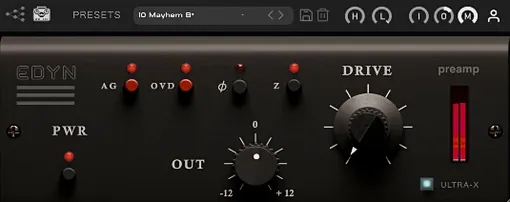
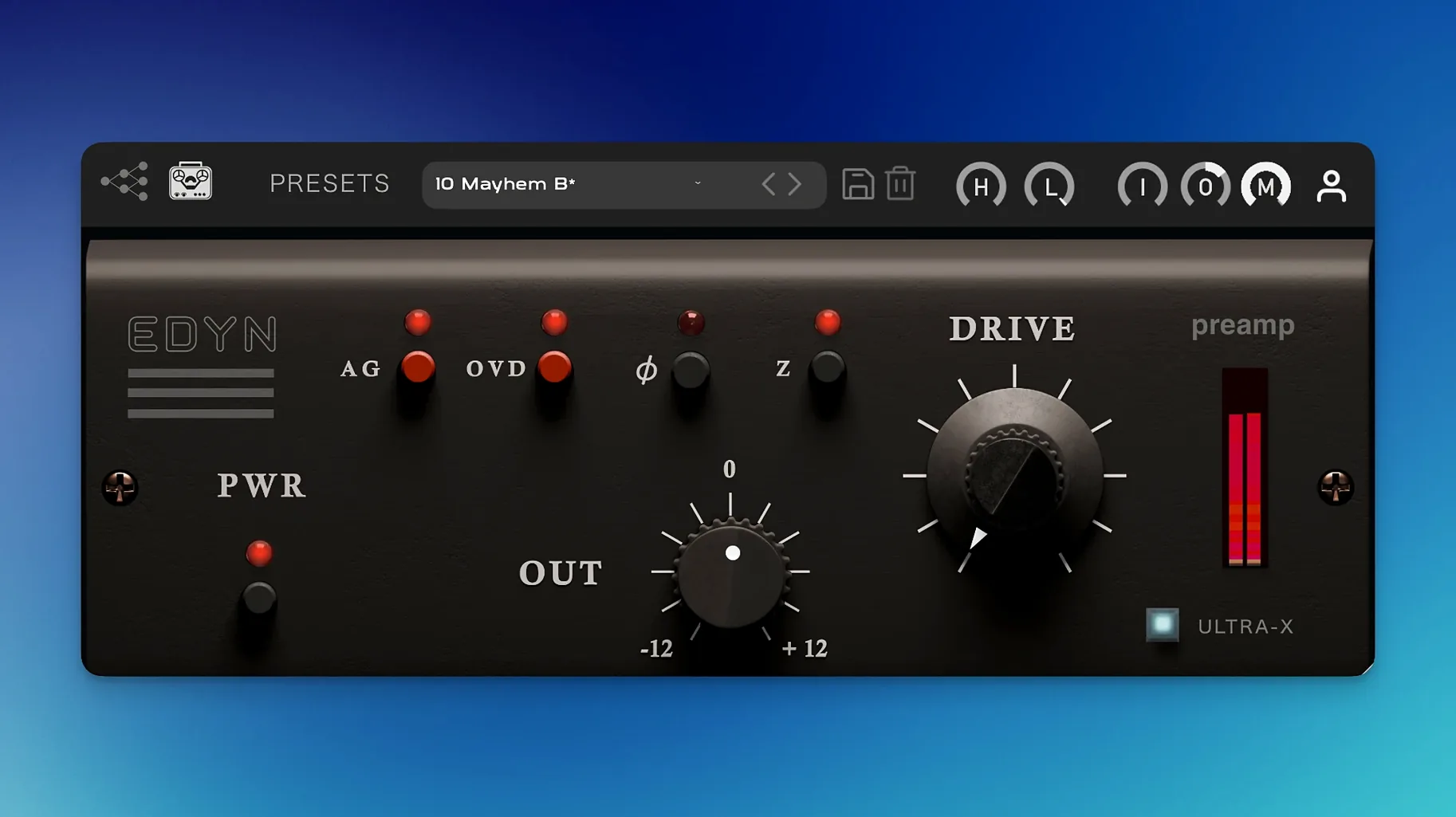
Digital recordings often start too clean, lacking the weight and density that make a mix feel finished before you've even touched an EQ. EDYN addresses that by modeling a classic American console preamp, pushing your tracks toward a more cohesive, analog-like state from the first gain stage.
Body and low-end control right at the top of the chain
Right at the top of the chain, before any corrective EQ or compression. Driving into it on vocals and drums adds immediate body, while the built-in high-pass filter keeps the low end from turning into mud.
Does it work across the mix bus?
It does, and version 1.0.2 handles it more reliably now that offline rendering on the master output is fixed. The automatic gain compensation and Mix control let you dial in a subtle glue without the level jumps making it hard to judge what you're actually doing.
How does the Mix control help in a busy session?
It turns the plugin into a parallel processor without extra routing. You can push the Input hard for obvious grit, then blend back to just a hint of density—handy when a snare needs attitude but still has to cut through.
What makes it practical for Mac users now?
The 1.0.2 update is optimized for Apple Silicon, bringing CPU use down and squashing the crashes that happened with multiple instances in Logic Pro. It also validates cleanly on macOS Sequoia, which was a headache in the previous version.
Phase flip saves parallel blending in one click
There are a handful of touches in EDYN that don't jump out on first open but make daily use smoother once you know they're there. The phase invert switch is one of them—a single click when you're blending a parallel drum bus and something feels thin, and suddenly the low end locks back in. No menu diving, no extra plugin. Same goes for the switchable input impedance: 50 ohms tightens transients a touch, 200 ohms opens the top end slightly. It's subtle, but on a dull overhead track it can save you from reaching for an exciter.
The OVD overdrive mode is tucked into the Drive section and easy to miss if you're just turning knobs. Click it in and the saturation shifts from warm push to a grittier, more aggressive breakup. Useful when a DI bass or a sampled kick feels too polite. The high-pass and low-pass filters sit right after the preamp stage, so filtering happens post-saturation—meaning you can drive the low end into a nice thickness and then clean up below 80 Hz without losing the harmonics you just added.
Tip: If you're running EDYN across several tracks, group the instances and map the Output trim to a single macro. The auto gain compensation is helpful, but when you're A/B testing drive levels, a quick group trim keeps your fader balance intact.
Warming up a clean drum loop and sparse acoustic session
Say it's a Tuesday afternoon and I've got a singer-songwriter project open—acoustic guitar, vocals, a sparse electric piano, and a drum loop that's a little too clean. The kind of session where everything technically works but nothing feels like it belongs together yet.
I start on the drum bus. EDYN goes first in the chain, Input around 11 o'clock, Drive at about 2. The loop immediately gains some chest—the transients don't soften so much as they get re-shaped, like someone tightened the heads slightly. I flip the impedance to 50 ohms to keep the snap, then roll the high-pass up to 60 Hz because the saturation added a rumble I don't need. Mix control stays at 100% for now; I want the full character.
On the vocal track, I'm more cautious. Input at 10 o'clock, Drive at noon, and I pull the Mix back to around 60%. Her voice has a sweet upper midrange that I don't want to mask, so the parallel approach gives me weight without losing the air. I engage the phase invert just to check against the raw mic bleed in the guitar mic—no change, so I click it off and move on.
The acoustic guitar was tracked with a small-diaphragm condenser and it's a bit strident around 3 kHz. I push the Input harder than I normally would—almost to 3 o'clock—and the discrete transistor modeling does something interesting: the high mids don't get harsher, they get denser. Almost like a natural de-esser that works by saturation rather than compression. I add the low-pass filter at 12 kHz to shave off some finger noise, then blend the Mix down to 50%. Now it sits behind the vocal without fighting.
Last step: the mix bus. I add EDYN at the very end of the chain, after a gentle bus compressor. Input at 9 o'clock, Drive barely cracked open, Mix at 30%. The whole track gains a subtle coherence—not obvious coloration, more like everything was recorded through the same desk. Which, in a way, it now was. I toggle bypass a few times and the difference is clear: engaged, the mix feels like a record; bypassed, it sounds like separate tracks again.
Midrange presence for vocal-heavy pop and indie mixes
Mixing engineers working on vocal-heavy pop and indie projects tend to connect with EDYN quickly. The 1204-style preamp adds presence in the midrange where voices live, and the parallel Mix control means you can treat a lead vocal without committing to an all-or-nothing saturation sound.
Drum bus processing is another sweet spot. If you're mixing live-recorded drums and want to pull them away from that sterile sample-replaced sound, the Drive and impedance options give you several shades of analog attitude before you even touch a compressor. Electronic producers who layer sampled breaks with drum machines will find the same thing—EDYN glues disparate sources together in a way that feels like tape, but with more transient control.
Home studio owners on Apple Silicon Macs benefit from the 1.0.2 performance fixes in a real way. I've seen too many sessions where a character plugin gets abandoned because it spikes the CPU with four instances. The optimization here means you can actually use EDYN across a full session without freezing tracks, which is the whole point of a console-style preamp—it's meant to live on multiple channels.
If you're someone who's been hunting down older character plugins to get that slightly driven, mid-forward American console tone, EDYN fills that gap without the compatibility headaches that come with abandoned 32-bit software. It loads cleanly in Logic Pro, Pro Tools, and any AU host on Sequoia, and the scalable interface means you're not squinting at a tiny GUI on a Retina display.
For users who occasionally grab tools from less conventional sources—whether you're revisiting an old favorite through an age of empire ii torrent or digging up an age of empire 2 mac download—you know the value of something that simply works on modern hardware without jumping through hoops. EDYN fits that same practical mindset: install it, drop it on a channel, and it does what it says on the tin with no drama.
A maintenance update that cleans up several session-killers:
- Offline rendering on the master output now works correctly.
- AU validation passes without issue in Logic Pro on macOS Sequoia.
- Multiple instances no longer cause crashes in Logic Pro.
- Parameter automation glitches in Pro Tools are fixed.
- Apple Silicon optimization for lower CPU use.
- The interface now scales properly on high-resolution displays.
- macOS 10.14 or later
- Apple Silicon or Intel 64-bit processor
Notes from other shops 0
Sign in or open a shop account to leave a note.
No notes yet. If you've used this on a shop Mac, tell me how it went.