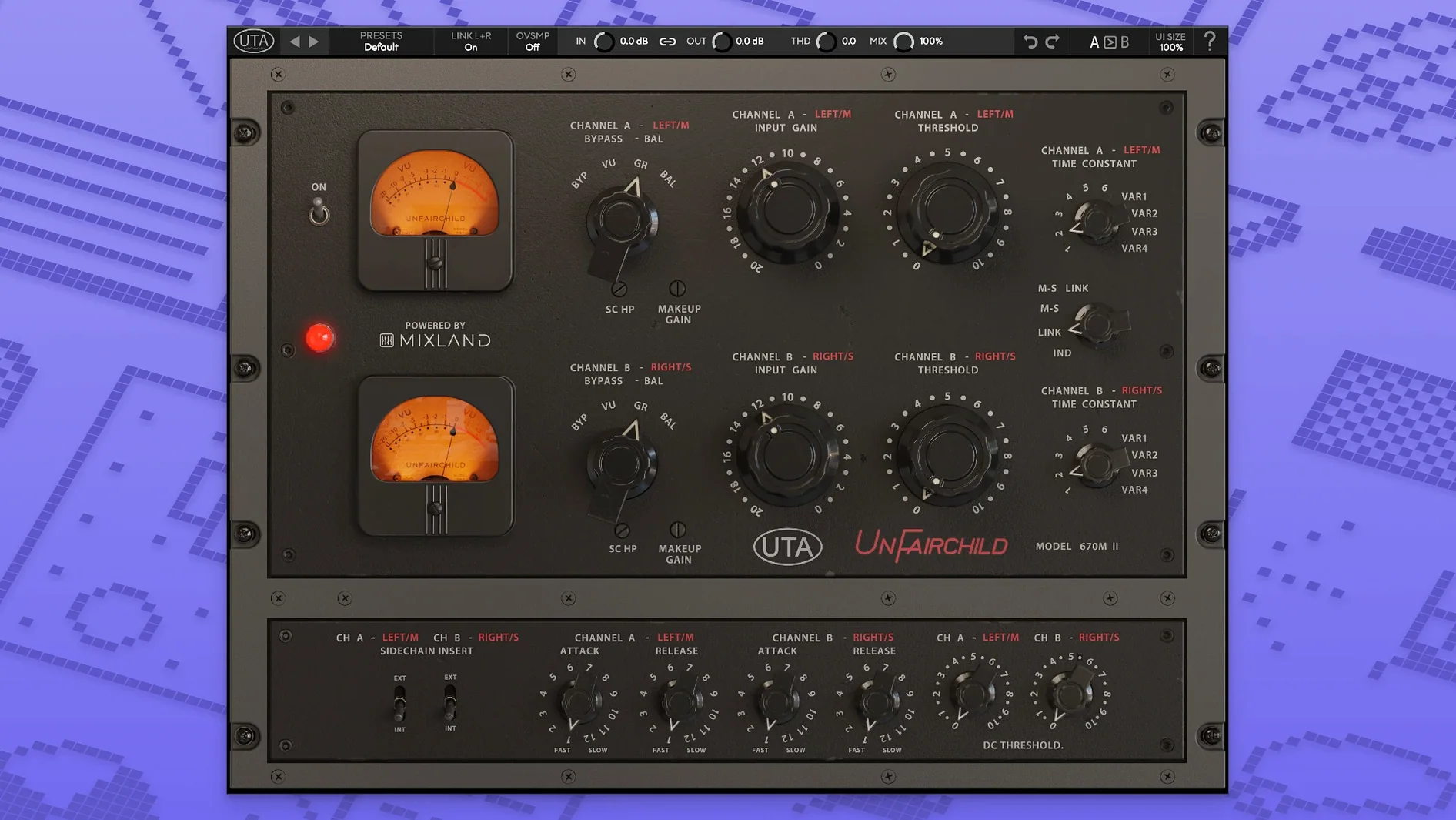
If you mix vocals, bass, or a full stereo bus and want the grabby, warm squeeze of a classic vari-mu, this plugin slots right in. Here are the first stops I'd make after loading it up.
Wet/Dry — parallel compression without extra routing
Blend the compressed signal back against the dry source. On a drum bus, pull the wet mix down to around 50-60% to keep the attack transients punchy while the body of the kit gets thicker and more glued.
MS function — mid-side processing on a single insert
Switch the detector to MS mode and you can treat the center and the sides independently. I'd use this on a master bus to leave the lead vocal and kick drum solid in the middle while letting the stereo reverb and overheads breathe wider.
Time constants — six presets and four variables
The original hardware's six fixed time constants are here, plus four variable ones. Start with a medium preset on a vocal bus to hear how the release curve shapes the tail of a phrase, then tweak a variable setting for tempo-matched movement.
Feed-Back and Feed-Forward — two detection paths
Feed-Back mode mimics the smoother, more program-dependent response of the original hardware. Feed-Forward gives a tighter, more predictable gain reduction—handy for modern pop bass where you need the low end to stay controlled without pumping.
DC Threshold — adjust the compression knee
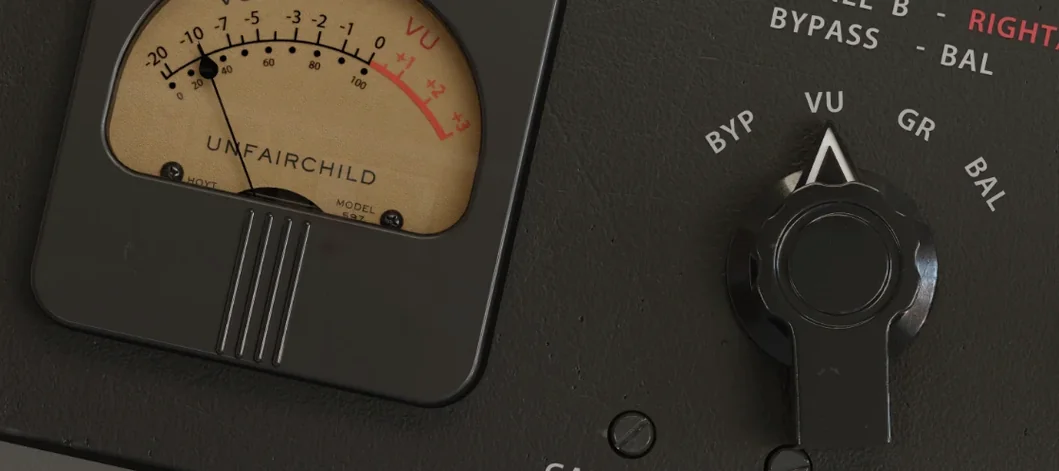
Tucked next to the main controls, the user-adjustable DC Threshold shifts how hard you have to hit the unit before it starts to grab. Lower it for subtle, almost invisible leveling on a delicate acoustic guitar track.
Cpu load on a busy mix bus
This isn't a lightweight plugin — it models the behavior of a serious piece of hardware, so it pulls its weight on the CPU. On my Mac Studio, a single instance sits comfortably at low latency, but on a dense mix with 40-plus tracks I'd print the processed stems once I'm happy with the sound. That's just good housekeeping with any high-detail analog model.
Stability under macOS has been solid. I've run it in Logic and Reaper across long sessions — no sudden crashes, no graphics freezes, no disappearing presets. The interface stays responsive when you're dragging the DC Threshold or flipping between Feed-Back and Feed-Forward. Memory use stays predictable, and plugin scans finish fast.
One thing I appreciate: it doesn't introduce the tiny timing drift some emulations show when you stack a dozen instances. I can nudge a bass DI track through it, bounce in place, and the waveform lands sample-accurate.
Transient detail versus the t-racks 670
The closest spiritual relative is the IK Multimedia T-RackS Fairchild 670. That one leans a little darker and softer in the high end, with a rounded transient attack that can blur a snare drum if you're not careful. The UnFairchild keeps more of the front edge — the grab is quicker and the top end stays open, which makes it easier to fit into a busy modern mix without pulling out an EQ.
Another comparison I hear engineers mention is Arturia Comp TUBE-STA. Arturia's take is smoother, more about gentle tube saturation and glue. The UnFairchild is more assertive. On a vocal, the Arturia sits under the performance like a warm cushion. The UnFairchild wraps around it — you feel the compression working, especially when you lean into the DC Threshold and push the THD control past noon.
Against UAD Fairchild 670 Legacy, the UnderTone offers more front-panel flexibility — the wet/dry, the MS section, the variable time constants. UAD's version sounds wonderful but expects you to commit to its fixed architecture. Here, you can split the signal and shape the stereo field without leaving the plugin window.
Drum bus setup with wet-dry blend
Give yourself an afternoon with a few raw tracks. Here's what I'd do:
- Start on a drum bus with the wet/dry at 50%. Pick time constant preset 3 and set the DC Threshold so the needle just twitches on the kick hits. Dial the wet mix back until the snare transients punch through cleanly, then add a little THD for density.
- Try an acoustic vocal with Feed-Back mode. Set the input so you're getting 3–5 dB of reduction on the loudest syllables. The Feed-Back path lets the release breathe more like hardware — less pumping, more natural tail shaping.
- Test the MS section on a full mix. Solo the side channel and push it harder than the center. The stereo image widens without the lead elements wandering. This trick alone makes the plugin worth keeping on the master bus template.
- Save three user presets early. One for drum bus, one for vocals, one for mastering. The factory settings are good, but your own gain-staging and threshold sweet spots will save you ten minutes every session.
If you're getting to know the character of the unit, spend a half-hour running stems through it with the THD control mapped to taste. The saturation adds weight without fuzz — on bass, it's the kind of thing that makes you want to keep the DI track processed and committed. Some producers I know grabbed undertone torrent builds just to test the THD behavior on synth busses before deciding to integrate it into their template. Once you hear what the harmonic thickening does to a dull pad sound, it clicks.
- macOS 10.13 or later
- Intel and Apple Silicon Macs
Notes from other shops 0
Sign in or open a shop account to leave a note.
No notes yet. If you've used this on a shop Mac, tell me how it went.