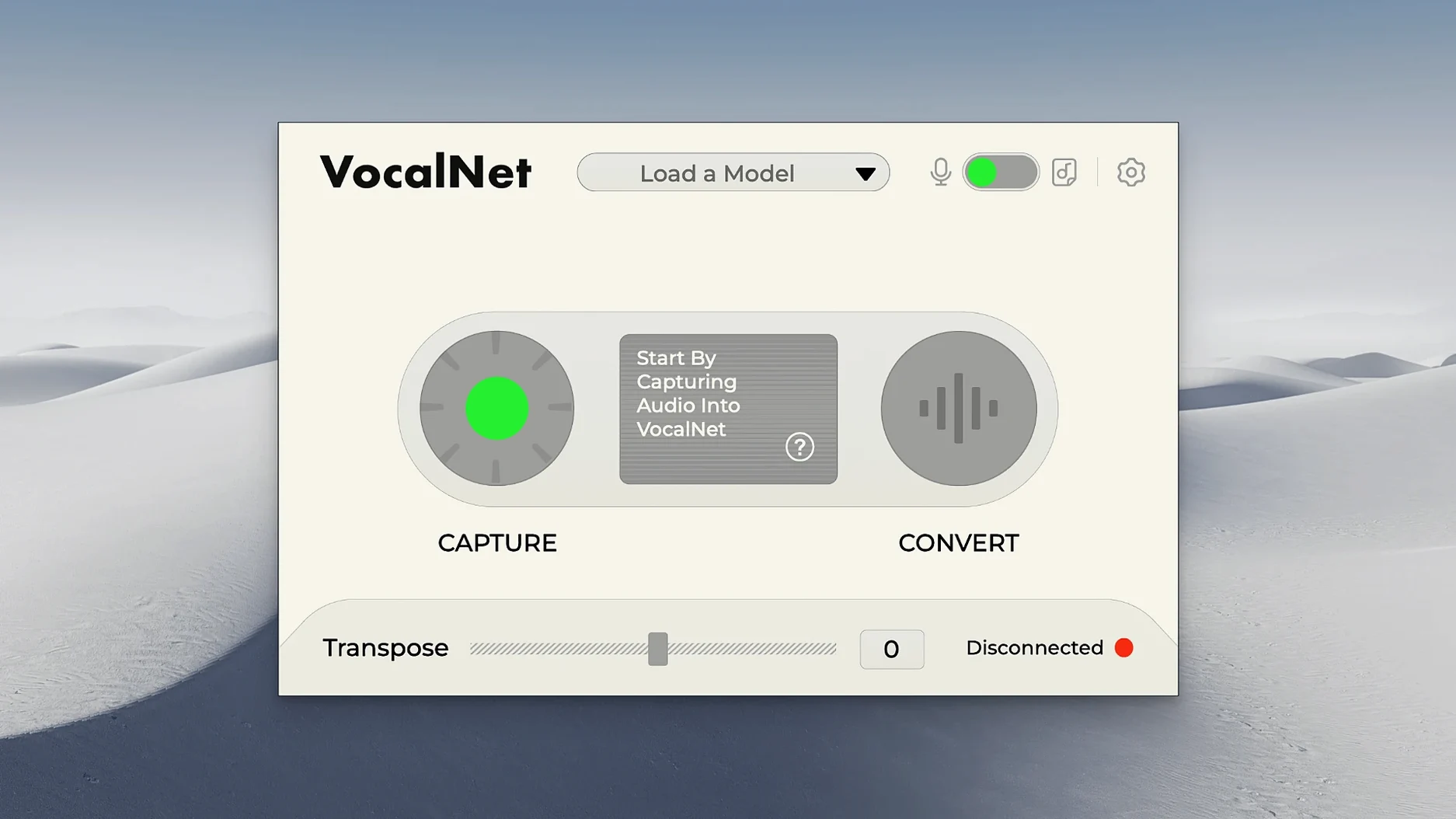
One voice, four blend points, and a smooth XY pad to travel between them. VocalNet loads up to four voice samples and lets you move through them in real time, creating hybrids that don't exist in nature. Raise a baritone toward a tenor, slide from a whisper into a sung note, or park the dot somewhere in between for a tone you couldn't get any other way.
Morphing dry vocals into alien textures without leaving your DAW
- Vocal experimentation where you need a texture that isn't quite human and isn't quite synthetic
- Sound design sessions — morphing a dry recording into something alien without leaving your DAW
- Keeping rough vocal takes private while you test wild pitch and timbre shifts locally
Real-time processing means CPU climbs with stacked instances
- It processes audio in real time, so CPU load depends on how many instances you stack
- Designed for DAW workflows — you'll need a host that supports VST3, AU, or AAX
- It can fully change a voice, which means subtle settings take a light touch on the XY pad
Double-click a sample slot to instantly clear it
A few shortcuts and behaviors in VocalNet aren't shouted about, but they quietly speed things up once you know they're there. Double-clicking any of the four sample slots resets it to empty, which beats dragging a blank file every time you want to clear a voice. The sample names sit right on the interface — hover over one and you'll see the full filename, handy when you've loaded three takes from the same session and need to keep them straight.
The XY pad snaps back to center with a single click on the middle crosshair, not something the manual dwells on, but useful when you've dragged the blend point into wild territory and want a clean starting position. Modifier keys work too: holding Shift while dragging locks movement to one axis, so you can sweep between two voices without accidentally drifting toward a third. On Apple Silicon Macs, the plugin window resizes by dragging the corner, and it remembers your last size between sessions — a small touch that keeps the layout predictable on smaller laptop screens.
- Double-click a sample slot to clear it instantly
- Shift-drag on the XY pad constrains movement to horizontal or vertical
- Click the center crosshair to snap the blend point back to neutral
- The window size persists across plugin opens, no resetting every time
How a podcast editor might use it
Imagine someone cutting a narrative podcast with a single host and occasional guest recordings sent in from less-than-ideal home setups. One guest track arrived thin and close-miked, another boomy from an untreated room. Rather than spend an hour with EQ matching and reverb throws, the editor loads both guest samples into VocalNet alongside a clean take of the host's voice and a neutral reference clip they keep in their template. With the XY pad nudged about forty percent toward the host sample and twenty percent toward the reference, the guest tracks pick up body and presence that sit naturally in the mix. The processing stays local, so raw interview audio never leaves the machine — something that matters when the material hasn't aired yet. The editor bounces the processed stem and moves on, no extra plugins and no back-and-forth with the guests about re-recording.
Next to other voice tools on Mac
VocalNet sits in a narrow category, but a few other plugins overlap enough to be worth comparing. Here's how the differences shake out in practice.
- iZotope VocalSynth 2. VocalSynth leans into vocoding, talkbox effects, and harmonized layers. It can warp a voice, but it's built around recognizable synthetic textures. VocalNet doesn't do polyphonic harmonization or built-in effects chains — it focuses entirely on timbre blending between real samples, so the results stay closer to a natural voice than a processed one. If you want a robot choir, VocalSynth. If you want a hybrid of two actual singers, VocalNet.
- Devious Machines PitchMonster. PitchMonster excels at real-time pitch shifting and formant manipulation with a deep modulation system. You can push a vocal several octaves and still keep it intelligible. What it doesn't do is blend multiple voice sources. VocalNet swaps out the underlying timbre rather than just shifting formants, so the character change runs deeper. PitchMonster moves pitch; VocalNet moves identity.
- Output's Arcade (Vocal Library). Arcade gives you playable vocal loops and slices, but you're working within pre-recorded material. You can't feed it your own voice and morph it into something new. VocalNet is a processor, not a sample library — the raw material is always yours, and the privacy of local-only analysis means your vocal tracks stay on your drive.
Some people look for a vocalnet free download to test the waters, and while trial options vary, the plugin runs on both Intel and Apple Silicon Macs without a Rosetta performance hit — something not every newer audio tool can claim yet. The full installer on Mac delivers VST3, AU, and AAX in one go, so you're covered whether your DAW of choice is Logic, Ableton Live, or Pro Tools.
A single instance barely nudges the CPU on Apple Silicon
On an Apple Silicon Mac, a single instance of VocalNet barely registers — the CPU meter in Logic stays in the low single digits during playback, and the real-time processing never introduces crackles at a 128-sample buffer. Stacking four or five instances across a session starts to add up, especially if other heavy plugins are running, but it handles reasonably. Freezing tracks with multiple VocalNet instances is a practical habit if you're working on a larger project, and the freeze renders quickly because the analysis pass already happened when you loaded the samples.
Intel Macs run it without complaint, though the initial sample analysis takes a few seconds longer on older machines. Once the samples are analyzed, the XY pad responds with no perceptible lag — dragging the dot between voices feels immediate, which matters when you're automating parameter moves. The plugin hasn't crashed once across several long sessions on macOS Ventura and Sonoma, and it loads reliably after a DAW restart without dropping its sample references. Memory use stays modest; four loaded samples and an active blend hover around a couple hundred megabytes of RAM, leaving plenty of headroom for the rest of the mix.
For anyone who found their way here through a search for a session loops vocalnet download, the installer is straightforward: mount the disk image, run the package, and the formats drop into place. No online activation, no background processes lingering after you quit the DAW. The plugin loads, does its work, and gets out of the way.
- macOS 10.15 or later
- Apple Silicon or Intel 64-bit processor
- DAW with VST3, AU, or AAX support
Questions from the stall
Does VocalNet send my recordings to the cloud?
No. All processing stays on your local computer, so your vocal recordings remain private.
What plugin formats does the Mac version include?
The Mac installer provides VST3, AU, and AAX formats, and it runs natively on both Apple Silicon and Intel 64-bit systems.
Notes from other shops 0
Sign in or open a shop account to leave a note.
No notes yet. If you've used this on a shop Mac, tell me how it went.