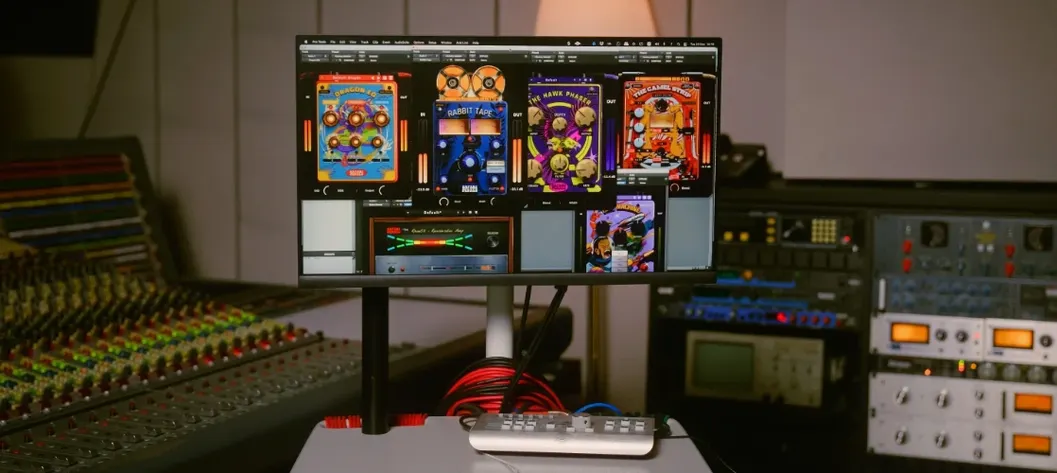
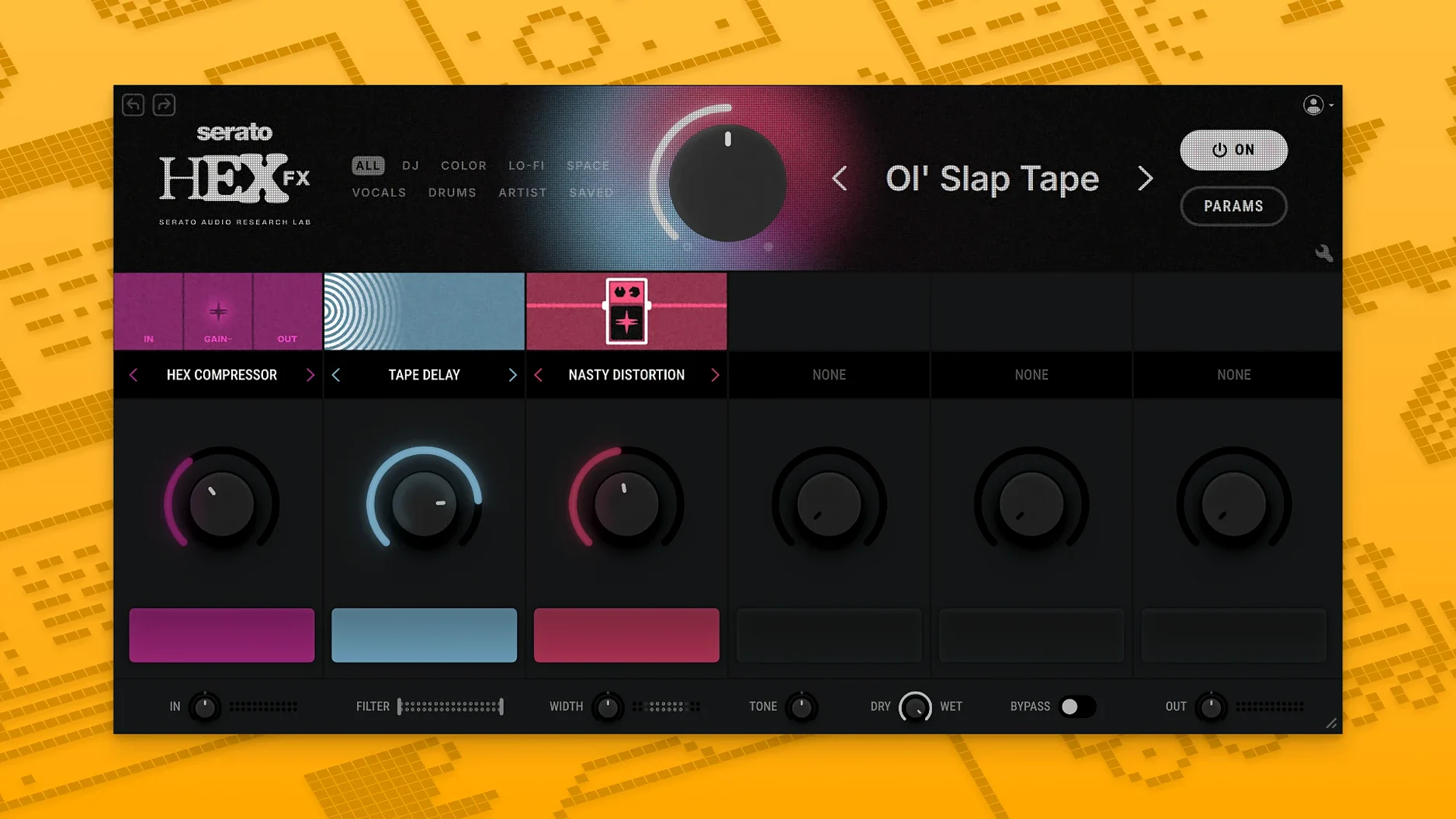
Version 1.2.0 is mostly a maintenance release — bug fixes and a long-awaited AAX installer option so Pro Tools users can finally join in without workarounds. Under the hood it stays the same colorful, chainable multi-FX box, ready to push a lead vocal off-center or make a drum bus feel alive.
Shaping tone before the chaos
Every Hex FX patch starts with a three-band EQ section — low shelf, mid bell, high shelf — that sits right at the input. I think of it as the "what am I really working with" stage. Cutting muddy low-mids before hitting a gritty distortion or boosting a little air ahead of a chorus module changes the effect character entirely. The EQ is clean and parametric, so you're not fighting fixed curves; you're pre-sculpting the signal that the chain will chew on. On a dull synth pad, a high-shelf lift before a tape-style warble can open things up without making the modulation sound brittle.
Stacking movement and color
Past the EQ, you build a chain of effect modules that feed into each other. The joy is in the order — putting a phaser before a bit-crusher yields a completely different texture than the reverse. Presets from producers like DECAP, Amber Navran, and Jake One show how far you can push this. One patch might add a subtle pitch-wobble and saturation for lo-fi warmth; another turns a simple piano stab into a washed-out, percussive pad. For live sets inside Ableton or Serato Studio, the low-CPU design means you can run multiple instances without your MacBook turning into a space heater. All the controls invite real-time tweaking, so a static loop picks up constant motion as you ride the macros.
In a vocal producer's afternoon
Picture a beatmaker wrapping up a track in Logic Pro — the instrumental is warm and dusty, but the lead vocal lands too clean, almost detached from the mix. They drop Hex FX onto the vocal channel, pull up a preset from Amber Navran's folder that pairs a slow chorus with light saturation, then nudge the mid-bell EQ down around 400 Hz to scoop out some boxiness before the chain gets to work. A few minutes of tweaking the mix knob and the vocal sits inside the beat instead of floating on top. That's the kind of focused fix where a multi-FX plugin saves you from stacking four separate plugins just to chase a vibe.
Building a drum-bus chain from scratch
A clean, punchy drum loop can sound too polite for a lo-fi hip-hop arrangement. Here's a walkthrough for dirtying it up inside Hex FX:
- Start with the input EQ. Roll off a touch of sub-lows with the low-shelf band so the later distortion doesn't turn the kick into mud. A small mid-bell cut around 500 Hz keeps boxiness in check.
- Add a bit-crusher module. Dial the resolution down just enough to introduce a grainy edge — aim for texture, not full-on video-game crunch.
- Place a phaser after the crusher. Set the rate slow and depth modest. Because the phaser receives an already-degraded signal, the swooshes feel more organic and less clinical.
- Insert a tape-saturation module at the end. This glues the chain together and rounds off the harshest digital artifacts. Drive it lightly — the goal is warmth, not overload.
- Save the patch. Name it something you'll recognize next month. Drag any module to reorder and hear how the texture shifts; even swapping the phaser and crusher yields a different grit.
The whole process takes under five minutes, and the result is a drum bus that sounds like it was sampled from a dusty SP-1200 rather than a sterile sample pack.
Plug-in missing in Pro Tools and other easy hiccups
Most hiccups with Hex FX are easy to sort once you know what's happening. A few common ones:
- Plugin doesn't show up in Pro Tools. Since version 1.2.0, the installer includes an AAX option, but it's easy to skip past the checkbox during setup. Rerun the installer and make sure the AAX format is explicitly selected. After installation, a restart of Pro Tools usually does the trick.
- Crash on launch or instantiation. On some macOS setups, the plugin may throw an error when first loaded. The disk image includes specific Terminal commands — run those exactly as written, then relaunch your DAW. This is a permissions quirk, not a broken install.
- Preset list looks sparse. Hex FX ships with over 200 presets, but they're organized under named folders (DECAP, Guy Lawrence, Dibia$e, and others). If you only see the default bank, scroll further in the preset browser — the artist packs are listed separately, not merged into one long list.
- High CPU in a heavy session. Although the plugin is lean, chaining multiple instances on every track adds up. Freeze or bounce tracks with complex Hex FX chains, or print the effect to audio once you're happy with the sound. For live use, stick to one or two instances on key buses rather than scattering it across every channel.
If you're hunting for a Serato Hex FX free download or a Serato Hex torrent, you'll quickly find that version 1.2.0 runs solid on macOS 10.15 through to Tahoe on both Intel and Apple Silicon machines — no hoops required. The installer handles VST, AU, and AAX in one pass, so whether you're in Ableton, FL Studio, or Pro Tools, the setup path is the same.
Version 1.2.0 brings AAX support into the installer and rolls up a handful of bug fixes:
- AAX format option added — Pro Tools is now a first-class citizen.
- Several under-the-hood bug fixes for smoother sessions.
- macOS 10.15 or later
- Apple Silicon or Intel 64-bit processor
- VST, AU, or AAX compatible host
Questions from the stall
Does Serato Hex FX work in Pro Tools?
Yes, as of version 1.2.0 the installer includes an AAX format option for Pro Tools on macOS 10.15 or later.
What DAWs are officially supported?
Serato officially supports Hex FX in Serato Studio, Ableton Live, FL Studio, Logic Pro, and Maschine.
Can I use Hex FX on an Intel Mac?
Yes, it runs natively on both Apple Silicon and Intel 64-bit Macs running macOS 10.15 and up.
Notes from other shops 0
Sign in or open a shop account to leave a note.
No notes yet. If you've used this on a shop Mac, tell me how it went.