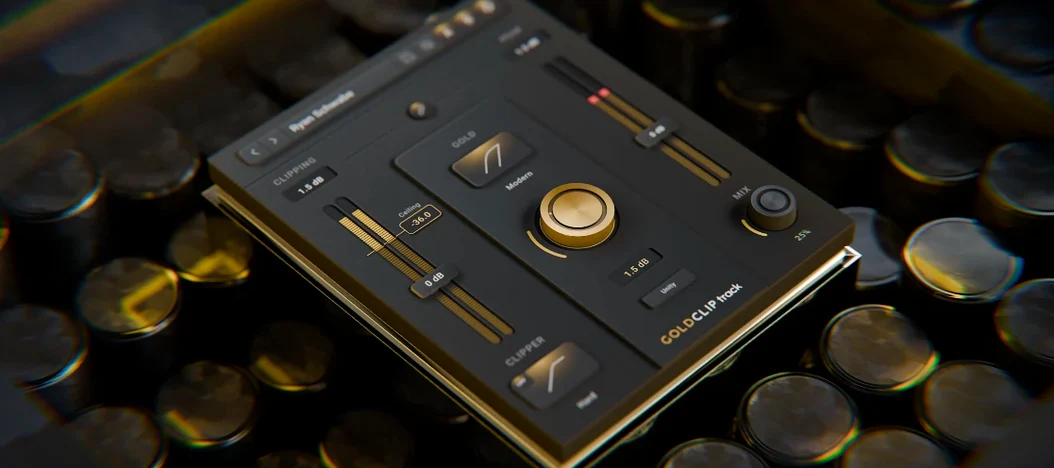
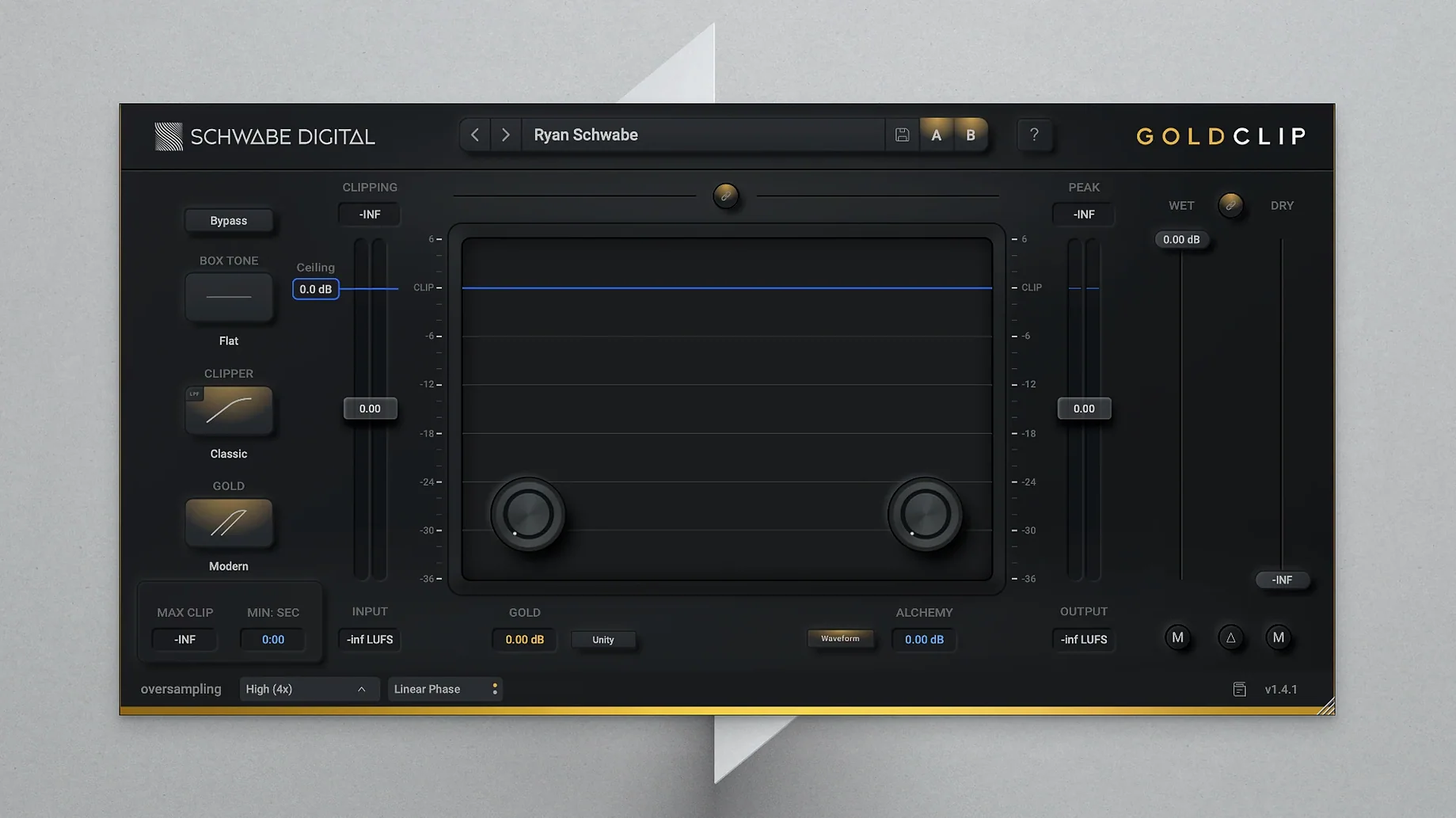
Schwabe Digital Gold Clip is built for mixing and mastering engineers who need to push a track's loudness while keeping the top end musical.
Core processor — High-precision clipping that catches signal peaks, letting you raise overall level without the track falling apart.
GOLD mode — Soft saturation that adds weight and harmonic density the harder you drive it.
ALCHEMY section — A high-frequency contouring effect that shapes the air band so your clipper doesn't choke the openness out of a mix.
Final processing role — Designed to sit at the end of a mastering chain or on a mix bus, where controlling crest factor matters most.
Formats and compatibility — Runs as an AU, VST3, and AAX plugin on macOS 10.13 or newer, on both Intel and Apple Silicon Macs. It fits into whatever DAW you're already using, from Logic Pro to Pro Tools to Ableton Live. The English interface keeps the controls straightforward, with no sub-menus hiding the parameters you need when you're making quick level decisions.
Alchemy can bite before your clip is right
Gold Clip is straightforward once you know what it likes, but a few things can trip people up early on.
Too much ALCHEMY, too soon. The high-frequency contouring is easy to overdo before you've dialled in the clipping behaviour. If the top end starts feeling detached or overly polished, back ALCHEMY off to zero and get the clip threshold and GOLD saturation sitting right first — then reintroduce it in small amounts while A/B-ing against the bypassed signal.
GOLD mode masking the transient detail. Driving GOLD hard can soften transients more than you intended, especially on material that already has rounded peaks. If the track loses punch, try lowering the GOLD amount and compensating with a slightly tighter clip threshold instead. The two stages work best when one is doing the heavy lifting and the other is adding flavour.
Plugin order confusion. Because Gold Clip handles clipping, saturation and high-frequency shaping in one window, it can feel like an all-in-one finaliser. On a mastering chain, it usually belongs before a true-peak limiter, not after it. Feeding an already-limited signal into a clipper tends to produce brittle results that no amount of ALCHEMY can fix.
Latency on older sessions. The plugin introduces a small amount of lookahead for its clipping engine. If you're inserting it onto individual tracks rather than the mix bus, check that your DAW's delay compensation handles it gracefully, especially on Intel machines running heavier sessions.
Link your thresholds to keep the stereo image
Out of the box, Gold Clip is set fairly neutral, which makes it a good blank slate. A handful of adjustments early in a session can save time later.
- Clip threshold link mode. By default the left and right channels may clip independently. If you're working on material where the stereo image feels stable and you want consistent peak behaviour, link the channels so both sides react to the same threshold. This avoids subtle image shifts during loud passages.
- Oversampling. It's off by default to keep CPU load light while you're tweaking. Once you're close to a final sound, switch it on — the difference in high-frequency smoothness is noticeable, especially when ALCHEMY is active and the track has dense cymbal or hi-hat content.
- ALCHEMY frequency range. The default target band is broad, but on bass-heavy electronic music you'll often get better results by shifting the focus upward so it treats only the air frequencies. This stops the processor from softening low-mid transients that you want to keep punchy.
- Output ceiling. It defaults conservatively. If Gold Clip is your final processor before a limiter, leave headroom. If it's earlier in the chain, you can set the ceiling closer to 0 dB and let the next plugin catch stray peaks.
Real-world scenario: a mastering engineer preparing a dense pop single
A mastering engineer receives a pop track with a thick low end, layered vocals, and a chorus that already starts to edge toward harshness in the 8–10 kHz range. The client wants it loud — competitive with commercial releases — but the existing top end makes aggressive limiting sound brittle fast.
They load Gold Clip as the first insert in the chain, before a clean lookahead limiter. Clip threshold comes down until the loudest snare hits shave about 2 dB, tightening the drum transients without flattening them. GOLD mode is introduced at about 30%, just enough to give the low mids some harmonic glue. The ALCHEMY section is then set to a narrower band focused above 12 kHz; a gentle boost here brings back the air that the dense low end had been masking, without exciting the already-forward vocal sibilance.
The result going into the limiter is a track that's already denser and more controlled in the peaks. The engineer pushes the limiter less than they would have without Gold Clip, and the final master holds its clarity at a loud integrated level — something the raw mix couldn't manage on its own. It's become a regular first step in their mastering template, especially for pop and electronic work where loudness and top-end smoothness have to coexist.
- macOS 10.13 or later
- Intel or Apple Silicon Mac
- Host that supports AU, VST3, or AAX plug-in formats
Notes from other shops 0
Sign in or open a shop account to leave a note.
No notes yet. If you've used this on a shop Mac, tell me how it went.