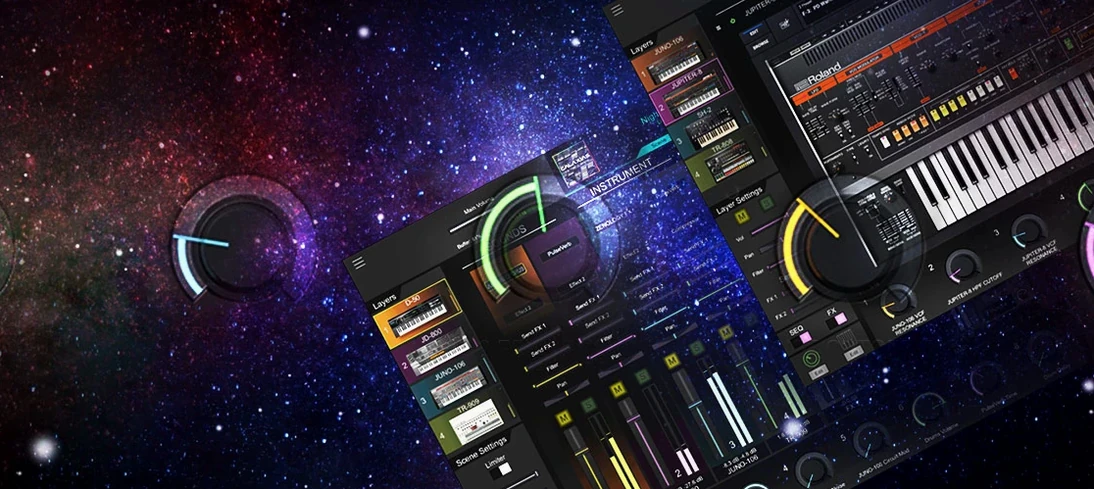
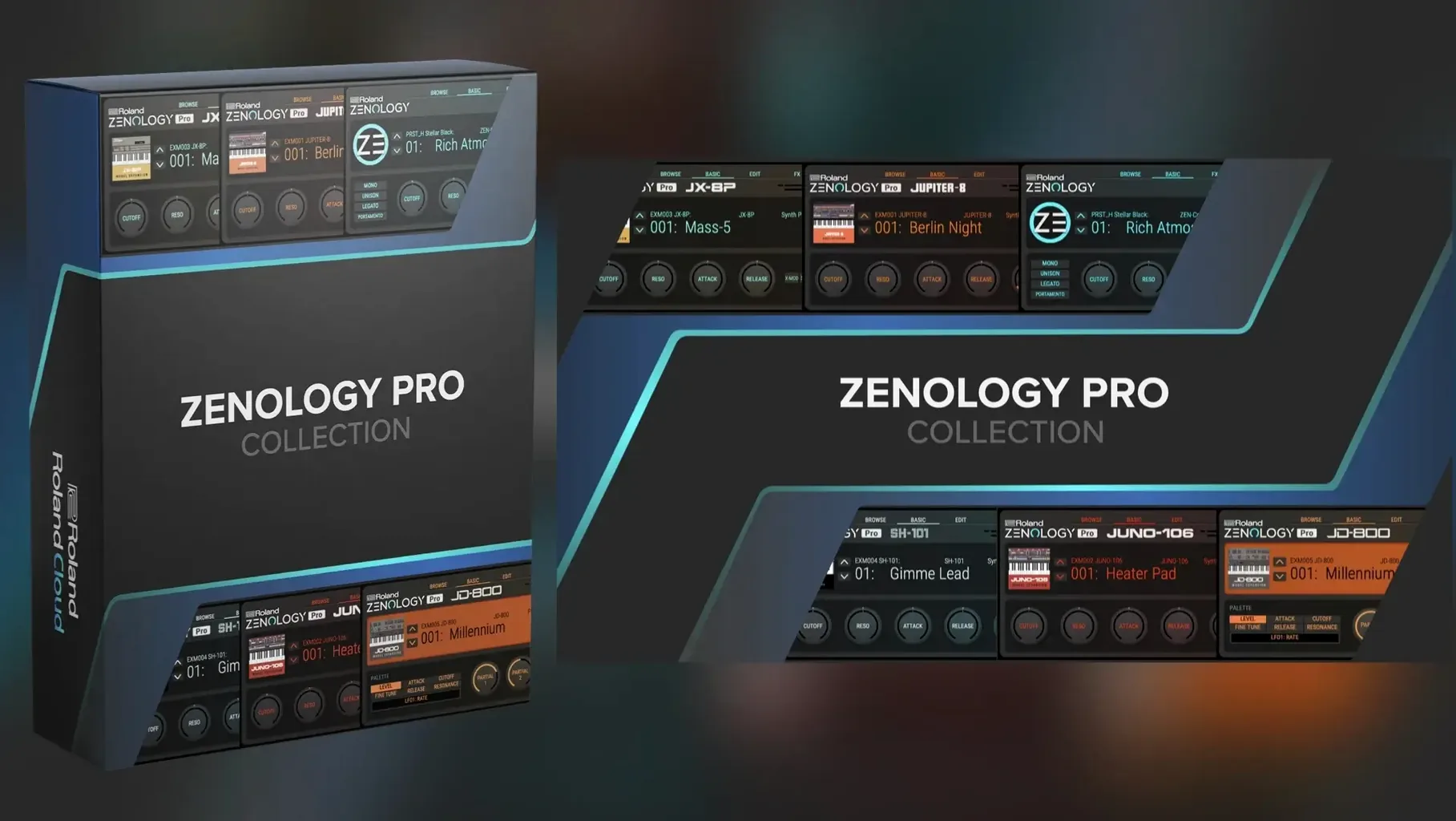
ZENOLOGY Pro runs on any Mac with macOS 11 or newer, and it's a universal binary — it feels right at home on Apple Silicon machines as well as older Intel models. It loads as an AU, VST3, or AAX plug-in inside Logic Pro, Ableton Live, or whichever DAW you already keep open all day.
The heart of it is the ZEN-Core engine Roland puts inside hardware like the JUPITER-X and FANTOM. Having that same sound architecture as a plug-in means you can sketch a patch on the couch with a FANTOM, save it, and pull it up later inside your Mac mixing session. The tone browser helps you dig through sounds, flag favorites, and build custom banks without getting lost in menus.
Each tone stacks up to four parts, and every part carries its own oscillator, filter, amplifier, dual LFOs, and EQ. The oscillator section pulls from 1,840 PCM waveforms, so you're not stuck with a handful of starter shapes — there's material here for detailed, evolving patches. Roland says the system can expand past 10,000 total variations, which puts it in the camp of synths you grow into rather than outgrow.
For a Mac user who already splits time between hardware and software, ZENOLOGY Pro bridges that gap without asking you to learn a second synthesis language. The interface is in English, the install is a straight disk-image mount and run, and it sits neatly alongside your other instruments in the plug-in list.
No membership required, no phoning home
Most questions I see boil down to the same handful of concerns, so here's the quick version.
Does it need a Roland Cloud membership to work? This version is self-contained on your Mac and doesn't phone home. You mount the disk image, run the installer, and the plug-in shows up in your DAW — no account setup, no background manager app, no subscription nag screen. Your patches and custom banks live on your own drive.
Will it choke an older Mac? It's surprisingly well-behaved. The engine is the same one Roland ships in hardware, and it was designed for real-time keyboard performance, not just offline rendering. On an Intel Mac from the last few years it handles a handful of instances comfortably. On Apple Silicon the voice count goes up noticeably — people running M1 and M2 machines report smooth playback with layered patches that would have pushed an older laptop into crackle territory. Resize the interface smaller if the graphics feel heavy; that does help on integrated GPUs.
Is the preset library actually useful, or is it just filler? The 4,000-plus tones and 200 drum kits cover a lot of ground — classic Roland analog-modeled pads, FM-ish bells, orchestral snippets from the PCM side, and plenty of modern cinematic textures. You'll hit some bread-and-butter sounds you've heard before, but the search and favorite system makes it quick to tag the keepers and ignore the rest. The real depth kicks in when you start swapping out PCM waveforms or stacking parts.
Can I edit patches I made on a FANTOM or JUPITER-X? Yes, that's one of the reasons this plug-in exists. Patch compatibility goes both directions, so a sound you dial in on hardware opens up in the Mac plug-in and vice versa. This matters more than it sounds — you can do sound design with a mouse and full-screen editor, then take the result to a gig on a hardware synth without translating anything.
A software front-end for a hardware engine
ZENOLOGY Pro sits in an odd spot: it's a software front-end for a hardware sound engine, which puts it up against both pure plug-in synths and hybrid hardware-software setups. Here's how the overlap works in practice.
Arturia Pigments. Pigments is a deeper sound-design playground in some ways — three engines you can cross-modulate, a more visual modulation system, and a sequencer that invites experimentation. What Pigments lacks is any bridge to hardware. If you never touch a keyboard with a screen, Pigments might feel more immediate for pure software patch building. But ZENOLOGY Pro gives you that hardware patch portability, and its four-part tone structure with per-part dual LFOs and EQ means you can build comparably complex sounds; you just arrange the pieces differently. The Roland's PCM side also gives you realistic instrument attacks that Pigments doesn't chase.
Korg's software recreations (like the Wavestate or Opsix native plug-ins). These are single-synth ports of specific hardware models. They sound great within their lane, but they're one-trick ponies next to ZENOLOGY Pro's range. Roland's approach is more like putting a whole workstation's sound set into plug-in form, then letting you expand it piecemeal. Korg gives you a boutique experience; ZENOLOGY Pro gives you a library with a deep synthesis engine attached.
Spectrasonics Omnisphere. This is the comparison that comes up most often. Omnisphere has a colossal sample library and a famously flexible engine. ZENOLOGY Pro counters with tighter integration into the Roland hardware ecosystem and a synthesis model that some people find more direct — less menu-diving into modulation matrices, more immediate oscillator-filter-amp signal flow. Omnisphere is a destination synth; ZENOLOGY Pro is often the one producers keep on every session because it loads fast, uses modest CPU, and covers the bread-and-butter sounds without fuss. Different philosophies, not a clear winner.
DAW doesn't see the plug-in after install
A few things trip people up, and most have straightforward fixes.
DAW doesn't see the plug-in after install. This usually means the DAW scanned the wrong folder. ZENOLOGY Pro puts its component, VST3, and AAX files in the standard system locations, but some DAWs need a manual rescan. In Logic, restart after install — it rescans on launch. In Ableton Live, hold the Alt key and click "Rescan Plug-ins" in the preferences. If it still doesn't appear, check that you're running it natively and not through Rosetta, because a mismatch between the plug-in architecture and the DAW's mode can hide it from the list.
Interface is tiny on a high-DPI display. The window is resizable — grab the corner and drag. If it comes up pixelated after resizing, close and reopen the plug-in window; some DAWs cache the old resolution on first open. Roland added proper scaling support in recent builds, so version 2.0.7 handles this better than earlier releases.
High CPU with many parts active. Each tone can use up to four parts, and each part runs its own oscillator, filter, dual LFOs, and EQ. A single patch with four parts active and effects on each is basically four synth voices. If you stack several of those in a busy project, the voice count climbs fast. Freeze or bounce tracks when you're happy with the sound, or slim down patches to two parts for background layers.
Sound packs or expansions not showing up. In the standard setup, the plug-in reads expansion content from its own folder structure. If you've added content manually, double-check the path — the tone browser won't merge content from arbitrary locations. All expansion material needs to sit inside the designated ZENOLOGY content directory for it to appear in the browser.
Hardware Roland owners who also work in a DAW
The people I'd point toward ZENOLOGY Pro tend to fall into a few clear groups.
Hardware Roland users who also work in a DAW. If you already own a FANTOM, JUPITER-X, or any ZEN-Core instrument, this is basically a second instance of your synth engine that runs inside the Mac. Patch sharing works both ways, so you can design sounds on a big screen, save them, and load them into hardware for live use. That alone makes it a practical tool, not just another soft synth collecting digital dust.
Producer-composers who need broad sound coverage fast. The 4,000-plus factory tones span analog basses, orchestral hits, evolving pads, and drum kits that are genuinely usable in a mix. Someone scoring a short film or building a beat library benefits from being able to audition a dozen categories without switching plug-ins. The expansion path past 10,000 variations means the palette grows as your projects demand it, without learning a new interface each time.
Sound designers who value the PCM side. With 1,840 PCM waveforms and oscillator types that include PCM SYNC, this is more than a virtual-analog machine. You can layer a sampled attack transient over a modeled sustain, sync it, mangle it with the JUPITER-modeled filters, and end up somewhere neither a pure sampler nor a pure VA would take you.
Live performers running a Mac on stage. ZENOLOGY Pro works as a standalone instrument inside a lightweight host, and the four-part structure means a single patch can cover splits or layers without external routing. Combine that with the compact CPU footprint and the fact that it doesn't need an internet connection once installed, and it's a sensible choice for a gigging laptop.
- macOS 11 or later
- Apple Silicon or Intel processor
- AU, VST3, or AAX plug-in host
Notes from other shops 0
Sign in or open a shop account to leave a note.
No notes yet. If you've used this on a shop Mac, tell me how it went.