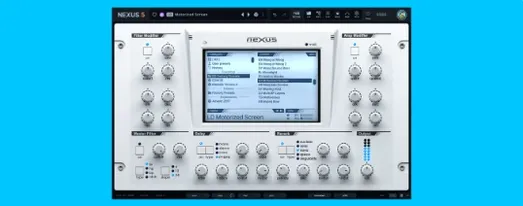
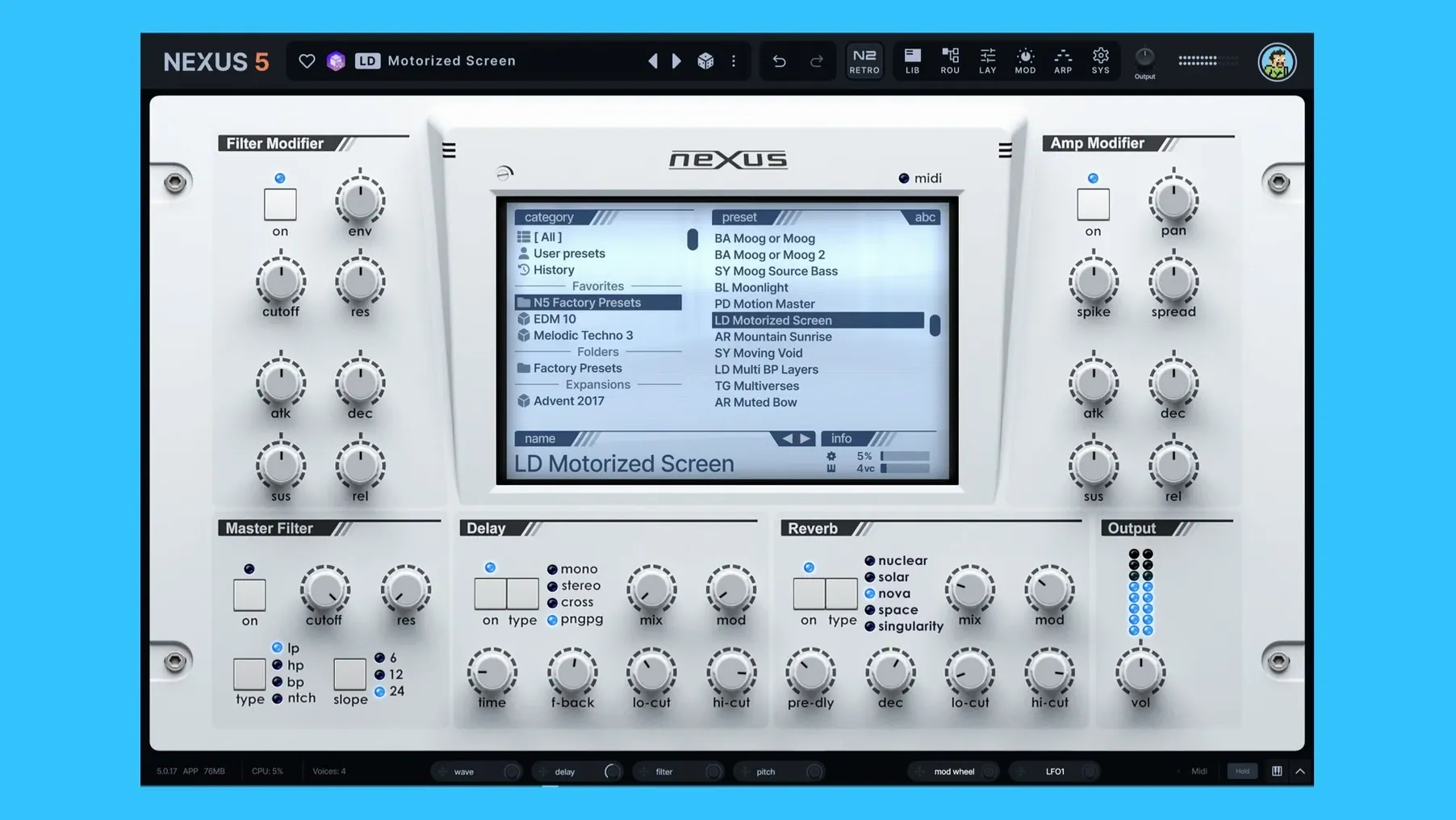
Plugin sprawl gets messy fast. You have dozens of instruments but still reach for the same three because the rest choke your CPU or need an hour of tweaking. reFX Nexus steps in as a focused sample-based instrument that puts playable, mix-ready sound right up front—without pretending to be a modular science experiment.
What plugin formats and hosts does it run in?
Nexus ships as a VST2, VST3, and Audio Unit plugin, so it settles into most DAWs on a Mac without fuss. It asks for macOS 10.15 or newer and runs natively on both Intel and Apple Silicon machines—no Rosetta gymnastics required for current setups.
Does it open old NEXUS projects and libraries?
Yes, it keeps full backward compatibility with existing NEXUS projects and libraries. If you have years of custom presets or expansion packs tied to earlier versions, they load right up without conversion tools or lost mappings.
Is it just a preset player, or can I shape the sound?
Calling it a simple rompler misses half the picture. You get a modulation section with flexible routing, a built-in effects rack, and the ability to load your own custom samples into the engine. The current version pushes that further with an overhauled unison section offering up to 16 voices, plus a new Clipper effect for taming peaks inside the plugin.
Dropping a core sound and building around it in Logic
Here’s how a working session with Nexus tends to go when I’m building a track from scratch in Logic Pro. It’s not a tutorial—just the rhythm I’ve fallen into.
- Pick a core sound. I open Nexus on an instrument track and browse by category—usually pads or keys if I’m starting a verse. The preset previews now match the host tempo, which sounds small but saves me from auditioning arpeggiated patches at the wrong speed and second-guessing a perfectly good sound.
- Lay down a part. I play in a chord progression with the MIDI controller. The latency is low enough on Apple Silicon that I don’t think about a buffer size workaround; it just feels like an instrument.
- Tweak the character. I flip to the modulation page and route an LFO to a filter cutoff, then use the mod depth ring to dial the movement so it breathes with the tempo. The active modulation tracking in tooltips means I’m not guessing which source controls what—I see the value change as I drag.
- Add a second layer. I duplicate the track, load a different patch, and use the unison overhaul to spread the second sound to 12 voices with slight detune. That wide, chorused weight pops up without a separate chorus plugin eating a slot.
- Shape dynamics. On the SYS page I check the BPM readout, override the tempo to half-time, and set the ducker keyzone trigger so the pad ducks whenever a kick sample hits a specific note. All inside the instrument, no sidechain routing.
- Final polish. I drop the new Clipper effect on the output to catch transients before they hit the DAW channel, then save the whole thing as a custom preset. The samples, routings, and effect settings stay together in one recallable file.
Fixing presets that won’t preview in sync
Nobody clicks with a plugin instantly, and Nexus has a few corners that catch people off guard. Here are the ones I hear about most and what actually fixes them.
Presets not previewing in sync. If tempo-matched previews sound off, check that your DAW is sending transport information to the plugin. Some hosts pause that feed when the transport is stopped. Hit play briefly, then audition again. The BPM override on the SYS page also helps when you want a fixed tempo that ignores the DAW.
Custom samples disappearing after a session. Nexus references samples from their original locations unless you explicitly save them inside a custom preset. If you move or rename the source folder, the plugin loses the path. Gather samples into a dedicated Nexus User Library folder before importing, so paths stay stable.
High CPU with unison voices maxed out. The 16-voice unison mode can push older Intel Macs harder than expected. Drop to 8 voices first—often the difference is barely audible in a mix. If you really need all 16, freeze the track or bounce in place.
Skins not applying after editing. The new skin editor saves to a specific folder inside the Nexus user directory. If you rename the exported skin file or move it, the plugin won’t find it until you point the SYS page to the new location.
If you’re looking for a copy to try, people search for refx nexus torrent or refx nexus 5 torrent to find a k’ed version. Some also hunt for refx nexus mac torrent specifically because not every upload includes the ARM build. If you need an older yet solid entry point, refx nexus 2 mac still circulates and loads most libraries, though you miss the unison overhaul and clipper from 5.5.12. Whatever build you grab, refx nexus mac remains the go-to phrase when you want to avoid Windows-only uploads.
Beatmakers and electronic producers who need polished layers fast
Nexus isn’t for everybody, but for the right kind of Mac user it becomes a workhorse that cuts session time in half.
Beatmakers and electronic producers benefit first. The library leans hard into genres where polished, layered sounds need to sit in a dense mix without carving out EQ space for ten minutes. Loading a preset, widening it with unison, and adding a clipper stage inside the plugin means they’re arranging instead of sound-designing.
Media composers on tight deadlines get a lot of mileage too. Nexus covers the “I need a lush pad, a pulsing bass, and a bell melody in thirty minutes” workflow better than synths that reward deep programming but punish speed. The keyzone ducker trigger is a quiet lifesaver when a pad needs to pulse against a low string hit without drawing automation.
Sound designers who blend samples with synthesis keep finding things to like. Loading custom field recordings into the sample engine, then layering them with a wavetable oscillator and routing both through the modulation section, pushes the instrument well past its rompler reputation. The two new oscillator wrap modes from 5.5.12 add even more texture for people who treat presets as starting points, not endpoints.
Older NEXUS users upgrading Macs get a straightforward path. The backward compatibility with existing projects and libraries means nobody loses years of custom work when moving to Apple Silicon. That alone keeps a loyal group of producers on board while they explore the newer features at their own pace.
Here's what's fresh in Nexus 5.5.21 — a handful of tweaks that make the interface a little nicer to work with:
- The Skin Editor now lets you style dialog windows — background, title, text, and buttons are all customizable.
- You can open a skin file directly from the skin browser's context menu, which saves a few clicks when you're swapping looks.
- Color names in the Skin Editor show up clean now, without those internal prefixes cluttering the list.
- The Impulse oscilloscope uses the same colors as other effect displays, so things look more consistent across the board.
- Fixed loading, saving, and thumbnail previews for skins that have dots in their filenames.
- Knob colors now save properly when you switch back from a light skin to the standard one.
- The oscilloscope styling in the Impulse import window got a fix.
- Dialog text updates correctly when you change skins while a window is open.
- The window no longer reopens itself when you double-press Save As — a small but satisfying fix.
- macOS 10.15 or later
- Apple Silicon or Intel 64-bit Mac
Questions from the stall
Can I manage expansions and updates in one place?
Yes, reFX Cloud handles product management for NEXUS, all expansion packs, and software updates from a single utility.
What modulation improvements came with version 5.5.12?
It added active modulation source tracking inside mod depth rings and tooltips, plus a modulation destination for oscillator phase minimum and maximum.
Does the plugin include a way to change how it looks?
Yes, version 5.5.12 introduced a skin editor, so you can customize the interface appearance to suit your workspace.
Notes from other shops 0
Sign in or open a shop account to leave a note.
No notes yet. If you've used this on a shop Mac, tell me how it went.