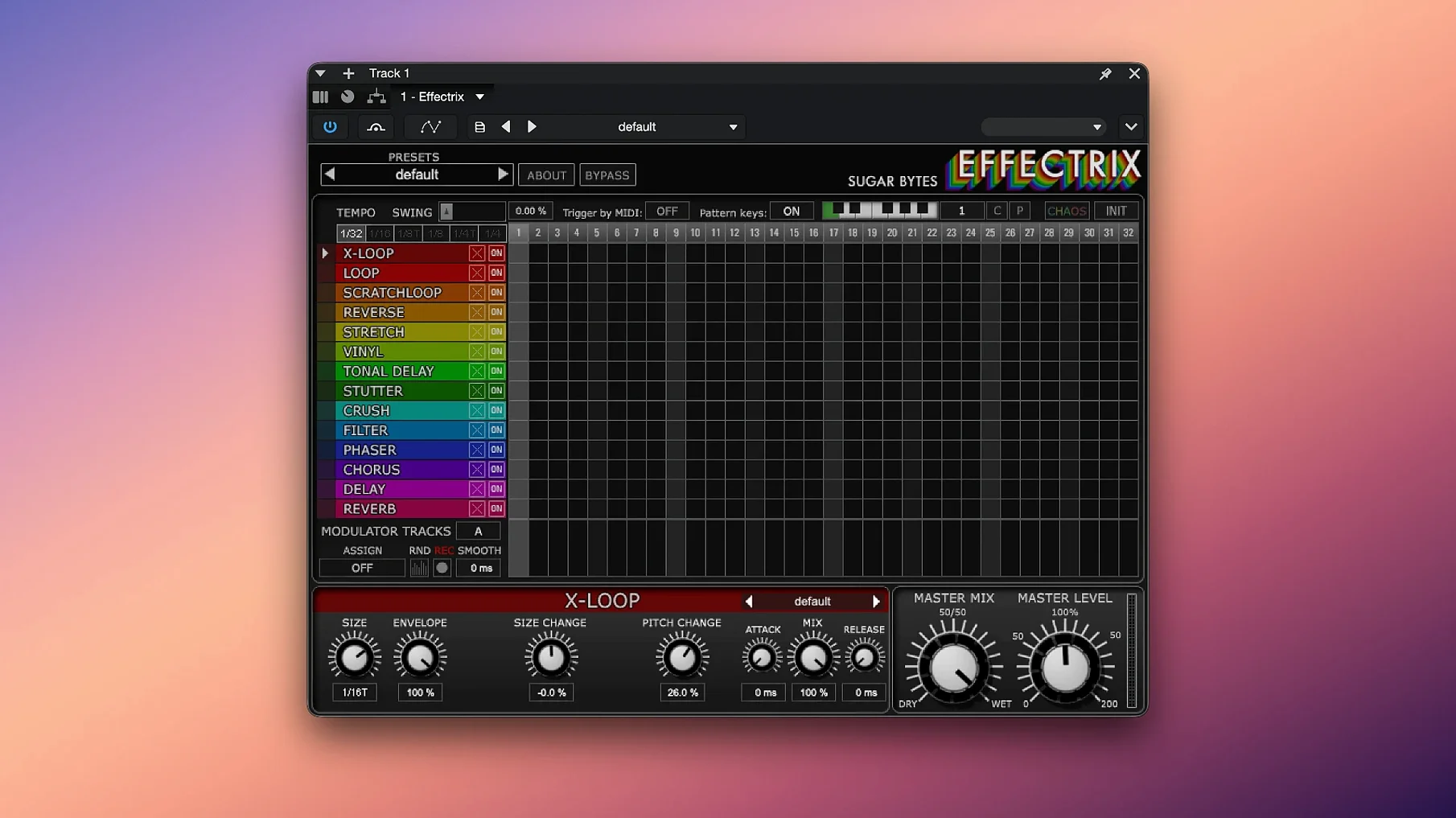
Effectrix is a multi-effect sequencer that paints synchronized sound transformations across a step grid.
Before you hear what it can do, it pays to know where it fits. A quick compatibility check saves head-scratching later.
- Confirm your macOS version. The official word from Sugar Bytes is macOS 10.13 or higher, with native support for both Intel and Apple Silicon Macs.
- Pick your plug-in format. Effectrix speaks several: Audio Unit, VST2, VST3, AAX, and it also runs as a standalone application. No matter your DAW, there is probably a door that fits.
- Load it up and scan. Once installed, let your DAW scan the new plug-in. You will find a single instance ready to host up to 12 different effect sequences per preset.
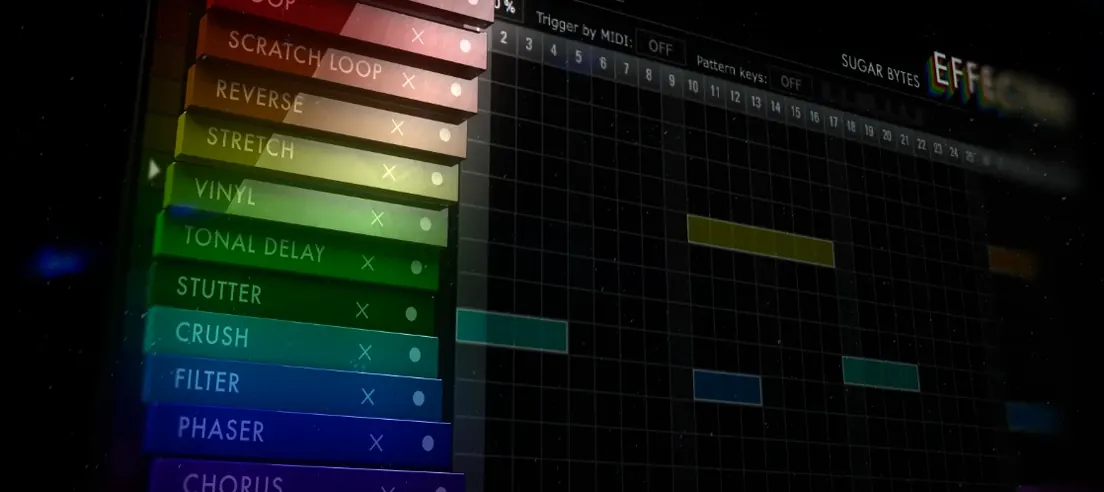
With the housekeeping done, the fun starts. Each step on the grid can trigger a different effect with its own set of parameters. Two modulation tracks let you automate changes over time, and a swing function loosens the grid for a human feel. The Chaos button is a wildcard — tweak it when a pattern needs a nudge into unexpected territory. Copy and paste keeps your best phrases moving quickly between sequences.
Glitch 2 and Stutter Edit 2 each take a different path to the same goal
If you are weighing Effectrix against other step-based effects, two names come up a lot: Glitch 2 by Illformed and Stutter Edit 2 by iZotope. They all live in the same neighborhood but furnish the house differently.
Effectrix vs. Glitch 2: Glitch 2 is a dedicated glitch machine, and it excels at rhythmic slicing, tape stops and bit-crushed chaos. Effectrix goes broader: alongside stutters and reverses, you get a x-loop, a tonalizer, a vinyl sim and a modulation section with two freely assignable tracks. Glitch 2 feels like a scalpel for one style; Effectrix feels like a multi-tool you can steer toward melody or mayhem. Glitch 2 also lacks the 12-pattern MIDI recall that makes Effectrix a live performer's friend.
Effectrix vs. Stutter Edit 2: Stutter Edit 2 is surgical about granular buffer manipulation and single-key triggering. It shines when you want to play effects like an instrument. Effectrix is more visual and grid-based — you see every step and its division. That step-sequencer clarity makes pattern-building faster for producers who think in bars and beats rather than gesture-mapped MIDI curves. Stutter Edit 2's modulation is deeper in some respects, but Effectrix's two modulation lanes are more approachable and tie directly into the sequencer.
Where Effectrix really stands apart is the Chaos button. Neither Glitch 2 nor Stutter Edit 2 has a single control that randomizes so many parameters in such a musically useful way. It is one of those rare features that feels like a collaborator rather than a dice roll.
Setting your cycle length before you paint any steps
Every new Effectrix user trips over the same few things. I made a couple of them myself when I first loaded the plug-in.
Forgetting to set the cycle length early. The default 16-step cycle is a blank canvas, but if your riff is a 3-bar phrase in 4/4, leaving the cycle at 16 steps will throw your effects out of phase by bar two. Adjust the cycle length — up to 32 steps — before you start painting effects. It saves rework.
Overcrowding the grid. Fourteen effects are available, and the temptation is to use half of them in the same pattern. That turns a tight beat into a muddy wash. The best patterns often use three or four effects, spaced apart, with silence on the steps in between. Negative space is an effect too.
Ignoring the swing knob. A grid-locked sequence can sound robotic, especially on hi-hats or shakers. A subtle swing value — around 15 to 25 percent — pulls the pattern off the grid just enough to breathe. Many beginners leave it at zero and wonder why the groove feels stiff.
Skipping the manual for effect parameters. Each effect has its own set of controls, and some of them are not obvious. The x-loop effect, for instance, has a pitch parameter that can turn a simple drum fill into a melodic hook. Right-clicking or long-pressing an effect slot reveals its full parameter set — a move that is easy to miss in the heat of a session.
How a dry vocal one-shot becomes a syncopated earworm
Here is a task I run into often: taking a dry vocal one-shot and turning it into a syncopated earworm that locks into the beat. Effectrix handles this quickly once you build the muscle memory.
- Load the vocal sample onto an audio track in your DAW and insert Effectrix as the first effect in the chain. Pick a dry preset or initialize the plug-in so no effects are active yet.
- Set the tempo division. If your DAW is at 120 BPM and the vocal phrase lasts two bars, try a 1/8 or 1/16 division so each step has enough resolution to catch transient detail.
- Paint a reverse on step 1 and a gater on step 5. The reverse grabs the start of the phrase and pulls it backward; the gater slices a rhythmic stutter five steps later. Keep the gater's rate moderate — 1/16 works — so it does not overwhelm the vocal.
- Add a tone delay on step 9. Dial the delay mix to about 40% wet and set the feedback low. This creates a trailing echo that fills the gap between the phrase end and the loop start without cluttering the center image.
- Assign modulation track A to the filter effect cutoff. Draw a slow rising curve over all 16 steps. The vocal opens up gradually, which adds movement and keeps the loop from sounding static.
- Dial in swing. Set it between 18 and 22 percent. The pattern shifts from a mechanical grid to something that nudges against the kick and snare in a pleasing way.
- Tap the Chaos button lightly — around 10 percent — and listen. If it introduces a happy accident, great. If not, undo and tweak a parameter by hand. Save the preset once the pattern gels so you can recall it via MIDI on another track.
The whole process takes under five minutes once you know your
- macOS 10.14 or higher
- Intel or Apple Silicon Mac
- Host that supports Audio Unit, VST2, VST3, or AAX (or use standalone)
Questions from the stall
Does Effectrix work natively on Apple Silicon Macs?
Yes, Sugar Bytes lists full support for both Intel and Apple Silicon processors.
What plug-in formats are included?
It comes as an Audio Unit, VST2, VST3, AAX, and a standalone application.
How many effect sequences can I store in one preset?
You can save up to 12 different sequences within a single preset.
Notes from other shops 0
Sign in or open a shop account to leave a note.
No notes yet. If you've used this on a shop Mac, tell me how it went.