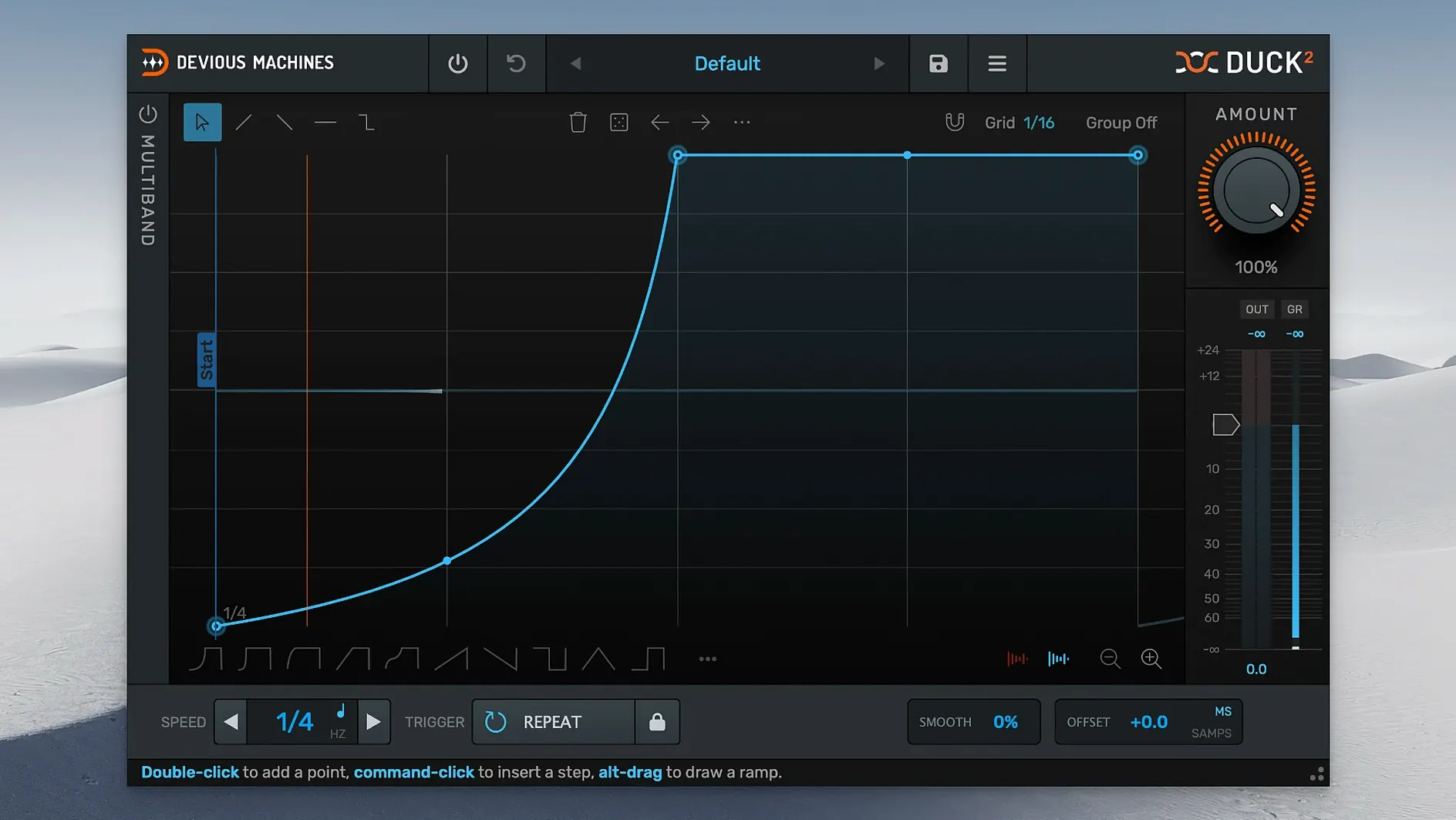
Duck 2 runs on any Mac with macOS 11 or newer, on both Apple Silicon and Intel processors. It's a 64-bit plugin in AU, VST3 and AAX formats, so it'll slot straight into Logic, Ableton Live, Pro Tools or whatever DAW you use daily.
I reach for it on bass-heavy material where the kick and low end fight each other. It lives on a bass bus or a pad group, listening to the kick track through the sidechain input. Instead of setting up a compressor and hoping the release feels right, I can trace an envelope from the sidechain signal itself or even from an imported audio file. The result tracks the groove without the guesswork.
For trickier material, the three-band section saves me from ducking the whole signal. I can pull down only the sub frequencies when the kick hits, leaving the higher harmonics untouched. Two-band mode is there if I need a faster setup with fewer crossovers to think about.
The multiband envelopes and the trace-from-audio option are the big additions that came with version 2. The window scales freely too — handy on a laptop screen or a studio display. And if the envelope feels too rigid, a touch of randomize in the editor can add the slight variations that make a loop feel less programmed.
Late-night remix rescue
A dance music producer gets sent a vocal stem at 11 p.m. that needs to sit inside a track where the kick already owns the sub frequencies. The temptation is to slap a broadband sidechain compressor on the vocal bus and call it done, but that pulls the breath and presence down with the low end. Duck 2 in three-band mode with separate envelopes per band changes the math: the low band ducks deep and fast on every kick hit, the mid band breathes with a softer curve, and the high band barely moves at all. The imported sidechain trace grabs the exact amplitude shape from the kick track, so the vocal ducks in time even when the kick pattern switches to triplets in the bridge. Gain reduction metering in the output section confirms that nothing below 120 Hz is poking through, while the air above 6 kHz stays open and natural. It's the kind of fix that would take an hour with automation lanes and a notebook full of crossover guesses — here it takes ten minutes and sounds like the stems always belonged together.
Trace your existing sidechain shape instead of guessing
Drop Duck 2 on a bass group that already has sidechain routing set up, then immediately open the envelope editor and use trace from sidechain input. Compare that traced shape to the default downward triangle. You'll hear the difference in two bars — the traced envelope follows the kick's actual decay instead of a generic slope, so the bass release breathes with the drum sound you're using, not an assumption about it.
Next, split the signal into two bands and set the crossover around 200 Hz. Apply the traced envelope only to the low band and set the high band envelope to a much shallower depth with a medium release. Mute the high band solo a few times to check that the attack transients of the bass still cut through. If the low end ducking feels slightly late, experiment with the offset control in samples mode — a shift of 300–500 samples often tightens the pocket without needing to nudge the audio region itself.
Tip: If you grabbed the Devious Machines Duck 2 torrent Mac version from a trusted source, run the plugin in a fresh session with just a kick and a sustained bass note. Cycle through the three crossover slope options — 12, 24 and 48 dB per octave — while watching the frequency analyzer in your DAW. The steeper slopes keep the bands more isolated, which matters when you only want to duck a narrow sub range and leave the bass growl intact.
Version 2.0.30 brings a few practical upgrades:
- A freely resizable interface that adapts to your screen.
- A three-band section with independent envelopes for each band.
- The ability to trace an envelope from an imported audio file or the sidechain input.
- macOS 11 or later
- Apple Silicon or Intel processor
- 64-bit host (AU, VST3, AAX)
Questions from the stall
Can Duck 2 respond to MIDI notes instead of audio?
Yes, it supports both audio triggering via sidechain and MIDI triggering, with loop and release modes available for each.
Notes from other shops 0
Sign in or open a shop account to leave a note.
No notes yet. If you've used this on a shop Mac, tell me how it went.