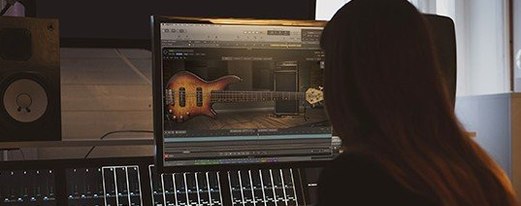
QUAKE is a dedicated bass engine plugin for building your own bass and 808 sounds from scratch rather than browsing sample packs.
Check the formats and host setup
QUAKE runs on macOS 10.14 and later, supports both Intel and Apple Silicon, and works in any DAW that hosts standard instrument plugins.
Shape a tone with the core controls
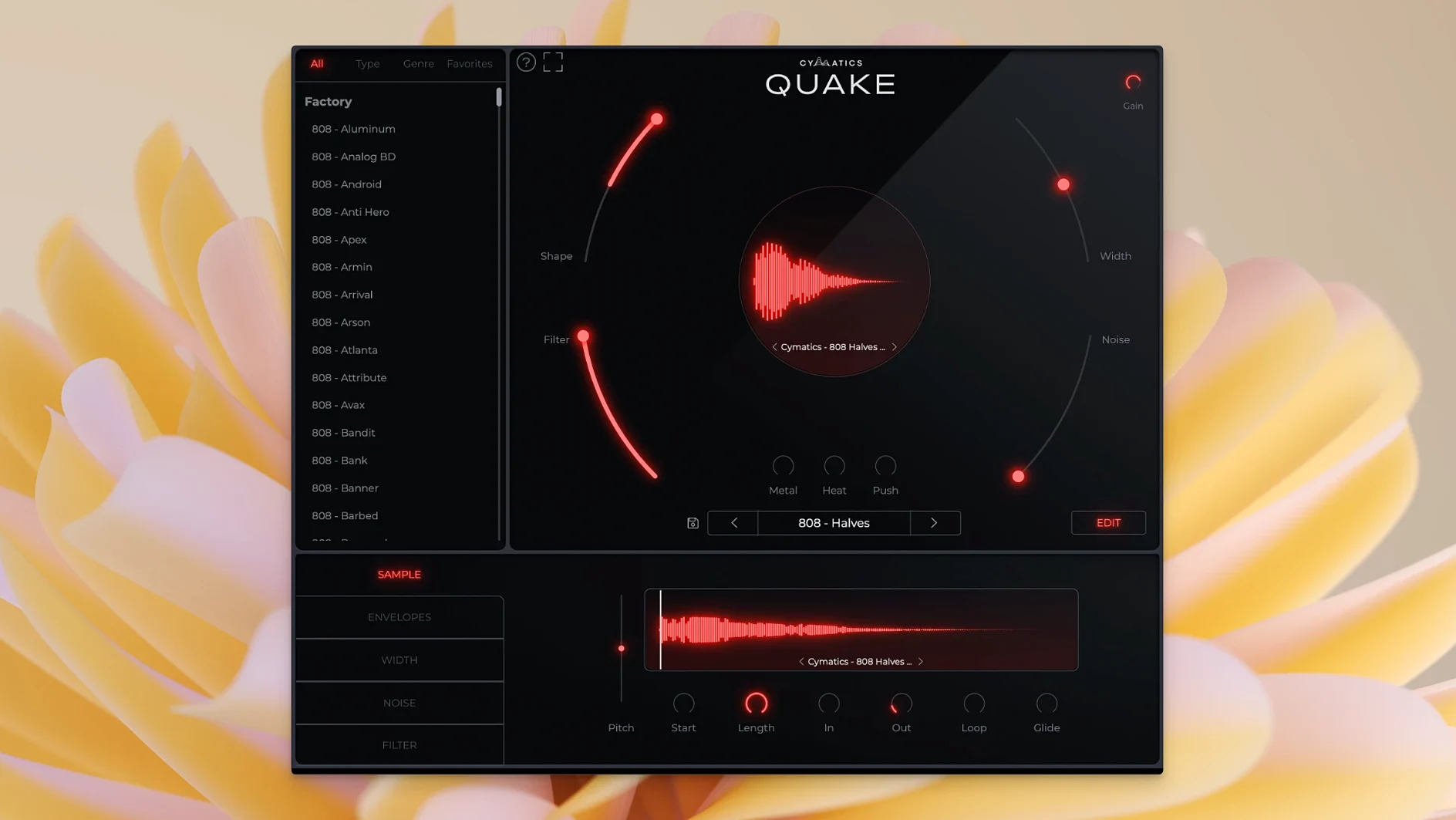
Shape sets the envelope and tonal character, while Filter carves the frequency range. Together they give you quick sculpting before you reach for anything else.
Add texture, width, and heat
Noise introduces analog grit, Width spreads the stereo field, and the Metal, Heat, and Push knobs deliver three distinct flavors of saturation and distortion. A preset library covering Trap, House, R&B, Drill, and beyond gives you a fast starting point for 13+ genres.
A few unadvertised touches that speed you up
Most people open QUAKE, twist a few knobs, and move on — but a handful of small touches make it much faster once you know they're there. None of them are hidden behind menus, but they're not shouted about either.
- Shift-drag any knob for fine adjustments. The coarse sweep is great for broad changes, but shift lets you dial in tiny increments when a bass sound is almost right but just a hair too aggressive.
- The Width knob behaves differently below 12 o'clock. Turn it left and you get a tighter, more centered mono image that sits better in dense mixes; push it right and the stereo field opens up. Beginners often treat it as an on/off switch and miss the sweet spots in between.
- Noise before Metal changes the distortion character. The signal chain order matters. Dial in some Noise first, then bring up Metal, and the distortion grabs the texture and amplifies it. Reverse the order and you get a cleaner crunch. Neither is wrong, but the difference is worth exploring.
- Presets save the knob positions, not just the sound. Load a preset, tweak one parameter, and you can see exactly what the preset designer changed. It works like a free lesson in sound design if you pay attention.
Tip: if you stumble on a combination you love, save it as your own preset immediately. There's no auto-save, and losing a bass tone you spent twenty minutes dialing in stings more than it should.
Stacking all three stages at once and other beginner traps
QUAKE is simple on the surface — seven knobs and a preset browser — but that simplicity trips people up in predictable ways. Here's what I see producers get wrong most often.
Stacking all three saturation stages at once. Metal, Heat, and Push are three separate flavors of drive. Cranking all three to maximum doesn't give you three times the power; it gives you a muddy, undefined mess that fights everything else in the mix. Pick one as your main character and use the others sparingly. Heat works well as a gentle warmth layer underneath, while Push handles the aggressive top-end bite. Metal lives somewhere in between. Treat them as a palette, not a pile.
Ignoring the Filter before adding effects. A bass sound that feels flabby usually has sub-bass rumble or high-end fizz that the Filter can strip out instantly. Cleaning the frequency range before you add Noise or saturation gives those effects something clean to work with. Dirtying up a messy signal just makes it messier.
Assuming the preset library is the whole plugin. The presets are useful starting points — especially for Trap, Drill, and House — but QUAKE is not a sample player. Every preset is a fully editable knob configuration. People who treat it like a rompler miss the entire point. Twist the knobs. That's where the sounds live.
Not checking the bass in mono. Wide 808s sound impressive in headphones and disappear on club systems or phone speakers. The Width knob is powerful, but if your low end loses impact when summed to mono, pull the width back. Your kick drum and sub frequencies should almost always stay centered.
How QUAKE compares with similar bass tools
A few other bass-focused plugins come up in the same conversations, so here's how QUAKE sits alongside them.
QUAKE versus SubLab. SubLab leans heavily into synthesized sub-bass with a strong emphasis on the relationship between the sub and a separate harmonic layer. It excels at clean, controlled low end. QUAKE covers similar ground but puts more weight on texture and saturation. Where SubLab feels surgical, QUAKE feels more like tweaking hardware — faster, looser, and more about character. If you want precise control over every harmonic, SubLab might suit you better. If you want to get a bass sound cooking in thirty seconds, QUAKE wins the speed contest.
QUAKE versus 808 Studio. 808 Studio is sample-based at its core, with synthesis layered on top. QUAKE is pure synthesis with no sample engine. That means QUAKE gives you more freedom to sculpt from scratch, but 808 Studio can pull off sounds that rely on real recorded transients. For Trap producers who want to tweak existing 808 samples, 808 Studio makes sense. For producers who want to build their own bass identity without relying on someone else's recordings, QUAKE is the more creative environment.
QUAKE versus Phase Plant. Phase Plant is a modular monster that can do everything QUAKE does and vastly more — at the cost of complexity. QUAKE's advantage is constraint. Seven knobs means you make decisions fast. Phase Plant means you can spend an hour routing modulators before you even touch the oscillator. Different philosophies for different workflows. If you already love deep sound design in Kilohearts' ecosystem, you don't need QUAKE. If you want bass results without the wiring diagram, QUAKE delivers.
Beatmakers on tight deadlines and other ideal QUAKE users
QUAKE makes the most sense for a few specific types of Mac users, and knowing which group you fall into helps decide if it belongs in your plugin folder.
Beatmakers working on tight deadlines. If you're producing beats daily and need bass sounds that cut through without spending half an hour on each one, QUAKE is built for your pace. The preset library covers the genres most beatmakers actually work in, and the control set is shallow enough that you learn it once. Producers cooking up Trap, Drill, and R&B beats will find themselves reaching for it often — especially when the clock is ticking and the bass still isn't sitting right.
Producers building a recognizable bass signature. The more you use sample packs, the more your bass sounds like everyone else's. QUAKE pushes you toward designing your own tones because the synthesis controls are right there and easy to use. A producer who wants their 808s to feel personal rather than borrowed will grow into this plugin quickly. The Noise and saturation stages let you bake in a texture that becomes part of your sonic fingerprint.
Mixers who need a bass rescue tool. Even if you didn't create the bass part, QUAKE works as a processing unit. Run a weak bass stem through it, use the Filter to clean the frequency range, add a touch of Push for presence, and you can bring a limp low end back to life. It's not just a sound design plugin — it's a problem solver for tracks where the bass needs reinforcement.
Anyone curious about the Cymatics approach to bass. The company built its reputation on sample packs, but QUAKE shows their thinking about synthesis. The cymatics quake plugin reflects a practical, genre-aware philosophy rather than a purely academic one. The presets don't just show off the engine — they show you what works in actual tracks. If you've used Cymatics samples before and wanted more control, this is the logical next step.
- macOS 10.14 or later
- Intel and Apple Silicon supported
- Compatible DAW (AU, VST, or AAX host)
Questions from the stall
Is QUAKE a sample pack or a synthesizer?
It's a standalone instrument plugin for designing bass and 808 sounds from scratch, not a collection of pre-recorded samples.
What genres do the presets cover?
The factory library includes bass presets for over 13 genres, including Trap, House, R&B, EDM, and Drill.
Notes from other shops 0
Sign in or open a shop account to leave a note.
No notes yet. If you've used this on a shop Mac, tell me how it went.