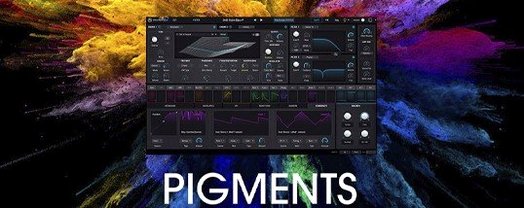
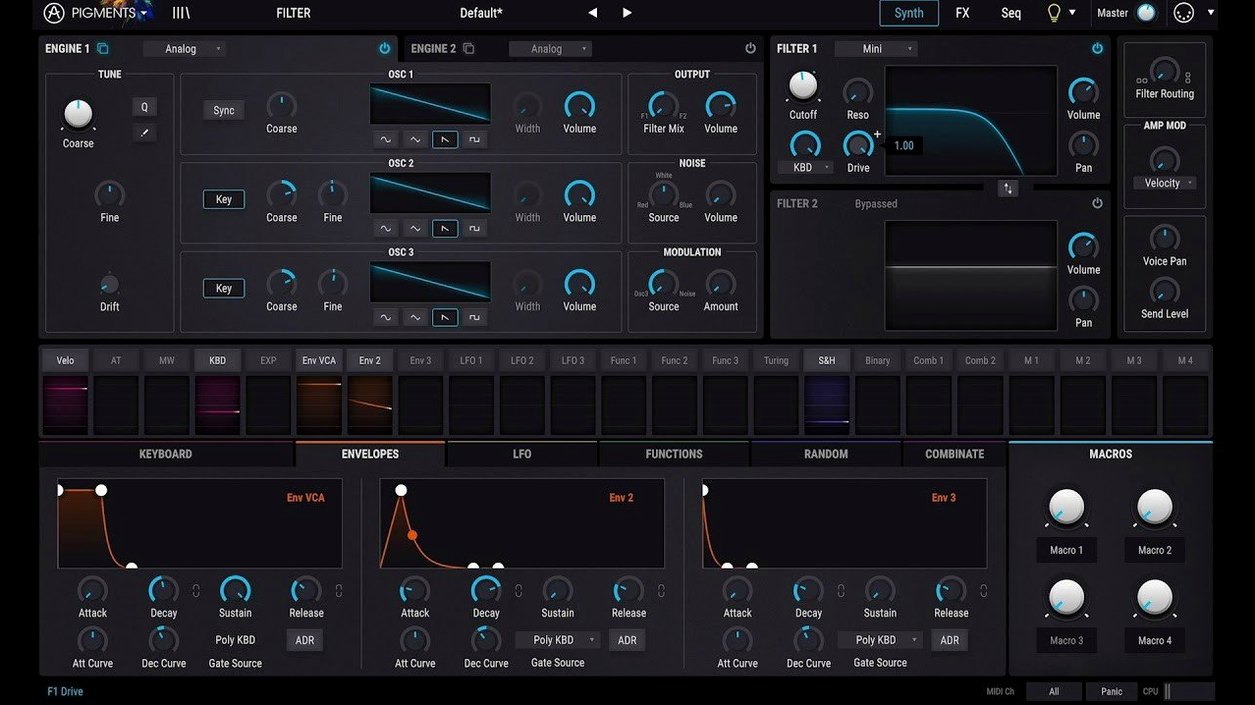
Pigments opens with four sound engines and 23 filter modes, all mapped to a clear signal flow. It’s a hybrid synth that pairs wavetable scanning with classic virtual analog oscillators, so you can pull a pad from a sampled noise and run it through a ladder filter in the same patch. The redesigned Play Page in the current version puts macro controls and preset browsing right up front, which helps when you want to tweak a sound without diving into the modulation matrix — though that matrix is where the real character lives.
- Dual-engine core — blend up to two wavetable engines with two virtual analog engines, then route them through 23 filter types including the new Rage, Ripple, and Reverb filters.
- Generative sequencing — create polyrhythmic patterns that shift on their own, useful for evolving textures and unpredictable melodic lines.
- Modulation everywhere — drag and drop envelopes, LFOs, and function generators onto nearly any parameter; the visual feedback shows you exactly what’s being moved.
- Corroder effect — a new destructive processor that adds grit, bit-crushing, and lo-fi degradation to anything you feed it.
- In-app tutorials — step-by-step walkthroughs built right into the interface, covering synthesis basics and patch design without leaving the plugin.
- Fresh sound library — 150 new factory presets, plus extra wavetables, samples, and noise sources to start your own sounds from.
If you enjoy building patches methodically — setting up custom modulation routings, layering filter movement, and letting sequences drift — Pigments gives you the workspace to do it without fighting the interface.
Start from init and audition new wavetables by ear
I usually open Pigments on a MIDI track in Logic, start from an init patch, and pick a single wavetable engine — no second layer yet. First five minutes are just scrolling through the new wavetable additions while holding a chord. When something catches my ear, I set the polyphony to eight voices and pull the filter cutoff down to about 40% with the new Ripple filter engaged. That alone sets a mood.
Next I head straight to the modulation tab. I drag an envelope onto the wavetable position, then add an LFO to the filter cutoff with a slow triangle wave. The visual feedback lines show me exactly how much movement I'm getting — no guessing. Around this point I'll introduce a second engine, usually a virtual analog saw wave detuned by seven cents, and blend it in at maybe 30% on the mixer. The patch starts feeling alive.
Effects come third. I bypass the big reverb most patches default to and try the Corroder instead, dialed back to just add some fuzz around the transients. A touch of chorus after it widens things without washing out the attack. If the sound feels static, I switch on the arpeggiator and set it to a five-step pattern with octave jumps — generative mode turned on, so it shifts slightly with each loop. That's usually the point where I forget I'm sound-designing and just play for ten minutes.
Scoring a dark side‑scroller with gravel‑cello bass
Think of someone scoring a side-scroller with a dark, hand-drawn art style. They need a bass that sounds like a distorted cello being dragged through gravel, plus a pad that breathes and shifts while the player explores — but they can't afford to switch between five different plugins to build those sounds.
In Pigments, the bass comes from a sampled noise layered under a wavetable set to a narrow pulse, run through the Rage filter with the resonance pushed hard. The Corroder effect adds crackle that responds to velocity, so lighter notes stay cleaner. The pad uses the virtual analog engines with slow PWM, modulated by two unsynced LFOs — one on pitch, one on the filter — plus the generative sequencer triggering subtle volume swells at odd intervals. Both sounds live in the same plugin instance, recallable instantly, and the composer can audition them while the game footage plays in their DAW. No paging through menus, just dragging modulation dots and listening.
Shape the envelope before stacking engines and effects
The biggest one I see: piling on engines and effects before setting a basic envelope shape. Four oscillators and three effects mean nothing if the amplitude envelope lets every note drone on without contour. Get the attack and release right first, then layer.
Another common slip — ignoring the modulation amount scaling. If you drag an LFO onto pitch and leave it at full range, everything wobbles out of tune. A tiny amount, like 2–4 cents, gives you tape-like warble; anything past 20 sounds seasick. Beginners also tend to skip the in-app tutorials, which is a shame because they walk through exactly these concepts with actual patch examples open in front of you.
Overusing the sequencer in fixed mode and then wondering why the part sounds robotic is another one. Flip it into generative mode, randomize the step order slightly, and suddenly the same eight notes feel like a living phrase. And one last thing: not saving their own presets into the user library. Pigments makes it easy with the save button right in the top bar, but people build something great, close the session, and lose it. Tag your sounds while you're still excited about them.
Drop Pigments into Logic, Live, or any AU host
Pigments runs as an AU, VST3, and AAX plugin, so it slots into Logic Pro, Ableton Live, and pretty much any DAW on a Mac without fuss. I keep it in Logic's instrument slot and often pair it with Valhalla Supermassive on a send for huge, decaying spaces that the built-in reverb doesn't quite reach. The plugin's CPU hit is reasonable on Apple Silicon — I can run four or five instances with polyphonic patches before Logic starts complaining.
On the macOS side, I use Audio MIDI Setup to route an external hardware controller to Pigments' macro knobs via standard MIDI learn — right-click any knob, wiggle the hardware, and it's mapped. The color-coded interface also helps when you're using macOS's built-in screen zoom (hold Control and scroll) to focus on a dense modulation routing. And because Pigments stores presets in a user-accessible folder, Time Machine backs up your custom sound library automatically alongside the rest of your home folder — no proprietary cloud sync needed.
For producers who grabbed earlier versions through various channels — maybe a pigments free download years ago, or an arturia pigments torrent back when they were starting out — the current build recognizes your existing preset collection and upgrades cleanly. The plugin's standalone mode also means you can open it without a DAW, just for sound design sessions, and record the output with something like Audio Hijack or even QuickTime's screen recording with audio capture.
A refreshed Play Page, three new filter models, a destructive Corroder effect, and a batch of fresh sound material arrived in this release:
- Redesigned Play Page for quicker macro control and preset browsing.
- Rage, Ripple, and Reverb filters added to the filter section.
- Corroder effect — a lo-fi degradation processor.
- 150 new factory presets, 50 wavetables, 30 samples, and 20 noise sources.
- macOS 11 or later
- Runs on Intel and Apple Silicon Macs
- English interface
Notes from other shops 0
Sign in or open a shop account to leave a note.
No notes yet. If you've used this on a shop Mac, tell me how it went.