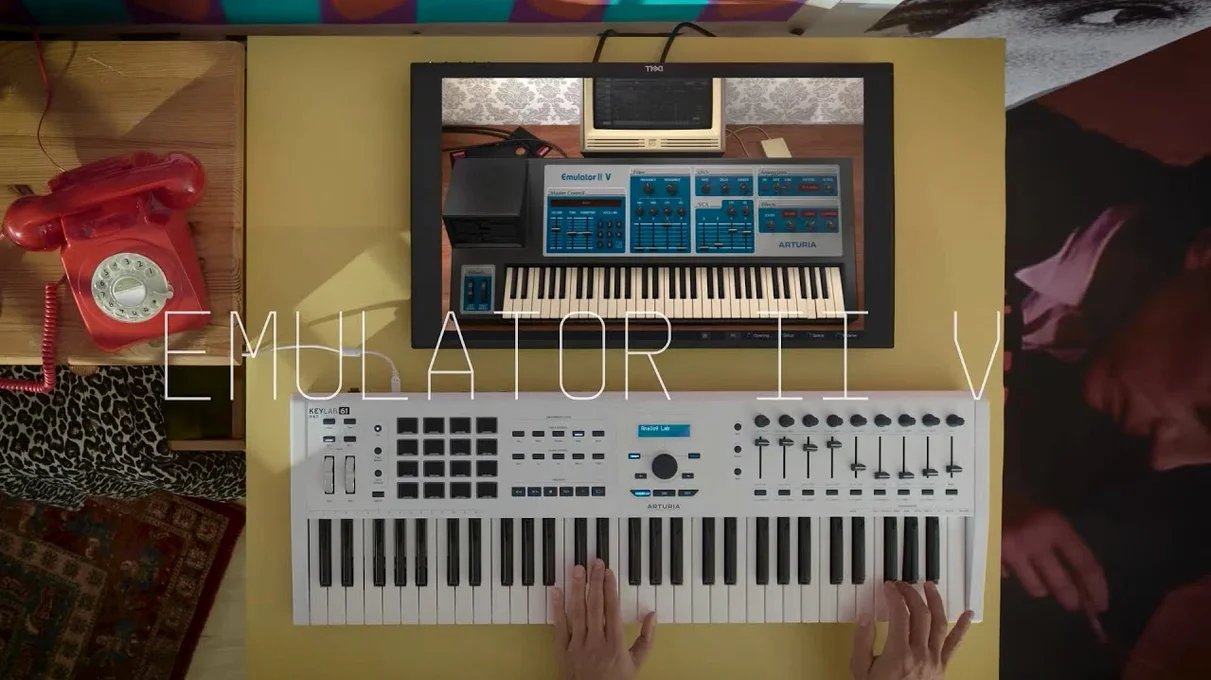
If you've ever used a modern software sampler, you know the drill: drag in a file, and it sounds clean. The Emulator II V does the opposite. It recreates the E-Mu Emulator II from 1984, a machine defined by its gritty 8-bit companding and 27.7 kHz sample rate, now packaged as a plugin for current macOS setups.
- Runs on both Apple Silicon and Intel Macs, macOS 11 onwards
- Available in VST, AU, and AAX formats to fit your DAW
- Interface and controls are all in English
- Each layer gets its own VCF, ADSR, LFO, and VCA with ADSR
- Includes a factory library mixing original Emulator and Synclavier samples with newer material
- Adds an arpeggiator not found on the original hardware
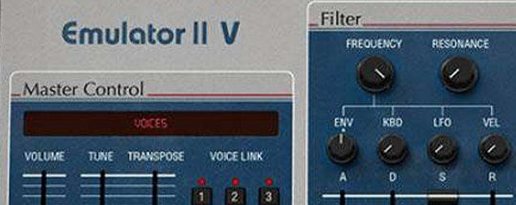
The graphic interface makes editing these parameters straightforward, so you're not flying blind like on the old two-line display. The curated sample set gives you that lo-fi crunch right out of the box, with enough modern additions to keep things useful for a track that needs texture more than polish.
Dropping 8-bit grit into any DAW
The Emulator II V works inside any DAW that hosts AU, VST, or AAX plugins — Logic Pro, Ableton Live, Studio One, Reaper, you name it. That means you can drop it on a MIDI track right next to your go-to piano or drum machine, no routing gymnastics required.
Where it really earns its place is alongside modern synths and samplers that sound pristine. Layer a glassy Serum pad under an Emulator II V string stab, and the contrast punches through a mix faster than EQ tweaks alone. I'd also pair it with a tape sim plugin: the built-in grit is already substantial, but a touch of wow and flutter on the master bus makes the whole thing feel like a dusty library record.
On the macOS side, it respects Audio Unit hosting properly. MIDI learn is quick: right-click any knob, wiggle your controller, and it's mapped — no MIDI configuration file to dig through. The plugin also reports latency correctly to your DAW, so automatic delay compensation keeps everything aligned, even when you stack multiple instances with the onboard effects active.
If you use Logic's articulation sets or Ableton's instrument racks, you can build entire multi-layered patches that switch between Emulator II V articulations with a single keyswitch. The eight multitimbral parts show up as separate MIDI channels, so one instance can handle bass, keys, and a one-shot hit without eating three plugin slots.
Narrower focus versus TAL-Sampler’s wider DAC buffet
Versus TAL-Sampler: TAL-Sampler models several vintage sampling engines, including the Emulator II, and lets you load your own samples freely. It covers more ground sonically, with DAC emulations for the S1000, AM6070, and others. The Arturia plugin is narrower — it does the Emulator II specifically and stays in that lane. What you gain is a more faithful front panel (the real Emulator II layout, not a generic sampler window) and a curated library that sounds era-correct without hunting through forums for old disk images. TAL-Sampler is the tinkerer's box; Emulator II V is more of an instrument you play.
Versus UVI Emulation II: UVI's take works inside Falcon or the free UVI Workstation, and it's sample-based rather than circuit-modeled. It can sound close, but the modulation behavior and filter response aren't trying to be component-level recreations. Arturia's version models the analog VCF and VCA circuits via their TAE engine, so when you push the filter resonance or crank the ADSR into fast attack times, the response curves behave like the hardware — not like a cleaned-up sample playback engine.
Versus Inphonik RX950: The RX950 is a stripped-down effect plugin that applies Akai S950-style conversion to any audio, not an instrument. It's a great finishing tool, but you can't play it polyphonically from a keyboard or browse patches. I'd run the RX950 on a drum bus and keep Emulator II V on melody duties; they complement each other rather than compete.
Stability, speed, and resource feel
On an M1 MacBook Air with 16 GB of RAM, a single instance idles under 2% CPU. The factory patches load instantly — Arturia's preset browser is snappy, and switching between a bass patch and a choir pad happens without the audio engine stuttering. You can run a dozen instances in a moderate session before Logic starts asking questions.
The real CPU hit comes from the modern effects section. The chorus and reverb are post-sampler processing, and they're clean but not lightweight. Stack three or four instances with long decay times on the onboard reverb, and you'll see the meter climb. Better to treat those as sweeteners on a lead or pad and handle send-based reverb in your DAW for the rest.
Stability-wise, I haven't seen it crash a session. Arturia's plugins have a solid reputation for AU validation, and this one passes on Ventura and Sonoma without needing manual approval. If you're still running an Intel Mac, it loads a touch slower — maybe two seconds for the GUI to draw — but once it's up, the playback buffer stays consistent.
Embracing that 27.7 kHz voice as the signature, not a flaw
Treating the sample rate as a problem to fix. The 27.7 kHz rate isn't a limitation to overcome; it's the instrument's voice. Beginners sometimes upsample the output or run it through a de-noiser before they've even heard what the raw tone does in a mix. Try it naked in the arrangement first — the aliasing and bandlimiting might sit exactly where your track has an empty pocket.
Ignoring the per-layer modulation. Each layer has its own VCF, ADSR, LFO, and VCA, and it's easy to tweak the top layer and forget the other seven exist. If a patch feels static, go into the layer mixer and offset a layer's LFO rate by a few milliseconds. The stacked voices start breathing against each other, which is the kind of organic movement you can't get from a single-cycle waveform.
Burying the eight-bit character under effects. The onboard reverb and chorus are tasteful, but if you drown the signal, you end up with a generic pad that could come from anything. Use the effects to frame the grit, not to erase it. A short ambience reverb with the mix at 30% keeps the lo-fi transients intact while giving the sound a space to live in.
Not exploring the arpeggiator's hold mode. The original Emulator II had no arpeggiator. Arturia added one, and it's more than a basic up-down pattern generator. Turn on hold, play four notes, and tweak the gate length per step. You can build a rhythmic bed under your main chord progression without touching the piano roll — useful when you want to stay in a playing mindset rather than clicking notes into a grid.
- macOS 11 or newer
- Apple Silicon or Intel processor
Questions from the stall
What Mac architecture does the Emulator II V support?
It runs natively on both ARM (Apple Silicon) and x86 64-bit Intel processors, requiring macOS 11 or later.
Notes from other shops 0
Sign in or open a shop account to leave a note.
No notes yet. If you've used this on a shop Mac, tell me how it went.