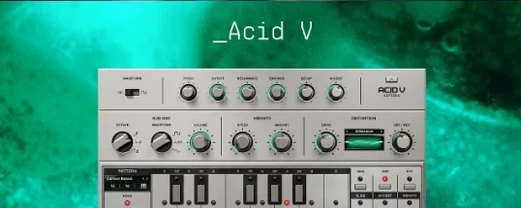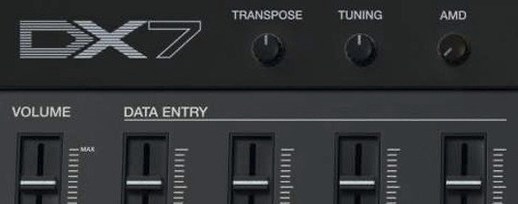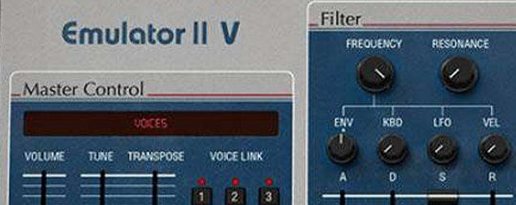
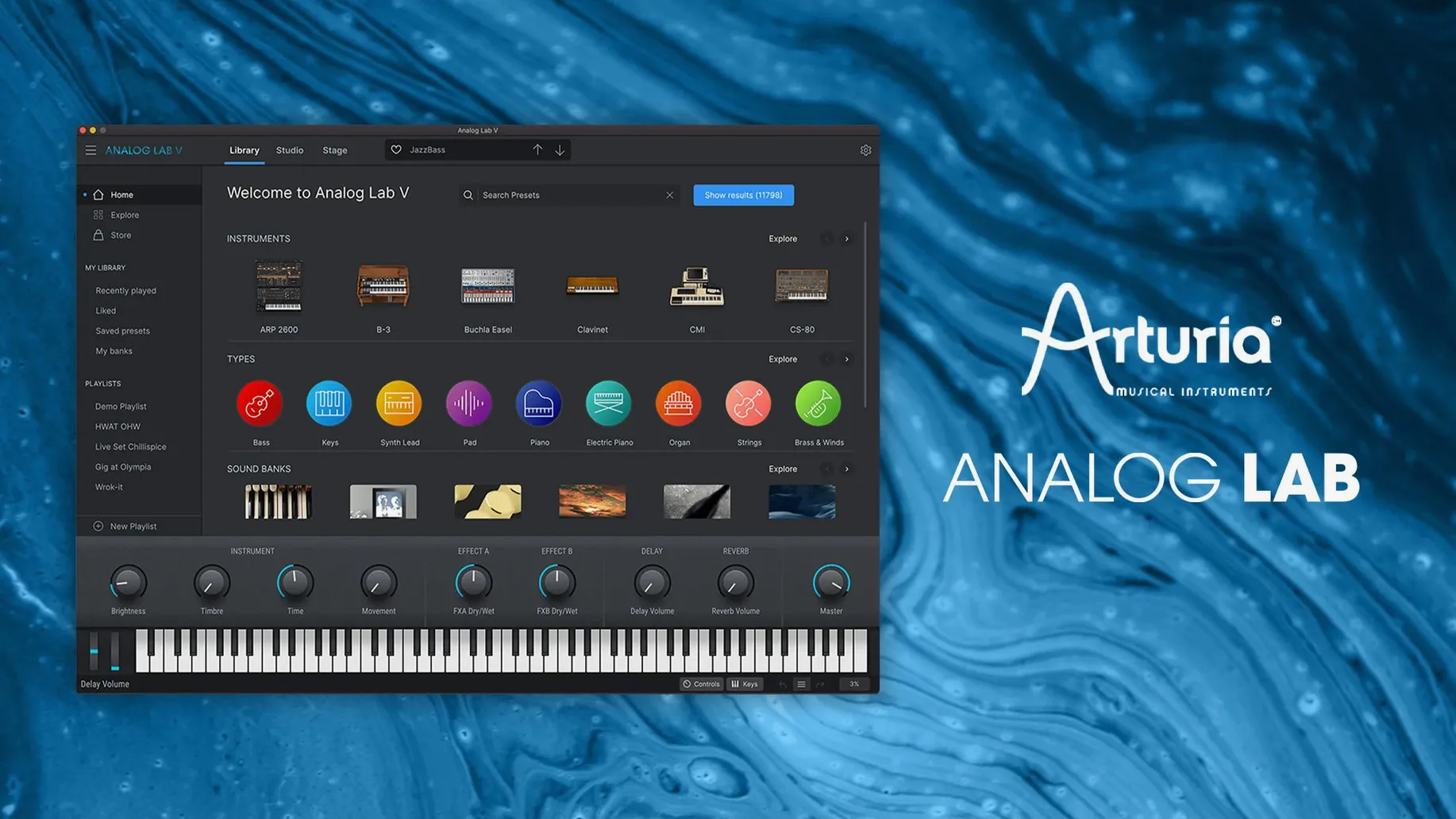
Arturia Analog Lab V is a plugin that puts every preset from Arturia's entire instrument collection into one searchable, instantly playable browser.
Preset library — over 2,000 hand-picked presets from more than 30 software instruments, from classic synths to acoustic pianos.
Smart browser — filter by instrument type, musical style, or type a few words (like “warm pad” or “funky bass”) and jump straight to sounds that fit.
Macro controls — tweak the character of any preset with a handful of sliders mapped to the most useful parameters, no deep synthesis knowledge required.
What I'd use it for: finding a lead sound that sits right in a half-finished track without leaving the DAW and scrolling through individual instruments. You pick a style, audition presets with a single click, and the macro knobs let you shape the tone on the spot. The plugin works on both Intel and Apple Silicon Macs running macOS 11 or later.
How Analog Lab V sits alongside other Mac instrument plugins
If you're weighing up Analog Lab V against a couple of other Mac-compatible instrument collections, the differences mostly come down to browsing, editing depth, and what you actually get in the box.
Native Instruments Komplete Start & Kontakt ecosystem. Komplete is more of a platform than a single plugin — you get sample-based libraries, synths, and effects spread across different players. The free Komplete Start gives you a taste, but the full Kontakt instrument world is vast and often sold in pieces. Analog Lab V takes the opposite approach: one plugin, one browser, and all the presets from Arturia's synths and keyboards bundled together. You're not juggling separate libraries or learning a sampler interface. The trade-off is that Komplete's sample instruments cover orchestral and acoustic territory Analog Lab doesn't touch, while Analog Lab gives you hands-on macro editing that feels more like playing a hardware synth.
UVI Falcon & the UVI Workstation ecosystem. UVI's instruments lean heavily on sample-based synthesis and deep sound design. Falcon is a monster semi-modular synth that rewards people who want to build patches from scratch. UVI Workstation is the free player that hosts their libraries. Analog Lab V doesn't try to be a synthesizer construction kit — it's a performance instrument with a curated preset library. If you want to design your own sounds from oscillators and filters, Falcon is the stronger tool. If you want to find a Minimoog bass or a Solina string sound and have it sitting in your mix in under a minute, Analog Lab is the quicker path.
Logic Pro's built-in instruments. Logic ships with Alchemy, Retro Synth, and a solid collection of sampled keyboards. They're capable and cost nothing extra. What Analog Lab adds is decades of modeled instrument character — the quirks of a CS-80 filter, the instability of a Jupiter-8 voice — presented in a consistent interface. It's less about filling a gap Logic leaves open and more about having a separate, focused space for browsing and performing Arturia's take on classic sounds without opening five different plugins.
Pre‑install doubts, cleared up
No extra Arturia licenses needed
No. Analog Lab V runs as a complete instrument on its own. Every preset is playable and editable with the macro controls straight away. If you happen to own a license for Arturia V Collection or individual instruments like Pigments, those full editing views unlock inside Analog Lab Pro, but the core plugin doesn't require anything else.
Play it standalone or inside your DAW
Both. You can launch it as a standalone application for practicing, live performance, or just exploring sounds with headphones. In a DAW it loads as an Audio Unit, AAX, VST2, or VST3 instrument — whichever your host expects.
Old projects recall your sounds automatically
Projects that referenced Analog Lab 4 or earlier versions should load without issue. The plugin name and internal routing stayed consistent enough that your DAW recognizes it and recalls the correct preset. Patch names might shift slightly if the library was reorganized, but the sound itself comes back.
Will it choke a laptop that's already running a big session?
On a recent Apple Silicon Mac, a single instance barely registers. On older Intel machines, it's still well-behaved — Arturia optimized the playback engine so browsing and switching presets doesn't spike the CPU. If you stack a dozen instances with long release tails and a convolution reverb on each, you'll feel it, but that's true of any instrument plugin.
How it actually feels day to day
Loading Analog Lab V is uneventful in the best way. The plugin window appears within a second or two, even in a session that's already pushing 40 tracks. Preset switching is immediate — click a sound in the browser and it's playing before you move your hand back to the keyboard. There's no disk-streaming lag and no "loading" spinner between patches. That matters when you're auditioning 20 bass sounds against a drum loop and you don't want the creative thread to snap.
Memory use sits around 300 to 500 MB for a single instance on Apple Silicon, which is modest for an instrument hosting multi-gigabyte sample pools and modeled circuits. The plugin shares resources across instances, so loading a second or third copy doesn't double the footprint the way it would with entirely separate instruments.
Stability has been solid through the 5.x cycle. I've yet to see it crash Logic or Ableton on a modern macOS build. The one quirk worth knowing: if your audio buffer is set extremely low — 32 samples for tracking vocals, say — some of the more complex acoustic piano presets can crackle on an Intel Mac. Bumping to 64 or 128 clears it up, and Apple Silicon machines handle those edge cases more gracefully.
Smarter search and daily polish in 5.x
Version 5.12.0 tightened a few things that make the plugin feel more polished in daily work. Here's what landed in the 5.x releases that you'll actually notice:
- Browser refinements. The preset search got smarter about partial matches and typos. You can type "mellotrone" and it still finds the Mellotron strings. The style and instrument type filters now remember your last selection between sessions, which saves a click every time you open the plugin.
- Macro mapping improvements. Several presets had their macro knob assignments rebalanced so the full travel of a slider produces more musical results. On older versions, some "brightness" controls did almost nothing for the first half of the throw, then jumped — that's been smoothed out across the library.
- Apple Silicon native performance. The ARM-native binary got incremental optimizations. Loading times on M-series Macs dropped a little further, and the CPU hit on the convolution-based reverb in the effects section is noticeably lower than in early 5.x builds.
- DAW compatibility fixes. A handful of edge cases with VST3 hosting in Studio One and Bitwig were resolved. If you'd had Automation parameter names display incorrectly in those DAWs, that's fixed.
- Preset library additions. Arturia periodically pushes new presets through the Arturia Software Center, and the library has grown since the initial 5.0 release. New patches tend to lean into hybrid modern tones — lo-fi keys, ambient textures, processed basses — rather than more vintage emulations.
Where it fits on a Mac without friction
Analog Lab V slots into a Mac-based music setup without demanding much attention. Here's where it connects well and a couple of things to keep in mind.
DAW integration. It shows up in Logic Pro, Ableton Live, Bitwig, Studio One, Cubase, and REAPER without fuss — Audio Unit for Logic, VST3 or VST2 for most others, AAX if you're in Pro Tools. MIDI learn works across the board: right-click any macro knob, move a controller, and the mapping sticks. Automating macros from your DAW is straightforward because the parameters are exposed and named clearly, so drawing in filter sweeps or brightness changes is just picking from a list.
MIDI controller support. Arturia's own KeyLab controllers map one-to-one — the physical knobs and faders mirror the on-screen macros, and the preset browser appears on the controller's display. Third-party controllers work fine with manual mapping, though you won't get the on-screen preset names without an Arturia keyboard. Any class-compliant MIDI device with assignable knobs can control the macros.
Arturia Software Center. Installation, updates, and preset library additions go through Arturia's own utility rather than a standalone installer. It's a lightweight menu bar app that checks for updates in the background. You can ignore it for weeks and it won't bother you, or set it to auto-update and never think about it.
macOS Audio MIDI Setup and aggregate devices. The standalone app respects whatever audio interface you've selected in Audio MIDI Setup. If you run an aggregate device combining a Thunderbolt interface and a USB keyboard's built-in audio, Analog Lab sees it and routes output correctly. For live performance, the standalone mode's audio preferences let you pick a different output than your system default — handy when the Mac feeds a house PA through one interface while your system sounds go elsewhere.
What it doesn't do. There's no built-in recording or loopback in the standalone app — it's purely an instrument, not a mini-DAW. It also doesn't host third-party effects as inserts; the onboard effects section (reverb, delay, chorus, distortion, compression, EQ) covers the basics, but if you want to run a preset through your favorite tape emulation, you'll load the plugin version inside your DAW and put the effect after it. Integration with macOS features like Shortcuts or Automator isn't a thing here either — this is an instrument plugin, not a utility.
Here's what landed with version 5.12.6 — mostly behind-the-scenes improvements and some welcome compatibility updates:
- Added compatibility with MiniFreak V 5.
- Added compatibility with AstroLab 2.0.
- Improved how updates are handled.
- Stronger connection stability when paired with hardware devices.
- More reliable file transfers.
- Tip: if you're updating an AstroLab, install this version of Analog Lab first.
- macOS 11 or later
- Works natively on Apple Silicon and Intel 64-bit Macs
Questions from the stall
Does Analog Lab V include all the individual Arturia instruments?
No, it gives you the presets and a simplified set of macro controls from each instrument. The full, deeply editable instruments come with the V Collection.
Will my existing projects recall their sounds when I switch to Analog Lab V?
Yes. If you already own the individual Arturia instruments, your projects will open with the full versions. If you open a preset from the library, it loads as expected.
Can I use this on an Apple Silicon Mac?
Absolutely. Version 5.12 runs natively on both ARM (Apple Silicon) and x86 64-bit Macs with macOS 11 or newer.
Notes from other shops 0
Sign in or open a shop account to leave a note.
No notes yet. If you've used this on a shop Mac, tell me how it went.