FX Collection 6 runs on any Mac with macOS 11 (Big Sur) or later, and it's native for both Apple Silicon and Intel machines. Before you set aside the drive space, here are a few things people usually ask.
Apple Silicon runs it without Rosetta
Yes. The package includes native support for Apple Silicon and Intel processors, so you won't be stuck running it through Rosetta.
Which plug-in formats actually work?
AU and VST3 are good to go. The AAX version isn't functional in this package, so if you're in Pro Tools, plan accordingly.
What kind of tools are we talking about?
It's a broad suite of compressors, EQs, reverbs, delays, modulation effects, distortion, and filters. You can run effects in parallel when you need to preserve the dry signal while pushing the processed sound further back or wider.
What's new in this version?
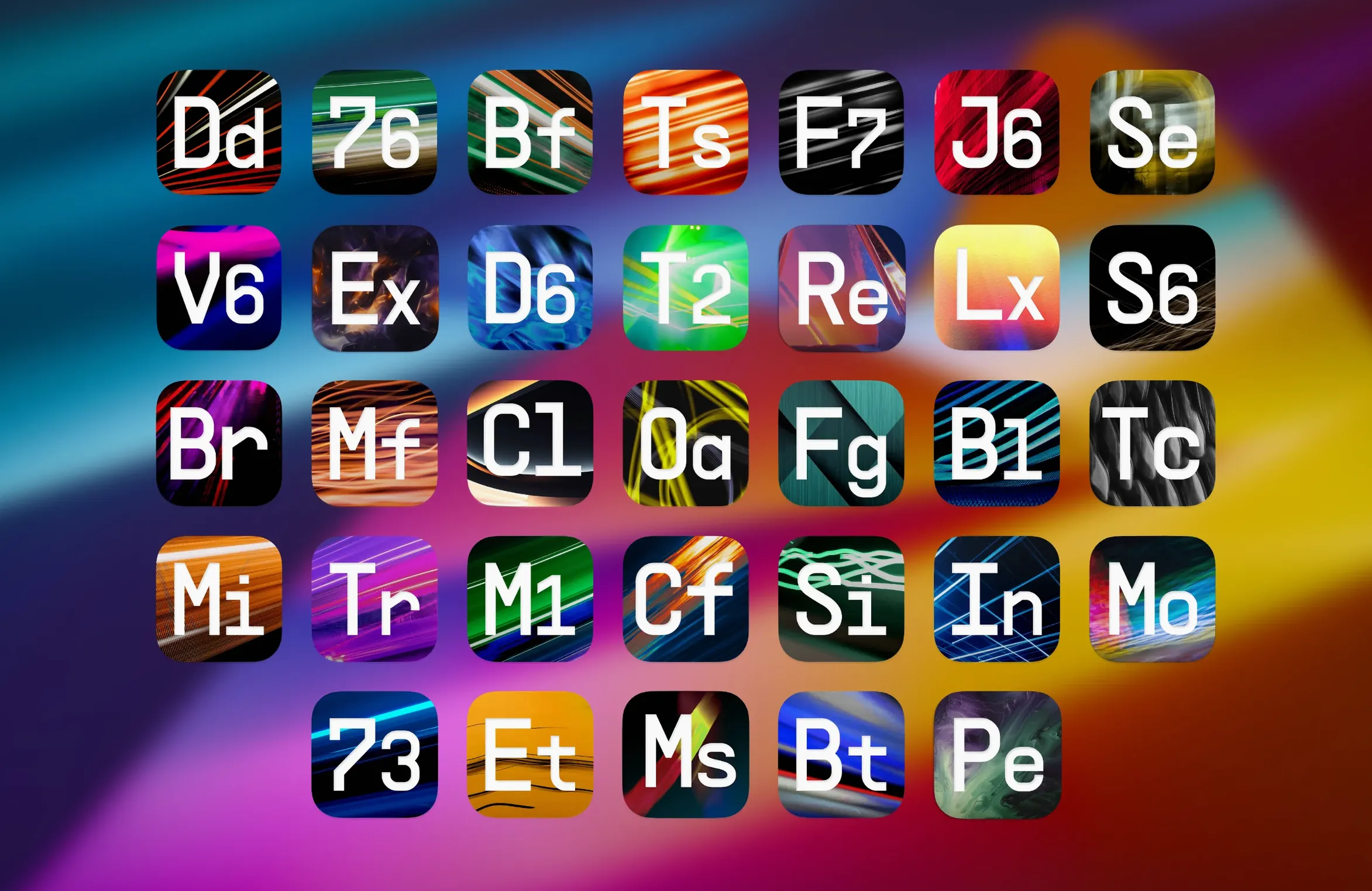
The 6 update brings in Efx Ambient, Bus Transient, Mix Drums, Tape J-37, and the Pitch Shifter-910 — a solid mix of character pieces and mix bus workhorses.
Stacking three compressors on one vocal
Loading up 39 effects at once is exciting, but a few habits show up again and again in the first week.
- Stacking without intent. Dragging three compressors onto a vocal because they each sound good alone usually leaves you with a lifeless, over-processed track. Pick one that fits the source and commit.
- Ignoring the dry/wet knob. A lot of these effects let you blend, especially the modulation and distortion units. Running everything at 100% wet buries the original sound. Back it off and listen for the sweet spot where the effect supports rather than replaces.
- Skipping the output gain on compressors. Arturia's compressor emulations can push the output hot. If you're not matching levels after compression, you're tricking your ears into thinking louder means better. Gain-stage every insert.
- Preset-hopping without tweaking. The 1,400-plus presets are great starting points, but they're not mixed for your track. A reverb preset that sounds gorgeous solo might muddy up a dense arrangement. Tweak the decay, the pre-delay, the EQ — at minimum.
- Forgetting parallel routing exists. The suite supports parallel processing, and on drums or bass it's often the difference between a crushed, thin sound and something with weight and punch. Set up a parallel bus for distortion or heavy compression early in your template.
Spend an afternoon with a drum loop first
Before you open a real session, give yourself an afternoon to just poke around. It pays off later.
Start by loading one effect at a time on a simple loop — a drum break or a dry vocal phrase. Run through the presets quickly, then zero it out and build a sound from scratch with that effect alone. Do this for at least a compressor, a reverb, and one modulation effect. You're building muscle memory for where the controls live and what each effect's character actually is.
Next, build a tiny template in your DAW with three aux tracks: a short reverb, a long reverb, and a delay. Drop in the Arturia reverbs and delays you're most curious about. This becomes your sandbox for sending tracks into space without stopping to insert plugins every time.
Save a few effect chains you like as DAW presets or track stacks. A go-to bass chain (compressor into amp-style distortion into EQ) or a vocal finishing strip will save you ten minutes of setup on every mix.
Finally, note which effects are heavier on CPU. Some of the tape and analog-modeled processors ask more of your machine. Freeze or commit tracks early when you know you'll stack several of them.
Presets already synced from V Collection
FX Collection slides into most DAW workflows without friction. AU and VST3 mean Logic Pro, Ableton Live, and similar hosts pick up the plugins automatically after installation. If you've used other Arturia instruments from the Arturia V Collection, the preset browser and interface conventions will feel familiar — same knob behavior, same preset navigation.
For sound designers working across multiple audio tools, these effects also load in hosts like MainStage and waveform editors that accept AU plugins. That opens up live performance processing and sample-level sound design beyond the DAW timeline.
On the macOS side, Audio Unit validation runs when your DAW first scans the plugins. If you're on Apple Silicon, the native ARM versions load without the overhead of Rosetta, which helps when you're running a session with several instances alongside virtual instruments and sample libraries. The collection coexists well with stock macOS frameworks — no kernel extensions or system-level changes to worry about.
Hover for plain-English parameter names
A few tweaks make the suite easier to live with from day one.
- Turn on tooltips. Some of the vintage-modeled interfaces use abbreviated labels or cryptic front-panel markings. Tooltips give you the plain-English parameter name when you hover.
- Check the oversampling switch on dynamics processors. Several compressors and limiters have an oversampling option. It's often off by default to save CPU, but if you're doing critical mix bus work, turn it on. The top end stays cleaner under gain reduction.
- Set your preferred GUI size. Some interfaces default to a size that looks tiny on a Retina display. The resize handle is usually in the bottom-right corner. Drag it once and it remembers.
- Organize presets into user banks early. As you find or modify sounds you'll reach for again, save them as user presets and group them by task — "Bass dirt," "Vocal space," "Master glue." It keeps you from wading through hundreds of factory sounds during a real session.
- Map MIDI controllers for the effects you ride live. Filter cutoff on the envelope-controlled filters, feedback on the delays, or the wet/dry balance on a bus reverb all benefit from a physical knob. The MIDI learn function takes seconds per parameter.
Once those are set, the collection feels less like a sprawling toy box and more like a desk full of gear you actually know how to reach for.
Arturia dropped FX Collection 6 on February 19, 2026. The 2026.02 package adds five new plugins to the rack:
- Efx Ambient
- Bus Transient
- Mix Drums
- Tape J-37
- Pitch Shifter-910
- macOS 11 (Big Sur) or later
- Apple Silicon or Intel processor
Questions from the stall
Is this the same as Arturia V Collection?
No — V Collection is a bundle of virtual instruments, while FX Collection is a suite of effects plugins for mixing, sound design, and finishing tracks.
Notes from other shops 0
Sign in or open a shop account to leave a note.
No notes yet. If you've used this on a shop Mac, tell me how it went.