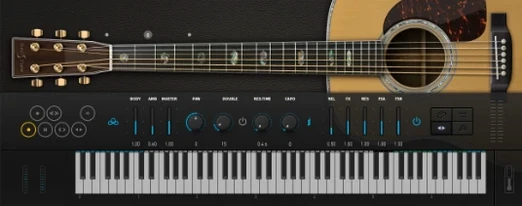
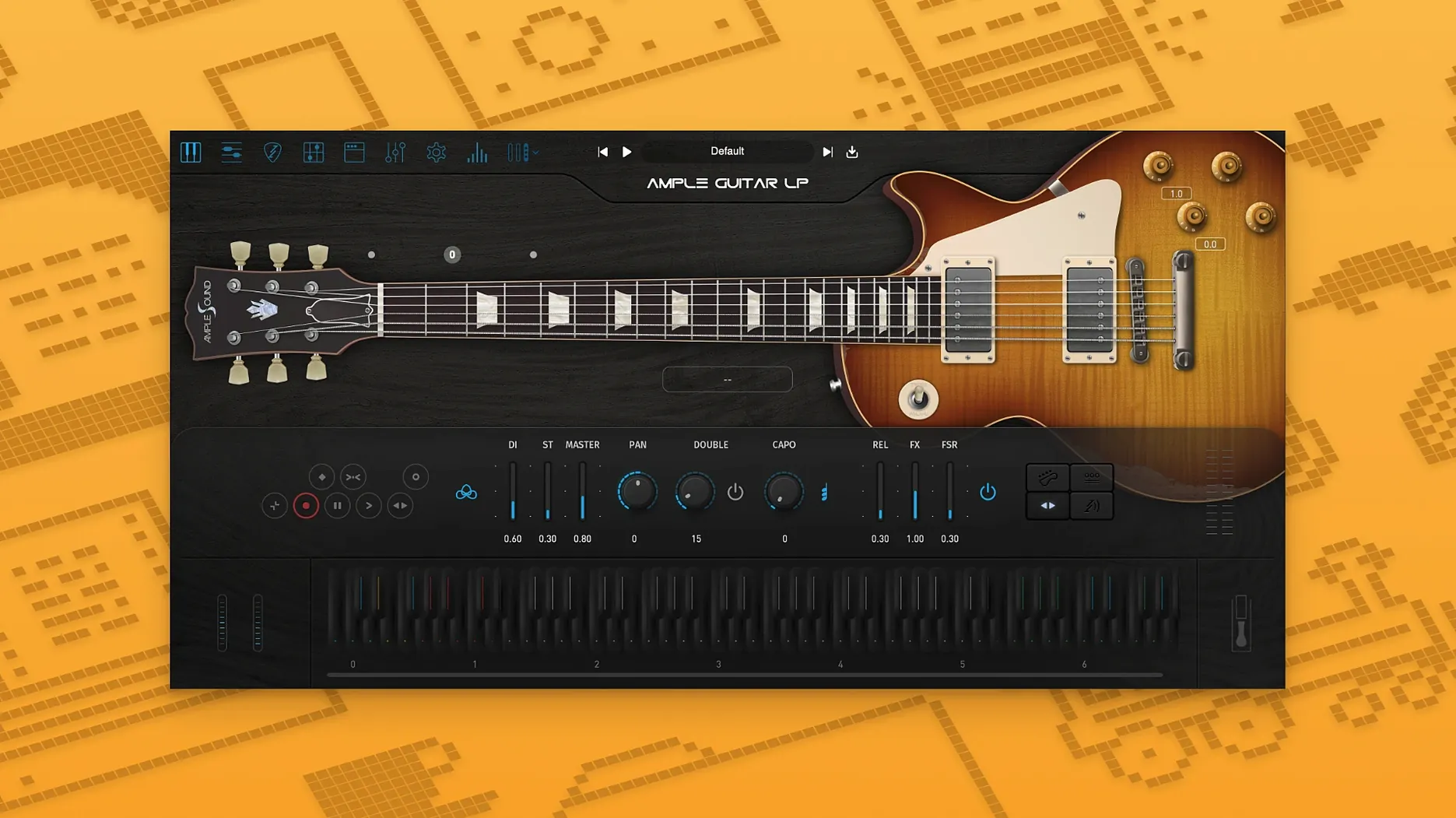
I lay down a clean DI track and load Ample Guitar LP III to see if it can carry a warm, overdriven chorus. I dial in some neck-pickup bite, switch to a fingerstyle articulation, and suddenly the phrase breathes differently — less rigid, more like a player reacting to the mix.
Doubled rhythm parts that escape the copy-paste trap
- Building doubled rhythm parts that don't sound copy-pasted
- Fingerstyle passages where the picking hand character matters
- Adding string squeaks and slides that sit naturally in a dense mix
Treat it like a real guitar for the best response
- It responds best when you treat it like a real guitar — varying velocity and note length goes a long way
- Articulations cover fingerstyle, picking and string effects; plan your key switches before tracking
A new fingerstyle library built around a 1959 Reissue Les Paul
The jump to version 4 wasn't just a number change — it came with a new fingerstyle library recorded with a 1959 Reissue Les Paul. That matters if you lean on plucked parts more than strummed chords. The attack feels rounder, and the note decay has a little more wood in it before the sample fades. In practice, I notice it most on exposed intros where the guitar sits alone for a bar or two. The older picking samples work fine in a busy rock chorus, but for a sparse verse with just bass and voice, the new fingerstyle articulations hold their shape better.
String effects also got tighter. Slides and hammer-ons feel more consistent across the fretboard range — less of that sudden jump in volume that sampled guitars sometimes have when you cross from the third string to the fourth. If you compose by clicking notes into a piano roll, you'll probably appreciate that you don't have to micro-edit velocity on every transition just to keep things smooth.
Patch switching that skips the progress spinner
On an Apple Silicon Mac, the plugin loads in roughly the time it takes to reach for a coffee mug — not instant, but never sluggish. Once loaded, patch switching between fingerstyle and picking articulations happens without a progress spinner. Memory use stays modest for a sample-based instrument; I've had it running alongside a drum sampler, a bass plugin and three synth tracks without the system swapping to disk.
Stability under real work is what you'd expect from a mature version. I've left it open through long arranging sessions — pausing, switching to other apps, coming back — and it hasn't dropped its activation or forgotten its patch state. One thing worth knowing: if you run it inside a DAW that aggressively sandboxes plugins, the first load after installation might take a few extra seconds while the plugin builds its sample index. After that, it's predictable.
CPU-wise, the Riffer sequencer and strum engine add a little overhead when they're active, but nothing that would make you freeze a track prematurely. Most of the processing weight comes from the built-in amp and effects chain, and you can lighten that by turning off the cabinet simulation if you're routing into your own amp modeller.
Native Apple Silicon support with no Rosetta workaround
Does it work on an older Mac? macOS 10.13 is the floor, so even a machine from 2012 or later can run it. Intel and Apple Silicon are both supported natively — no Rosetta workaround needed on M-series chips. If you're still on Monterey or Ventura, you're fine.
Can I use it without a MIDI keyboard? Yes. The piano-roll workflow works perfectly; I know producers who build entire guitar parts by clicking notes and shaping articulations with key switches. The plugin doesn't assume you own a sustain pedal or a breath controller — though both add expression if you have them.
Is the built-in amp enough, or do I need external effects? For demos and writing, the included amp and cabinet simulation covers a lot of ground — clean, crunch and lead tones are all usable. If you're mixing for release, you might prefer routing the dry DI signal into your own amp sim, but the internal chain won't embarrass you on a rough mix shared with a collaborator.
How does activation work? The Activation Manager handles it. You get a fully functional 7-day demo period. After that, registration uses a Challenge Code and User ID; offline activation is possible, which helps if your studio machine stays disconnected.
A fingerstyle blues part from scratch
Here's a workflow I use when I need a slow, moody blues guitar part that sounds like fingers on strings, not a keyboard player approximating guitar.
1. Start with the right patch. Load the fingerstyle articulation set — the one from the version 4 1959 Reissue library. Set the pickup selector to the neck position. Dial the tone knob back to about 4. This gives you a thick, slightly dark sound that suits minor-key blues.
2. Map key switches early. I set C1 for palm mute, D1 for natural sustain, E1 for hammer-on/pull-off and F1 for slide. Having them on adjacent keys means I can switch articulations without looking away from the timeline.
3. Build the groove with bass notes first. Lay down a simple alternating bass on beats one and three — root and fifth, maybe walking down to the flat seventh. Keep velocity varied: the thumb pluck should be slightly louder than the fingers that follow. Quantize to about 70% strength so it doesn't lock to the grid.
4. Weave in the treble strings. On beats two and four, add double-stops or single-note fills between the bass notes. Use the slide articulation sparingly — one or two per four bars is enough. Overusing slides makes the part sound like a synth portamento.
5. Shape the amp tone. Turn the gain down until the note attack cleans up, then push the output level to compensate. Add a touch of spring reverb — just enough that the tail disappears before the next downbeat. If the low end gets boomy, engage the built-in EQ and roll off below 80 Hz.
6. Print and commit. Once the part feels alive, bounce it to audio. A printed track forces you to stop tweaking articulations endlessly and move on to the next section — and in a real session, that discipline matters more than finding the perfect hammer-on velocity.
Tip: If you're sharing stems with a mixing engineer, send both the wet amp track and a dry DI version. They'll appreciate having the clean signal to re-amp if the built-in tone doesn't sit right in the full mix.
- macOS 10.13 or later
- Intel and Apple Silicon Macs
- Interface language: English
Notes from other shops 0
Sign in or open a shop account to leave a note.
No notes yet. If you've used this on a shop Mac, tell me how it went.