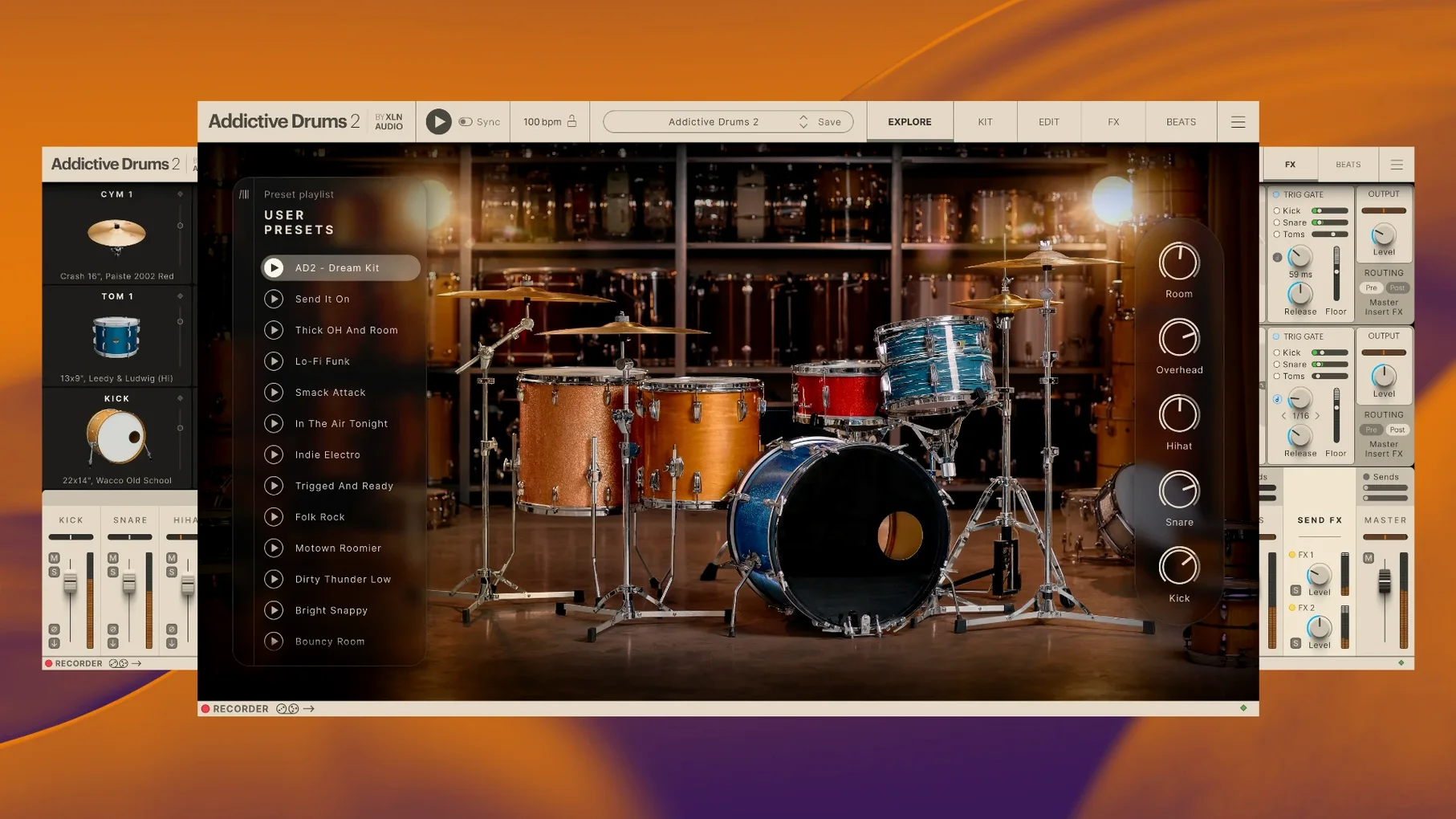
XLN Audio's Addictive Drums 2 ships as a 64-bit engine that holds drum kits, MIDI grooves, and mix-ready presets inside a single collection. It works as a plugin in your DAW and as a standalone app on macOS 10.13 or later. Before you set it up, you probably want to know a few concrete things about how the pieces fit together.
- It's an engine, not just a sample pack. The Complete Collection bundles the core playback engine with multiple drum kits, presets, and editable beat patterns. You can swap snare drums between kits or drag a groove straight into your timeline.
- ADpaks are the expansion packs. Each ADpak adds a full kit recorded in a specific style, plus extra MIDI grooves. You can mix pieces from different ADpaks freely inside the engine.
- You can run it outside a DAW. The standalone app is handy for practicing, tapping out ideas, or dialing in a kit sound without loading a full session.
- Intel and Apple Silicon Macs are both supported. The current 2.9.1 build runs natively on 64-bit systems going back to High Sierra.
- The installer comes as a split archive. You'll need all the parts in one folder and a utility like Keka to extract the first .zip.001 file properly.
Once it's unpacked and authorized, the engine and any ADpaks you've added show up as a single instrument. I'd use it to sketch out organic drum parts when I want ghost notes and room mics to sound like a real kit, not a grid.
When a composer ditches the piano roll for a real-sounding kit
Take someone who scores short films. They play piano and guitar just fine, but drawing hi-hat patterns in a piano roll makes them close the laptop and walk away. They want to hear a real-sounding kit reacting to the energy of a cue without spending two days tweaking velocity curves. That's where Addictive Drums 2 clicks. They load the standalone app, pick a preset that matches the scene's mood—something dry and tight for a tense chase, or a big roomy kit for a slow-motion sequence—and start tapping out ideas on a MIDI keyboard. The kit responds immediately, with no perceptible lag between the key press and the snare crack. Within ten minutes they have a groove that breathes with the picture, not against it.
Building a verse-chorus drum part from scratch
Here's a workflow I've seen work well for songwriters who want control without endless clicking. Start in your DAW with an empty instrument track and load Addictive Drums 2. The goal is a pop-rock part with a tight verse and an open, crashing chorus.
- Pick a core kit. Browse ADpaks for a sound that fits the genre. Something like the Fairfax Vol. 1 kit gives you a punchy kick and snare that sit well in a mix. Don't overthink it—you can swap pieces later.
- Find a verse groove. Open the Beats browser and filter by time signature, style, and feel. Audition a few patterns by clicking while your DAW plays. Drag the closest match onto the timeline. It drops as MIDI, so you can edit every note.
- Tweak the feel. Double-click the MIDI clip and adjust a few snare hits to land slightly behind the beat. Push the hi-hat velocities down by 10-15 points. The difference is subtle, but the verse now has a human sway instead of machine precision.
- Build the chorus. Copy the verse MIDI to the chorus section. Open the kit piece browser and swap the snare for one with more ring and body. Add a crash cymbal on beat one. In the mixer view, dial the room mic fader up a notch so the kit opens up.
- Add fills. Grab a one-bar fill from the Beats browser that matches the tempo. Drop it at the end of every fourth bar. Shorten or lengthen a tom hit or two so it flows naturally into the next section.
- Print and commit. Once the part feels right, bounce the multi-out channels to audio. You keep the raw MIDI track muted as a backup, but committing frees up CPU for the next instrument.
The whole process takes under half an hour, and most of that time is spent listening and making musical decisions—not fighting a grid.
Loading kits in seconds on Apple Silicon without hiccups
On a modern Apple Silicon machine, Addictive Drums 2 loads kits in a couple of seconds and switches between presets without a hiccup. I've had it running alongside three or four other virtual instruments—pianos, strings, a bass plugin—and the system stayed responsive. Older Intel Macs benefit from the 64-bit architecture too, though you might notice slightly longer load times on kits with extensive round-robin samples. The engine handles this gracefully by streaming samples from disk rather than trying to cram everything into RAM at once.
Stability is one of those things you don't notice until it's absent. Across Logic Pro, Ableton Live, and the standalone app, I've yet to see a crash trace back to the plugin itself. The host application might trip over something else, but Addictive Drums 2 keeps chugging. For daily work, that reliability matters more than any one feature. You stop thinking about the tool and just make music.
CPU usage stays modest when you're playing back a single kit, even with all the onboard effects active. The convolution reverb and tape saturation don't spike the meter in any alarming way. If you layer three kicks or run multiple instances, you'll want to freeze tracks on older hardware, but that's standard practice for any sample-based instrument.
Making programmed drums sit believably next to live guitars
Songwriters and producers who record real instruments alongside programmed drums find the most value here. The kits sound like they were recorded in actual rooms, so they blend with live guitars and vocals without the uncanny-valley stiffness that some drum plugins can't shake. Mix engineers appreciate the multi-out routing and the ability to treat each mic channel as raw audio in their DAW, applying their own EQ and compression chains.
Drummers who use electronic kits get a second life out of Addictive Drums 2. The hi-hat response with continuous controller data feels natural, and the mapping options cover most major e-drum brands. Composers working to picture like the MIDI drag-and-drop workflow that keeps them in the creative zone rather than the technical weeds. Even hobbyists who just want to jam along with a responsive kit in the standalone app find plenty to enjoy without ever opening a DAW. If your work involves any kind of acoustic drum realism, the addictive drums 2 all expansions bundle covers an enormous range of styles, from vintage jazz kits to modern metal.
Replacing your typewriter placeholder on a Tuesday evening
It's Tuesday evening. You've got a rough guitar and vocal demo recorded, but the drum machine placeholder sounds like a typewriter. You launch your DAW, create a new instrument track, and load the plugin. The kit from yesterday's session is still loaded—Fairfax Vol. 1 with a swapped-out kick drum from the Black Velvet ADpak. You hit a few pads on your MIDI controller and the snare cracks back through the monitors with a satisfying thwack.
You open the Beats browser, set the tempo to match your project, and scroll through a dozen verse patterns. One catches your ear—a simple eighth-note hi-hat groove with a snare on two and four. You drag it into the arrange window. It's close, but the kick pattern fights the bass line. You open the MIDI editor, delete three kick notes, and nudge the remaining ones forward by a 32nd note. The rhythm locks in.
Next, you page through the kit pieces. The stock snare is fine, but you want something drier. You click through four snares from different ADpaks, auditioning each with a quick flam. The third one sits right—less ring, more crack. You add a touch of the onboard tape saturation to warm it up and pull the overhead mics down by two decibels to focus the stereo image.
The bridge needs a shift. You find a half-time groove in the same tempo, drag it in, and swap the hi-hat for a ride cymbal. The transition feels natural. By the time you hit save, forty minutes have passed and the drum track sounds like a player you'd hire for a session. Nothing about the process required a manual or a tutorial video. That's the session rhythm that keeps people reaching for this plugin—fast enough to keep the idea alive, deep enough to make it sound finished.
- macOS 10.13 or later
- 64-bit Intel or Apple Silicon Mac
- No specific RAM or storage figures published; an archive utility such as Keka for unpacking split archives
Questions from the stall
Do I need a DAW to use Addictive Drums 2?
No. The standalone application runs on macOS without any host software, so you can play, practice, and design sounds directly.
Notes from other shops 0
Sign in or open a shop account to leave a note.
No notes yet. If you've used this on a shop Mac, tell me how it went.