A product shoot went a little flat and the client asked if I could pull the model forward from the background. I remembered an older editor that handled that sort of thing without fuss, so I fired up Topaz Photo AI and went to work.
What’s the object removal like?
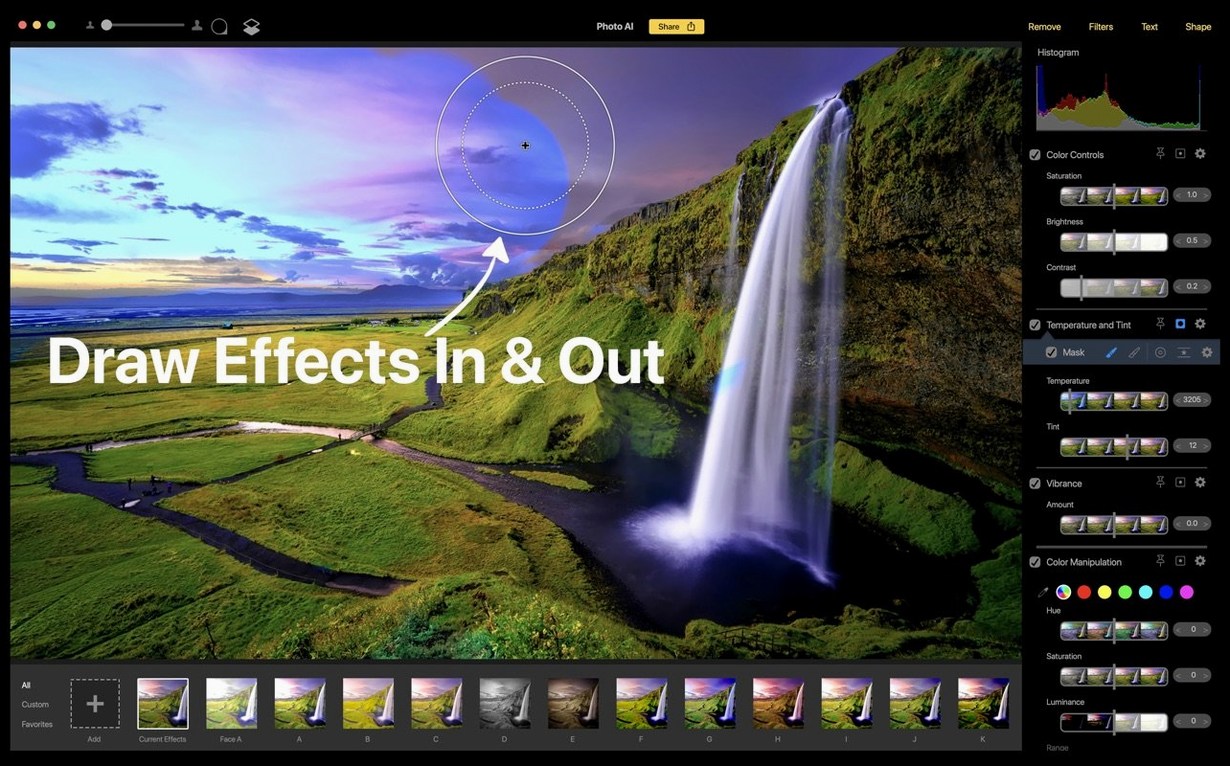
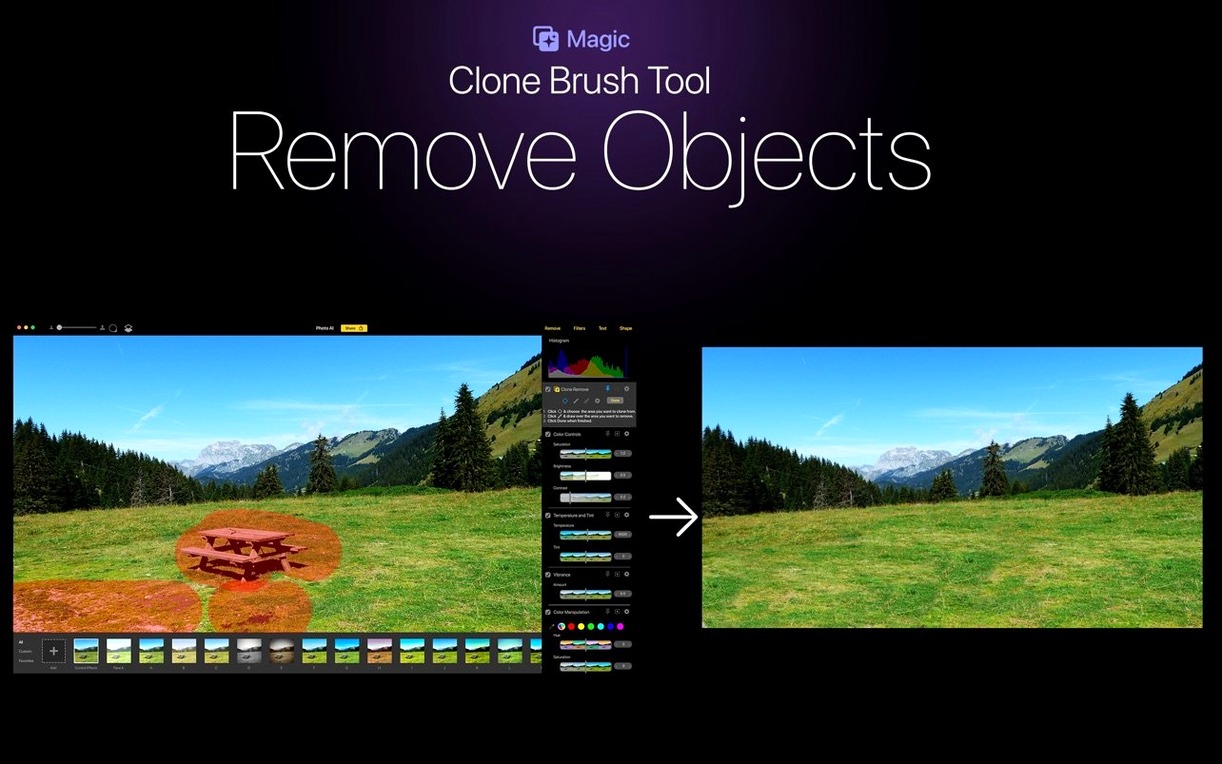
The content-aware removal brushes out distractions cleanly enough for a quick product hero shot. It doesn’t overthink the replacement texture, which I appreciate when I just want the thing gone.
How do the filters hold up?
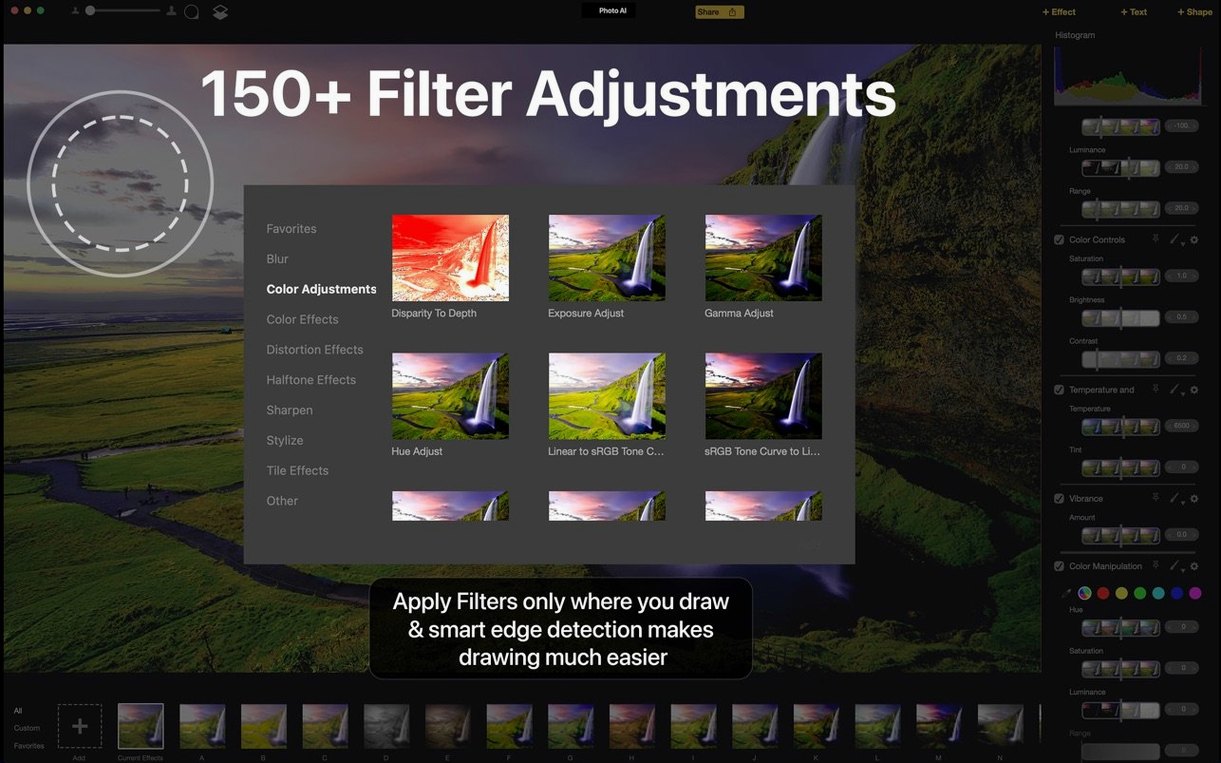
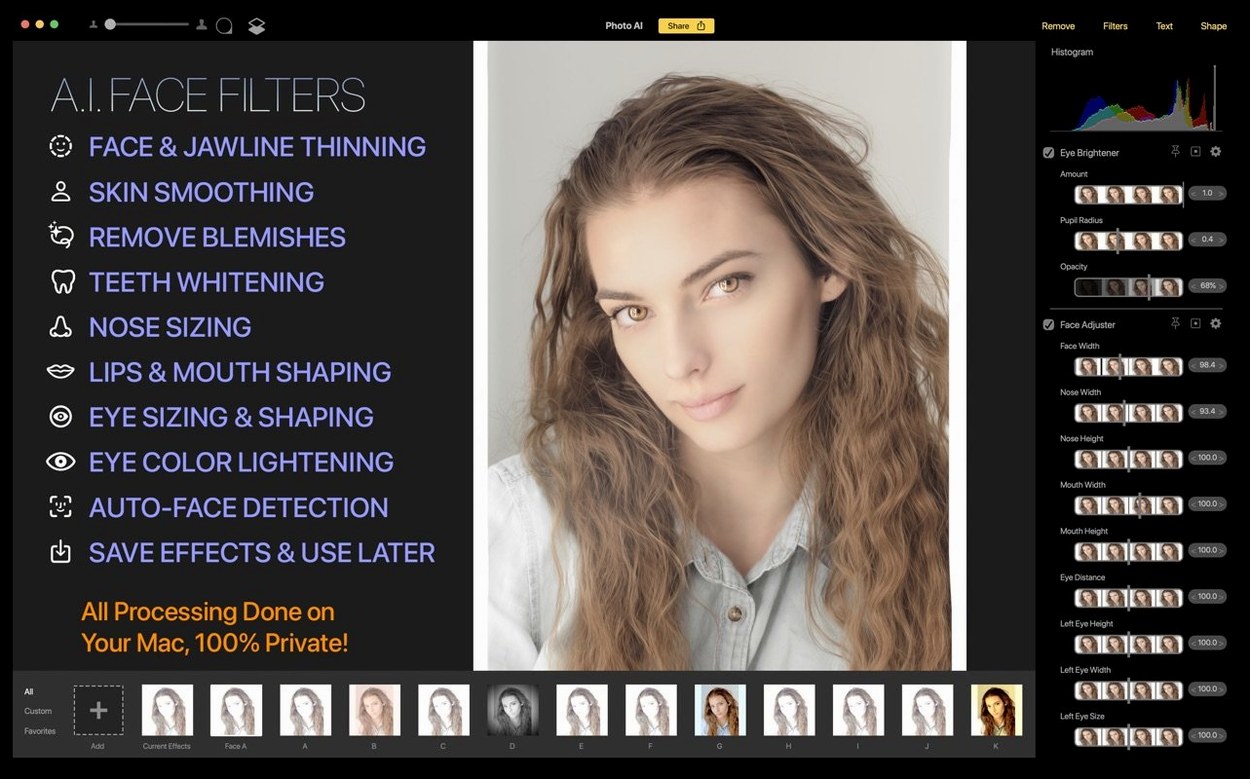
With over 150 controls, you can push a flat raw file toward a specific film look or rein in weird skin tones. The face filters slim down the retouching steps when you need someone to look like themselves, just a bit more polished.
Is it still worth installing?
For an Intel Mac running macOS 11 or later, it’s a capable toolbox. Just know that Topaz has moved on — this is the legacy app, replaced by the newer Topaz Photo.
Built-in purchases arrive without changing the editor’s feel
Version 2.1 kept the editor's personality intact: quick, local, and aimed at people who want to fix a photo rather than learn a new pipeline. The built-in purchases arrived with this release, which mostly means the app can suggest additional tools from inside the workspace instead of sending you elsewhere. For everyday editing, the practical difference is small — the core filters, face adjustments, and content-aware removal were already in place, and they stayed that way.
What I notice most is how the app handles repetitive edits. Because the processing stays on your Mac, applying the same filter stack to a batch of product shots doesn't feel like a waiting game. The layout also favors doing more on one pass: you can remove a background object, add a text label, and preview the result without flattening anything. That non-destructive flow is the kind of thing you miss once you go back to an editor that bakes every change in.
The English and Simplified Chinese language support matters more than it used to. If you work with a small team and someone prefers a Chinese interface, you can switch without maintaining two different machines or workflows. It's a small thing, but for a two-person shop it saves real back-and-forth.
The bigger change isn't inside the app at all. Topaz Photo AI is now the legacy product, with the newer Topaz Photo carrying the models forward. For Intel Mac owners, that means version 2.1 is the end of the road — and a perfectly usable one if your machine still runs macOS 11 or later and you don't need the extra models in the newer app.
Older Intel Macs stay responsive for solo creators
Small shops and solo creators on older Intel Macs sit right in this app's sweet spot. If your MacBook Pro from a few years back still boots fine but struggles with newer, hungrier editors, Topaz Photo AI stays responsive because it processes everything locally and doesn't ask for an always-on connection or a cloud sync.
Product photographers working with a fixed setup benefit from the repeatable filter stacks. Once you find the combination that makes your fabric swatches or ceramic mugs look consistent, you can apply it to the next shoot without rebuilding the look from memory. The over 150 controls sound like a lot, but you'll settle into a dozen or so that do the heavy lifting.
People who retouch portraits without wanting to outsource the work will lean on the face filters. They're not a skin-smoothing war machine — more like a gentle cleanup pass that leaves pores and texture alone. If you sell handmade jewelry and photograph your own models, that restraint is exactly what keeps the product, not the software, as the thing people notice.
Finally, anyone who adds text or simple shapes to images for social posts or packing slips will use those features more than they expect. It's not a design suite, but having text tools inside the same editor where you fix exposure saves a round trip to another app.
Will it run smoothly on my older Intel Mac
The first question is almost always about performance on an older machine. Since the app runs on Intel 64-bit Macs and asks only for macOS 11 or later, a mid-range Intel Mac from the last several years should handle single-image edits without much complaint. Batch work takes longer, as it does everywhere, but the local processing means you are not waiting on upload speeds.
People also ask whether the filters look artificial. The honest answer is that they can, if you push everything to the maximum. The better habit is to make a modest adjustment, step back, and add a second pass only if the image still needs it. The face filters especially respond well to a light touch.
Another common question is whether the app works offline. Yes — images are processed on the Mac itself, so you can edit on a train, in a studio without Wi-Fi, or during an outage. No cloud account required for the core editing work.
Some Mac users hesitate because they have heard the app is discontinued. Version 2.1 is indeed the legacy release, but that does not make it broken. It simply means the developer's attention has moved to Topaz Photo. If your workflow fits what 2.1 does, there is no technical reason to avoid it on a compatible Intel Mac.
Plastic skin and noisy fabric from maxed-out filters
The most common mistake is cranking every filter to full strength on the first pass. A face filter at 100 percent can make skin look plastic, and an aggressive sharpening pass can turn fabric texture into noise. Start at half strength or less, then nudge up. You can always add more, but you cannot recover detail that a heavy pass already flattened.
Another slip is forgetting that edits stay non-destructive until you export. That is an advantage, but it confuses people who expect the file on disk to change the moment they move a slider. Work in the app, preview the result, and export when the job is done. The original file stays untouched.
Beginners also ignore the text and shape tools because they think those live in a separate design program. If you need a quick caption on a promotional image or a simple arrow pointing at a product detail, the tools are already here. Using them saves a trip to another app for a two-minute task.
Finally, some people remove an object and immediately zoom in to judge the result. Content-aware removal works best when you evaluate it at the size the image will actually be used. At 100 percent zoom, the replaced texture may look imperfect; at the size of a social post or a catalog thumbnail, it usually disappears into the scene.
Drop preview quality so edits feel faster on Intel Macs
Before you start a real project, take five minutes to set the app up so it works the way you do.
- Preview quality. If edits feel slow on an Intel Mac, lower the preview resolution in the display settings. You still export at full quality, but the slider responds faster while you experiment.
- Default export format. Pick the file type and quality you use most often. If everything goes to a web shop, a high-quality JPEG saves a step; if you archive for print, keep TIFF or PNG ready.
- Language. If you need the interface in Simplified Chinese, set it now. Switching later is easy, but doing it first keeps every menu and tooltip consistent from the start.
- Non-destructive workflow. Leave the real-time editing option enabled. It lets you adjust any filter later without rebuilding the stack, which matters when a client asks for a warmer version of yesterday's edit.
- Filter defaults. If you find yourself lowering the face filter strength every single time, check whether the effect remembers its last-used value. If not, create a small preset with your usual starting points.
One more tip: keep an eye on how the app behaves with large batches on an older Intel Mac. A little patience goes a long way, and processing locally means you can keep working on other things while the queue runs.
Version 2.1 adds the ability to unlock features right from the app without hunting down a separate store page.
- macOS 11 or later
- Intel 64-bit
Questions from the stall
Why is Topaz Photo AI called a legacy app?
Topaz replaced it with Topaz Photo, so Photo AI is no longer the current editor — though it still works on supported Macs.
Notes from other shops 0
Sign in or open a shop account to leave a note.
No notes yet. If you've used this on a shop Mac, tell me how it went.