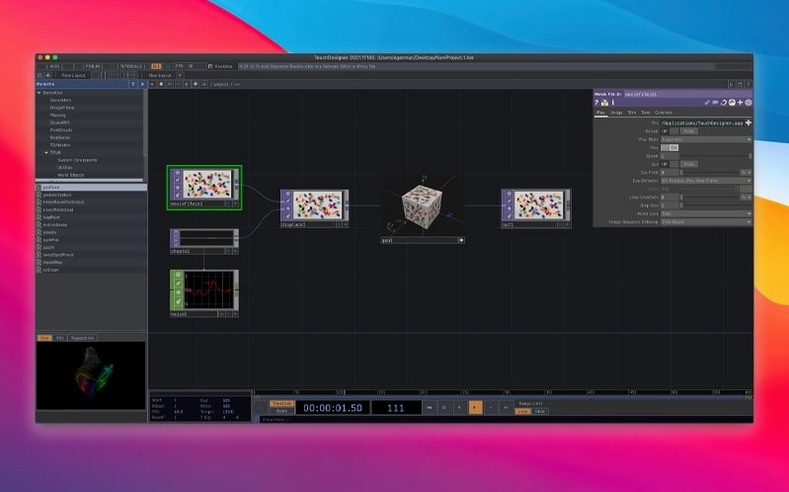
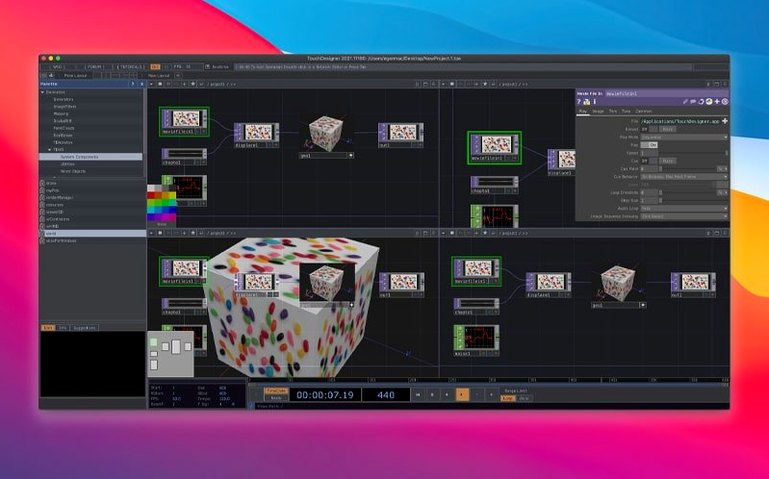
When a regular video editor or 3D package can't keep up with live input, you need an environment that thinks in real time. That's the problem TouchDesigner solves. It's a visual programming platform where you build both the logic and the interface for interactive media — all in one place, reacting instantly to what's happening around it.
| What it is | Key details |
|---|---|
| Developer | Derivative (Toronto) |
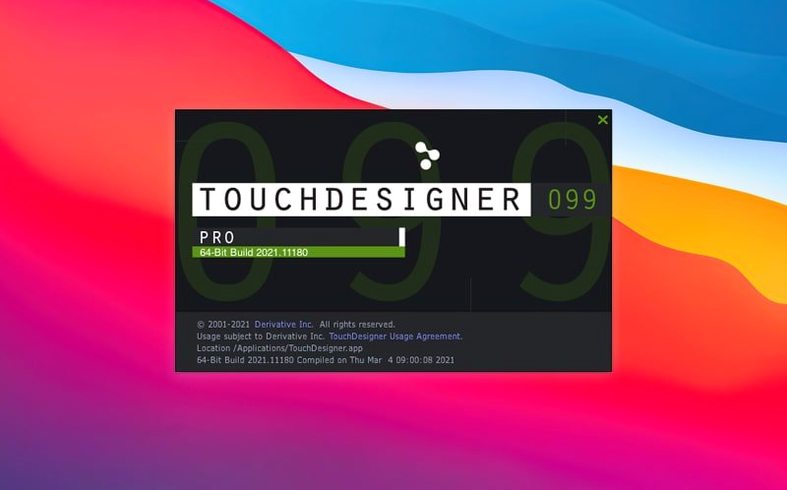
| Current version | 2025.31550 |
| System | macOS 10.14 or later, Intel Macs |
| Language | English |
People often ask whether it's stable enough for a live show and what it actually connects to. The official builds are described as production-ready and tested, so you're not gambling with a nightly beta. On the hardware side, it talks to lighting rigs, audio systems, input and output devices, and show-control setups. It also handles real-time 3D rendering and compositing, and can reach out to other software, protocols, and the internet when a project needs it. The Orbbec SDK was bumped to 1.10.16 in this release, which added Intel Mac support for depth cameras — good news if you're running older Apple hardware.
Does it feel steady in daily use
People who patch together live shows or installation work worry about one thing: will it fold halfway through. TouchDesigner earns trust here. The frame rate stays predictable even when you throw in a few 3D scenes, some live camera input, and a DMX feed all at once. On an Intel Mac meeting the macOS 10.14 floor, it holds its own — not as snappy as a desktop with a dedicated Nvidia card, but entirely workable for rehearsals, smaller venues, or prototyping before you move to show hardware.
Memory usage creeps up when you load large video files or keep multiple 3D textures in VRAM, so closing unused networks helps. I tend to disable previews on heavy operators if I'm not actively tweaking them. The app rarely beachballs; when it does, it's usually a driver quirk with an external capture device rather than the software itself.
Startup time is brief, and loading a project file from the last session snaps open quickly. For real-time work, predictable performance matters more than raw speed, and TouchDesigner delivers that consistency.
The missing display flag that hides your output
Newcomers sometimes hit a wall where nothing appears in a viewer, and the network looks fine. Nine times out of ten, the display flag on the final operator isn't turned on. Right-click the node and check "Display" — that's usually all it takes.
Another common stumble: dragging in a movie file and getting a black screen. The Movie File In TOP expects specific codecs, and H.265 files can be problematic on older Intel Macs. Hap, Hap Q, or Photo JPEG are safer bets. If you must use H.264, keep the resolution modest.
MIDI mapping confusion crops up too. If a controller stops responding after a restart, check that the MIDI Device Mapper is still pointing at the right port — macOS sometimes reassigns device IDs when you plug into a different USB slot. A quick re-select in the dialog sorts it.
On the installation side, some folks search for a touchdesigner crack to test a show concept without the full commitment. If you go that route, check that the build includes the newer Orbbec SDK and the Point Operators family, so you don't lose features that matter for depth-sensing setups and GPU-based 3D manipulation. The official 2025.31550 build includes those improvements and the Kinect Azure wrapper update to 1.10.3, so you get a cleaner sensor pipeline right away.
VDMX, MadMapper, and Smode trade-offs for Mac users
Three names come up regularly: VDMX, MadMapper, and Smode. Each scratches a different itch.
VDMX is a Mac-native staple for VJing and projection. It feels faster to set up for a club set — drag in clips, layer them, add effects, go. But its node graph is shallower than TouchDesigner's. When you need custom GLSL shaders, real-time 3D object manipulation, or a generative system that reacts to sensor data, TouchDesigner pulls ahead. VDMX handles the DJ booth; TouchDesigner handles the interactive gallery wall.
MadMapper shines at projection mapping. Its interface for warping onto buildings or odd surfaces is more direct than TouchDesigner's, but it stops there. TouchDesigner wraps projection mapping into a broader toolkit: the same project that maps onto a sculpture can also drive LED strips, listen to OSC messages, and spit out a real-time rendered feed to another application. Some teams run both — MadMapper for the mapping layer, TouchDesigner for the content generation underneath.
Smode competes on the compositing and real-time 3D side, especially in the European event market. It's polished but more opinionated about workflow. TouchDesigner gives you lower-level access when you want it. You can write Python inside a node, build a custom UI with widgets, or pipe data to a web server without leaving the environment. That raw flexibility matters for installations that need to talk to odd hardware.
A handful of curious users type touchdesigner torrent into a search bar hoping to explore it casually. With those downloads, watch out for version drift — you might land on a 2022 build that lacks the POPs family, which fundamentally changes how you manipulate point clouds and 3D geometry on the GPU. The 2025 release's GPU-native approach isn't a minor patch; it reshapes workflows for anyone dealing with live 3D data.
Turning a Kinect and LED matrix into a reactive window display
Imagine a media designer prepping a window display that reacts to passersby. She's on an Intel MacBook Pro, a Kinect Azure perched on a tripod, a small LED matrix connected over Art-Net. Here's how the afternoon unfolds.
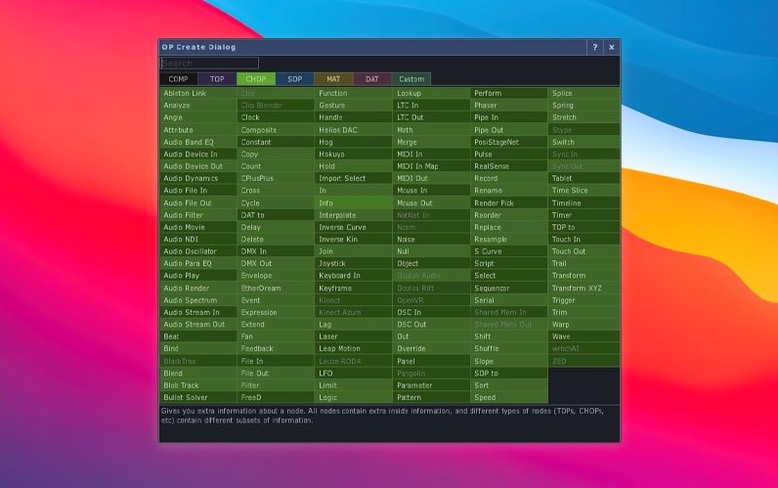
She opens TouchDesigner and drops in a Kinect Azure TOP. The node auto-detects the sensor and starts streaming depth and color. She wires the depth output into a Threshold TOP to isolate people from the background, then feeds that into a Blob Track TOP to grab the centroid of whoever walks by. A quick test wave in front of the camera confirms the tracker snaps to her hand.
Next, she creates a Circle SOP and links its radius to the blob's X position. A Geometry COMP renders the circle as a 3D object, and she points a Camera COMP at it. She plugs the rendered output into a Composite TOP layered over a dark gradient background. The circle grows and shrinks as she moves left and right.
For the LED matrix, she adds an Art-Net DMX Out CHOP, maps the blob's position to a few channels, and connects it to the controller. The matrix glows warmer as people approach the window. She wraps everything in a Container COMP, saves the project, and runs it — no timeline, no prerendering, just live response.
Before packing up, she searches for a touchdesigner crack mac workaround on a spare laptop to run a second instance for a different angle. She makes sure the cracked version can open her 2025.31550 project by confirming it supports TOP 3D texture support. She sticks with the current build and duplicates the network inside a new container instead. Less hassle, fewer unknowns before the install deadline.
This update brings a few solid additions:
- Point Operators (POPs) are now part of the toolset.
- Most TOPs gained native support for 3D textures and 2D arrays.
- The Orbbec SDK was upgraded to 1.10.16.
- macOS 10.14 or newer
- Intel-based Mac
Notes from other shops 0
Sign in or open a shop account to leave a note.
No notes yet. If you've used this on a shop Mac, tell me how it went.