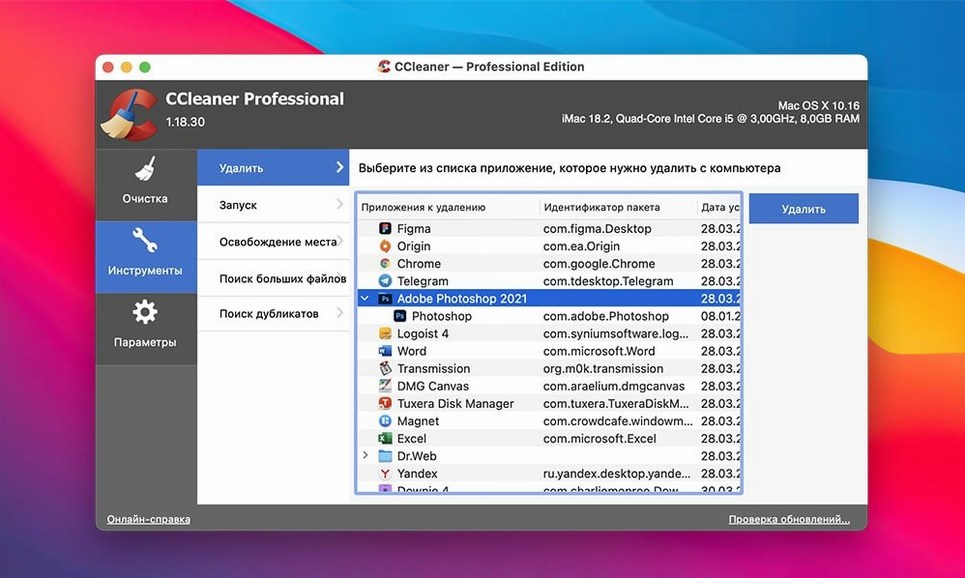
CCleaner clears out junk files and browsing traces so your Mac feels less cluttered. Here are things people often wonder about before they install it.
Quick questions, direct answers
- Is it the same app as the old CCleaner for Mac? — No. Versions before 2.3 are separate from the newer CCleaner for Mac app introduced with version 2.3 and later.
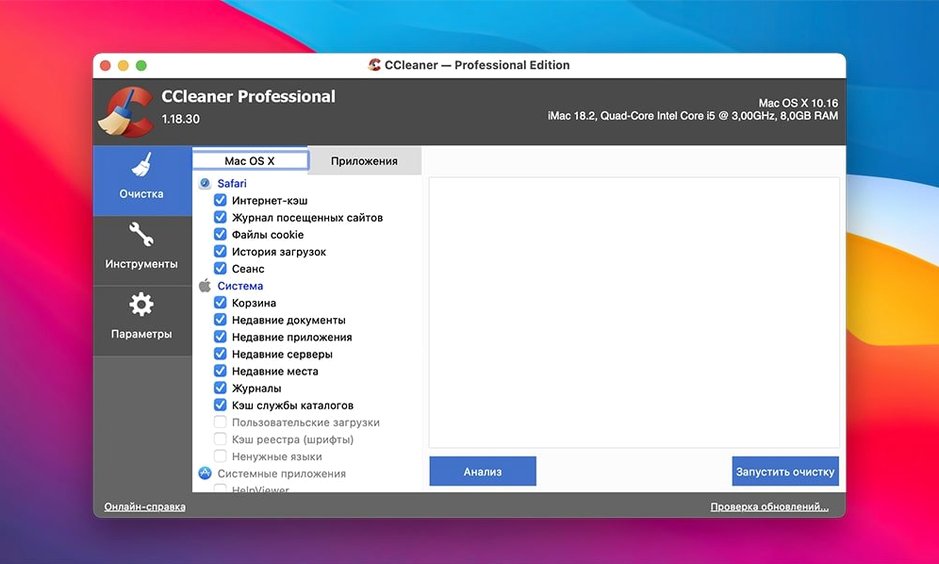
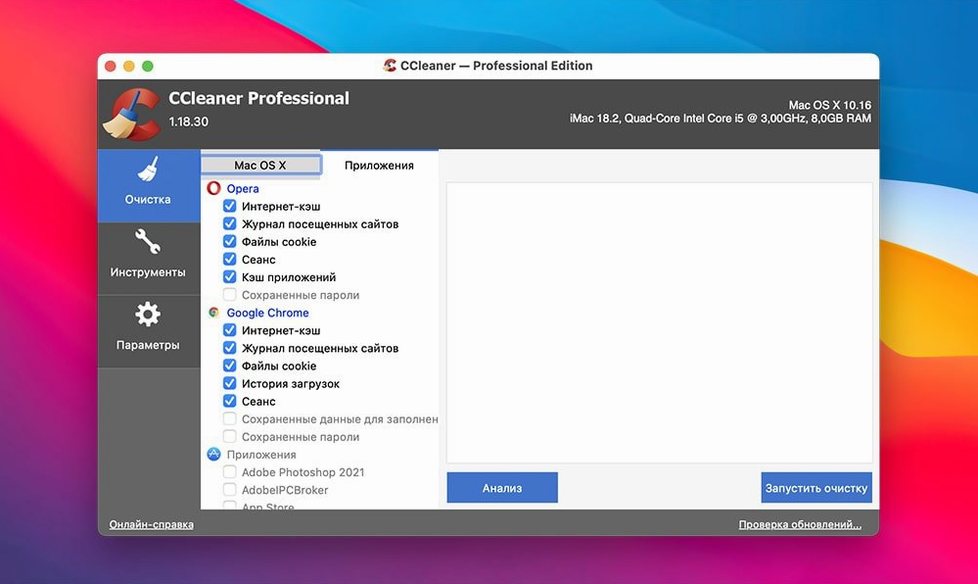
- Which browsers get cleaned? — Safari, Google Chrome, Firefox and Opera. It removes temporary files and recent-file lists left behind by those browsers and other apps.
- Does it ask before deleting things? — It runs several levels of verification before removing data, so it checks before it clears.
A cleanup routine I'd actually follow
When I want a tidy Mac without spending half a Saturday on it, I run through a set order. It keeps the process predictable and means I can see exactly what changed.
- Quit the browsers I use most — Safari and Firefox — so their caches and session files aren't locked while CCleaner scans.
- Open CCleaner Pro and run the default analysis first. I like seeing the list before anything gets removed.
- Clear the browser traces next. That covers cookies I don't want to keep, cached pages from weeks ago, and download histories I no longer need.
- Move to the system and application temporary files. Old logs and recent-file lists pile up faster than I expect.
- Finish with a look at large leftover files. I don't delete everything it finds, but it's a good moment to spot things I forgot about.
After that, I empty the trash manually. CCleaner can handle a lot, but I prefer to see what's in there before it goes for good.
Overwrite cycles for sensitive files
Some of the most useful parts of CCleaner aren't obvious until you've used it a few times.
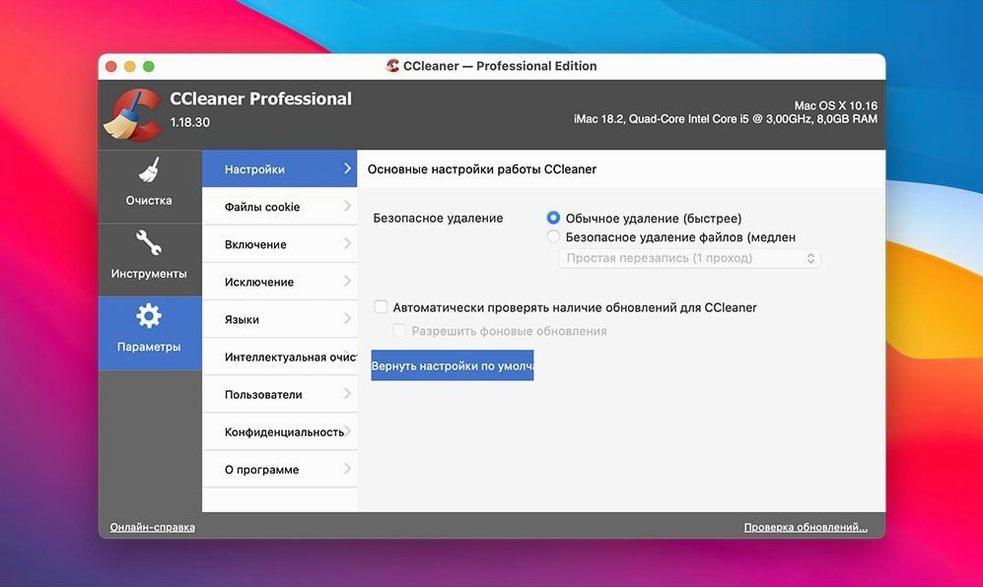
- Overwrite cycles. The file-wiping function can run several passes over sensitive files. If you're getting rid of tax documents or old invoices, that's the setting to reach for.
- Recent-file list cleanup. It's not just browser junk. Apps like Preview, TextEdit and media players leave "recently opened" entries behind. CCleaner clears those too.
- Per-browser control. You don't have to clean all four supported browsers at once. Uncheck the ones you want to keep untouched.
- Language switching. The interface runs in Russian, English, German, Spanish, Italian, Dutch, Polish, Portuguese, French, Czech and Japanese. If you share a Mac with family, that's handy.
A scenario: the online seller's end of month
Imagine a person who sells handmade ceramics through an online shop. They spend the last day of each month downloading order spreadsheets, saving shipping labels, and checking customer messages in three different browsers because the shop's dashboard behaves differently in each one.
By evening, the Mac feels slow and the browser address bars auto-complete with tracking pages they'll never visit again. They run CCleaner Pro once. It removes the temporary order files, the label previews, and the cached pages from Chrome, Firefox and Safari. The recent-file list in Preview stops showing customer receipts from weeks ago. They don't wipe anything they still need because the verification steps show what's on the list before it goes.
That's the kind of user this app fits best: someone with real files, real deadlines, and no time to dig through Library folders by hand.
Settings I'd change first
Before running a full clean, there are a few options worth checking. They make the difference between "useful" and "too aggressive" cleanup.
- Review the analysis results. Keep the verification prompts on for the first few runs. It's tempting to skip them, but the list teaches you what CCleaner considers junk.
- Set your browser exceptions. If you have saved logins or form data you rely on, exclude those before the first sweep. It's faster than re-entering passwords later.
- Pick your overwrite level. For everyday files, a single pass is plenty. Reserve the multiple-pass wipes for things like bank statements or contracts.
- Check the app list. Some applications store more temp data than others. Tailor the cleanup so you don't lose recent projects from apps you open daily.
Once those are set, CCleaner Pro becomes a five-minute habit instead of a monthly chore.
- OS X 10.10 or later
- Intel 64-bit Mac
Questions from the stall
What macOS version does CCleaner for Mac need?
It requires OS X 10.10 or later and runs on 64-bit Intel Macs.
Which languages does the app support?
It works in Russian, English, German, Spanish, Italian, Dutch, Polish, Portuguese, French, Czech and Japanese.
Notes from other shops 0
Sign in or open a shop account to leave a note.
No notes yet. If you've used this on a shop Mac, tell me how it went.