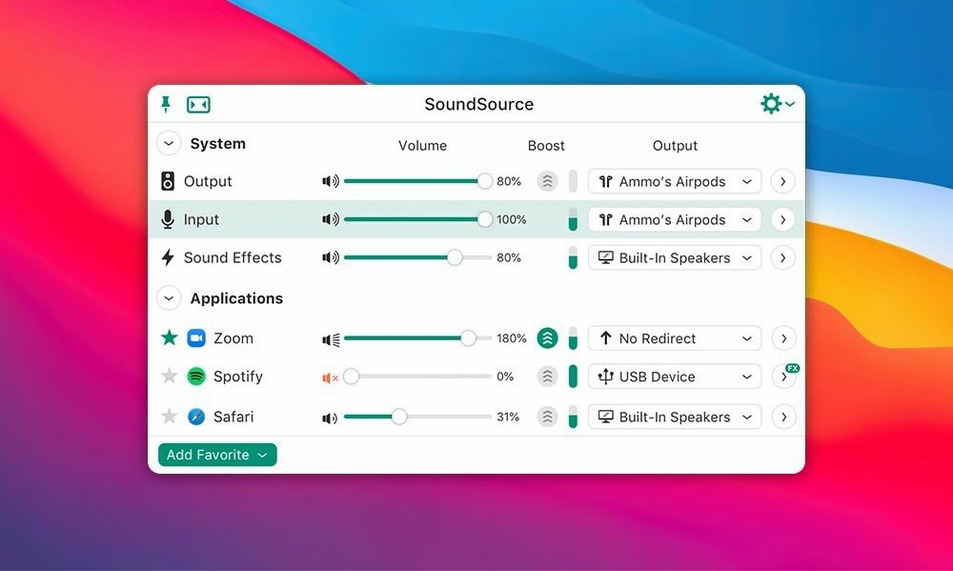
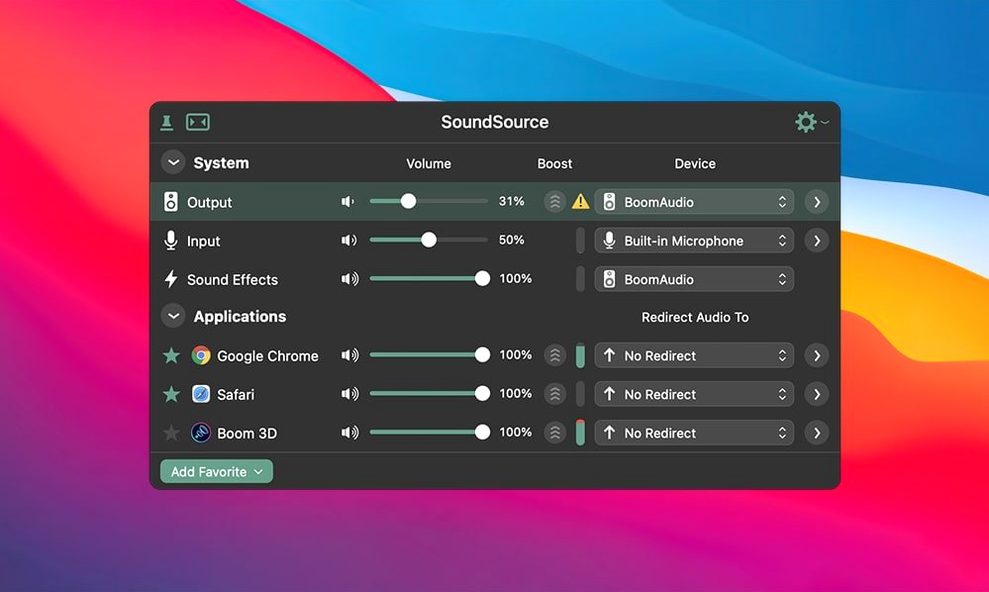
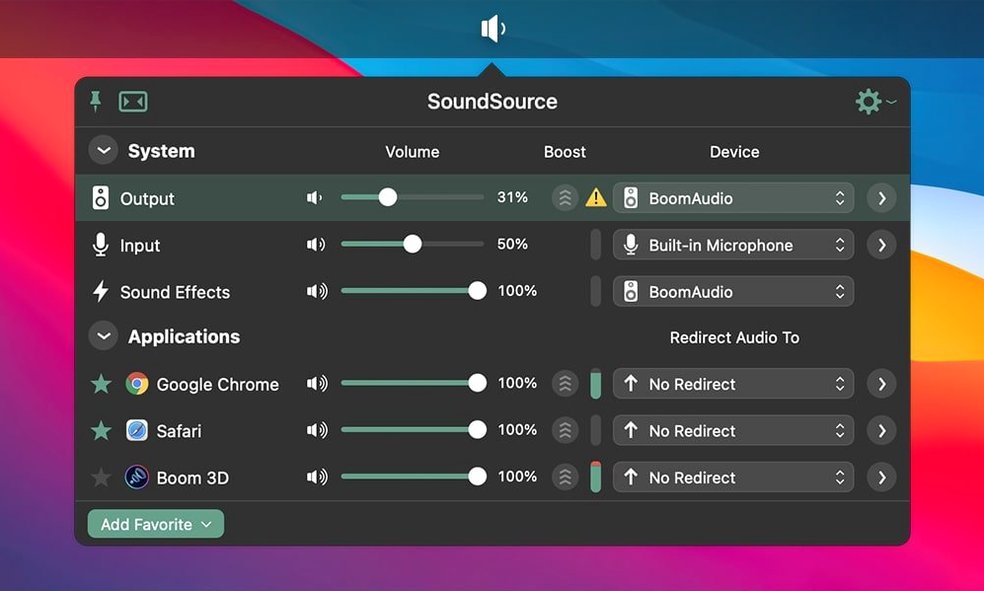
If you've ever juggled macOS's built-in volume keys and the Sound menu bar item, SoundSource is what you wished was there already. It sits in the menu bar and gives you direct, per-app control over volume levels, letting you keep your music loud while muting a noisy browser tab — all without opening System Settings. It also puts input and output switching a single click away, so moving from your Mac's speakers to AirPlay or a wired interface feels as quick as adjusting the brightness.
| What | Details |
|---|---|
| Developer | Rogue Amoeba |
| Current version | 6.1.4 |
| Runs on | macOS 15 or higher |
| Architecture | Apple Silicon and Intel (64-bit) |
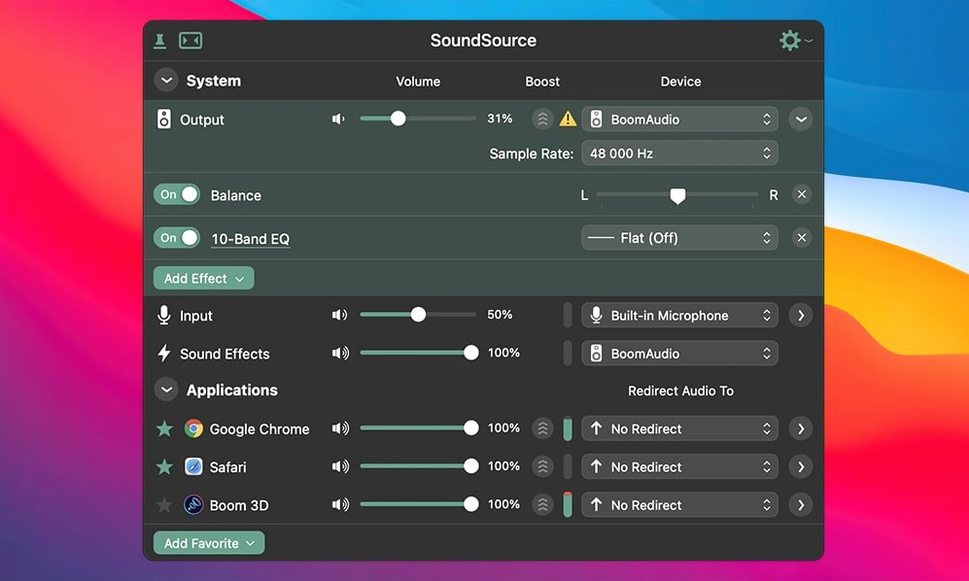
What I'd use it for is bringing the kind of control I expect in a small studio setup into everyday listening. Beyond simple volume, the built-in Headphone EQ effect can be applied to specific apps — useful for flattening a pair of monitoring headphones just for your audio editor while leaving music playback untouched. The app extends sound settings that macOS keeps hidden or spread across multiple panels and ties them together in one place that works alongside the other Rogue Amoeba tools you might already rely on.
Snags That Can Trip You Up (and How to Fix Them)
Most issues with SoundSource come down to macOS permissions or Bluetooth quirks, not the app itself. Here are the ones I see crop up most often and what sorts them out quickly.
- An app doesn't appear in the per-app volume list. SoundSource only sees apps that are actively playing audio. Launch the app, start playback, and it should pop right up. If it still doesn't show, check that "Per-App Volume Control" is enabled in SoundSource's preferences — it's on by default, but can get toggled off.
- Bluetooth headphones sound choppy or cut out. This is the exact issue version 6.1.4 addressed for macOS 27. If you're on an earlier macOS release and still hitting it, try switching your Bluetooth device to a different codec — hold Option while clicking the device in SoundSource's output menu to see codec options. Sometimes forcing AAC instead of SBC clears things up.
- Effects aren't applying where you expect. Remember that effects can be placed at two levels: the output device (affects everything) or individual apps (only that app). If you added EQ to the device but meant to target just Safari, drag the effect to the app's row instead. The routing is visual — you'll see the effect block move to where it belongs.
- SoundSource vanished from the menu bar after an update. macOS sometimes evicts menu bar items after app updates. Open SoundSource from your Applications folder and re-enable "Show in menu bar" in preferences. You can also Command-drag the icon to reposition it if other menu bar apps are crowding it out.
- A license key doesn't stick after restart. If you're using a soundsource license key and find the app asking again, check that the application has Full Disk Access in System Settings > Privacy & Security. Rogue Amoeba apps store their registration in a protected location macOS can block without that permission.
How a Podcast Editor Uses It
Mina runs a small interview podcast from her home office. She records in Logic Pro but does rough editing in her living room with Bluetooth headphones. Before SoundSource, she'd forget to switch her input back to the studio mic after taking calls on her AirPods — leading to at least one recording session where she captured forty minutes of built-in laptop audio by mistake.
Now her setup is saved as an Output Group and configuration. With one click she loads "Editing Mode": output set to her Sony over-ears with the Headphone EQ applied only to Logic Pro, system alerts routed to the internal speakers so they don't blast into her ears mid-edit, and her browser volume nudged down to 30% for reference tracks. When she's done, a second configuration switches everything back to her desktop monitors and clears the per-app EQ. She hasn't lost a recording to a wrong input setting since.
Rerouting last night’s AirPlay speaker back to my desk
Here's what a morning with SoundSource looks like from the menu bar, told as it happens.
I sit down, click the SoundSource icon, and my Mac's audio is still set to last night's AirPlay streaming to the living room speaker. Two clicks later I'm back on the desk monitors — no digging through System Settings. I fire up Music and start a playlist quietly while I open Mail and Safari. Safari's auto-playing video ads are at full blast, so I pull up the per-app sliders and drop Safari to 20%. Music stays at 60%. All from the same compact panel, nothing else open.
Mid-morning I plug in my audio interface to record a quick voice memo. SoundSource detects it instantly and asks if I want to switch — I do, and I also tick "Use this device for input" so my XLR mic takes over from the Mac's internal mic. I apply a little compression from the built-in effects to the input channel so my levels stay even without fussing in a DAW. Ten minutes later I unplug the interface and SoundSource falls back to the internal speakers, exactly where I left them.
Later I need to listen to a reference track while also hearing notification pings from a work app. I create a temporary Output Group that sends Music to my headphones and leaves system audio on the internal speakers — no extra cables, no separate mixer. When the task is done, I delete the group and move on.
Option‑click a slider for instant 100% volume
A few conveniences hide just below the surface. They're not in the main interface, but once you know them they change how you reach for the app.
- Option-click any volume slider to reset it to 100%. Faster than dragging back to center when you've nudged something too low. Works on both device and per-app sliders.
- Drag audio between output devices. You can pull an app's audio routing from one device to another right in the main window. It's a good way to quickly move a video call from speakers to headphones without reconfiguring the whole system.
- Rename devices for your own sanity. macOS gives identical Bluetooth headphones cryptic names depending on the codec. Right-click any device in SoundSource and rename it — "Living Room AirPods" saves guesswork later.
- Keyboard shortcuts for configurations. In the Shortcuts tab of preferences you can assign global hotkeys to saved configurations. One keystroke switches your entire audio setup, which is useful if you move between desk and sofa throughout the day.
- The Super Volume slider. Hold Command while adjusting a device's output and you get access to amplification beyond 100%. Not something to leave on all the time, but handy when a quiet video file just won't get loud enough otherwise.
People sometimes search for a soundsource mac torrent or soundsource crack hoping to sidestep the setup process. What they miss is that cracked versions often break the very thing that makes the app reliable — the tight integration with macOS audio subsystems that Rogue Amoeba maintains across updates. A soundsource mac crack floating around from an older version won't include the Bluetooth fixes from 6.1.4, and the permissions framework it relies on can behave unpredictably when the app binary has been tampered with. You end up troubleshooting problems that aren't the app's fault at all.
SoundSource 6.1.5 is a tidy maintenance bump with the developer’s latest round of bug fixes and small refinements.
- macOS 15 or later
- Works on both Apple Silicon and Intel Macs
Questions from the stall
Can SoundSource control audio per app?
Yes, it lets you set individual volume levels and apply effects to specific applications running on your Mac.
Does SoundSource work with AirPlay?
It includes support for AirPlay streaming, so you can route any app's audio to an AirPlay device directly from the menu bar.
What macOS version does SoundSource 6 require?
SoundSource 6 requires macOS 15 or later and runs natively on both Apple Silicon and 64-bit Intel Macs.
Notes from other shops 0
Sign in or open a shop account to leave a note.
No notes yet. If you've used this on a shop Mac, tell me how it went.