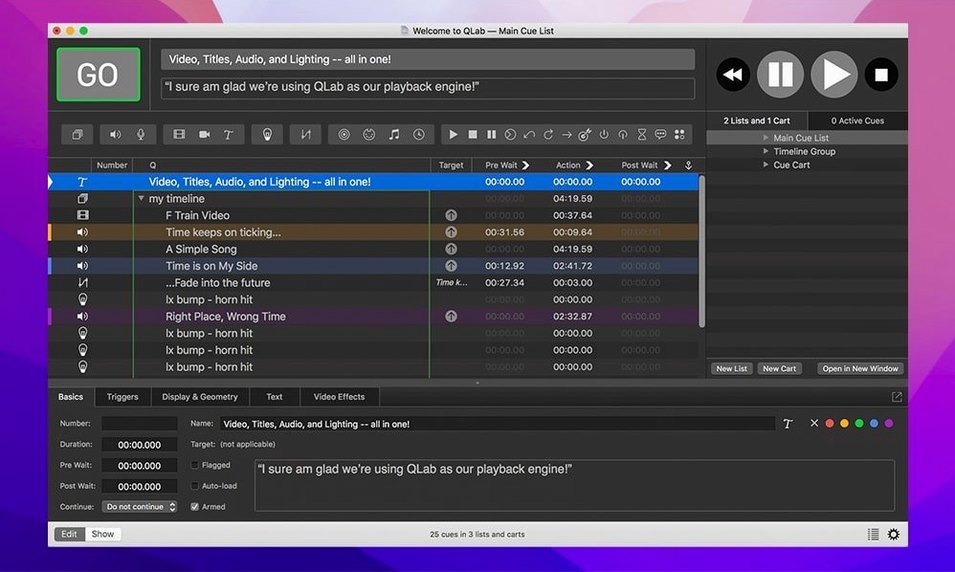
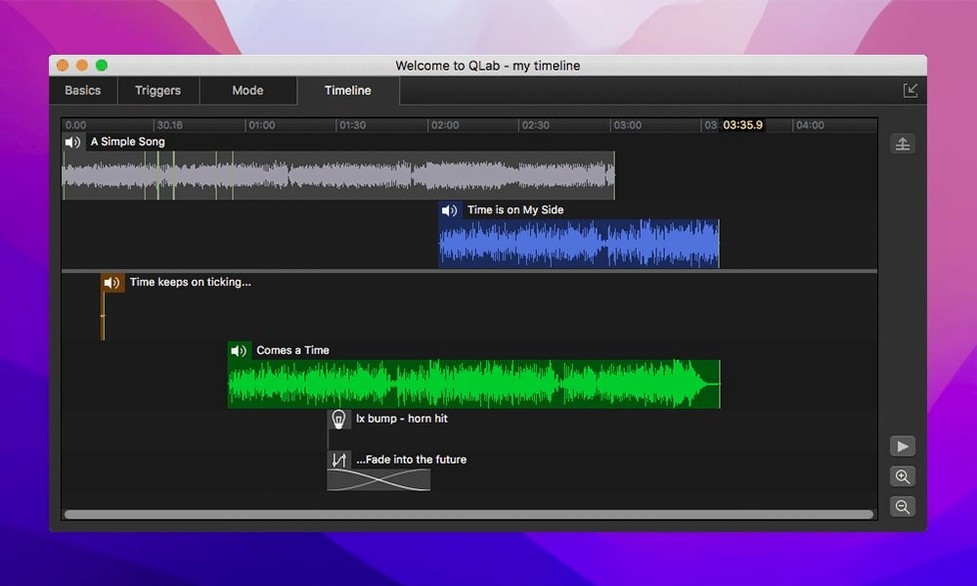
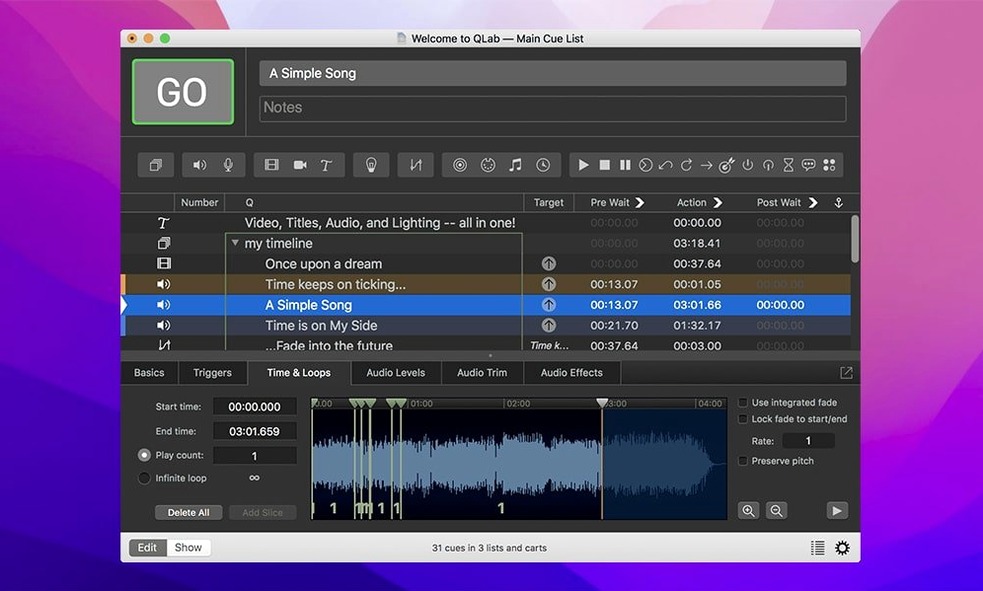
The integrated audio editor is often where I start. Trim a track’s head or tail right on the timeline without jumping to another program — handy when a sound cue runs long during rehearsal and you need a clean fix before the next run.
Shape video to the surface
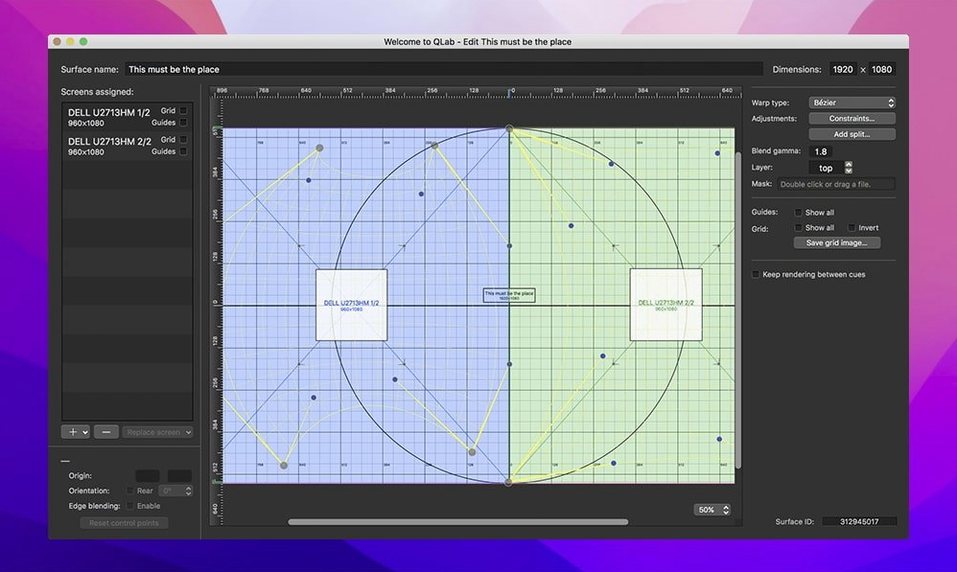
Keystone correction and corner pinning let you fit projections onto angled screens or irregular surfaces. Combine that with centering and reversing controls, and you can map video to a rear-projection setup or an oddly placed monitor without pre-processing the file.
Dial in playback speed
Adjustable playback speed with pitch control keeps voices natural when you slow a cue down, or lets you creep a backing track into tempo with a live performer. The audio and video faders sit within reach for on-the-fly adjustments during a show.
Keep the rig in order
The Light Library flags misconfigured instrument definitions with a color change in the row — a small visual nudge that saves hunting through settings when a fixture won’t respond. Undo covers your changes across the app, so experimenting with a cue list feels safe.
A lighting designer’s five-minute fix
Picture a lighting designer walking into a mid-sized theater an hour before tech rehearsal. The venue’s house plot has a handful of Chauvet fixtures that were swapped last season, and the workspace from the previous production still references the old addresses. She opens the Light Patch editor, spots a row marked Broken against a misconfigured instrument definition, and knows exactly where to dig in. Ten keystrokes later the patch matches the physical rig. She exports the updated workspace to the backup Mac and has time left to grab coffee. The color-coded rows in the Light Library gave her the same signal — a pale orange row tipped her off before she even opened the patch editor — so she skipped the usual twenty-minute treasure hunt through DMX addresses. For a designer juggling three productions, that one visual cue is the difference between a calm walk-in and a frantic one.
Three checkboxes I tick on a fresh workspace
QLab ships with sensible defaults, but a few tweaks make daily work smoother. I visit these three spots on any new workspace.
- Auto-save interval. The default is fine for most setups, but during a heavy programming day I shorten it. Losing two hours of cue sculpting to a rare crash stings far more than a slightly busier disk.
- Audio output routing. QLab supports up to 48 audio outputs across multiple devices. Assigning device channels early — before a cue list grows — prevents the last-minute panic of re-patching eighteen sound cues that defaulted to the wrong output pair.
- MIDI and OSC defaults. If your show uses a physical console or a tablet running TouchOSC, set the default cue triggers and control change mappings in the workspace preferences rather than per cue. It saves repetitive clicking and keeps the cue list looking clean.
Where Isadora pulls ahead in generative video
The obvious neighbor on the block is Isadora, a node-based media server that leans harder into generative visuals and interactive installations. Isadora gives you granular control over video processing chains — shaders, blob tracking, live compositing — that QLab doesn’t touch natively. But Isadora’s cueing model feels like a programmer’s canvas; QLab’s linear cue list is what a stage manager actually wants to call a show from. For scripted theater, QLab’s rigid sequencing is a feature, not a limitation.
QLC+ (DMX lighting control, cross-platform) is closer in spirit, handling audio, video, and lighting from a single timeline. It runs on modest hardware, and the price is hard to argue with. The trade-off is fit and finish: QLab’s integrated audio editor, Syphon support, and corner-pinning tools feel like a professional console, while QLC+ feels like a capable workshop. On a Mac, QLC+ also lacks the deep AV Foundation integration that keeps QLab’s video playback butter-smooth on Apple Silicon.
Resolume Arena overlaps on video mapping and live input, especially with Blackmagic devices. Resolume excels at spontaneous VJ work and multi-layer video compositing. QLab wins when you need one operator to run video and sound and lighting from the same Go button, with precise fades and auto-follows that a lighting designer can edit without a crash course in node graphs.
Daily-driver notes: speed, stability, and what it asks from your Mac
On an M1 MacBook Air with 16 GB of RAM, a workspace with 120 audio cues, four live video inputs, and a moderate lighting patch launches in under eight seconds. The timeline scrolls without a hitch, even with waveforms drawn on every track. Memory pressure stays in the green zone during playback — typically around 2 to 3 GB for a busy show file — though stacking eight simultaneous 4K video cues pushes the GPU closer to its ceiling. The 5.6.3 build fixed a rare crash tied to stopping video playback, and I’ve seen no unexpected quits since applying it.
Undo is everywhere and it’s fast. Move a grouped set of cues, change a fade curve, delete a Light instrument definition — Command-Z snaps it back without a beach ball. That reliability matters when you’re editing during a run and a director asks you to revert three changes while the next scene is already in its pre-wait.
Network device definitions now migrate cleanly from older workspaces, which matters if you use Right On Cue Services Stage|Tracks for synchronized multi-machine playback. The migration step in 5.6.3 strips away a subtle misconfiguration that could leave a networked cue out of sync. I didn’t notice the difference until I ran a two-Mac setup side by side, and the slave machine just locked in, no extra fiddling.
For anyone who explores show control through unofficial copies — the sort of searches that bring up QLab cracks or QLab 5 crack discussions — it’s worth knowing that a QLab cracked version often lags on these point-fix releases. The broken-instrument-definition coloring and the network migration fix are exactly the kind of small, practical improvements you can look for and apply yourself to keep a QLab torrent bundle running smoothly, so a designer isn't left debugging a patch or a multi-machine sync issue that was already solved upstream.
A couple of practical tweaks in this update:
- Rows in the Light Library or Light Definition editor now show a different color when an instrument definition is misconfigured, so you spot the problem row before it causes trouble on stage.
- Workspaces from version 5.6.2 and earlier migrate smoothly to the built-in network device definition for Right On Cue Services Stage|Tracks.
- macOS 11 or later
- Runs on Intel and Apple Silicon Macs
- Interface: English
Questions from the stall
Can QLab handle audio, video, and lighting together?
Yes, it’s built for multimedia projects that combine sound, video, light, and show control cues in a single workspace for live performances and installations.
Does QLab include tools for editing audio?
It has an integrated audio editor for trimming the start and end of tracks, plus audio effects and faders you can adjust during playback.
What video adjustments can I make in QLab?
You get keystone correction, corner pinning, centering, reversing, and video effects — all applied live without leaving the cue workspace.
Notes from other shops 0
Sign in or open a shop account to leave a note.
No notes yet. If you've used this on a shop Mac, tell me how it went.