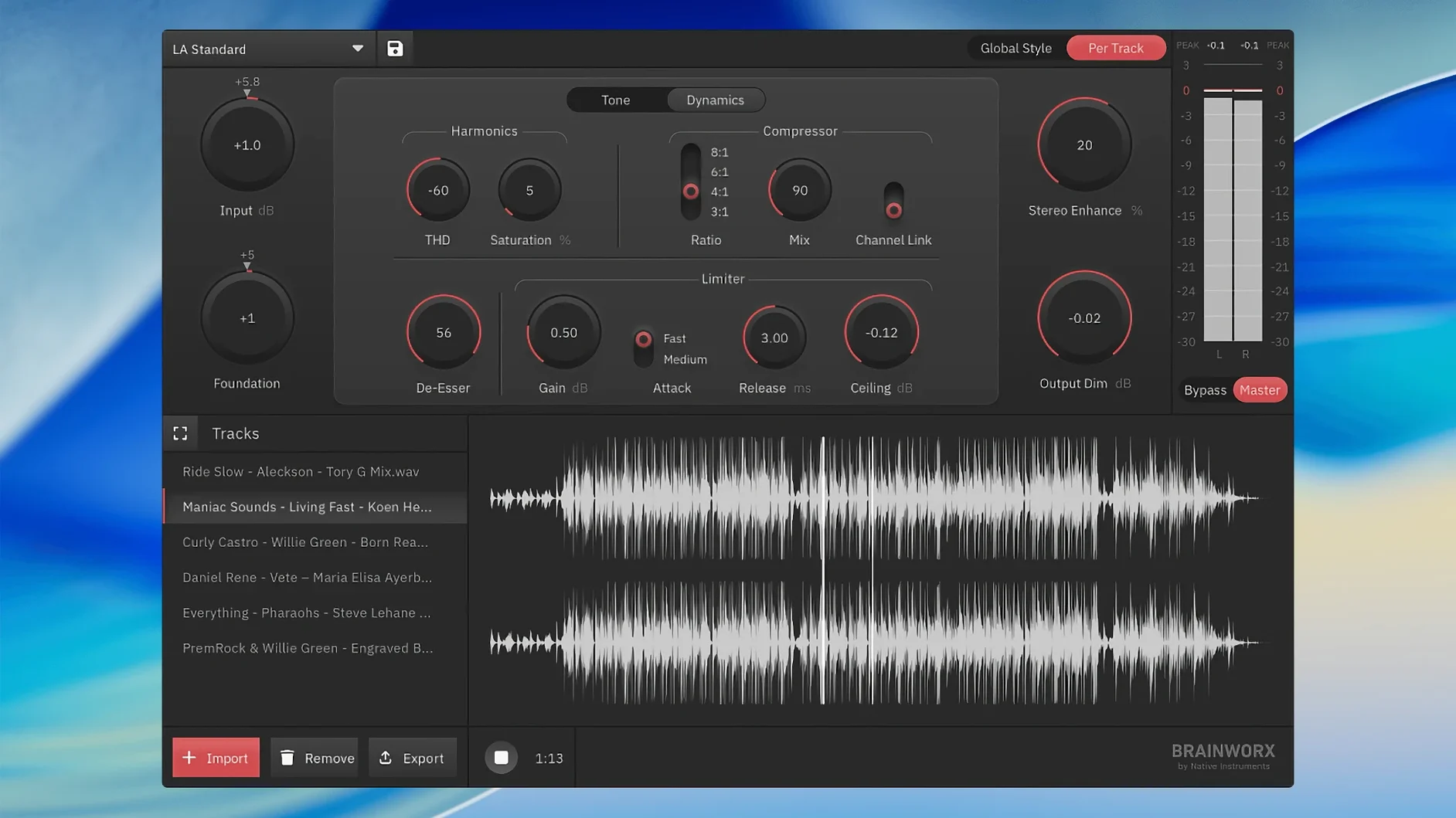
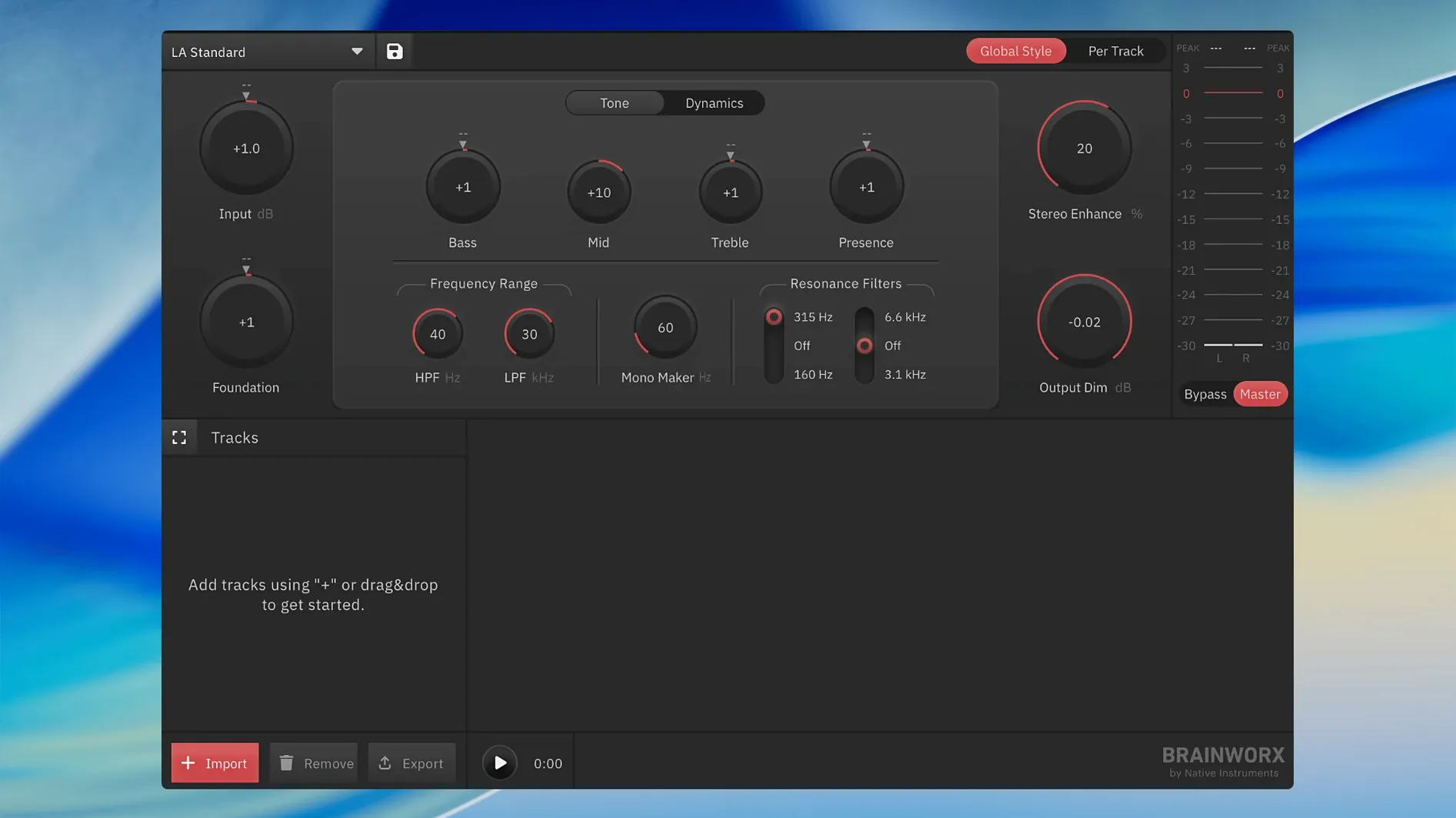
The Tweak EQ section gives you a quick way to finalise a tone — and that's the whole idea. Standalone mastering, no DAW required. Here's what that means for your setup.
bx_mastering studio 1.0.0 — a dedicated desktop app for macOS and Windows, built from Style Creator tech.
Standalone workflow — opens directly on your Mac, processes your mixes as files. You don't open Logic or Ableton just to master a single.
Unlimited masters — no per-track costing, no batch limits. You master as many songs or podcast episodes as you need.
Streaming-ready output — the processing chain is voiced for how people actually listen. You set it, render it, upload it.
Straightforward toolkit — equalisation, dynamics, and stereo width live in a single window, built for musicians and content creators who want a finished sound without engineering deep-dives.
Why a slammed input file causes the most trouble
Most hiccups I've seen come down to two things: gain staging before the app, and what happens after export.
Your mix is already slammed. If the input file peaks near 0 dBFS with no headroom, the processing chain has nowhere to breathe. The limiter grabs too hard, and the result sounds pinched. Fix it before you even open the app — pull the mix fader down until peaks sit around -6 dB. bx_mastering studio doesn't include an input trim, so that pre-flight step matters.
The export sounds different from what you heard. You play back in Finder or a media player and the low end has vanished. Nine times out of ten, the media player has its own EQ or loudness processing turned on. Disable any "sound enhancement" or loudness normalisation in your playback app before judging the master. Also check that you exported at the same sample rate your project used — rate mismatches can dull the top end on some systems.
Stereo image collapses on small speakers. If the width control is pushed hard and the side signal carries important midrange content, mono playback loses it. Flip the monitoring to mono (many audio interfaces have a button for this) while adjusting width. If the vocal or snare drops in level, ease off the widening.
Style Creator settings feel too heavy. The built-in styles are starting points, not final destinations. If a style pumps the low end too much for your material, back off the EQ band that's working hardest. The Tweak EQ isn't decorative — it's meant to be adjusted per track. Tip: pick a style that's close to your genre, then immediately pull every EQ band to zero and reintroduce the moves you actually need.
App won't open after installation. On Apple Silicon Macs, the first launch can trip macOS Gatekeeper. Right-click the app icon and choose Open, then confirm in the dialogue. You only need to do that once. If the app still bounces in the Dock and quits, check that you're on macOS 12 or later — older systems won't run version 1.0.0.
Switching from a DAW chain to a dedicated mastering app
Does this replace my DAW's mastering chain? It can, if you're working in a DAW that doesn't have flexible routing or if you simply want a dedicated mastering environment. I see folks using GarageBand or simpler editors get a lot out of it — they bounce a stereo mix, drop it into bx_mastering studio, and apply the final polish without wrestling with plug-in windows inside a host that wasn't built for mastering. If you already have a well-tuned chain of Brainworx plug-ins in Logic or Reaper, you might not feel the same urgency. It's about whether you want the task pulled into its own space.
What file formats does it handle? Standard uncompressed WAV and AIFF files at common sample rates. It's not a batch converter and won't ingest MP3, FLAC, or compressed formats directly. You feed it a finished stereo mix and it gives one back. If your source is lossy, convert it to WAV first in a separate utility.
Can I use it offline? Yes. Once installed, the app runs entirely on your machine. There's no cloud processing, no internet handshake required for the processing engine to work. That matters if your studio machine stays off the network or you're working on location.
Is it a plug-in too? No. bx_mastering studio is a standalone application only. You won't find an AU or VST3 version to load inside a DAW. The whole design philosophy is to separate mastering from the production session, so the two don't tug at each other.
Opens in three seconds on a base M1 MacBook Air
On a base M1 MacBook Air with 8 GB of RAM, the app opens in under three seconds and sits comfortably around 200 MB of memory while processing a four-minute stereo file. It's a lightweight, single-purpose tool — it doesn't load sample libraries, doesn't scan plug-ins on launch, and doesn't background processes you didn't ask for.
Processing a track-length file takes roughly real-time to slightly faster, depending on how many Style Creator elements are active. It's not offline-render fast like a command-line utility, but it's not tying up your machine for tea breaks either. I've left it running while switching to Safari and Mail without any audio dropouts or interface lag. The app stays responsive even when the analysis routines are chewing on a long file.
Stability on macOS 12 and above has been uneventful in the best way. No sudden quits mid-processing, no preference files corrupting, no mysterious CPU spikes after sleep-wake cycles. Because it doesn't touch the system's audio driver directly — it processes files, not real-time streams — it sidesteps a whole category of buffer-size headaches that plug-in users wrestle with. If your Mac is stable generally, bx_mastering studio is stable on it.
Modular chain building versus a guided mastering flow
bx_mastering studio vs. IK Multimedia T-RackS 5. T-RackS is a modular mastering suite that works both standalone and as a plug-in collection, with a deep bench of emulated hardware modules. It rewards engineers who want to build chains from scratch and tweak transformer saturation models. bx_mastering studio takes the opposite approach: a curated signal path with fewer decisions. If you enjoy assembling a custom chain of vintage compressors and EQs, T-RackS gives you that playground. If you want to load a file, pick a direction, adjust a handful of controls and move on, bx_mastering studio is the more direct route.
bx_mastering studio vs. Exonic UK AI Mastering. Exonic's app leans harder into automated analysis — it listens to your track and generates a processing curve with minimal user intervention. That's great for speed but leaves less room for taste. bx_mastering studio also uses analysis-derived processing through its Style Creator, but the Tweak EQ and width controls keep you in the conversation. You're not just accepting a machine's best guess; you're steering it. For a podcast where consistency matters more than character, Exonic might be enough. For a song where the chorus needs to open up differently from the verse, I'd rather have Brainworx's hands-on faders.
bx_mastering studio vs. Apple Logic Pro's built-in mastering assistant. Logic's assistant is convenient because it lives inside the DAW, but it's tied to a Logic session. If you're not a Logic user — or if you want to master files from collaborators who send you stereo mixes from other platforms — a standalone app makes more sense. bx_mastering studio also exposes more direct tone-shaping than Logic's assistant, which tends toward a one-knob presentation. Different philosophy: one is a feature inside a DAW, the other is a dedicated workbench you visit after the mix is
- macOS 12 or newer
- Works on Intel and Apple Silicon Macs
- Standalone application — no DAW needed
Questions from the stall
Does bx_mastering studio run on Apple Silicon Macs?
Yes. The app runs natively on both Intel and Apple Silicon Macs under macOS 12 or later.
Do I need a DAW to use this mastering software?
No. It is a standalone application, so you open it directly and master your audio files without any digital audio workstation.
Is there a limit on how many tracks I can master?
No. The software supports an unlimited number of masters, which is handy if you're working through an album or a backlog of podcast episodes.
Notes from other shops 0
Sign in or open a shop account to leave a note.
No notes yet. If you've used this on a shop Mac, tell me how it went.