Boom 3D is for the person who has already tried the simple volume slider and found it lacking. You know your Mac’s speakers can do more, or your headphones aren’t delivering the depth you want from a movie. It’s a system-wide audio layer that gives you the kind of control typically reserved for much more complicated audio routing software, without leaving the menu bar.
Precision control that adapts to your apps
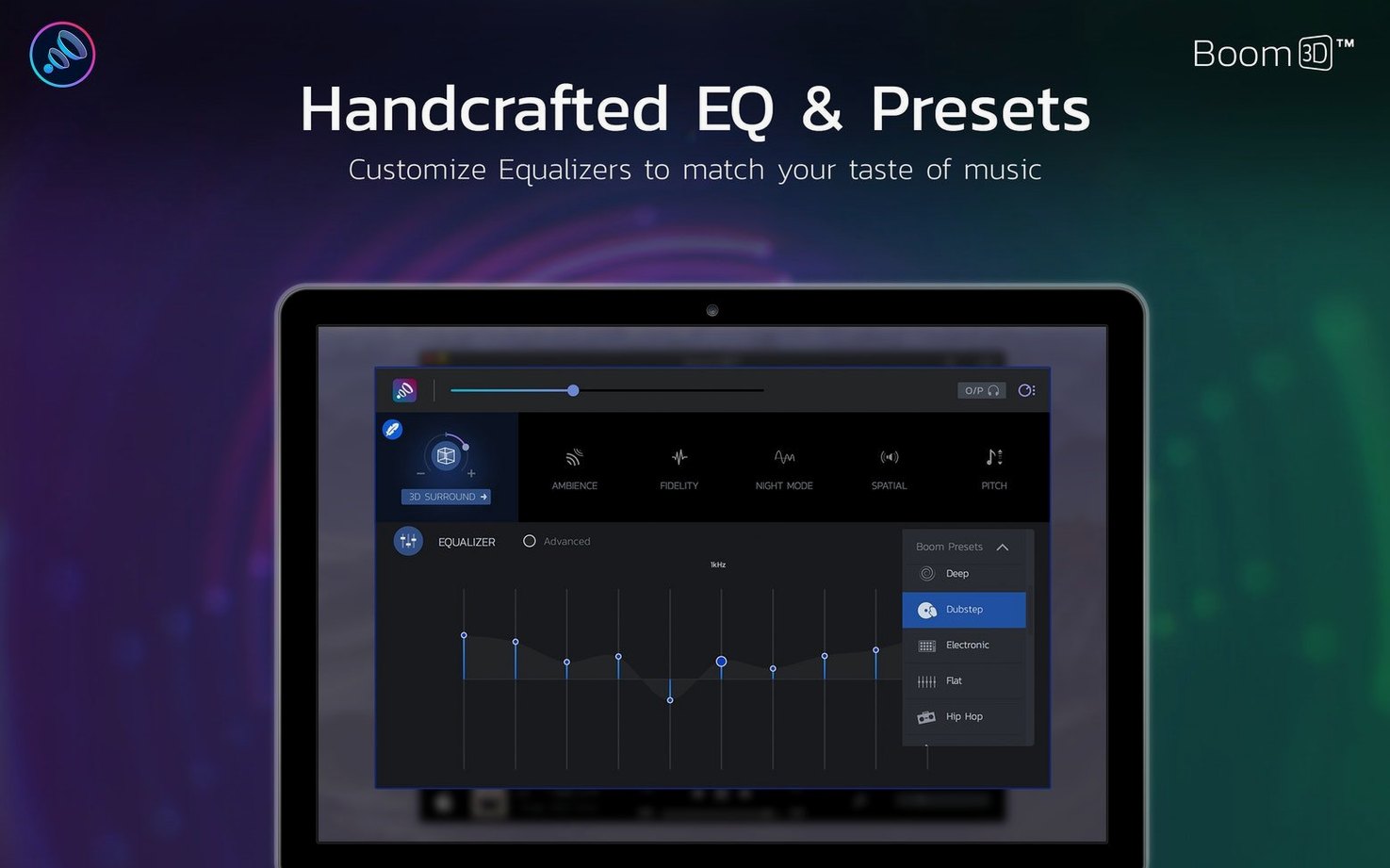
What sets it apart for an experienced user is the per-app volume control. You can set your music player to one level, a video call to another, and leave system alerts untouched. It’s a practical fix for a daily annoyance. The precision equalizer is equally capable, letting you shape the sound with a detailed 31-band interface that goes well beyond basic bass and treble sliders. You can pull a thin podcast voice forward or soften a harsh soundtrack for late-night listening.
Spatial audio that works where you want it
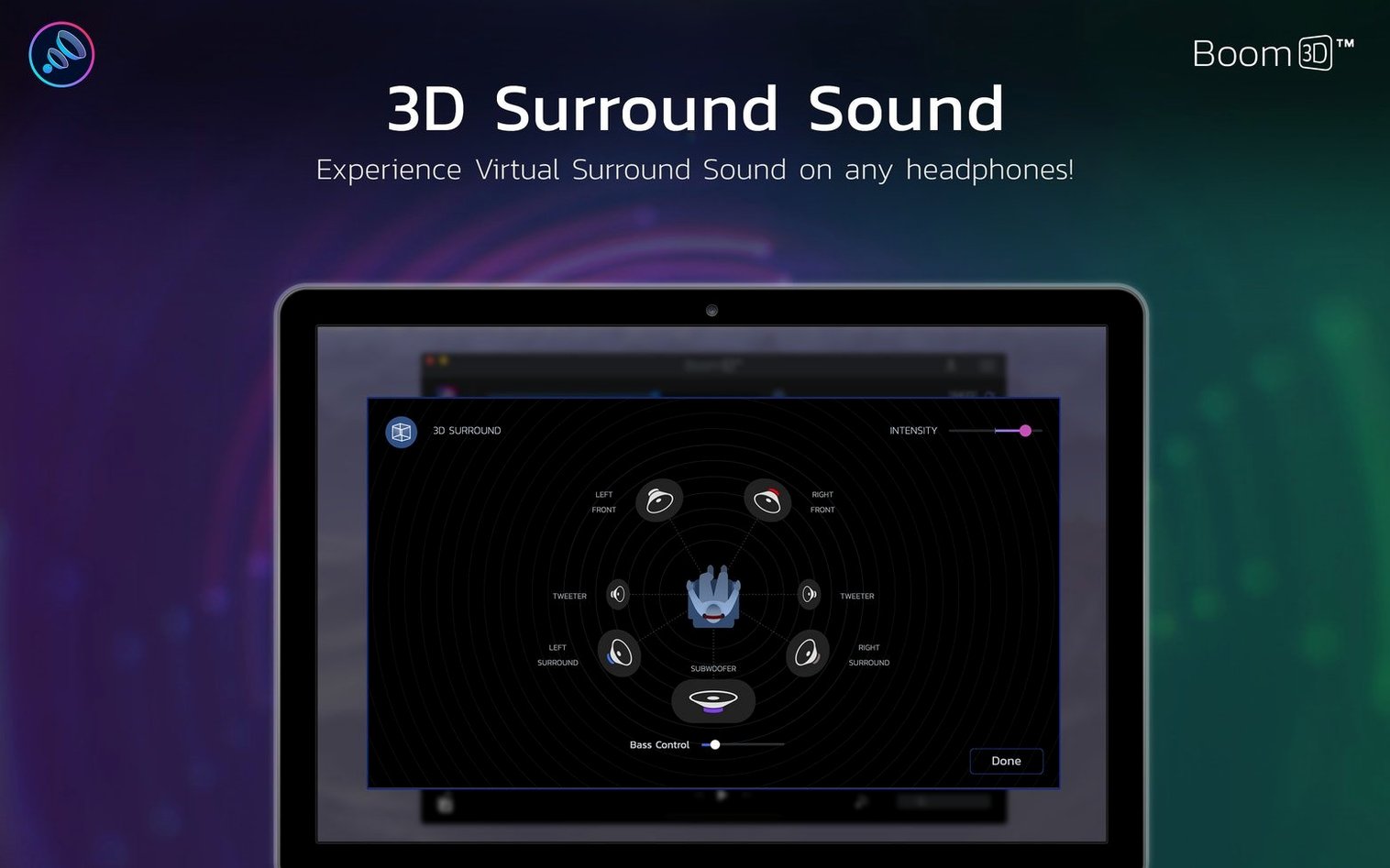
The 3D surround is the centerpiece, and it’s more configurable than you might expect. It doesn’t just apply a single effect—you can adjust the intensity and the virtual speaker placement, making it genuinely useful for creating a wider soundstage on a laptop or a more immersive headphone experience. It runs natively on both Intel and Apple Silicon Macs, so performance stays snappy even with all the processing engaged.
Sits between apps and macOS audio without driver conflicts
Boom 3D sits between your apps and the macOS audio output, so it plays nicely with almost everything. I run it alongside Logic Pro for quick reference listens without touching my interface routing, and it doesn't fight for the driver. It also works with Safari, Spotify, VLC, and any video calling app — the per-app volume sliders remember your settings between launches, which is one less thing to adjust every morning.
macOS features like AirPlay and Bluetooth headphones work as usual. If you're sending audio to a HomePod or wireless earbuds, Boom 3D processes the signal before it leaves the Mac. The 3D surround effect translates surprisingly well to small Bluetooth drivers — you get a sense of space that the hardware alone can't produce. It also coexists with the system's built-in headphone accommodations in Accessibility settings, though I'd suggest picking one or the other for EQ to avoid doubling up.
There's no clunky virtual device to select in your sound output list. Boom 3D installs its own audio component but presents itself transparently — your output still says "MacBook Pro Speakers" or your headphone name, not some cryptic driver label. That makes it friendlier for people who occasionally need to switch outputs through Control Center or the Sound menu bar item.
Apple Silicon clicks on wake are finally gone
Version 2.2.6 tightened up Apple Silicon support in ways you feel more than you see. Earlier versions had occasional pops when waking from sleep on M1 and M2 machines — those are gone now. The app also handles sample rate switching more gracefully. If you jump between a 44.1 kHz music session and a 48 kHz video call, Boom 3D follows along without the brief silence or crackle that used to happen.
The interface scaling improved for high-resolution displays, too. On a Retina screen the EQ sliders are crisp and responsive, and the main window no longer flickers when dragged between monitors with different scaling factors. Under the hood, the audio processing pipeline got a latency reduction that's most noticeable with the 3D surround effect — the delay between a YouTube video's picture and the processed sound is now imperceptible, where it used to be just barely detectable if you were looking for it.
Idles at 2–3% CPU with everything active on M1
Boom 3D runs lean for what it does. On an M1 MacBook Air it idles at around 2–3% CPU with all effects active, and memory use hovers under 150 MB. Intel Macs see slightly higher numbers, but nothing that would make a 2018 Mac mini sweat. The processing happens efficiently enough that I don't think about turning it off to save battery — it's just there, like a system preference that happens to make everything sound fuller.
Stability has been solid through the 2.2.x releases. I've had it running for weeks without a restart, through system updates and all manner of Bluetooth headphone disconnections. It recovers gracefully when you unplug wired headphones mid-track — the audio reroutes to the speakers without a crash or a blast of unfiltered sound. The menu bar helper stays responsive, and the app doesn't beachball even when you're rapidly dragging EQ bands while the 3D effect is active.
One thing worth knowing: if you use another system-wide audio processor, they can step on each other. Boom 3D works best as your sole audio layer. It's not a bug, just the reality of how macOS Core Audio handles processing chains.
Mini player in the menu bar works across Music and Spotify
The menu bar widget is more useful than it looks. A single click gives you a mini player with track controls that work across Music, Spotify, and a few other apps — no switching windows required. You can also toggle the equalizer and 3D effect right from there, which beats opening the full interface when you just want to kill the surround for a voice memo.
Keyboard shortcuts are sparse but handy. You can assign global hotkeys for volume boost up and down, which effectively gives you a second volume control above the system maximum. The EQ presets are worth exploring beyond their labels — "Hip Hop" adds a clean sub-bass lift that works nicely on small speakers, and "Vocal Boost" pulls dialogue out of a muddy movie mix without making it piercing. You can save your own presets too, which is essential if you dial in different curves for your desk speakers versus your headphones.
Tip: right-click the Boom 3D menu bar icon to quickly switch between your last two audio outputs. It's faster than digging into System Settings when you're swapping between speakers and a headset throughout the day.
- macOS 10.14 or later
- Works on Intel and Apple Silicon Macs
Questions from the stall
What languages does the Boom 3D interface support?
The app's interface is available in Russian, English, German, Spanish, Italian, Traditional Chinese, Simplified Chinese, Korean, Dutch, Portuguese, French, and Japanese.
Notes from other shops 0
Sign in or open a shop account to leave a note.
No notes yet. If you've used this on a shop Mac, tell me how it went.