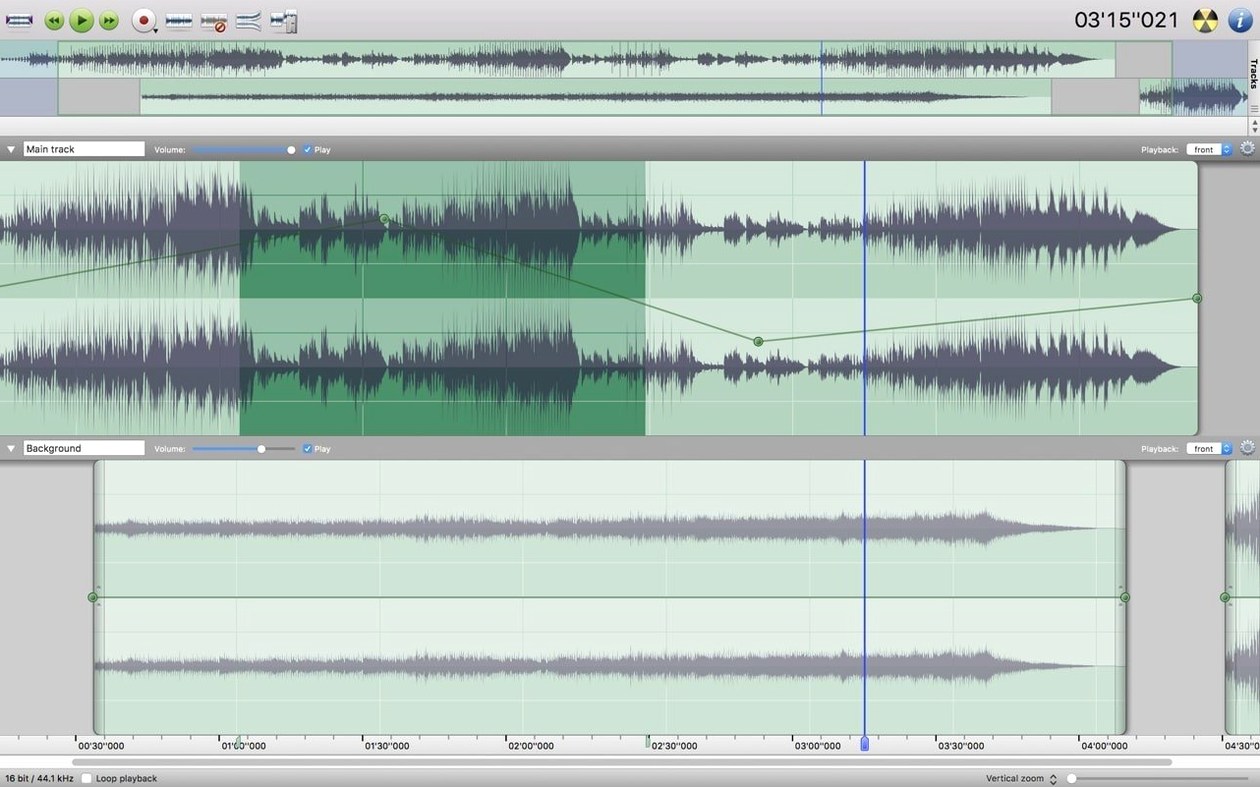
Digging an old Mac out of the cupboard for audio work, or just not ready to let go of a trusty Intel machine? Amadeus Pro keeps things straightforward for anyone who needs a capable multi-track editor without chasing the latest hardware. It’s built for 64-bit Intel Macs, so it slots right into a studio corner where an older iMac or MacBook still earns its keep.
| Detail | What you get |
|---|---|
| Developer | Martin Hairer |
| Current version | 2.8.14 Beta |
| macOS | 10.9 or newer |
| Architecture | Intel 64-bit |
| Languages | English, German, French, Italian, Spanish, Danish, Finnish |
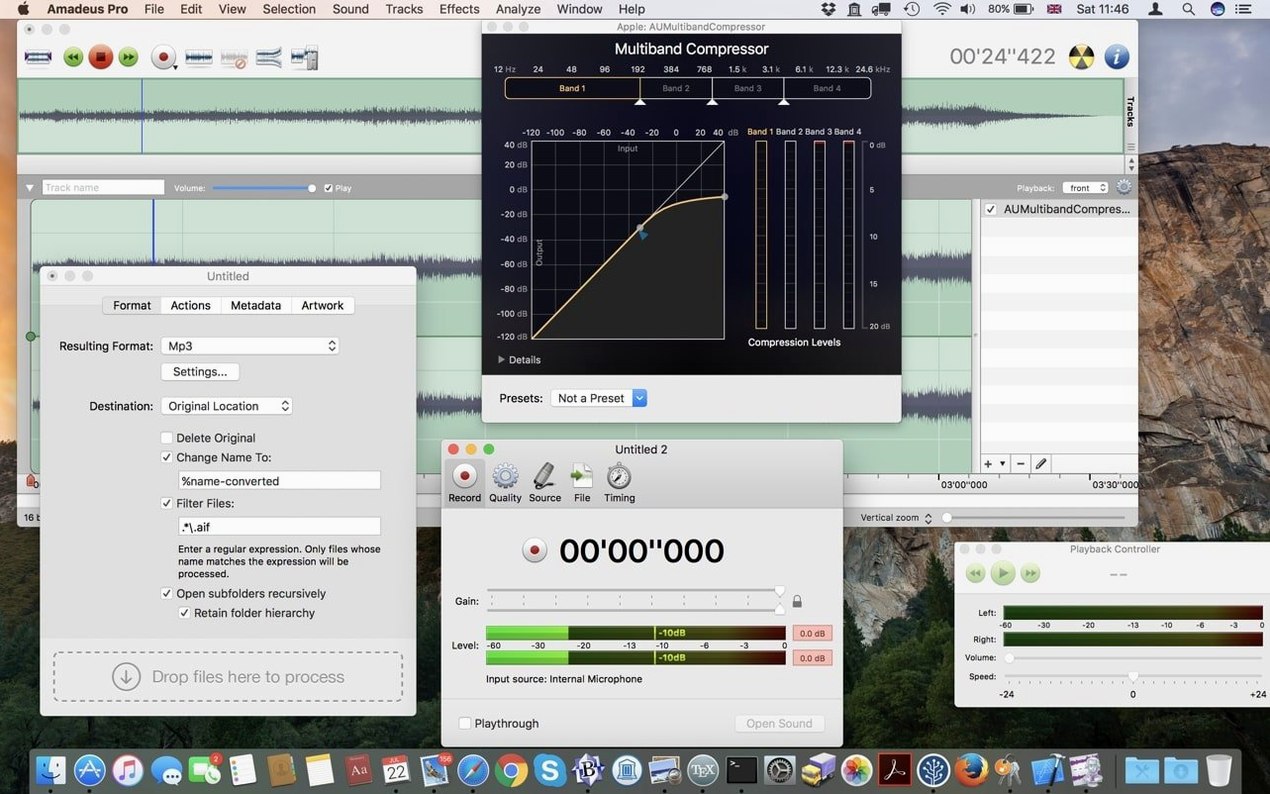
If you’re on an Apple Silicon Mac, the app runs through Rosetta 2—the brief doesn’t promise a native ARM build, but Rosetta handles audio editors of this vintage surprisingly well. What I like is that you get features like batch processing, waveform caching, and the sound analysis tools. You can drop markers, shape fades, and load both VST and Audio Unit plug-ins without hunting for extra downloads. The interface switches between half a dozen languages, which is handy if you work with collaborators abroad. For an Intel Mac that still boots fast and sounds good, this editor fits the bill.
Musicians with older studio Macs feel right at home
Amadeus Pro makes the most sense for a few specific kinds of Mac user. It isn't trying to be everything to everyone, and that's where it shines.
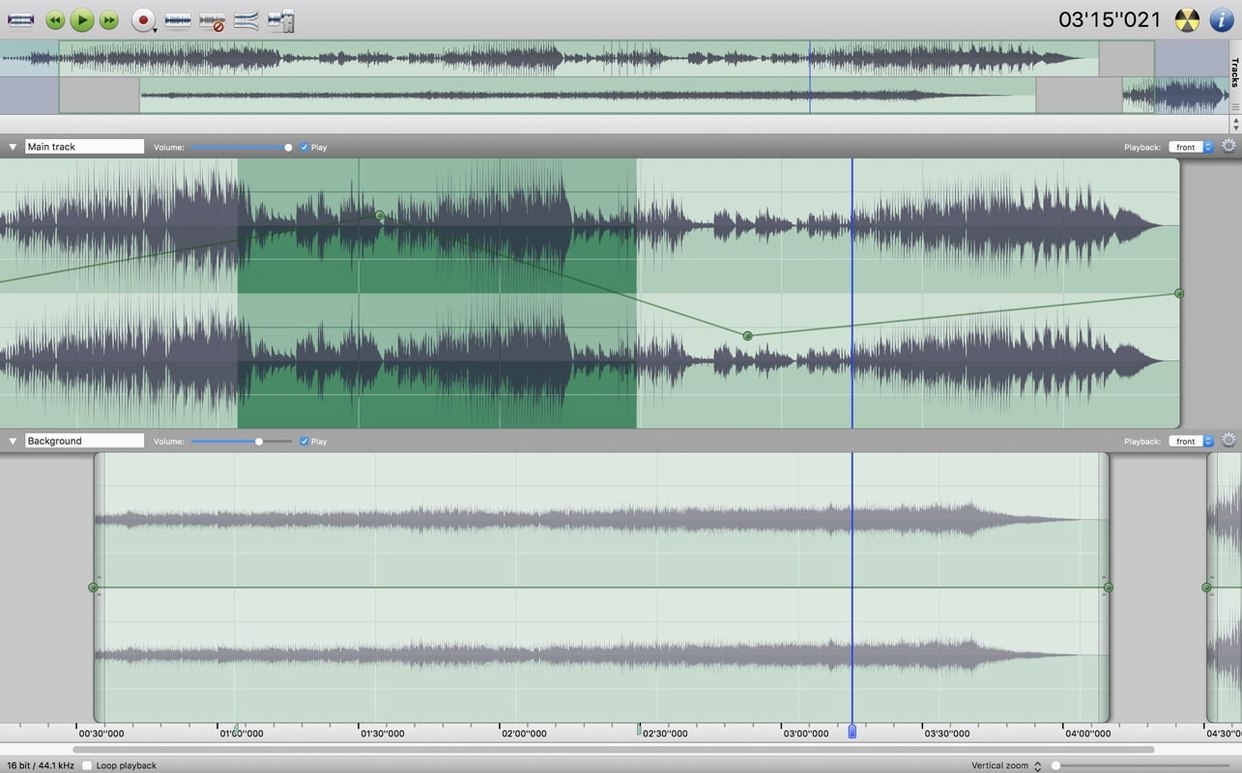
Musicians on older studio Macs. If your recording setup is built around an Intel iMac or a cheese-grater Mac Pro that still runs beautifully, this is your kind of tool. You can layer takes, apply Audio Unit effects you already own, and clean up room noise without upgrading your OS or your hardware. The direct-to-disk output means you're not filling up RAM during a long session, which matters on machines with 8 GB or less.
Podcasters who need clean, fast editing. Trimming silences, applying a gentle fade between segments, dropping markers for chapters—Amadeus Pro handles the bread-and-butter podcast workflow without the weight of a full DAW. The noise reduction tool works on selections, so you can target just the chair squeak at 14:32 instead of processing the whole file.
People digitizing vinyl, tape or old media. The App Store listing specifically calls out tape and record digitization, and the feature set backs that up. You can record a full side of an album, drop markers between tracks, trim the lead-in silence, and export straight to FLAC or AAC. Batch processing then handles any normalization or format conversion across the whole album at once.
Anyone hunting for "amadeus pro download" to replace a subscription editor. If you're tired of monthly fees for audio software you use twice a month, a straightforward multi-track editor that runs on the Mac you already own is appealing. No account, no cloud sync, just an app in your Applications folder.
Getting a straight answer before you commit
Rosetta 2 translates the Intel app on Apple Silicon
Yes, through Rosetta 2. The app is compiled for 64-bit Intel, so an M1 or M2 Mac translates it automatically the first time you open it. Audio plug-ins you use inside Amadeus Pro need to be compatible with the same translation layer—most Audio Units work fine, but some older VSTs might need checking. Rosetta handles the translation smoothly enough that you probably won't notice, even with a dozen tracks playing back.
What file formats can I open and export?
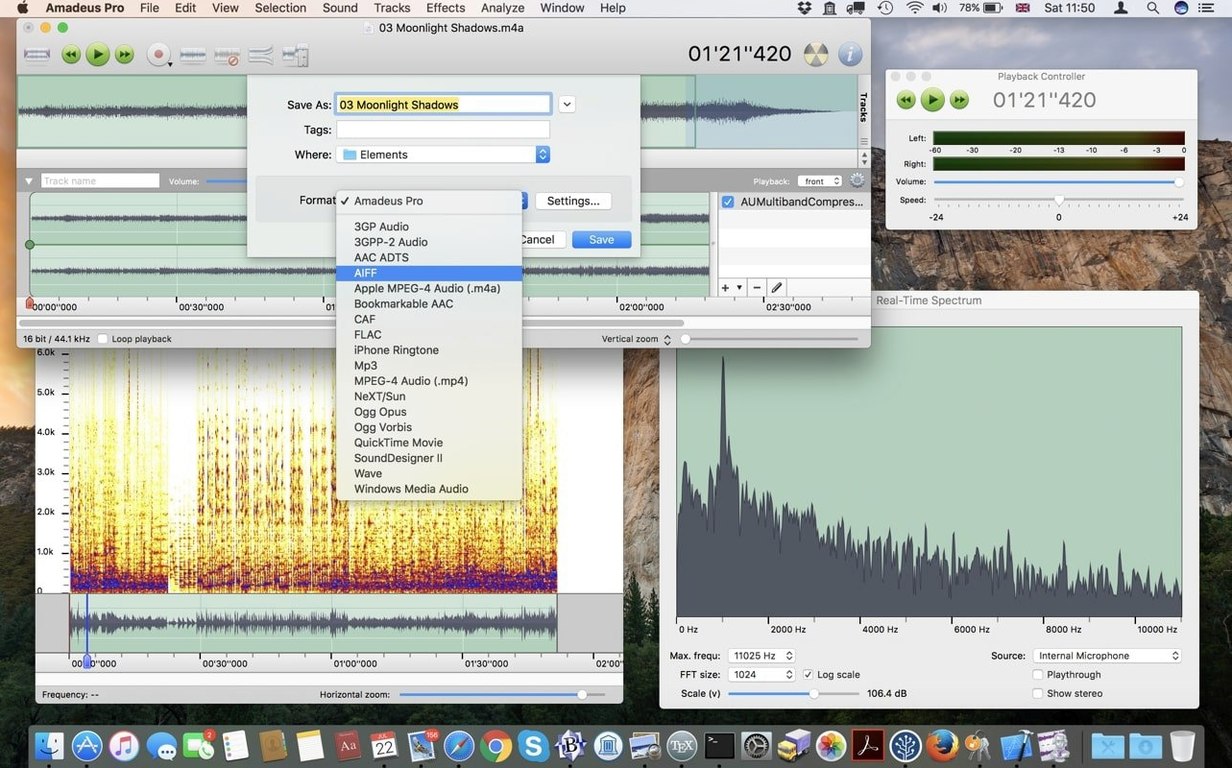
MP3, AAC, AIFF, WAVE, WMA, CAF, FLAC, and Ogg Vorbis are all supported. That covers lossy distribution formats, lossless archives, and the uncompressed formats you want for editing. If someone sends you a CAF file from a voice memo or a FLAC from a live recording, you won't need a separate converter.
Your VST and AU plug-in folder works without extra setup
VST and Audio Unit plug-ins both load natively. If you've collected a folder of free compressors, EQs, or reverb units over the years, Amadeus Pro sees them without extra setup. The Favorite Actions panel also lets you bundle frequently used plug-in chains so you're not dragging the same three effects onto every vocal track.
Is the beta stable enough for real work?
Version 2.8.14 has been in circulation long enough that most users treat it as their daily editor. Like any audio software, save your project before running a long batch process—but that's sensible advice for release versions, too. Direct-to-disk editing means your source files stay untouched until you commit changes, which adds a layer of safety if something does hiccup.
Opening a long concert file without the waveform cache
Audio editors reward a little patience up front. Here are the slip-ups I see most often from people new to Amadeus Pro.
Skipping the waveform cache. When you open a long file—say a two-hour concert recording—the waveform takes a moment to draw. New users sometimes kill the app, thinking it has frozen. Let the cache build. Next time you open that file, it appears instantly because the cache is already on disk.
Applying noise reduction to the whole file without listening to a selection first. The noise reduction tool works on whatever range you highlight. If you select everything and hit apply, you might dull transients you wanted to keep. A better habit: highlight a quiet section, capture the noise profile, then apply it just to the spoken or sung passages. You can always undo.
Ignoring the Favorite Actions panel. It's easy to dismiss as clutter, but if you find yourself repeating the same three or four commands—normalize, fade out, export as MP3—dragging them into the Favorites panel saves real clicking time over the course of an editing session.
Forgetting to set markers before splitting. Markers are free and non-destructive. Drop them at section boundaries before you start cutting, and you'll always have a reference point if a split lands in the wrong spot. It's a small habit that makes re-editing a lot less painful.
Exporting to a compressed format too early. If you record a voiceover and immediately export as MP3, you've baked in compression artifacts before you've done any cleanup. Work in WAVE or AIFF until you're finished editing, then export your compressed copy as the final step. Hard drive space is cheap; re-recording isn't.
- macOS 10.9 or later
- 64-bit Intel processor
Notes from other shops 0
Sign in or open a shop account to leave a note.
No notes yet. If you've used this on a shop Mac, tell me how it went.