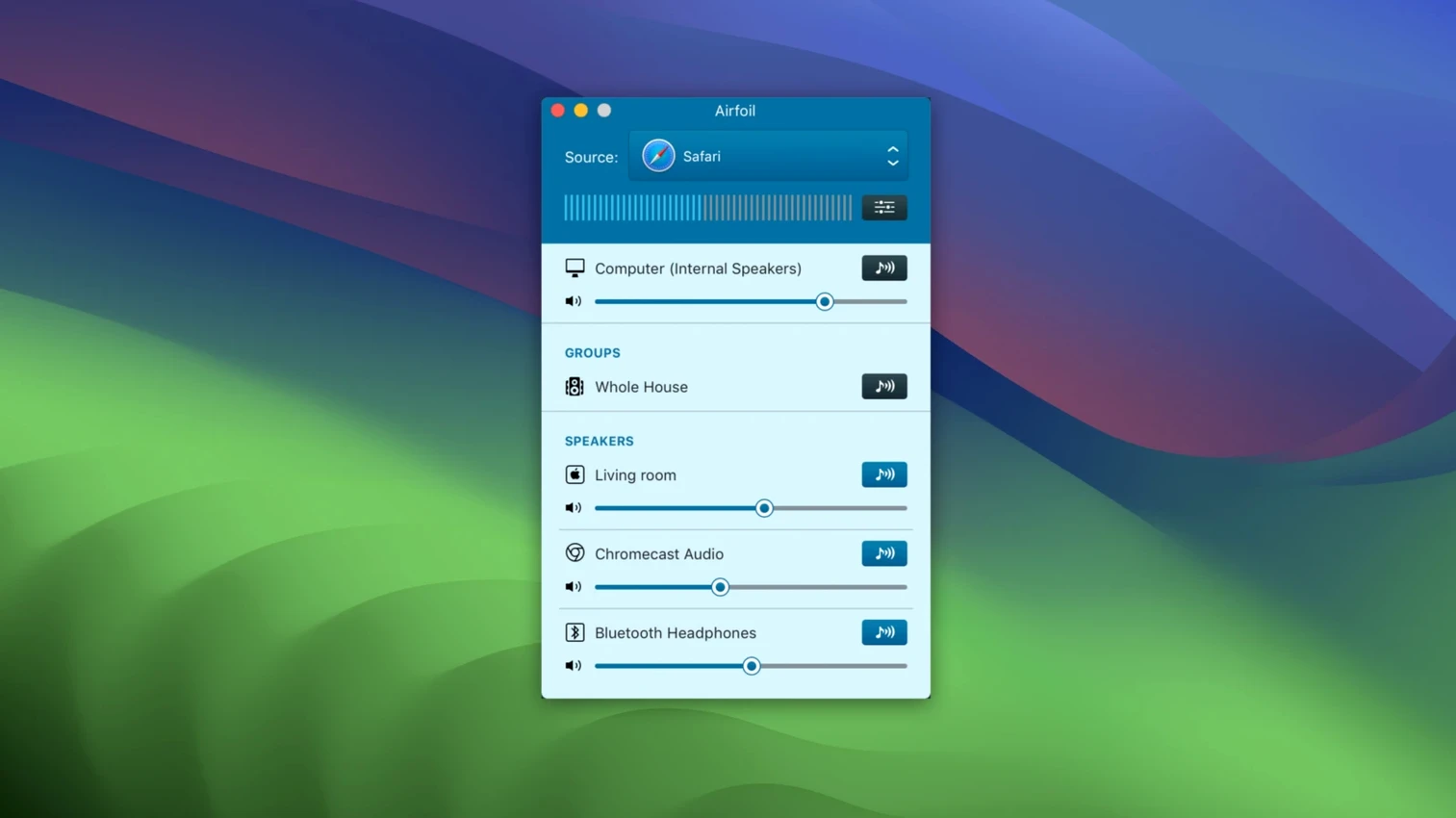
Version 5.13 brings back what many of us missed most — streaming to Apple TV and HomePod devices is working again. If you were holding off on updating, now's the time.
macOS 14.4 and Apple silicon required
Airfoil runs on both Apple silicon and Intel 64-bit Macs, and you'll need macOS 14.4 or later. It's a clean 64-bit app with no legacy baggage.
Which speakers can I send audio to?
Pretty much everything in reach — Apple TV, HomePod, AirPort Express, any AirPlay device, Google Cast gear, Bluetooth speakers, iOS devices, even other Macs and PCs.
Can I start streaming without clicking around?
Yes, you can set it to automatically start sending audio to a chosen device the moment the app opens. Tuck your laptop away and the music keeps going where you want it.
Lip-sync stays tight across three rooms
In daily use Airfoil stays out of the way. Audio arrives on remote speakers with latency low enough that lip-sync isn't a distraction, even when I send the same stream to three or four rooms at once. The Apple Lossless encoding keeps quality intact without chewing through bandwidth, and CPU usage on an Apple silicon Mac barely registers — typically a fraction of a percent when streaming from Music or Spotify. On older Intel machines you'll see a small bump if you're running the equalizer and pushing audio to six destinations, but nothing that makes the fan spin up.
Memory use sits around 80–120 MB in normal operation. I've left it running for entire workdays without seeing that number climb, which tells me the developers pay attention to leaks. The app recovers gracefully when a Bluetooth speaker drops off and reconnects — no crash, no silent failure, just a few seconds of silence and then audio resumes. That matters more than benchmark numbers when you're cooking and the speaker in the kitchen blinks out because someone walked between it and the laptop.
Notification pings on the living room speakers
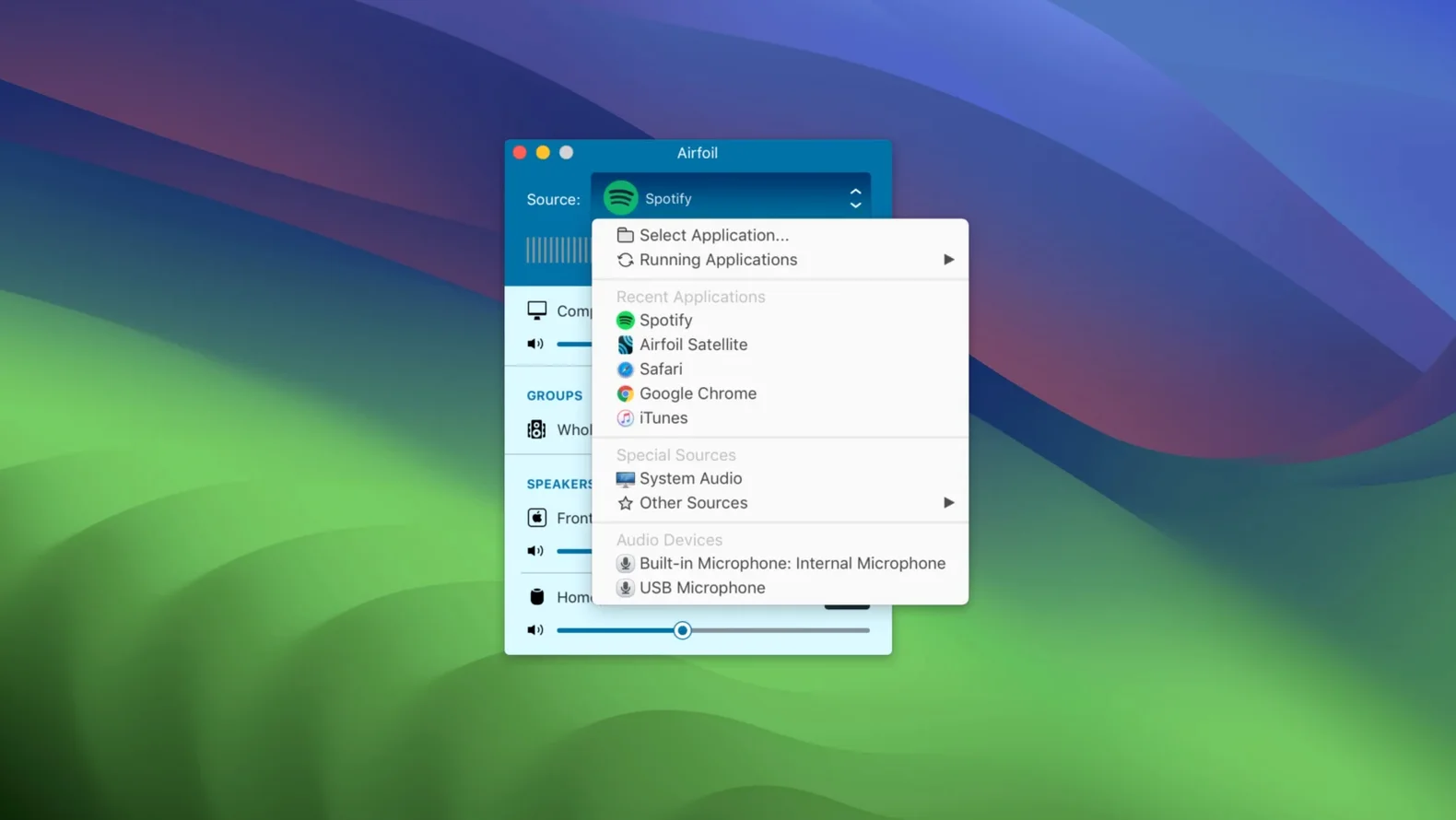
The most common slip is picking Airfoil's system audio source and then wondering why notification pings blast through the living room speakers. Capture from the specific application instead. Click the source selector and choose Music, Safari, or whatever app you actually want to hear — leaving it on system audio means every calendar alert and email ding becomes a house-wide announcement.
Another early stumble: connecting to a device but forgetting the volume slider is independent from the Mac's system volume. A speaker set to 20% in Airfoil won't get louder just because you hammer the keyboard volume keys. Check both levels before assuming something is broken.
Some people fire up Airfoil, send audio to an AirPort Express, and then walk away confused when the stream stops after the Mac goes to sleep. The app doesn't bypass macOS power settings. Set your Mac to stay awake while streaming, or use the auto-start feature alongside a utility that prevents sleep. The equalizer is also easy to misuse — boosting every band doesn't make things sound better, it just introduces distortion. Start with small adjustments, especially if you're sending to small speakers that can't handle low-end push.
Won't clash with your existing AirPlay menu
"Will this mess with the AirPlay menu I already use in the menu bar?" No. Airfoil sits alongside it without conflict. The system's built-in AirPlay menu handles straightforward one-to-one streaming; Airfoil adds multi-device control, per-app source selection, and equalization. You can use both, and which one wins depends on where the audio is coming from.
"Does it require an always-on internet connection?" Only for Google Cast devices that need network access. Local AirPlay and Bluetooth streaming work fine on a home network with no internet at all — Airfoil sends audio directly over your LAN.
"What happens when someone calls me while I'm streaming?" If you're sending from an app rather than system audio, the call won't interrupt anything. Your streaming continues while you take the call on your phone or through a different audio path. If you are using system audio capture, the call audio will spill to every connected speaker — another reason to stick with per-app sources.
A routing layer between source and speakers
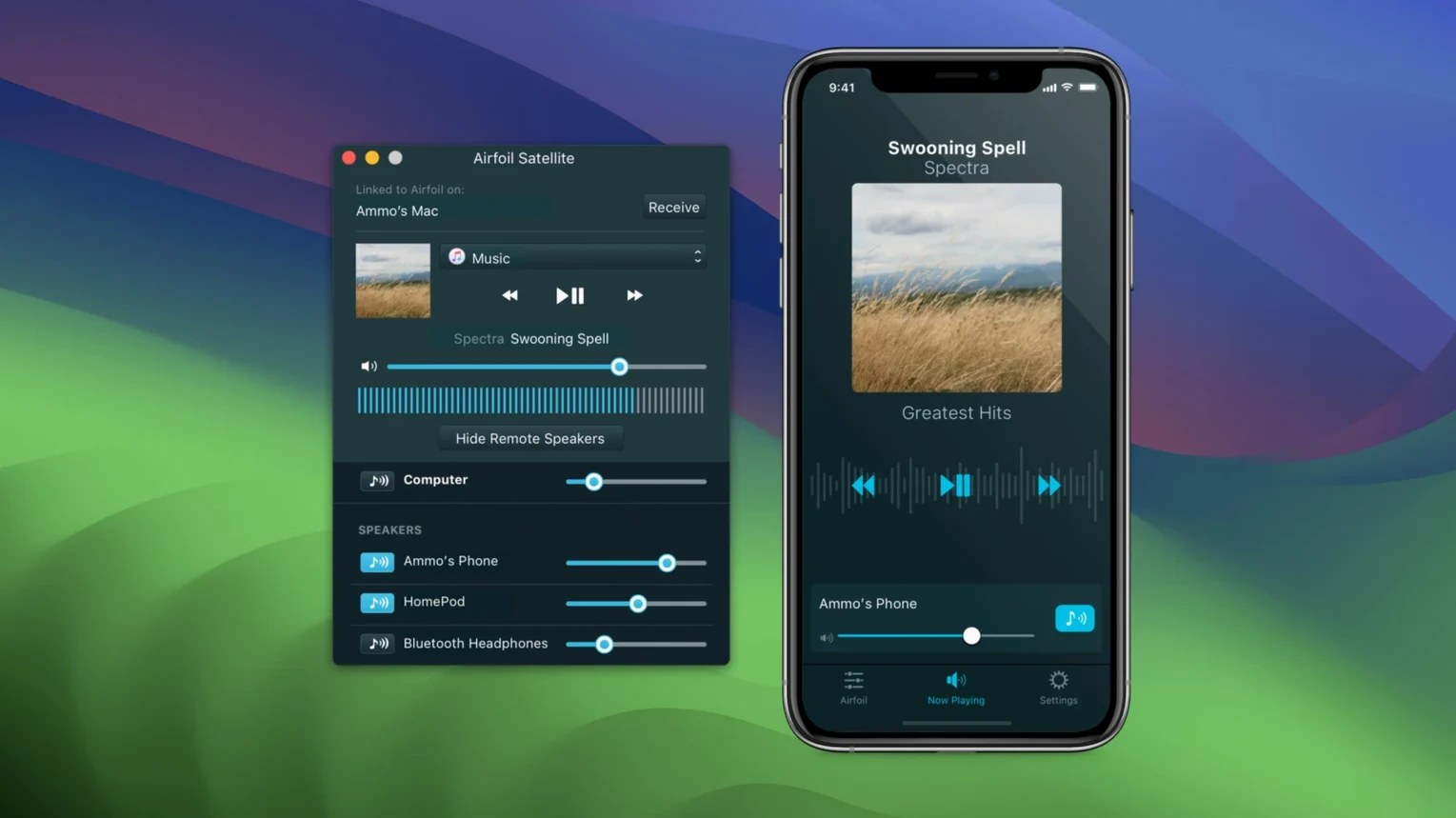
Airfoil isn't trying to replace the system volume controls or the Music app's own output selector. Think of it as a routing layer that sits between your audio source and the destinations you wish macOS let you pick from one place. It works alongside the free Airfoil Satellite companion app, which turns old iPhones and iPads into additional receiving devices — handy for repurposing a drawer-bound iPad Mini as a permanent kitchen speaker.
For people who already use Rogue Amoeba's other tools, Airfoil fits without overlap. Audio Hijack captures and routes complex audio chains for recording; Airfoil handles live distribution. They don't step on each other. Even outside that ecosystem, Airfoil plays nicely with SoundSource — you can adjust per-app EQ in SoundSource before the signal ever reaches Airfoil's own equalizer, giving you two tiers of tone shaping.
On the macOS side, the app respects Focus modes and Do Not Disturb — it won't override them to force audio through. It also integrates with the menu bar for quick source switching without opening the main window. If you've built a multi-room setup around HomePods and AirPort Express units, Airfoil ties them together in a way the stock macOS audio routing never quite did. Searching around for workable multi-room solutions leads plenty of people to grab Airfoil for Mac when the built-in options fall short.
One tip: if you're using a VPN for work, Google Cast devices might become unreachable while the VPN is active, depending on your split-tunneling setup. Airfoil can't see devices on a different logical network, so keep that in mind if streams vanish when you connect to the office.
Version 5.13 restores audio streaming to Apple TV and HomePod devices — a welcome fix if you've been relying on AirPlay around the house.
- macOS 14.4 or later
- Apple silicon or Intel 64-bit Mac
- Interface language: English
Questions from the stall
Does it work on my Mac?
Airfoil runs on both Apple silicon and Intel 64-bit Macs, and you'll need macOS 14.4 or later. It's a clean 64-bit app with no legacy baggage.
Which speakers can I send audio to?
Pretty much everything in reach — Apple TV, HomePod, AirPort Express, any AirPlay device, Google Cast gear, Bluetooth speakers, iOS devices, even other Macs and PCs.
Can I start streaming without clicking around?
Yes, you can set it to automatically start sending audio to a chosen device the moment the app opens. Tuck your laptop away and the music keeps going where you want it.
Notes from other shops 0
Sign in or open a shop account to leave a note.
No notes yet. If you've used this on a shop Mac, tell me how it went.