Cubase 15 wants a Mac running macOS 13 or later, and it's equally at home on Intel and Apple Silicon machines—no translation layer, no waiting for an update. The installer package comes in at under 1.3 GB, which feels refreshingly compact for a DAW this deep.
Built for 256-group mixing and deep controller mapping
- Large-scale mixing projects. With 256 group channels, 256 physical ins and outs, plus 8 send and 64 return channels, the routing handles sessions that would choke lighter setups.
- MIDI controller tinkerers. MIDI Remote integration lets you link controllers and build custom mappings. The latest update added support for Novation Launch Control Series 3 and the MIDI Remote API 1.3, so newer gear snaps in cleanly.
- Sound design and texture work. FX Modulator pushes modulation into unpredictable territory, and Raiser—the built-in compressor—squeezes out loudness without smearing transients or clouding the mix.
- Harmony detectives. Audio to MIDI chords listens to a recording, pulls out the harmony, and turns it into MIDI notes. Helpful when you're building arrangements around a sample or a rough voice memo.
Version 15 files need conversion—plan upgrades carefully
- Cubase 15 is a major release, meaning project files from older versions may need conversion. Check the release notes before upgrading a production machine mid-project.
- The feature set is deep, and first-time setup benefits from reading the included installation and activation instructions rather than guessing your way through.
Skipping the project window to chase the flashy mixer
A DAW this capable hands you plenty of rope. Here are the tangles I see people hit most often in the first few weeks.
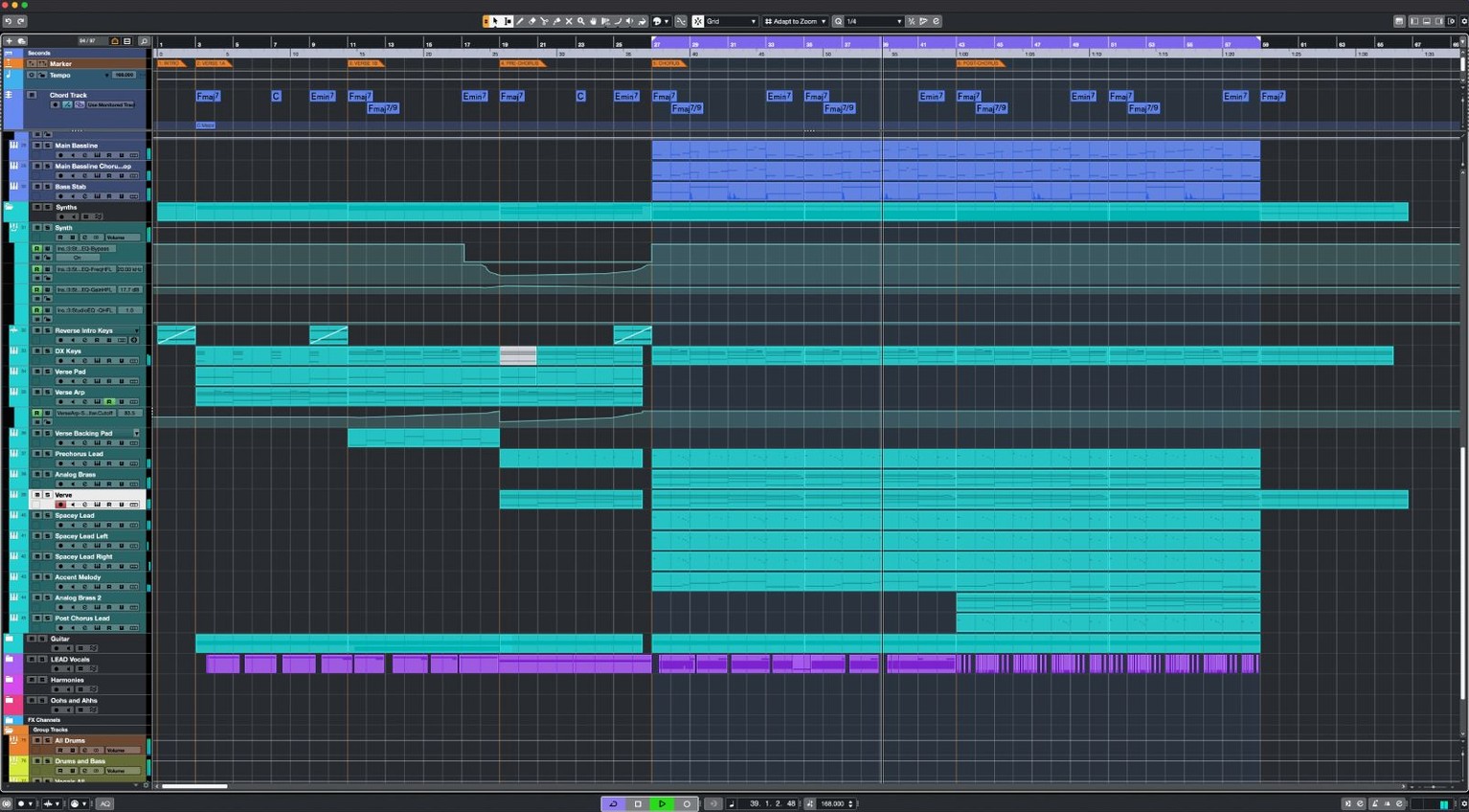
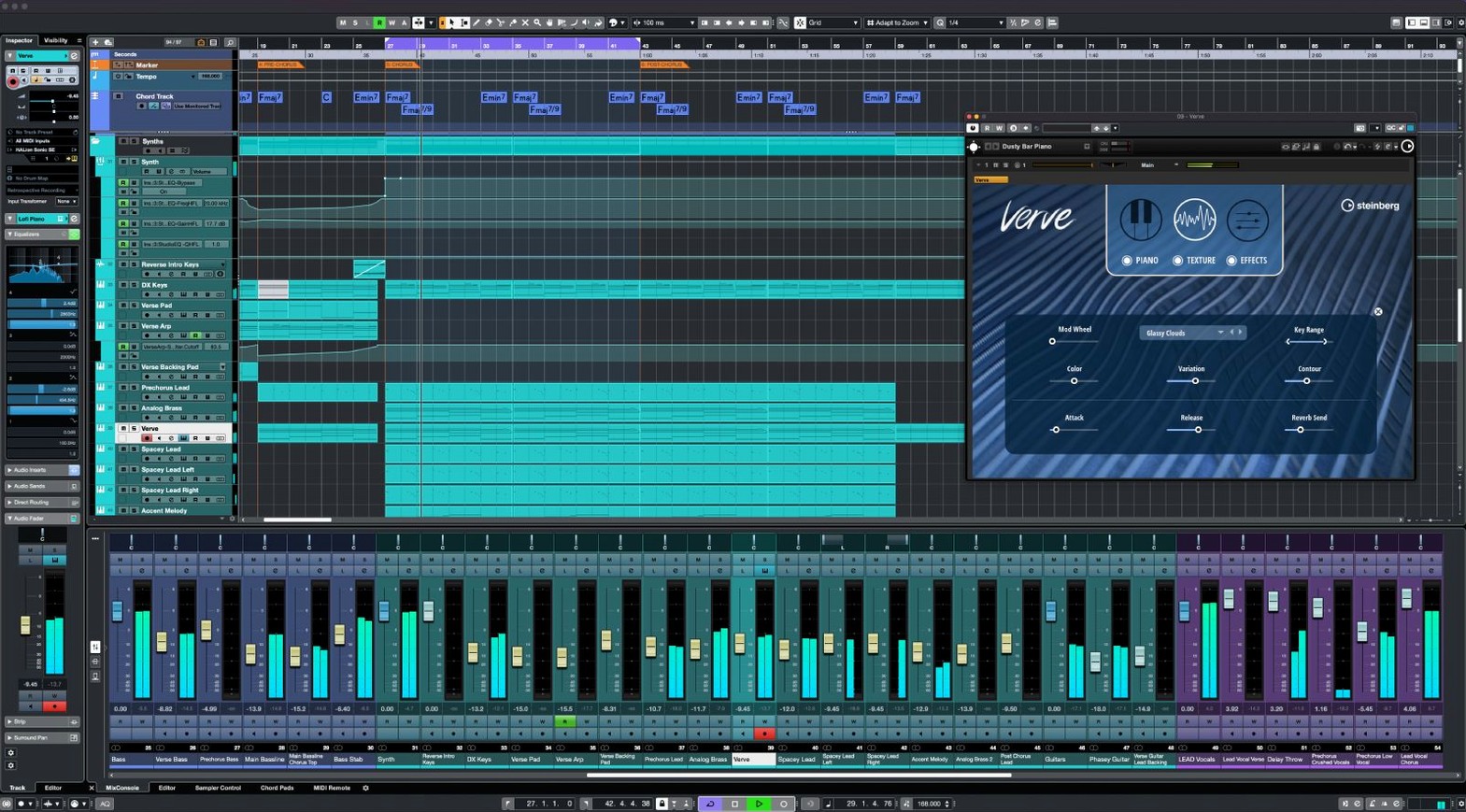
- Diving into the full MixConsole before learning the project window. The mixer looks familiar—faders, inserts, sends—so new users gravitate there. But Cubase's project window is where the arrangement, editing, and routing really live. Ignoring it means you miss AudioWarp, the chord track, and half the tools that make the DAW tick. Spend a few sessions just in the project window before you open the mixer at all.
- Ignoring the keyboard shortcut system. Cubase ships with a sprawling set of key commands, and it lets you remap practically everything. Beginners click through menus for tasks they'll repeat hundreds of times—quantize, duplicate, zoom to selection. Pick five actions you use daily, assign them to keys your fingers already know, and build from there.
- Recording without checking sample rate alignment. The audio engine supports up to 192 kHz, but if your interface is set to 48 kHz and the project expects 44.1 kHz, you get pitch-shifted recordings or sync drift. Set the project sample rate to match your interface before you hit record, and check it again after importing stems from collaborators.
- Overloading the master bus with Raiser before gain-staging channels. Raiser is clever—it pushes loudness without flattening transients—so it's tempting to slap it on early and judge the mix through it. That masks balance problems. Get the static mix right with healthy headroom first, then bring Raiser in when you're ready to add density. Your low end will thank you.
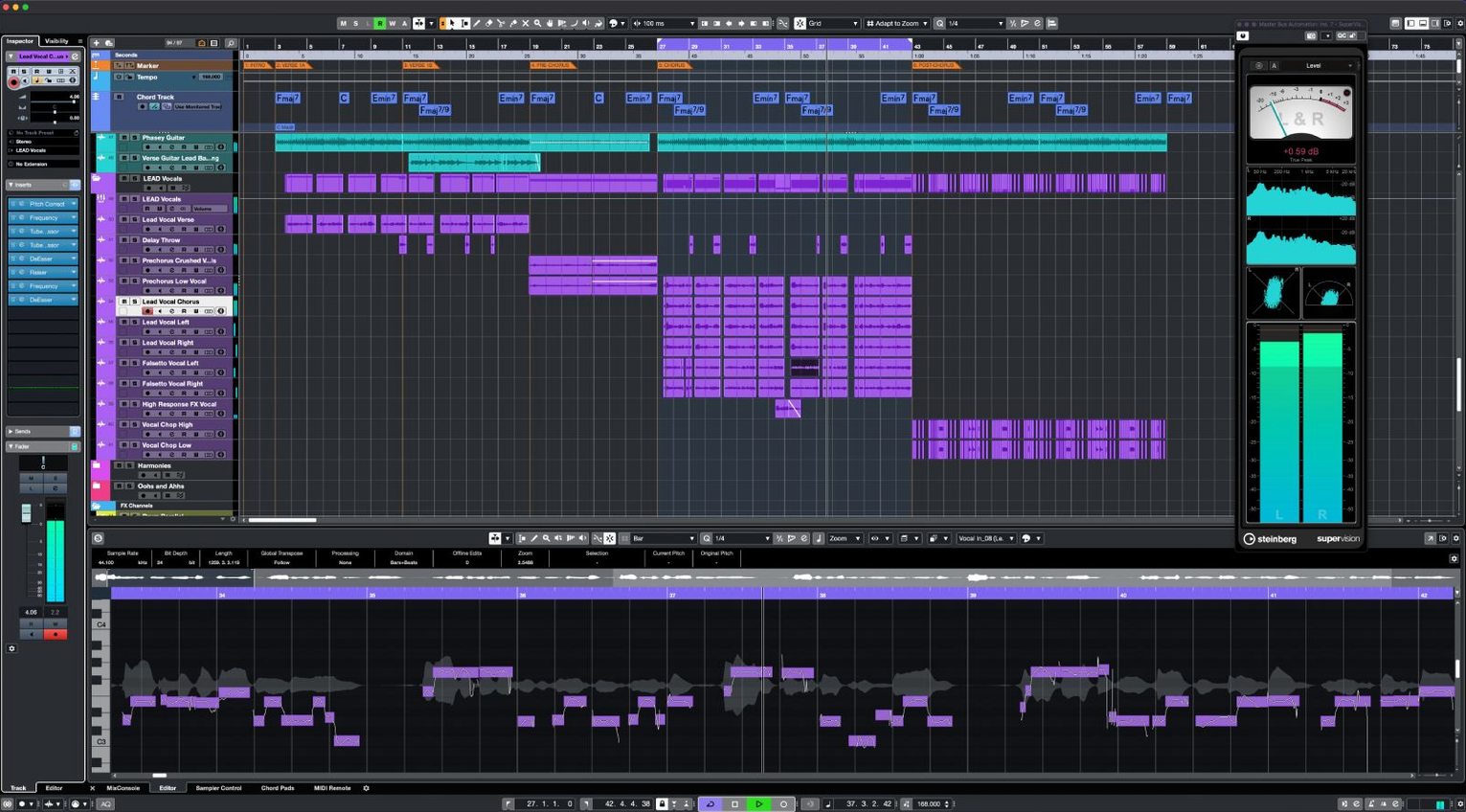
- Treating VariAudio like automatic pitch correction and walking away. VariAudio gives you note-by-note control over pitch, timing, and formant. Beginners often select the whole vocal, hit "correct to scale," and call it done. That ignores sibilants, breath slides, and the tiny pitch waver at the tail of a phrase that makes a vocal sound human. Zoom in, listen to each edited note in context, and back off the correction where it fights the performance.
From blank canvas to final bounce in Cubase
Starting the project
You launch Cubase on a MacBook Pro running macOS 13, plug in an interface and a small MIDI controller—something compatible with the MIDI Remote API 1.3—and open the Steinberg Hub. You pick an empty project template, set the sample rate to 48 kHz, name it, and save it to a folder on an external drive. The project window opens to a blank arrangement, and the transport bar sits at bar one, waiting.
Getting ideas down
You load a drum loop from the MediaBay onto an audio track, then drag a software instrument—a synth bass—onto an instrument lane. The controller mapping snaps in through MIDI Remote integration; the knobs light up with the synth's filter and envelope parameters without any manual assignment. You record a bassline in one pass, quantize it lightly with a key command, then double it with a second take on a new lane for variation.
Harmony and arrangement
You sing a rough melody into a phone memo earlier in the day. You drag that recording into Cubase, trim the silence, and run Audio to MIDI chords on it. The DAW pulls four bars of harmony into a chord track. You drag those chords onto a piano instrument lane and start a pad part that follows the progression. Scale Assistant keeps the MIDI notes inside the key, so the pad sits neatly against the bassline without you fixing every wrong note by hand.
Editing vocals
A vocalist sends you a dry take—one long WAV file with a couple of flat notes. You import it, align the timing using AudioWarp, then open VariAudio. You nudge two sharp syllables down a semitone, leave the vibrato tail alone because it sounds natural, and tighten the timing on a rushed phrase by moving three note starts. The edit sounds like a clean performance, not like software.
Mixing and texture
You open the MixConsole, organize tracks into group channels—drums, bass, pads, vocals, effects—and start balancing. On the drum bus you add a touch of Raiser, bringing the group forward without losing the snare's snap. On a synth pad you drop FX Modulator, set a slow LFO shape assigned to a filter cutoff, and automate the depth so it breathes with the arrangement. You add a send to a reverb return and route the vocal there for glue.
Wrapping up
You listen through once at low volume, make two gain adjustments on the group channels, then export a stereo mix at 48 kHz, 24-bit. The project stays saved and portable—Cubase 15.0.30 reads it cleanly on an Intel Mac in the studio and on your Apple Silicon machine at home, same installer, same license, no conversion dance.
One installer, instant licensing, and daily workflow shifts
Cubase 15 arrived as a major release, and the jump brought changes you feel in daily work, not just a list of bullet points. The installer became unified across Cubase 15 editions—one package under 1.3 GB, and the license you hold determines which feature set opens. That means you can download the same file whether you run Pro, Artist, or Elements, upgrade your license later, and unlock more tools without reinstalling. Travelling between machines gets simpler too.
The update to version 15.0.30, released in early June 2026, focused on stability and controller support. The addition of Novation Launch Control Series 3 support matters if you work with hardware faders and pads—those controllers now map natively through the MIDI Remote system without third-party scripts. MIDI Remote API 1.3 support arrived in the same update, which means deeper integration for newer controllers from manufacturers who adopt the spec. Less time assigning knobs, more time playing.
Smaller fixes in 15.0.30 smoothed out edge cases in the audio engine and addressed quirks some users hit with plug-in scanning on Apple Silicon machines. The release notes mention enhancements across several areas—nothing flashy, but the kind of tuning that keeps a session from derailing because a VST instrument didn't load after waking the Mac from sleep.
Mac compatibility and setup concerns before you download
Runs ARM-native on M-series Macs, no Rosetta needed
It runs natively on both Intel and Apple Silicon. The installer detects your Mac's architecture and places the correct build. No translation layer, no performance penalty—Cubase 15 speaks ARM directly on M-series machines.
Requires macOS Ventura 13 or newer
macOS 13 or later. If you're on an older system, you'll need to update the OS first. The package is built for Ventura and above, and Steinberg's release notes don't support earlier versions.
A single sub-1.3 GB download unlocks every edition
The macOS package sits under 1.3 GB. It's one installer for all Cubase 15 editions—the license you activate determines which features unlock. You get the same file whether you're running Pro or a lighter edition.
Will my old Cubase projects open in version 15?
Most will, but Cubase 15 changed the project format as a major release. Older files get converted on first open, and the conversion is one-way—after saving in 15, you can't reopen them in an earlier version. Make a backup of your projects before upgrading, especially if you're mid-album.
Does it come with the sounds and instruments I need to start producing?
Cubase ships with a solid set of stock instruments, effects, and sample content—the Raiser compressor, FX Modulator, and VariAudio are all built in, alongside synths and drum machines. You can make complete tracks without touching a third-party plug-in, though many producers pull in tools like cubase pro mac expansions and VST instruments from external libraries as their sound palette grows.
MIDI Remote now supports Launch Control Series 3 and API 1.3
Almost certainly. MIDI Remote integration covers a wide range of controllers, and the 15.0.30 update added explicit support for Novation Launch Control Series 3 plus MIDI Remote API 1.3. If your controller isn't on the supported list, you can still create custom mappings manually. The system is flexible enough that most gear with MIDI ports or USB MIDI will work.
Is it heavy on CPU compared to other DAWs?
That depends on your projects, not the DAW. The 64-bit audio engine handles large track counts and high sample rates efficiently, and the unlimited audio channels and 256 group channels mean the ceiling is high. On Apple Silicon Macs, native ARM code keeps CPU load in check even with heavy VST instrument slots and insert chains. On Intel machines, the same code runs well; just don't expect a decade-old MacBook Air to hold 200 tracks with 16 inserts each.
The latest update to version 15.0.30 landed on June 3, 2026, bringing a handful of welcome additions:
- Novation Launch Control Series 3 is now supported, so those controllers integrate directly.
- MIDI Remote API 1.3 support opens up tighter integration and custom mapping possibilities.
- A round of fixes and improvements across the application keeps things steady.
- macOS 13 or later
- Intel or Apple Silicon Mac
Questions from the stall
Does Cubase 15 run natively on Apple Silicon?
Yes, the macOS package supports both Intel and Apple Silicon Macs natively, so you get full performance on M-series chips without Rosetta.
How many audio inputs and outputs does Cubase support?
It supports up to 256 physical inputs and 256 physical outputs, along with 256 group channels and extensive send and return routing.
Notes from other shops 0
Sign in or open a shop account to leave a note.
No notes yet. If you've used this on a shop Mac, tell me how it went.