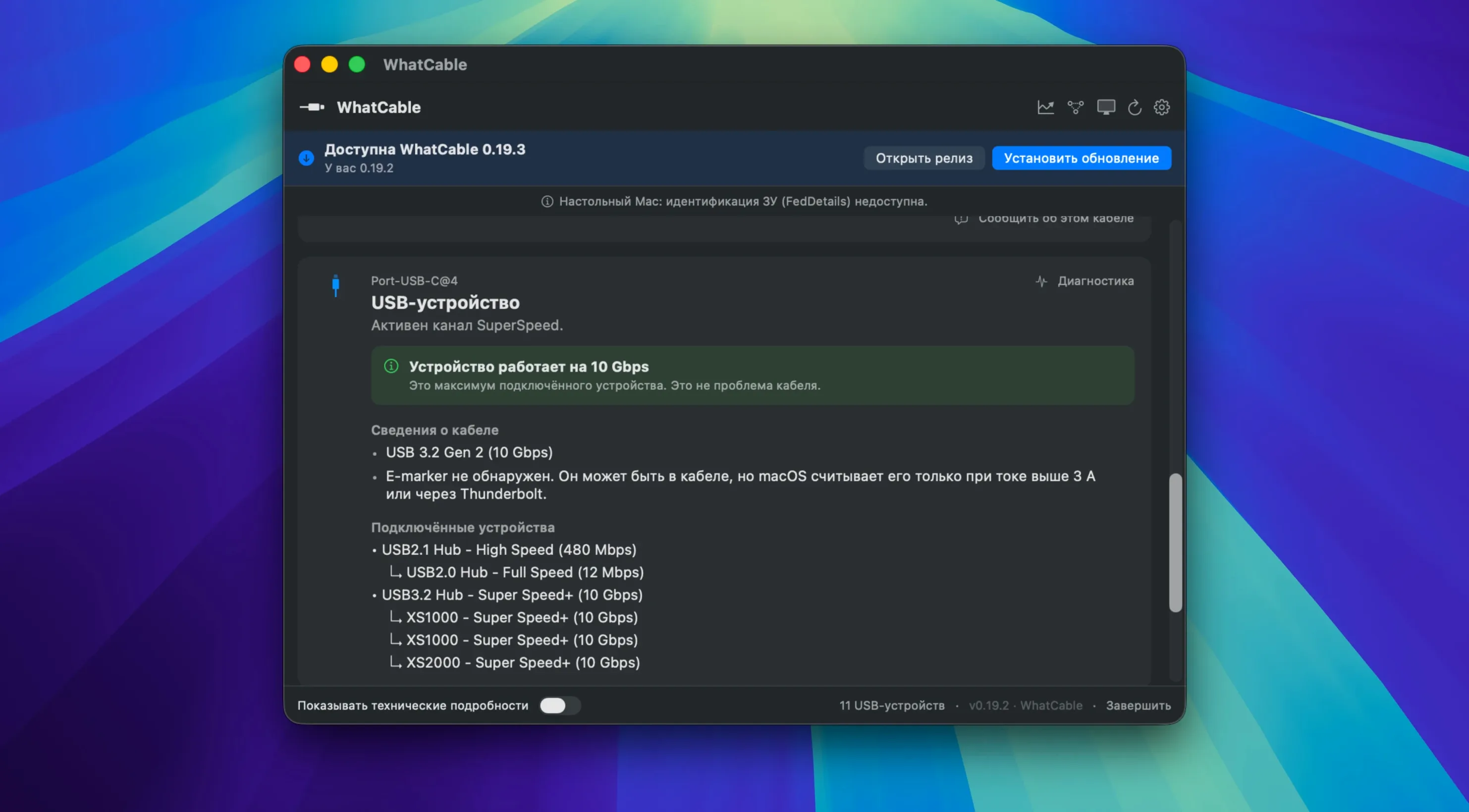
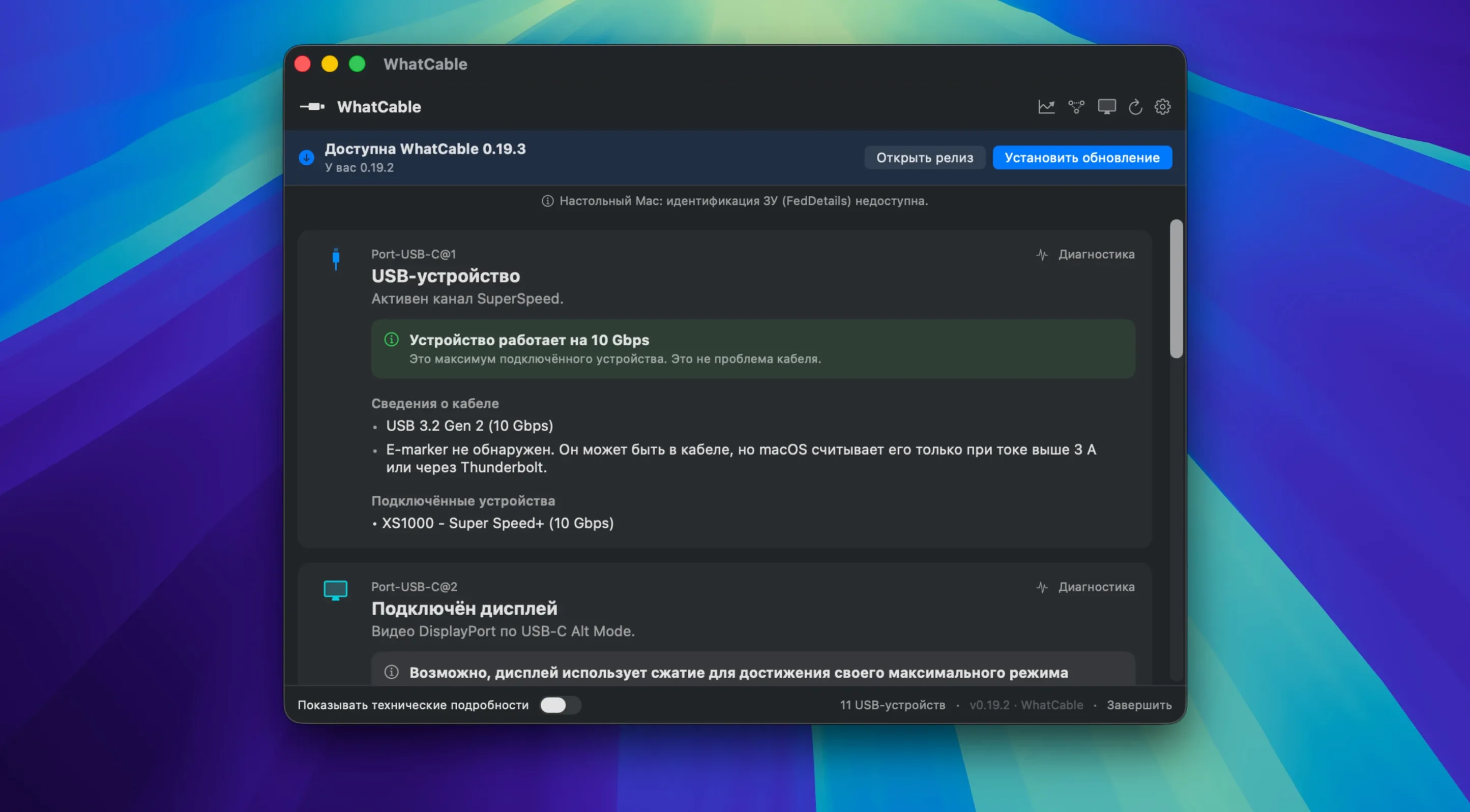
USB-C cables can hide a lot behind an identical-looking connector. WhatCable Pro 1.4.0 reads the e-marker data inside each cable and shows what it actually supports — claimed speed, maximum current, manufacturer, and USB Power Delivery profiles.
Spot slow charging without swapping cables
- Will it tell me why a device is charging slowly? Yes. It shows live power in watts, amps, and volts per port, plus charging support and negotiation diagnostics that compare the Mac, cable, and device.
- Can it spot a fake or mislabeled cable? E-marker values are checked against USB-IF specifications, and suspicious numbers get flagged.
- Does it help with display issues? The extended display diagnostics include DP Alt Mode and EDID support, so you can see video signal support and which side limits the connection.
- Is it useful for a busy desk setup? The menu bar app reports which device is on which port, at what speed, and includes a --watch mode for tracking changes as cables are plugged in.
Diagnose a flaky dock from one window
Port health counters for resets, errors, and FET failures make this handy when a hub or dock starts acting flaky. The app runs on Apple Silicon and Intel Macs with macOS 14, and the interface is available in fifteen languages, from Hindi to Norwegian.
The jump to version 1.4.0 brought a few things I notice in everyday troubleshooting. The PD contract inspector is the standout — it lists PDO profiles and flags mismatches between what the charger offers and what the cable allows. Before, I’d swap parts blindly. Now I see the active voltage and current right there, and a mismatch flag tells me whether the cable or the charger is the bottleneck. The --watch mode in the command-line tool also got tighter; plug a new cable into a busy hub and the terminal updates without restarting the session, which is useful when testing a pile of cables from the parts drawer.
Another quiet improvement is the Saved Cables screen in the Pro set. You can label a cable after scanning it, so the Thunderbolt cable that actually delivers 100 W stays distinct from the one that tops out at 60 W despite looking nearly identical.
Small-studio IT and used-Mac refurbishers
People who manage several Macs and a collection of docks sit in the sweet spot. IT staff in small studios, video editors who move between a laptop and a calibrated display, and anyone who sells or repairs used Mac gear all run into the same headache: a cable that works fine for charging but drops signal at 4K 60 Hz. WhatCable Pro lays out the negotiation path — Mac, cable, device — and highlights which link caps the connection.
Developers and hardware tinkerers lean on the raw VDO exposure and JSON output for their own scripts, while shop owners with a single MacBook and a monitor benefit from the plain readout of claimed speed and wattage without touching Terminal at all. The fifteen-language interface lowers the barrier if English isn’t your first language, which matters in repair shops where multiple people glance at the screen.
A repair-bench morning
Imagine a small repair shop with a stack of customer cables waiting to be tested. The tech plugs each one into a Mac Mini running WhatCable Pro, glances at the menu bar for live wattage, and opens the PD contract inspector when a cable reports 100 W but the charger never moves past 60 W. The mismatch flag lights up, the e-marker data shows a manufacturer that doesn’t match the label, and the cable goes into a reject bin. A Thunderbolt 3 cable from a trusted brand passes with full DP Alt Mode support and clean port health counters, tagged in Saved Cables for a customer who needs reliable 6K output. The whole process takes under a minute per cable, no guessing.
- macOS 14 (Sonoma) or later
- Works on both Apple Silicon and Intel Macs
Notes from other shops 0
Sign in or open a shop account to leave a note.
No notes yet. If you've used this on a shop Mac, tell me how it went.