
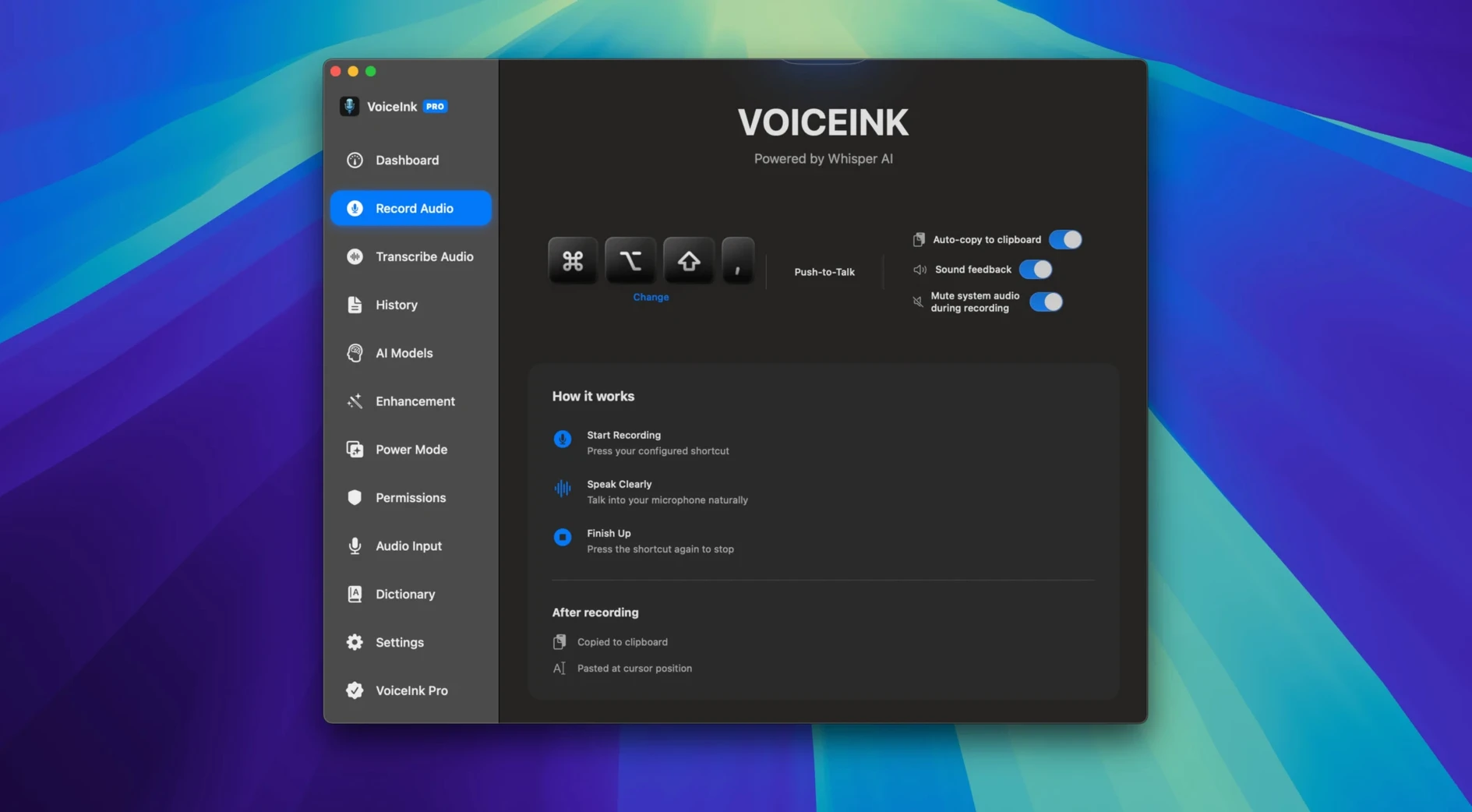
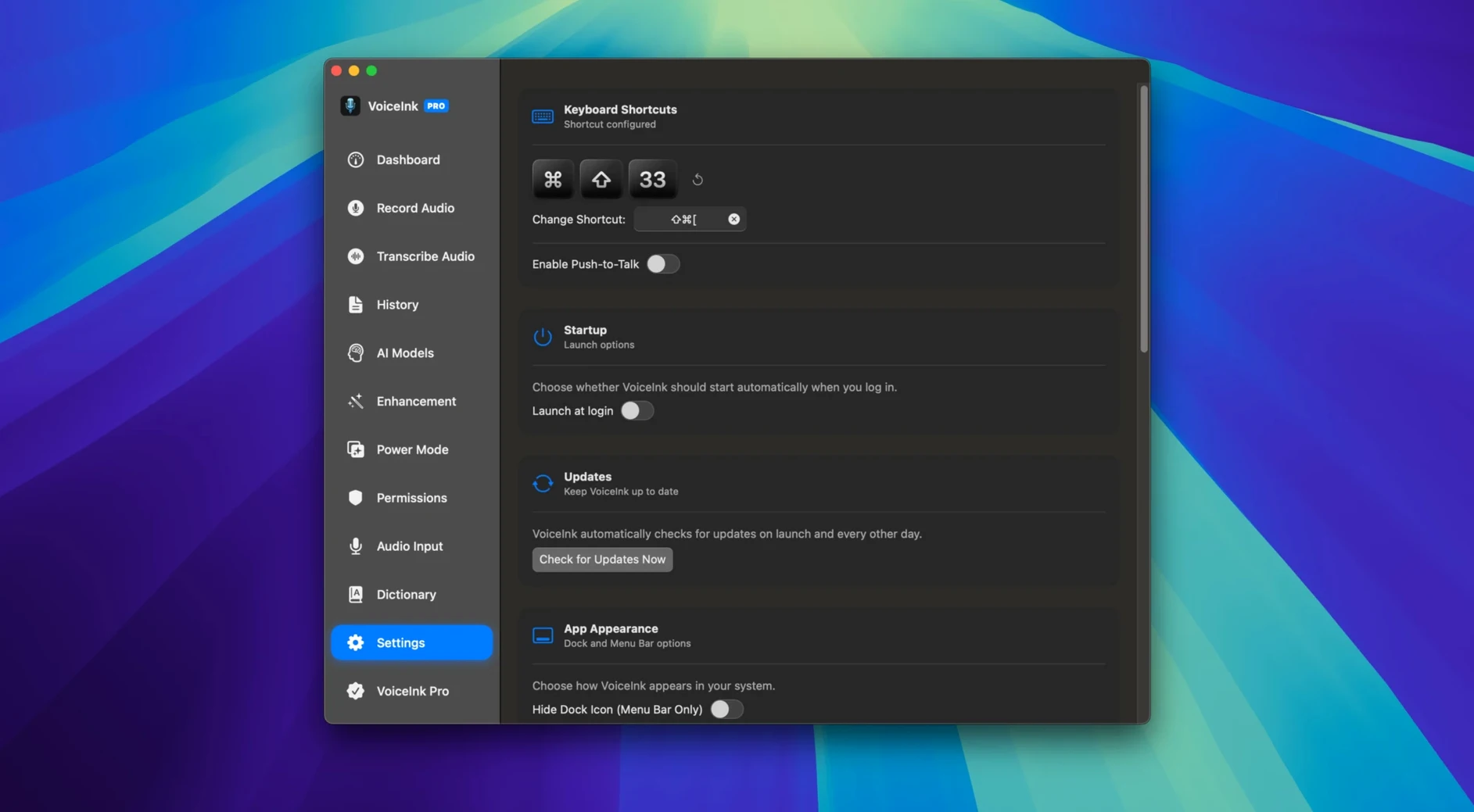
Waiting on cloud servers to turn your words into text breaks your flow — and ties you to a connection. VoiceInk puts transcription back on your own hardware.
What each piece does
Fully offline transcription — No internet, no streaming your voice to a data center. Everything runs locally, which keeps latency low and your words private.
Real-time mic & file processing — Dictate live through your microphone or drop in MP3 and WAV files for later. Same engine handles both.
API for Obsidian, Notion & ChatGPT — Route the transcribed text straight into your notes app or an AI prompt. The API lets you wire VoiceInk into workflows without copying and pasting.
Hotkeys & voice commands — Start, stop, and control transcription without taking your hands off the keyboard. Voice commands extend the same idea to hands-free operation.
Context-aware transcription — The app considers surrounding speech patterns to improve accuracy on the fly, which helps with homophones and specialized vocabulary.
Train it to never misspell a product name again
A few thoughtful touches make daily use smoother than you'd expect. The user dictionary is the quiet star here — add a name, product term, or bit of shop jargon once, and VoiceInk stops guessing wrong every time it comes up. I'd use it for Seattle neighborhood names and the odd handmade-goods term that standard models trip over.
The export formats cover practical ground. TXT for plain notes, DOCX when you need to hand off a formatted draft, SRT for captioning a tutorial video, and JSON if you pipe data into another tool. Switching between them takes two clicks.
A few other things worth knowing:
- Hold the hotkey to record, release to stop — like a walkie-talkie. No extra keystroke to end the session.
- The app remembers your last export format and folder, so repeat tasks stay quick.
- If you run voiceInk macos free of cloud dependencies, the dictionary and transcription history stay on your drive, not someone else's server.
Tip: Set aside five minutes to seed the user dictionary with a dozen words you say often. It pays back fast.
Draft catalog entries by talking in a park
Writers who think out loud benefit straight away — drafting a product description or a catalog entry by speaking it often gets the ideas out faster than typing, and the offline engine means you can do it from a park bench with no Wi‑Fi. Small-shop owners recording quick inventory notes or supplier instructions will appreciate not juggling a cloud account just to turn speech into text.
People who work across tools find the API genuinely useful. If you live in Obsidian or Notion, having dictated text land directly in the right note removes a small but persistent friction. Researchers and students who collect spoken observations or lecture snippets and later drop the audio files on the app for batch transcription fall into the same camp.
Anyone who values privacy in their spoken notes — journalers, solo creators, folks handling client details — will notice the difference when nothing leaves the machine. It's also a good fit for Mac users on metered connections or in rural areas where the upload bandwidth isn't there.
Start describing materials and dimensions out loud
You sit down with a coffee and an idea for a new product listing. VoiceInk is already running in the menu bar, so you tap the hotkey and start describing the item out loud — materials, dimensions, the story behind it. The words appear in a small floating panel as you speak, with barely a beat of delay.
You stumble on a fabric name the app doesn't know. After the sentence finishes, you highlight the mistranscribed word, type the correct spelling into the user dictionary, and move on. That word won't be wrong again.
Once the draft feels close, you release the hotkey. The full text sits in the app's history. You skim it, trim a sentence, then hit export as DOCX. The file lands in your product drafts folder, ready for a quick edit and a photo session later.
Mid-afternoon, a supplier sends a voice memo with order details. You drag the audio file onto the app icon, wait a few seconds, and copy the clean text into your restock spreadsheet. No typing, no cloud upload, no waiting for a server queue.
That's the rhythm: talk, correct a term if needed, export where you need it, move on. The app stays out of the way until you call it.
- macOS 14 or newer
- Works on Intel and Apple Silicon Macs
- English interface
Questions from the stall
Does VoiceInk need an internet connection?
No. All transcription runs locally on your Mac, so you can dictate anywhere without a connection.
Which macOS versions does VoiceInk support?
VoiceInk requires macOS 14 or later and runs on both Intel and Apple Silicon Macs.
Can I transcribe pre-recorded audio files?
Yes, you can load MP3 and WAV files directly into VoiceInk for transcription.
Notes from other shops 0
Sign in or open a shop account to leave a note.
No notes yet. If you've used this on a shop Mac, tell me how it went.