
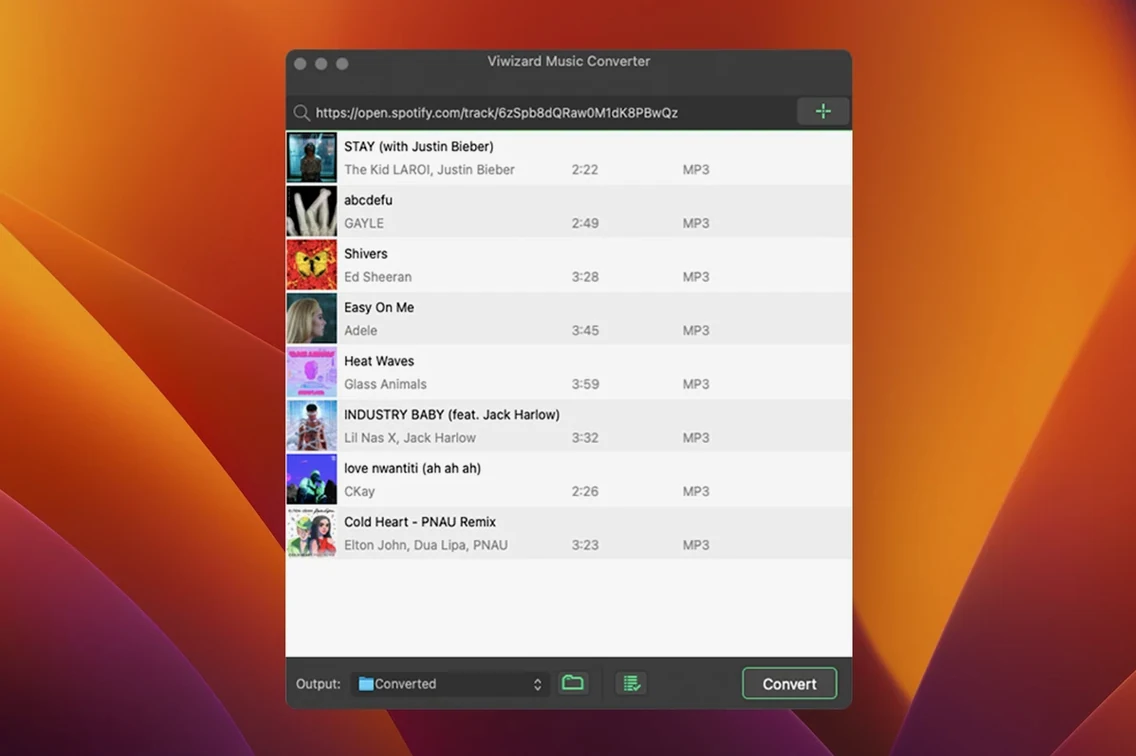
If you’ve ever saved a playlist in the Spotify app and wished those files actually lived on your hard drive, that’s the gap ViWizard Spotify Music Converter fills. The Mac version uses the built-in Spotify Web Player to grab songs, albums, playlists, podcasts, and audiobooks, then writes them out as proper audio files you can keep.
Clean format support with no feature bloat
This build doesn’t shake up the feature list, and that’s fine. The core job stays the same: pick your content in the web player, choose from MP3, FLAC, WAV, AIFF, M4A, or M4B, and let the converter run. Output can organize itself into folders by artist or album, which saves a step when you’re pulling over a big library. Interface language support covers English, German, French, and Japanese, so the workspace fits a few different desks. Under the hood, it’s an Intel build that still reaches back to OS X 10.10, which keeps older Macs in the loop.
Standard-speed recording via the built-in web player
The reliance on the Spotify Web Player means you don’t need the desktop Spotify app open alongside the converter. It also means playback happens at standard speed, so a three-hour audiobook takes about three hours to process. For a small shop owner queuing up background listening or pulling reference tracks for a design playlist, that’s predictable. The format spread covers nearly any player you’d throw at it, and the auto-sorting keeps the mess down when a project grabs tracks from a dozen different albums.
A podcast archivist’s Saturday morning
Picture someone running a tiny research newsletter. They pull episodes from four different Spotify podcasts each week, keep local copies for fact-checking, and listen in a basic audio player that doesn’t connect to anything. ViWizard Spotify Music Converter turns that from a screen-recording headache into a set-and-forget batch. They line up Friday’s new episodes in the web player, pick M4B with chapter markers preserved, and walk away while the kettle boils. By the time the coffee’s ready, the files are sorted into folders by show name and ready to drop into a reference library.
Filling an old iPod shuffle with a playlist
Here’s how a typical pass plays out when I pull a playlist for offline listening on an old iPod shuffle that lives in the workshop.
- Launch ViWizard. The built-in Spotify Web Player opens right inside the app window — no separate browser tab needed.
- Log into Spotify once. The converter remembers the session, so I don’t touch it again during a batch.
- Drag a playlist from the left sidebar into the conversion queue. I can also drop individual tracks, whole albums, or a podcast series. The queue shows everything at a glance.
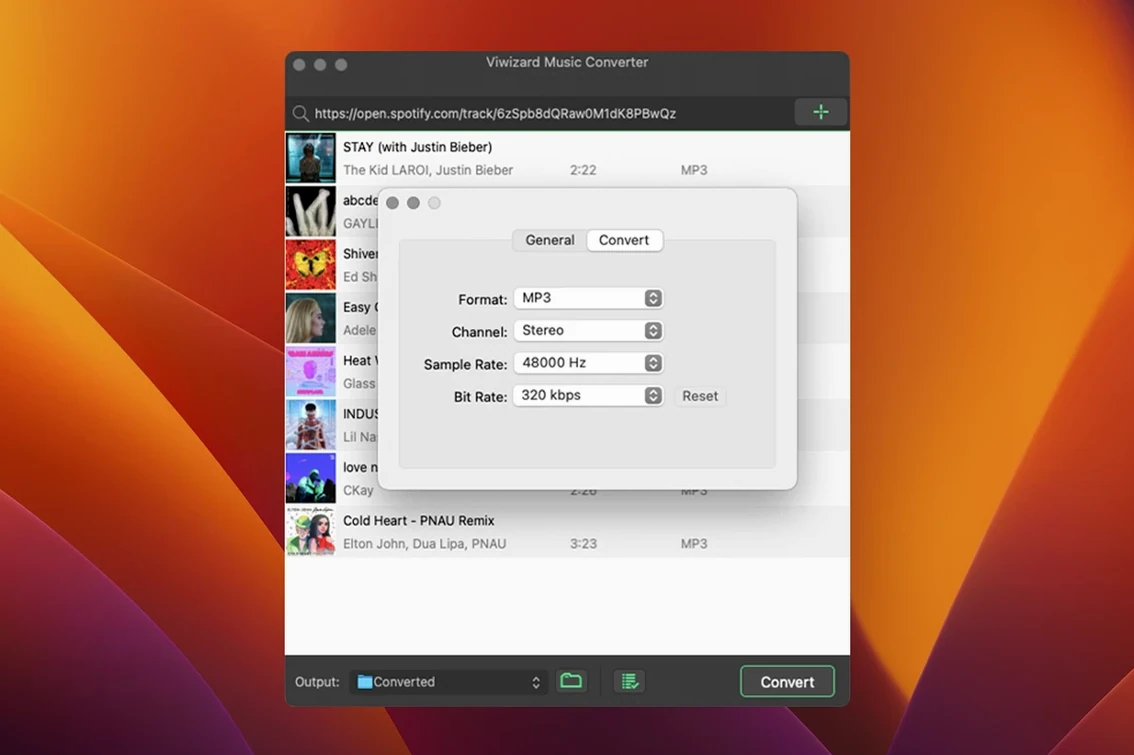
- Open the output settings panel. For spoken-word tracks I’ll often switch to M4B and dial the bitrate down to 128 kbps — the voice stays crisp and the files stay small. For music headed to a USB stick in the van, I stick with MP3 at 320 kbps.
- Check the auto-sorting option. I set it to organize by artist > album, because the shuffle navigates folders better that way.
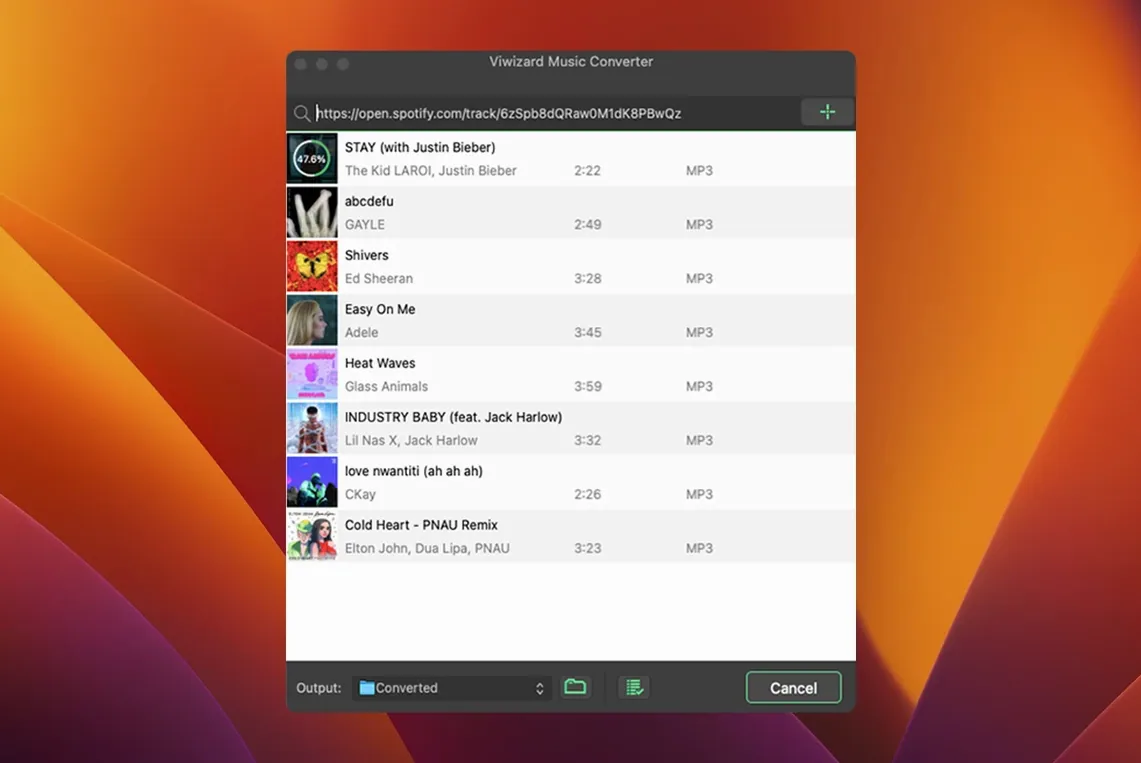
- Hit Convert. The progress bar moves at real-time speed — a forty-minute playlist takes about forty minutes — and the metadata pops right into the finished files: cover art, track numbers, artist names, the works.
- When it finishes, I grab the folder from the output directory and copy it over. No renaming, no tidying up tags afterward.
Tip: If you’re converting a long audiobook, start the batch before a lunch break or an errand. The app chugs along without hogging the CPU, so the rest of the Mac stays usable.
A cleaner interface than busier alternatives
A few other tools hover in the same corner of the Mac software world. Sidify Music Converter takes a similar approach with a built-in web player and a comparable format spread, though its interface leans a bit busier and the folder-sorting options feel slightly less flexible out of the box. NoteBurner Spotify Music Converter also handles batch work and metadata, but some builds I’ve tried add an extra confirmation step for every track in the queue, which adds friction when you’re pulling fifty songs at once. TuneFab Spotify Music Converter keeps things visually cleaner and processes at higher speeds on newer Macs, yet it doesn’t reach back to OS X 10.10 the way ViWizard does — something that matters if you’re keeping an older machine in service for dedicated audio tasks.
ViWizard lands in a comfortable middle spot: the interface stays quiet enough to ignore while you work on other things, the sorting logic cuts out post-conversion tidying, and the Intel build with that older-OS support means a 2012 MacBook Pro can still pull its weight as a conversion station. For someone who just wants a straightforward viwizard spotify music converter mac setup that feeds an offline library without extra fuss, the trade-offs feel measured rather than limiting.
If you’re searching around and run across mentions of a viwizard torrent or a ViWizard Spotify Music Converter torrent, those community-shared builds can be a practical way to try the tool—just take a moment to verify the source and check what’s actually in the package. A ViWizard Spotify Music Converter Mac torrent might look tempting, and if you set up a clean environment to test it, you can still get a version that aligns with these notes.
- OS X 10.10 or later
- Intel-based Mac (64-bit)
Notes from other shops 0
Sign in or open a shop account to leave a note.
No notes yet. If you've used this on a shop Mac, tell me how it went.