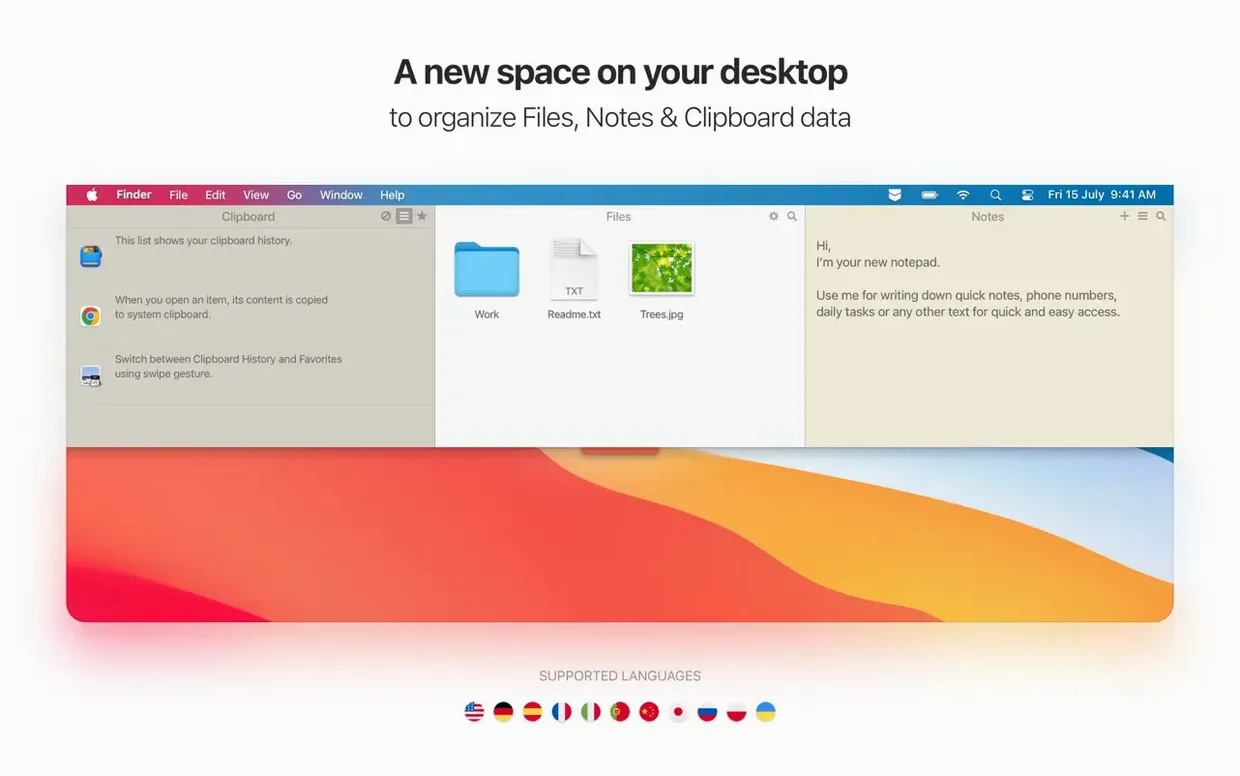
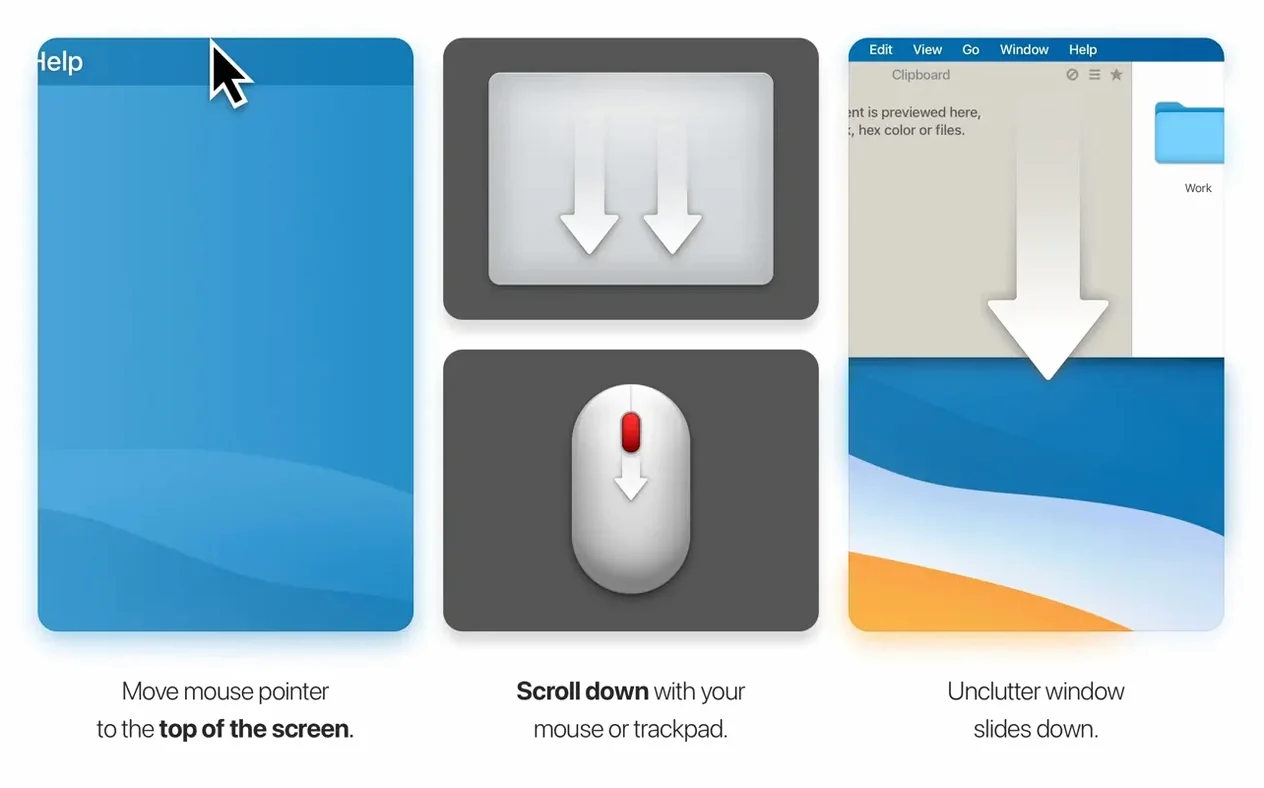
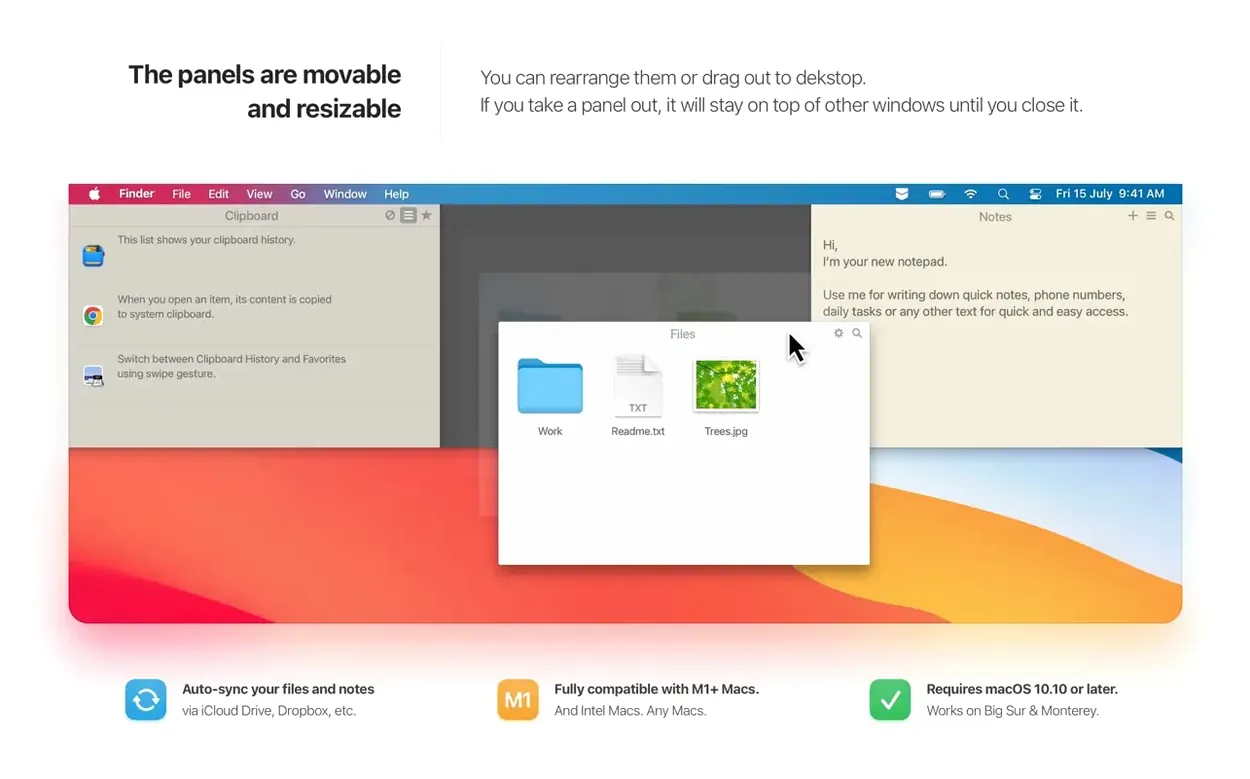
Freelancers, students, and anyone juggling bits of text between apps will find Unclutter a natural fit. It keeps three everyday tools a swipe away from the top of your screen: a clipboard history, a notepad, and a temporary file shelf.
Build a permanent clip list
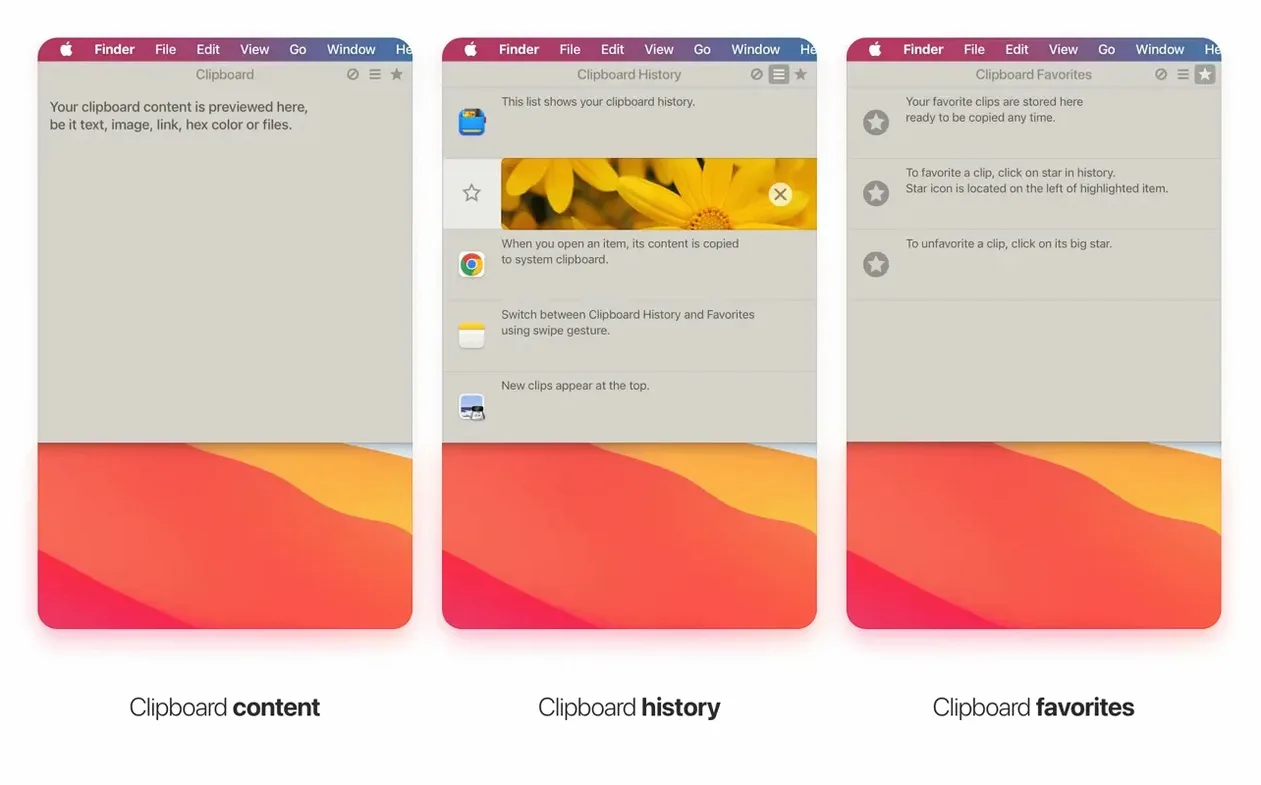
Your clipboard history is handy, but the real trick is saving the things you paste every day. Select a clip from the history and use the star button to move it to a separate saved list. A support reply, a shipping address, or that tricky code snippet can live there permanently instead of getting pushed out by newer copies.
Search every note at once
The notes section works as a fast scratchpad, but it gets powerful when you write a lot. Unclutter indexes everything you type, so you can use full-text search to find a single phrase across dozens of notes. It beats scrolling through a long sidebar, and you can keep images, links, and plain text all mixed together in one place.
First days with Unclutter: three settings worth changing
The default setup works right away, but a few quick tweaks make the panels feel more like your own. Here's where I'd start.
- Pick a gesture that fits your rhythm. The standard swipe from the top edge works, but if you use a trackpad heavily, try reassigning it to a hot corner or a different swipe direction. You're less likely to trigger it by accident when reaching for a menu.
- Trim the clipboard history length. By default it remembers quite a few entries. If you mostly deal with short snippets, set it to 20–30 items so the list stays quick to scan. The saved clips section doesn't shrink — those stay until you remove them.
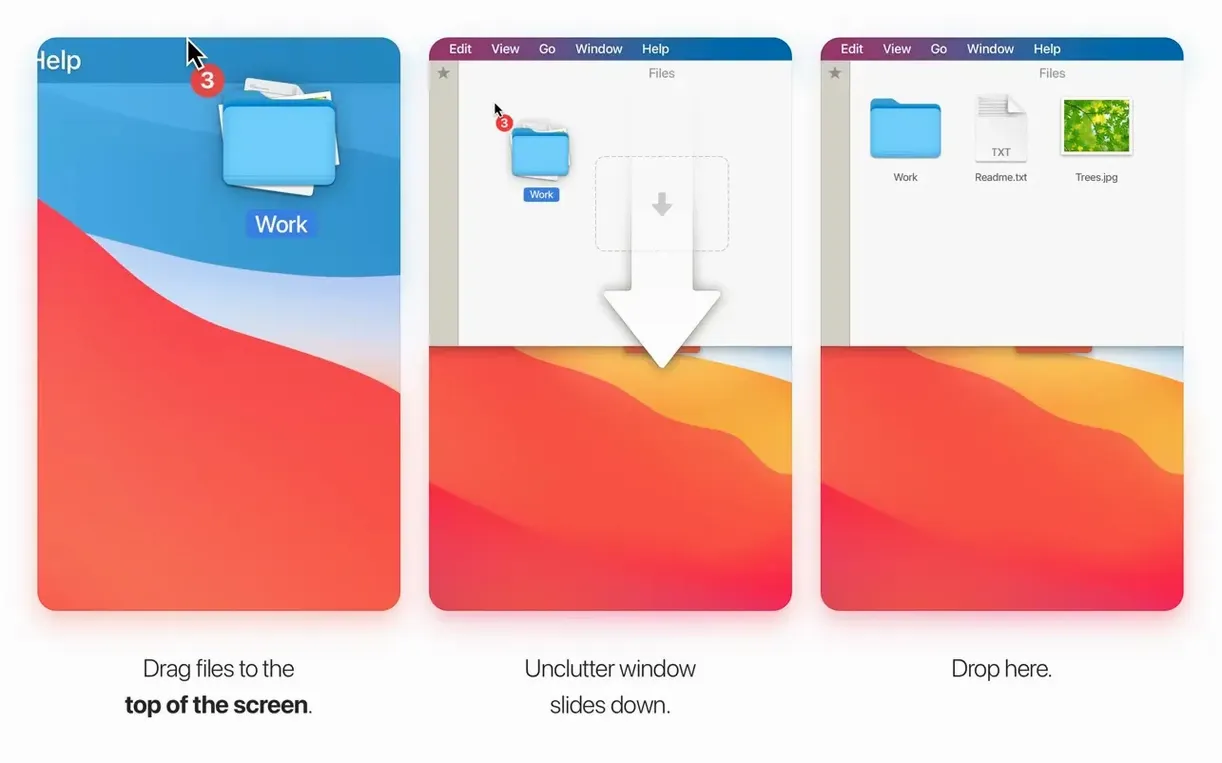
- Decide what you want the file shelf to hold. Drag a screenshot there and it stays through reboots. Drop a PDF you need across three meetings and it's right where you left it. In the first few days, treat the shelf as a temporary desk drawer, not a permanent filing cabinet, and it'll feel natural fast.
Quick-draft writers and tool-switching editors
Unclutter doesn't try to replace a dedicated notes app or a full-blown clipboard manager. It works best for people whose work jumps between tools all day.
Writers and editors who move research snippets, quotes, and phrasing between a browser, a draft, and a messaging app get the clipboard history working hard. The saved clips list becomes a holding pen for recurring bits like style-guide rules or editorial notes.
Support staff and customer-facing roles often paste the same greeting, tracking link, or policy paragraph dozens of times a day. Starring those in the saved list turns Unclutter into a lightweight text expander without any scripting.
Designers and developers who collect reference images, color codes, or short code blocks benefit from the shelf and the searchable notes. Dragging an exported asset onto the shelf keeps it accessible across app switches without cluttering the actual Desktop folder.
A support agent's afternoon
Imagine someone handling customer emails for a small online shop. A return address, a warehouse contact number, and three canned responses live in the saved clips list — pasted with two taps instead of typed from memory.
During a busy stretch, they copy a tracking number from the shipping platform. It sits in the clipboard history while they compose the reply. Later, when the customer follows up, the number is still there, even though the Mac restarted overnight. No digging through old emails.
Meanwhile, the file shelf holds a screenshot of a damaged product the customer sent earlier. It doesn't get lost among Desktop icons, and when the agent writes up a refund request, the image is a swipe away rather than buried in a Downloads folder.
The notes panel catches quick internal reminders — "check with warehouse before 3pm" — that don't belong in the customer-facing ticket system. By the end of the shift, the agent never opened a separate notes app or fumbled through Finder looking for a file they used three hours ago.
Version 2.2.18 fixes a small but annoying bug where the Settings window could pop open on its own. A good update for anyone who found that distracting.
- macOS 10.13 or newer
- Intel 64-bit Mac
Questions from the stall
Can I sync my clips and notes between two Macs?
Yes, Unclutter can synchronize your content across multiple Macs using your Dropbox account.
Does it work on the latest Apple Silicon Macs?
Absolutely. Unclutter runs natively on both Apple Silicon and Intel-based Macs from macOS 10.13 onward.
What kind of items can I store in the shelf?
You can drag in files, images, text clippings, and links to keep them handy while you work between apps.
Notes from other shops 0
Sign in or open a shop account to leave a note.
No notes yet. If you've used this on a shop Mac, tell me how it went.