
The current download weighs in around 70 MB and comes as a standard disk image. It runs on Intel-based Macs back to OS X 10.11, with English as the only interface language.
What exactly can it remove?
Screen passcodes, Face ID, Touch ID, and Apple ID tied to an iPhone, iPad, or iPod touch. The developer's product page also lists MDM lock removal, which matters if the device was previously managed by a school or company.
Will it help with a broken screen?
Yes — that's one of the main scenarios. When the display is cracked, unresponsive, or the biometrics have failed too many times, the app bypasses the need to interact with the screen to get the device unlocked.
Is there really a V4.0 with extra tools?
The official release notes page references a V4.0 that includes a Password Manager and a "Turn Off Camera Sound" feature. The version covered here is 2.7.0.16, so those additions appear in a newer branch not yet reflected in this installer.
What's with the Terminal step during install?
The installer asks you to press Enter in a Terminal window to bypass Gatekeeper. It's a deliberate workaround because the app isn't notarized through Apple's standard process, so macOS blocks it by default. You're making the choice to run it manually.
Firmware download stalls usually mean a flaky cable
Most hiccups come from the device side, not the Mac app. The most common one: the app recognizes the iPhone but gets stuck at the "downloading firmware" step. Nine times out of ten that's a flaky USB cable or a port that doesn't deliver enough power. Swap to a short, thick Apple-branded cable plugged directly into the Mac — no hubs, no front-panel ports on a desktop.
Another recurring problem is the device rebooting to the Apple logo and staying there. Don't panic yet. Force restart the iPhone (quick-press volume up, quick-press volume down, hold the side button until the screen goes dark and the Apple logo returns) and let TunesKit pick it up again. If it happens twice, put the device into recovery mode manually before launching the app — that gives the tool a cleaner handoff.
People with older Macs sometimes see the app crash on first launch. The Gatekeeper bypass Terminal step has to run before you try opening the app. If you dragged it into Applications and double-clicked without running the Open Gatekeeper friendly script first, you'll get the damaged-app warning. Trash the app, re-mount the disk image, and follow the steps in order.
A less obvious snag: devices that were jailbroken in the past can confuse the unlock process. The app may report success when the iPhone is still showing a lock screen. In those cases, a manual reboot after the process finishes usually clears the leftover state. The tool did its job — the old jailbreak remnants just didn't let iOS refresh the lock status cleanly.
No-jailbreak Activation Lock removal changed the workflow
The shift that matters most for daily unlocking work came with V3.5's no-jailbreak Activation Lock removal. Before that, getting past the iCloud lock meant needing a jailbreak for the cleanest removal path, which was a dealbreaker for anyone on a modern iOS release or a device they couldn't risk messing up further. Now the supported range — iPhone 5s through iPhone X on iOS 12.0 to 16.7.15 — covers a broad slice of second-hand devices people still pick up.
The V4.0 release notes mention a Password Manager and the camera sound toggle, both outside the unlocking scope of version 2.7.0.16. If you're using this build, you won't see either feature, so don't go hunting through menus for them. The core unlock functions remain exactly what they were: passcode removal, Apple ID removal, Screen Time passcode, and MDM profile stripping — nothing added, nothing taken away in that department.
A clean passcode removal, step by step
Say you've got an iPhone 8 with a forgotten six-digit passcode and Touch ID gave up after a few wet-finger attempts. The screen works fine, but you're locked out. Here's the workflow that gets it back to usable with the least fuss:
- Grab a known-good Lightning cable and plug the iPhone directly into the Mac. Skip the keyboard USB passthrough and the monitor hub — they cause disconnections mid-process more often than you'd guess.
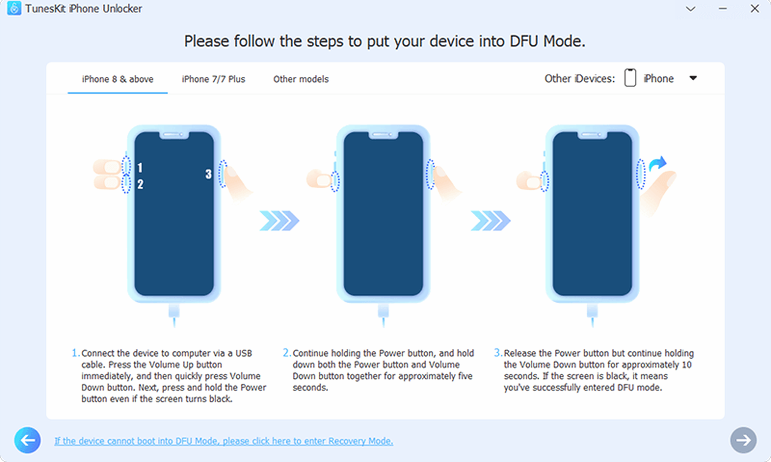
- Put the iPhone into recovery mode. Quick-press volume up, quick-press volume down, then hold the side button. Keep holding through the Apple logo until the "connect to computer" graphic appears. That's the recovery-mode handshake TunesKit expects.
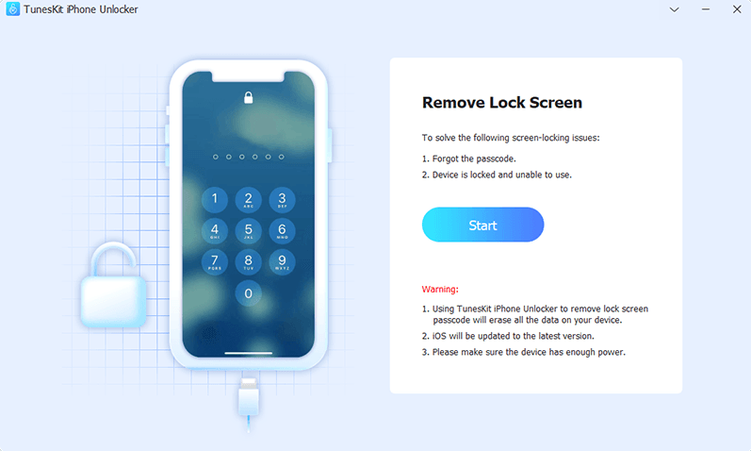
- Launch the app and pick "Unlock Screen Passcode" from the main window. It should detect the device model and iOS version within a few seconds. If it doesn't, unplug and replug the cable once — the second connection usually wakes the detection routine.
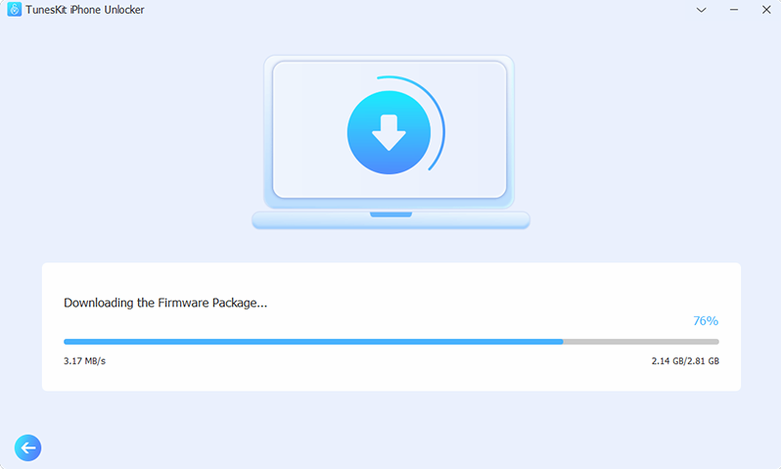
- Let the firmware download finish. The app fetches the correct IPSW for that exact model and iOS build. On a slow connection this can take fifteen minutes or more; the progress bar stays honest, no fake speed estimates.
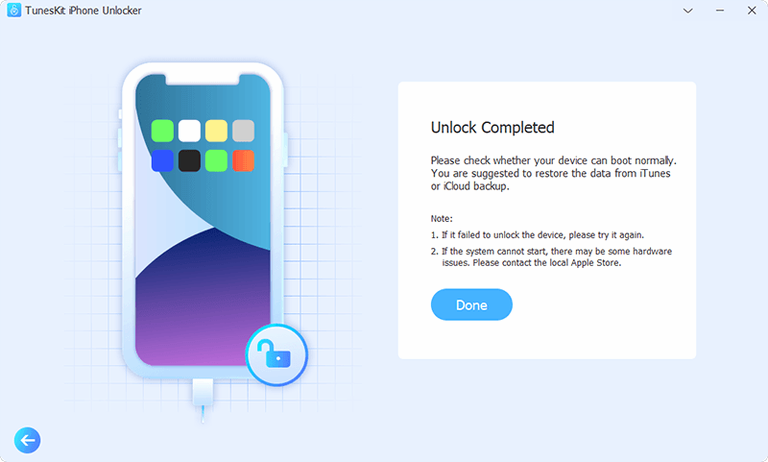
- When the bar fills, the unlock starts automatically. The iPhone screen will go black, show an Apple logo with a thin progress line, and eventually boot to the "Hello" setup screen. The whole device is wiped — that's unavoidable for passcode removal — but the lock is gone and you're free to set it up fresh or restore from a backup.
Tip: If the firmware download fails partway through, check your free disk space. The IPSW files are several gigabytes, and the app downloads to a temporary location on the Mac before flashing. Less than 10 GB free can cause a silent failure that looks like the app hung.
People searching for a TunesKit torrent or a TunesKit iPhone Unlocker torrent are often in exactly this situation — locked out with no Apple Store nearby and no patience for a full iTunes restore they're not sure will work. The same goes for those hunting a TunesKit iPhone Unlocker crack or a TunesKit iPhone Unlocker crack download: they want the unlock capability without jumping through extra hoops. A TunesKit iPhone Unlocker full version free download search usually means someone's already tried the limited-feature route and found it won't finish the job, so they're looking for the unrestricted tool from the start.
- macOS 10.11 or later
- Intel x86 64-bit processor
- Interface language: English
Questions from the stall
Does it handle a used device I bought that's still linked to the previous owner's Apple ID?
It's designed to remove an Apple ID from iPhone, iPad, and iPod touch, so that fits the scenario of a second-hand device you can't activate because the old account is still attached.
Will this work on an Apple Silicon Mac?
The build is for Intel x86 64-bit Macs only. It may run through Rosetta 2, but the official requirement stops at that architecture, so an Apple Silicon Mac isn't directly listed as supported.
Notes from other shops 0
Sign in or open a shop account to leave a note.
No notes yet. If you've used this on a shop Mac, tell me how it went.