
Version 5.11.6 landed with a handful of practical fixes. Dragging files into IntelliJ no longer causes a crash, S3 uploads now give you a clearer error when a file is too large, and the Get Info toolbar button is ready to go the moment Transmit launches.
Inspecting a file without opening it
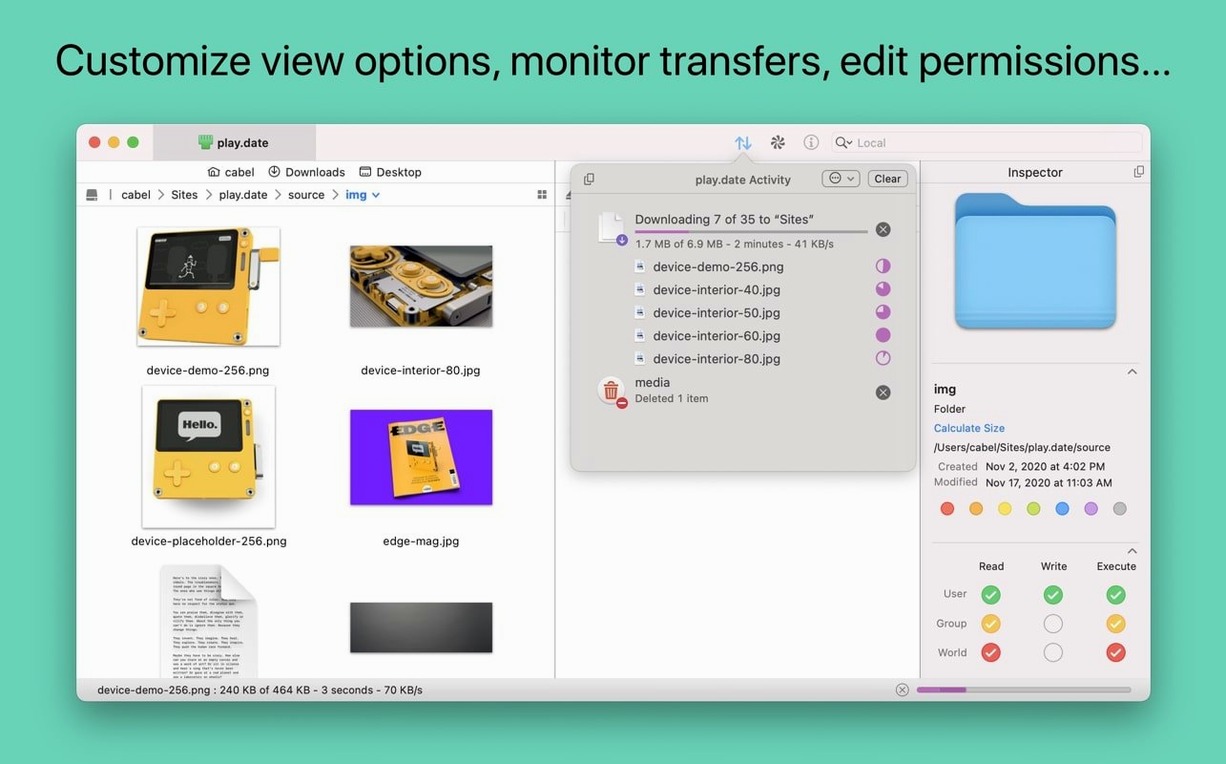
The information sidebar lets you check permissions, file size, and modification dates while you browse. For anyone managing servers or debugging a deployment, it cuts out the back-and-forth of downloading just to look.
Renaming a batch of remote files
The built-in batch renaming works on both local and remote items, with find-and-replace logic that handles whole folders in one pass. A small thing that saves twenty minutes of manual clicking.
Syncing two locations without guessing
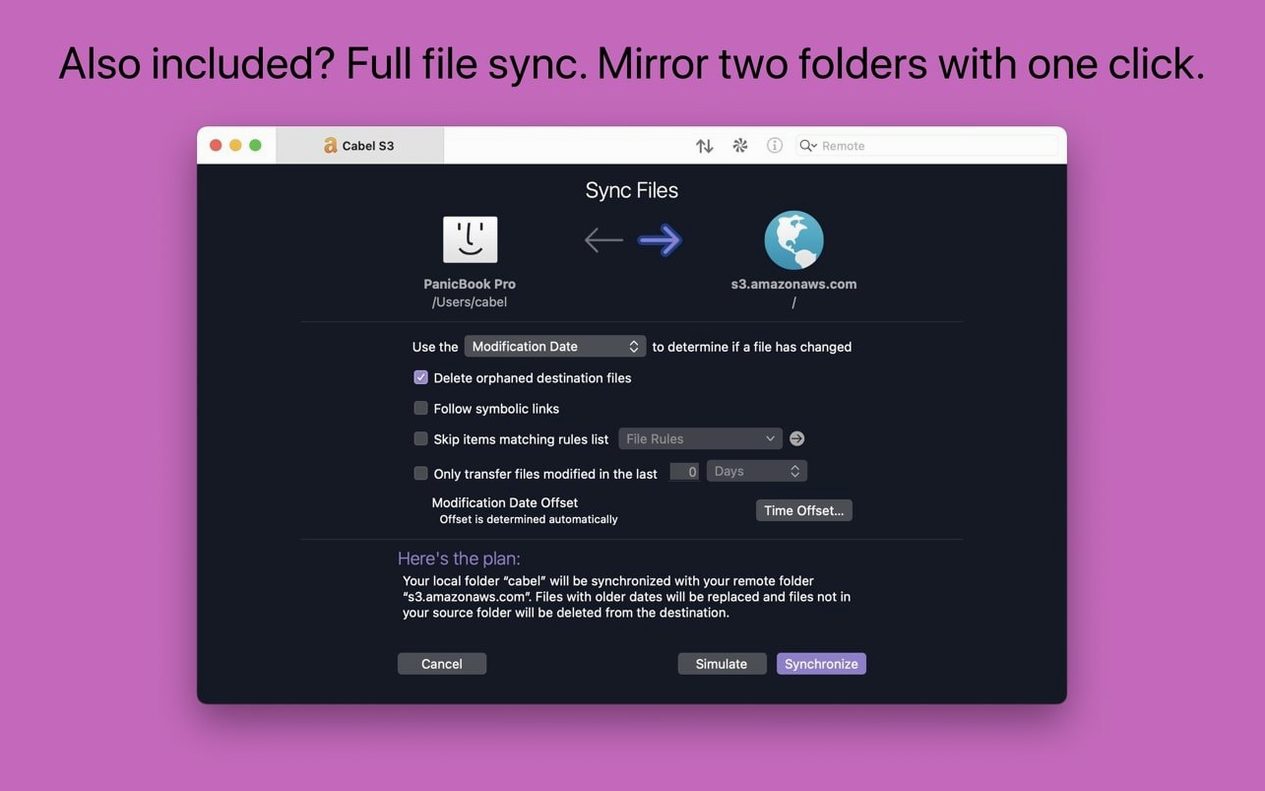
Local-to-remote sync mirrors changes in either direction, and Panic Sync keeps your server bookmarks consistent across Macs. Combine the two and you have a repeatable workflow that doesn't depend on remembering which machine holds the latest version.
Devs who shuttle files to staging all day
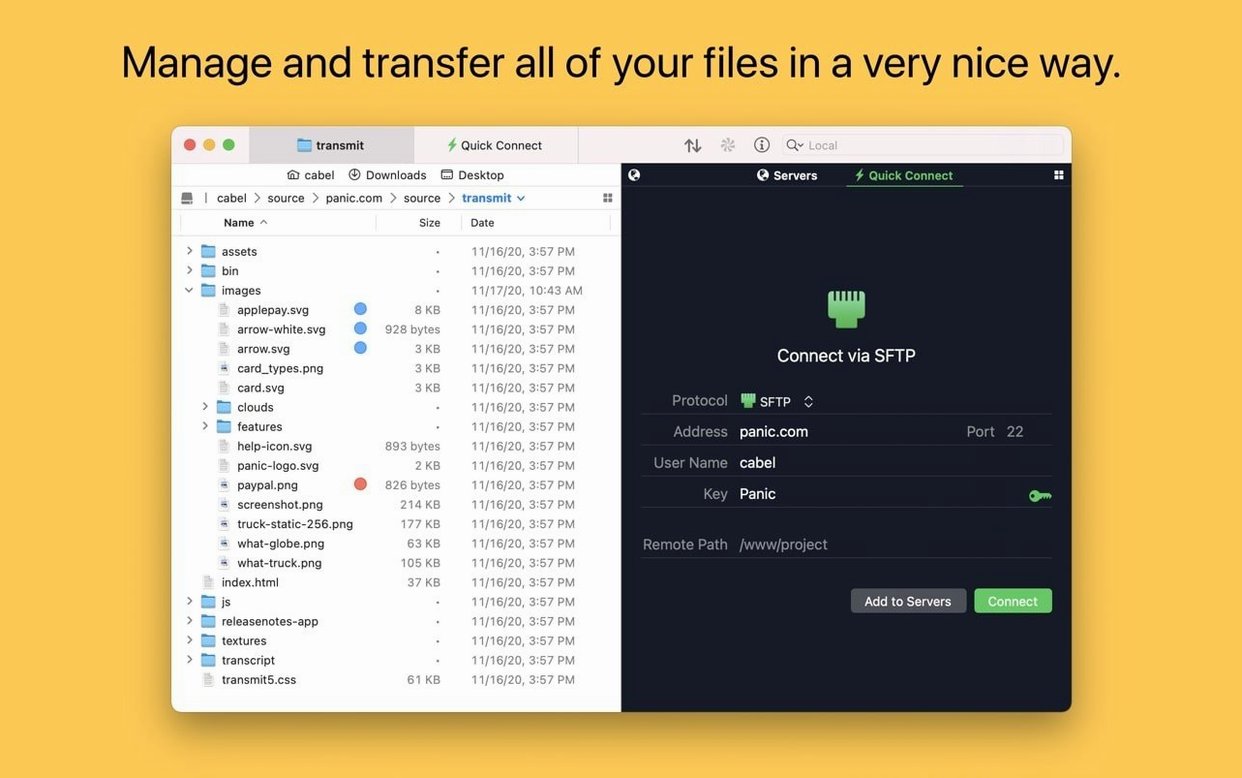
Web developers who push to staging and production servers several times a day tend to live in the file list view. The twin-pane layout and tabbed sessions mean they can keep three or four servers open without losing track of where they are. For someone updating a static site or tweaking a WordPress theme, the sync feature alone saves the kind of repetitive drag-and-drop that eats into billable hours.
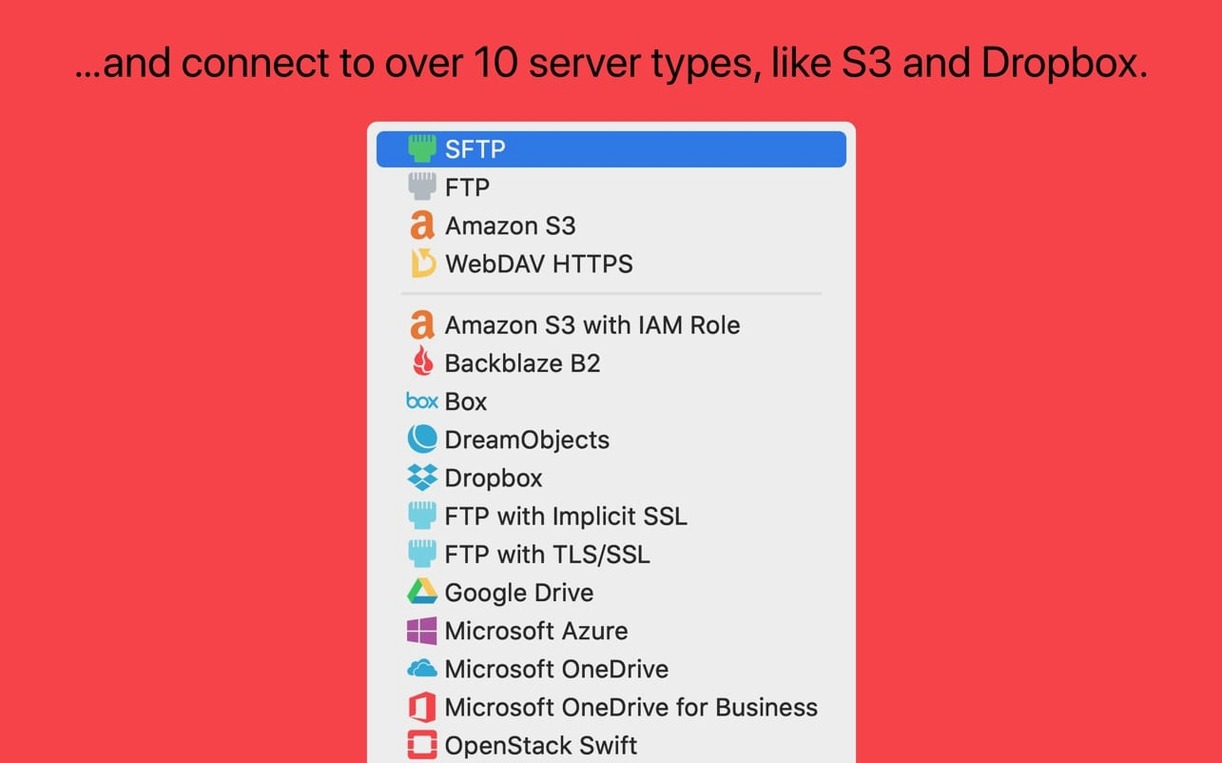
Photographers and video editors uploading large batches to cloud storage get real benefit from the S3 support and the way Transmit handles very large files on Amazon's service. Having Backblaze B2, Google Drive, Dropbox, and Box all in one interface means you don't jump between five browser tabs just to deliver a shoot.
Small creative shops — people running an Etsy store with a self-hosted blog, or a designer who manages a handful of client sites — will appreciate the Places Bar for one-click jumps to project folders and the tags system for marking servers by client or urgency. It's the kind of tool that quietly becomes muscle memory after a week.
Turn up the simultaneous transfer count early
Open the Preferences window and go straight to the Transfers tab. The default simultaneous transfer count is conservative; bumping it up a notch speeds up bulk operations on fast connections without hammering older servers. If you're moving a folder with hundreds of small assets, this alone can turn a coffee break into a thirty-second wait.
Next, set up a couple of tags. Right-click any bookmark and assign a color and label — "Client work," "Personal," "Urgent." The tags appear in the sidebar and make filtering your server list instant. It's one of those features that looks cosmetic until you have fifteen bookmarks and a deadline.
Turn on the Places Bar if it isn't active. Drag your most-used local folders — an export directory, a site root, a downloads watch folder — onto it. Switching between source folders with a single click keeps the workflow tight when you're pulling files from different projects.
Where Transmit sits among other apps and macOS features
The "Open in Terminal" command ties neatly into shell-based workflows. Browsing a remote directory and realizing you need to run a script or check logs is common, and jumping straight to Terminal with the path pre-filled avoids typing long SSH addresses from memory. If you grab a Transmit Mac torrent to explore older builds, you'll notice this integration has been polished across several releases.
Key management is built in, which means you aren't bouncing between the app and a separate SSH key generator. Generating and managing secure keys inside Transmit streamlines connecting to new servers, especially when you're setting up a client's host for the first time and need a fresh key pair on the spot.
Two-factor authentication support makes it a sensible partner for services like Dropbox and Google Drive when you have account security tightened. Rather than generating app-specific passwords elsewhere, Transmit handles the login flow directly.
On the Finder side, Transmit respects macOS tags and the share sheet, so dragging files from a server window to a tagged Finder folder keeps your local organization intact. Many users who pick up a Transmit 5 torrent to test drive the app quickly find that the drag-and-drop behavior feels native in a way that freeware alternatives rarely match.
For people who lean on Automator or shell scripts, Transmit responds to AppleScript and offers a URL scheme for opening bookmarks from other apps. You can trigger an upload from a folder action or build a simple script that opens the right server when you connect to a particular Wi-Fi network. The transmit 5.10.9 era added polish to these hooks, and the current build carries them forward smoothly.
Tip: If you work with a team that shares server credentials, Panic Sync avoids the mess of emailing updated bookmark files. One person adds a new staging server, and it appears on everyone else's machine without touching a settings file.
Transmit 5.11.7 ships with the latest round of quiet corrections that keep connections smooth and uploads dependable.
- macOS 13 (Ventura) or later
- Works on both Apple Silicon and Intel Macs
Questions from the stall
Does Transmit sync server settings between Macs?
Yes, Panic Sync synchronizes your sites, keys, and favorites across Macs running Transmit.
Notes from other shops 0
Sign in or open a shop account to leave a note.
No notes yet. If you've used this on a shop Mac, tell me how it went.