
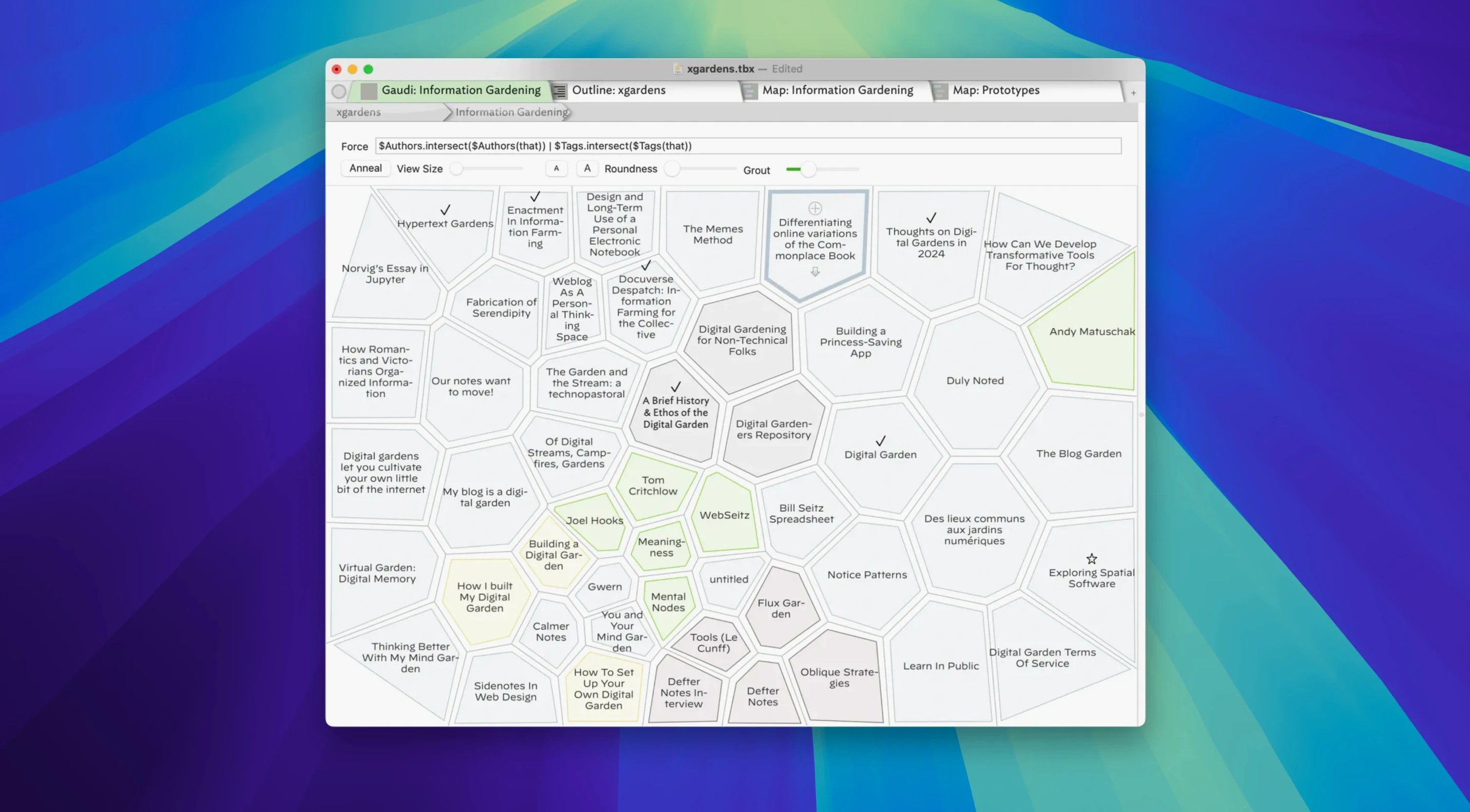
Researchers, novelists, and project planners reach for Tinderbox when simple lists and folders stop making sense. It is a thinking environment where notes connect and patterns emerge visually.
Gather scattered research
Drop in notes, web clippings, and rough ideas. Tinderbox holds them without forcing a single structure, so you can link and tag things as they come, letting the shape of a project reveal itself later.
Map what it all means
Switch to a map or timeline view and drag notes into relationships. Seeing your material arranged spatially often shows connections you would miss in an outline. Custom attributes and agents help sift through the pile for specific patterns.
Shape and share the final piece
Once the structure clicks, export cleanly to HTML, XML, or OPML. The latest version handles tricky documents faster, so even large, heavily linked projects make it out without a struggle.
Where Tinderbox fits in your tool stack
Tinderbox plays well with the apps you already use, though it takes a little setup. Drag an image from Photos or a PDF from the Finder straight into a note — the file stays where it is and Tinderbox stores a reference. I keep a shared folder in iCloud for source material and drop items into Tinderbox from there, which means my research lives in two places without duplication.
The real glue comes through AppleScript. You can trigger Tinderbox actions from a launcher like Alfred, pull in selected text from Safari, or push a set of notes out to a Markdown editor for polishing. If you use Shortcuts, a one-line tell application "Tinderbox 11" script lets you append a thought from the Share sheet without leaving whatever you are reading. It is the kind of quiet integration that saves you from treating the app like an island.
Export to OPML feeds nicely into outliners such as OmniOutliner, and the HTML output plays well with static site generators if you publish research online. The new UTF-8 default in version 11.8.0 means non-English characters travel cleanly — a small fix that matters if you work in multiple languages.
First days: what pays off early
Resist the urge to build a perfect template on day one. Instead, create three or four notes about your current project and apply a prototype right away — prototypes are like style sheets for notes, setting default attributes, colors, and behavior. Once a note has a prototype, any agent you build later can find it instantly.
Set up one simple agent early, even a trivial one like "notes changed this week." Watching it update as you work gives you a feel for how Tinderbox thinks, and you will spot useful patterns faster than by reading documentation alone. Also, turn on the Roadmap view for any project with deadlines — it plots notes with dates on a timeline and often reveals scheduling clashes you would otherwise catch too late.
Quick date-stamp for research logs
- Quick Stamp — Press
Cmd-Dwith a note selected to stamp the current date into a custom attribute. Great for logging when you last touched a research thread. - Map arrow drawing — The 11.8.0 update tightened up arrow routing in crowded maps. If you previously avoided link lines because they turned into spaghetti, give them another try.
- Tab between views —
Cmd-Opt-left/rightcycles through open views. It is much faster than reaching for the mouse when you are switching between a map and an outline. - Drag text onto a map — Select text in any app, drag it onto a Tinderbox map, and it becomes a new note. No import dialog, no copy-paste dance.
Tip: If you keep a "scratchpad" container with no prototype and loose rules, you will capture far more. Structure can come later — the agents will find things either way.
Version 11.8.0 brings a few welcome improvements:
- Exports are noticeably faster on complex documents.
- Working with large selections feels more responsive.
- The Tinderbox-AI bridge was reimplemented for better day-to-day reliability.
- HTML export now assumes UTF-8 by default and no longer encodes non-ASCII characters.
- macOS 12 or later
- Intel-based Mac
- Interface languages: English, Simplified Chinese
Questions from the stall
Can Tinderbox pull in information from the web?
Yes, it can collect information from web sources directly, which makes gathering research a smoother process.
Notes from other shops 0
Sign in or open a shop account to leave a note.
No notes yet. If you've used this on a shop Mac, tell me how it went.