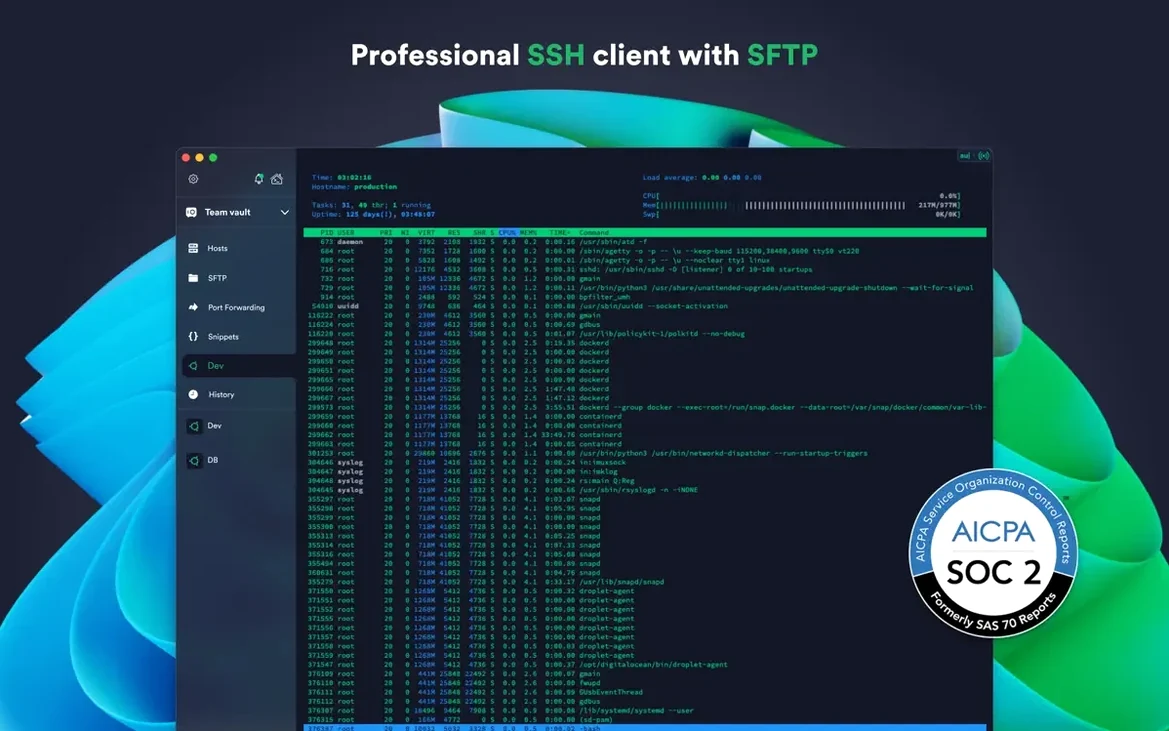
Termius supports six different key-exchange algorithms, including ECDSA and ed25519. Here's what that means in practice.
What it is and who it's for
SSH client — the core tool. You use it to open secure terminal sessions on remote Linux and macOS servers. It also handles Mosh for unreliable connections, Telnet for legacy systems, and SFTP for moving files.
Multi-device sync — your saved hosts, keys and snippets travel with you. The same app runs on your Mac, Windows desktop and phone. Set up a connection once, use it everywhere.
Hardware key and biometric auth — the Mac app locks credentials behind Touch ID and supports FIDO2 physical security keys. You can also require two-factor authentication for the Termius account itself.
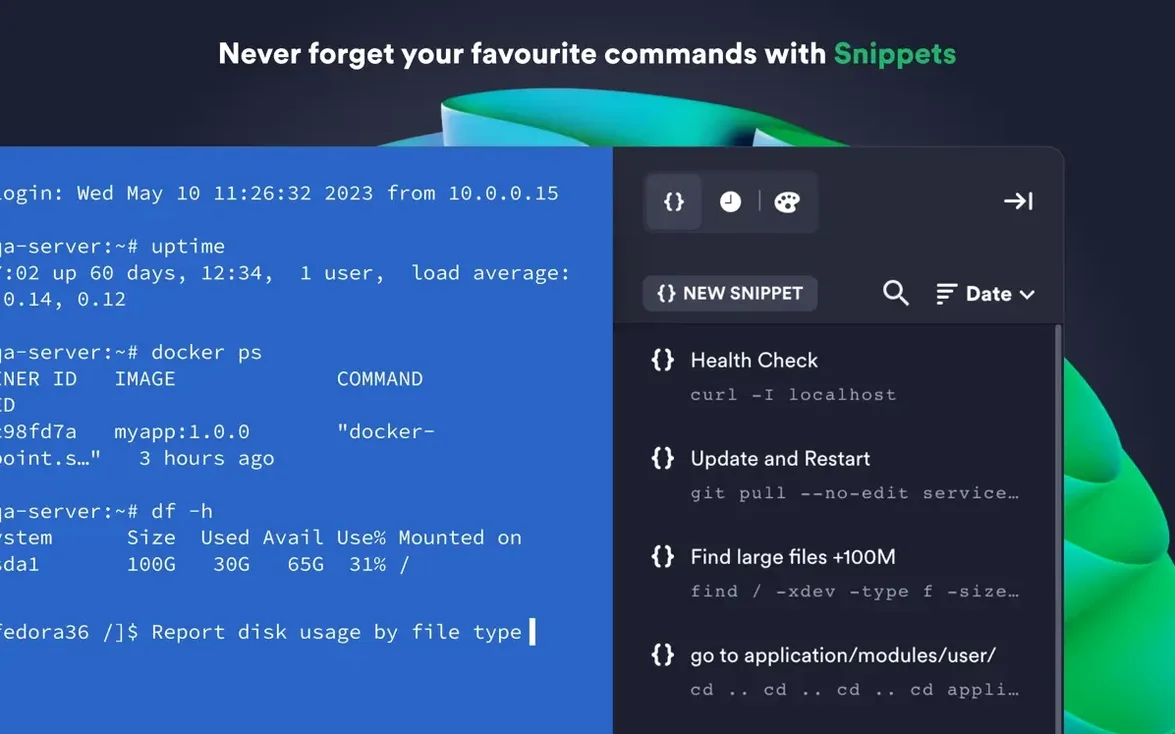
Saved commands and snippets — store the shell scripts and long commands you run often. One tap sends them to the active session. Useful when you manage many machines and forget which one needs that specific restart sequence.
Proxy and jump servers — connect through bastion hosts and proxy servers without extra terminal windows or manual tunnel setup.
This is built for sysadmins, developers, and anyone who spends part of the day inside a remote terminal and wants the same setup on every screen.
A web developer's Friday afternoon
Imagine a front-end developer who maintains a handful of client sites on DigitalOcean droplets. Friday at 4 p.m., a client reports their staging server is down.
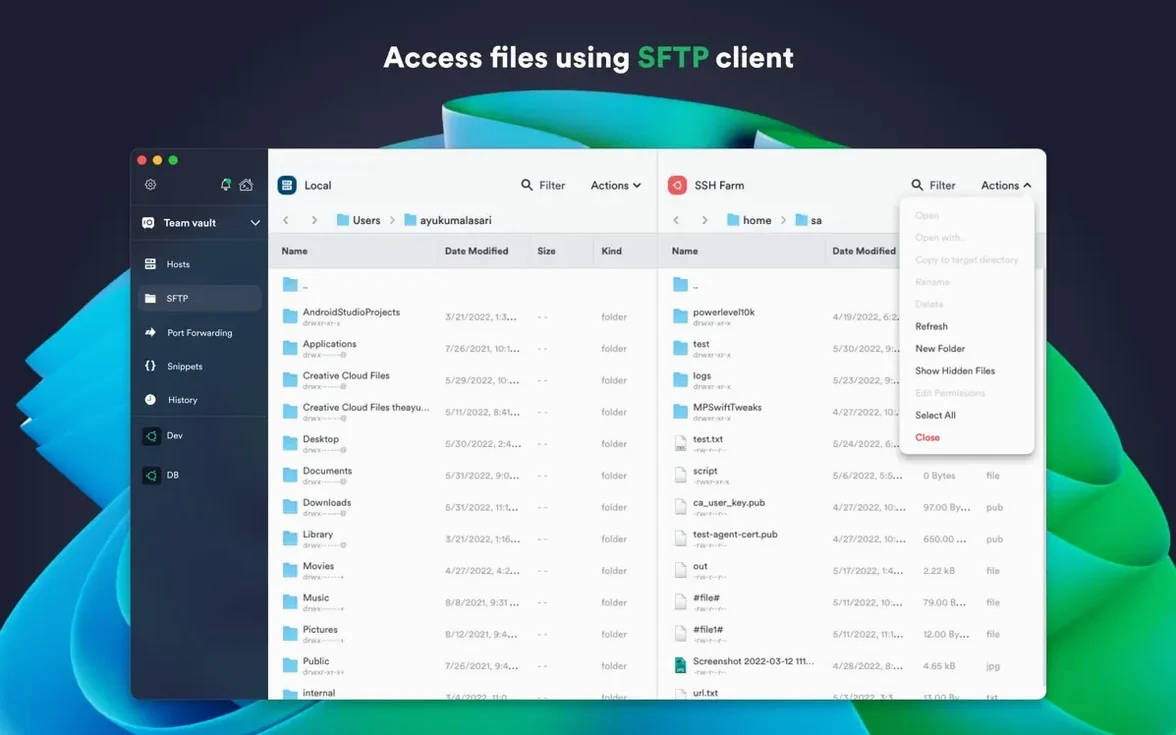
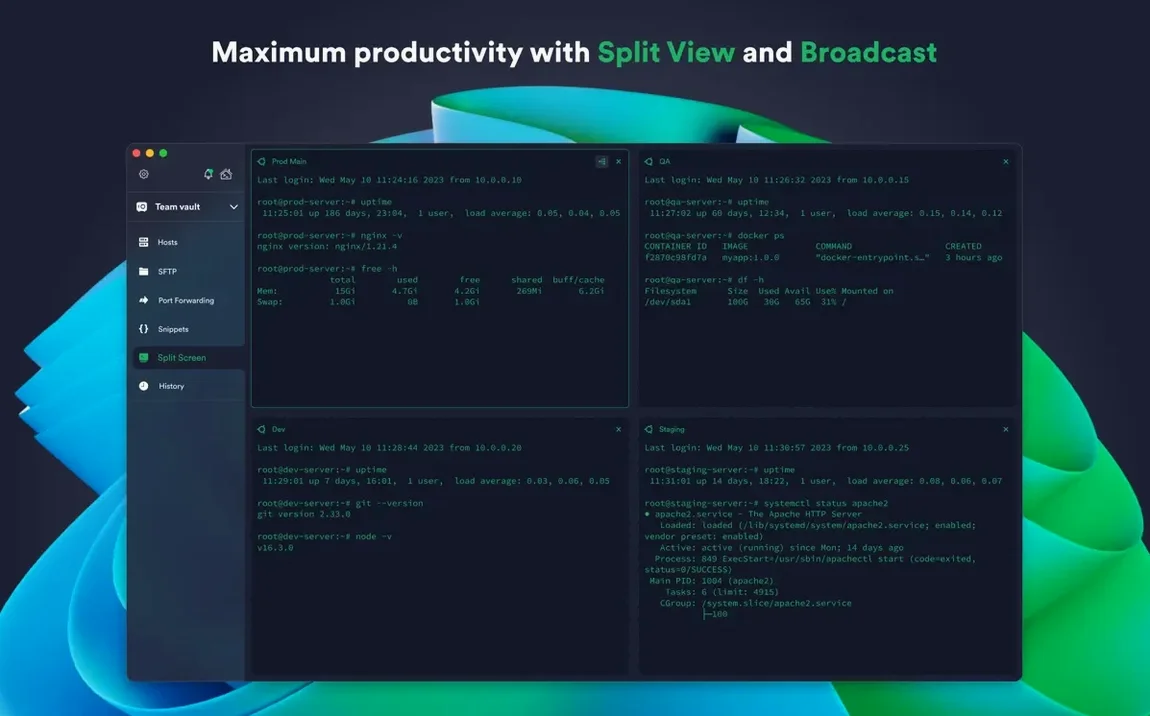
She opens Termius, and her saved DigitalOcean integration already lists every droplet by name — no IP hunting. She double-clicks the staging host, the tab opens with the green key icon confirming her ed25519 key was accepted, and she's in. While htop runs in the left split, she opens an SFTP sidebar on the right, grabs the bloated error log, and pulls it to her desktop. The whole fix — find the runaway process, restart the service, message the client — happens inside one window. She saves the restart command as a snippet labeled "staging-apache-bounce" so next time it's one click. Her Windows desktop at home and her Android phone already have the same snippet waiting.
Plays nice with Keychain and Touch ID
Termius isn't trying to replace your whole toolchain. It connects well with what's already on your Mac.
macOS Keychain and biometrics. Touch ID unlocks saved credentials so you never type a master password while screen sharing. The app also respects the system-level proxy settings you've configured in Network preferences.
SFTP and local editors. You can pull a remote config file through Termius's SFTP panel, drop it onto your desktop, and open it in BBEdit, Nova, or VS Code. The app doesn't force a built-in editor — it hands off to whatever you already use.
Shared history and note-taking. Copy a long docker exec command from the shared terminal history, paste it into Craft or Obsidian with a note about which container it targets. The snippet bank inside Termius works as a complement to your external notes, not a replacement.
AWS integration and monitoring tools. If you monitor infrastructure through a tool like Datadog or Grafana, Termius's AWS sync means the host that triggers an alert is the same host you connect to by name. No copying IPs from a dashboard.
Why people pick it over Royal TSX
Plenty of people searching for Termius Mac alternatives are weighing it against a few well-known names. Here's how they differ in daily use.
Termius vs. Royal TSX. Royal TSX is a Swiss Army knife — it handles RDP, VNC, web pages, and SSH. That breadth is powerful if you need a single pane for every remote protocol. Termius stays narrower: SSH, Mosh, Telnet, SFTP. The trade-off is that Termius syncs across platforms without extra setup, while Royal TSX is macOS and Windows only. For someone who also wants iOS access to their hosts, Termius is the tighter fit.
Termius vs. Tabby. Tabby is open-source, highly customizable, and stores configs in version-control-friendly files. People who want every setting in a dotfiles repo lean toward Tabby. Termius encrypts and syncs through its own cloud — less transparent, but faster to set up. Tabby's plugin system lets you extend the terminal itself; Termius focuses on the connection management layer around the terminal.
Termius vs. built-in Terminal with SSH config. An ~/.ssh/config file, some shell aliases, and the built-in Terminal app cost nothing and work forever. That setup handles basic SSH perfectly. Termius adds value when you need saved snippets that aren't aliases, a visual SFTP browser, or the same host list on a phone during an on-call evening. It's the difference between a tool you maintain and a tool that maintains your connections for you.
Version 9.35.4 brings stability improvements to the Mac app.
- macOS 10.13 or later
- Apple Silicon or Intel 64-bit processor
- Interface language: English
Questions from the stall
Does Termius work on Apple Silicon Macs?
Yes. The current version runs natively on both Apple Silicon and Intel 64-bit Macs.
Can I use a hardware security key with Termius?
Yes, it supports FIDO2 hardware-key authentication for securing your account and connections.
Notes from other shops 0
Sign in or open a shop account to leave a note.
No notes yet. If you've used this on a shop Mac, tell me how it went.