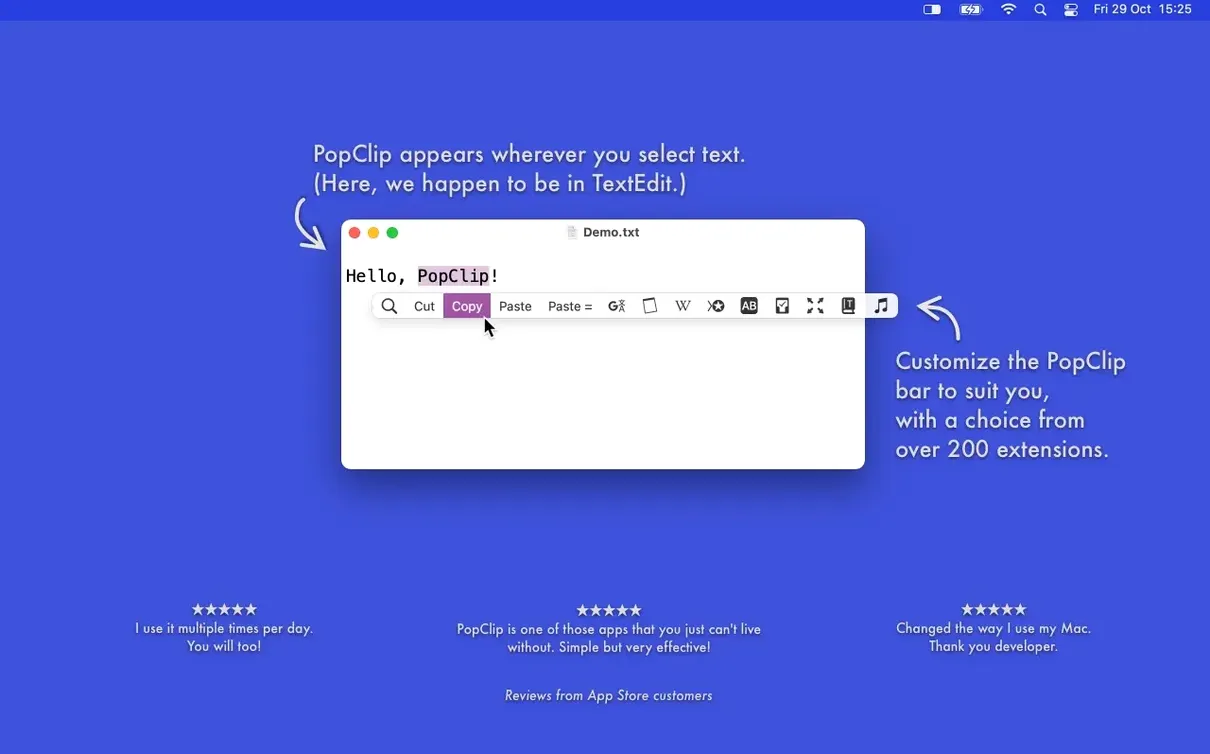
You highlight an address in Mail to copy it into a map, and a row of buttons appears right above the selection — no menu diving, no keyboard shortcut to remember. That is PopClip stepping in. It sits alongside the clipboard manager, launcher, and text expander you already use, handling the small selection chores those tools were never meant to own.
- Open anything selectable. A URL, an email address, or a file path — highlight it and PopClip offers to open it in the right place immediately.
- Core editing, faster. Copy, paste and match style, or switch case without reaching for a menu bar command.
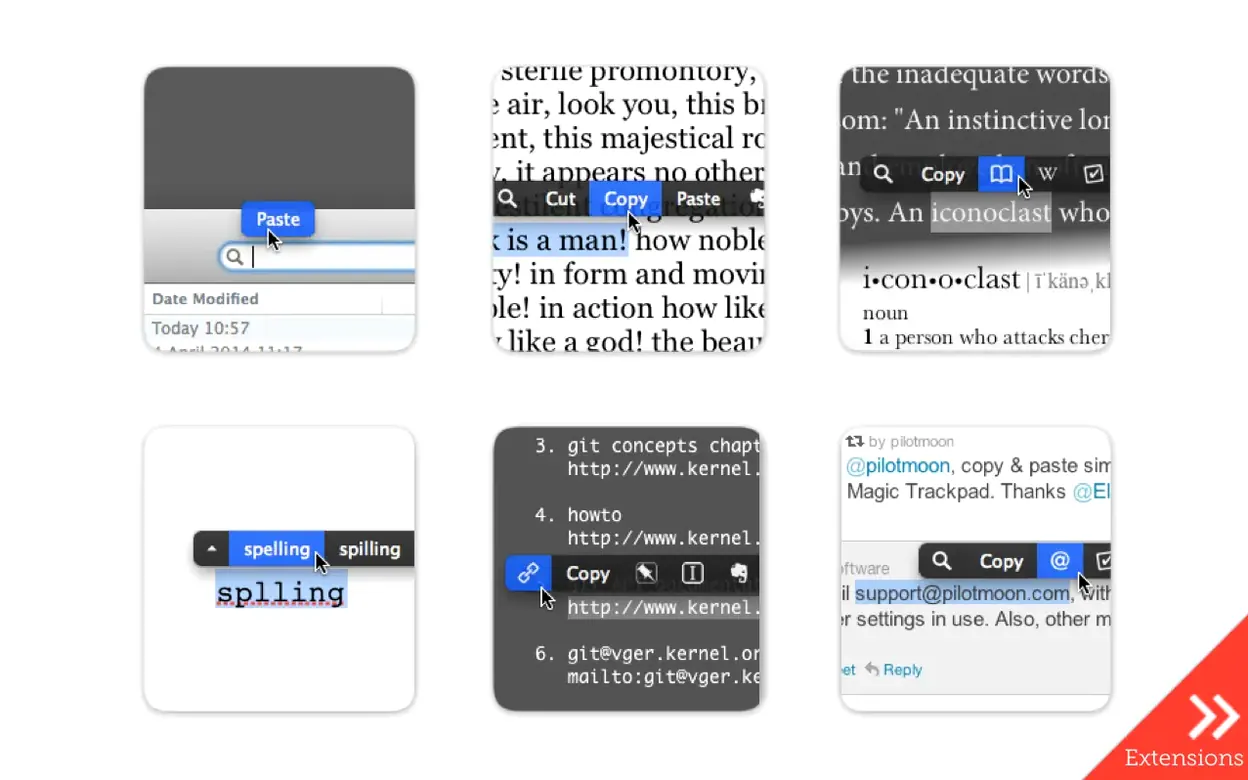
- Extensions that stay in sync. Add word count, translation, or send a snippet to Evernote. iCloud keeps your extension layout and settings identical across Macs.
- Works where you already work. It pops up in most Mac apps. For the few where it does not, it simply stays out of the way.
PopClip does not try to be a power-user suite. It takes the tiny, repeated text actions that slow you down and puts them right at the cursor, exactly when you need them.
Letting the pop-up bar become background noise
Give yourself a day or two to stop being surprised when the bar appears. That little jump of attention fades fast, and then you start noticing where it actually saves you steps.
Start with the stock actions. Copy, paste, open link — use them until they feel like part of the mouse. Don't rush into extensions on day one. The built-in set covers most of what you'll reach for in a browser, email client, or plain text editor.
Next, watch where PopClip doesn't show up. A handful of apps draw their own selection overlays and block it. When that happens, I make a mental note and move on — PopClip 2026.8.1 runs clean on macOS 13.5 Ventura and later, but some drawing toolkits simply don't cooperate. No setting will fix it, so I save myself the troubleshooting time.
Tip: If you use a trackpad, try selecting with a light double-tap drag. The bar triggers more reliably than with a quick triple-click, especially in dense paragraphs.
The 2026.8.1 release tidied behind the scenes
Version 2026.8.1 landed on 2026-09-07 as a maintenance and cleanup pass following the larger PopClip 2026.7 release. In practical terms, that means nothing in your daily workflow broke. The update tightened up background behavior rather than adding new buttons or changing how things look.
The most noticeable difference for me was smoother extension loading after restart. Previous versions sometimes paused briefly while iCloud reconnected; 2026.8.1 sorted that so your custom action layout appears right away. If you've collected a long list of extensions across two Macs, that small fix makes Monday mornings feel less fiddly.
Beyond that, this was a polish release. No new gestures to learn, no renamed features. If you skipped 2026.7 and jumped straight to this version, you inherited all its improvements — including better handling of right-to-left text selections and refined URL detection — wrapped in a quieter, more stable package.
Shorten the delay before the bar appears
PopClip keeps its preferences small, which I appreciate. A few early switches make a big difference in how naturally it fits your day.
Adjust the pop-up delay. Open the PopClip app directly from your Applications folder and look for the "Appearance" tab. The default delay is fine for most people, but if you find the bar popping up when you're just skimming text, bump it by a quarter-second. If you're editing fast and want it immediate, drop it slightly. Test it in your most-used app — Mail, VS Code, Notes — and settle on one value that works everywhere.
Pin the apps where PopClip stays quiet. The "Excluded Apps" list lives in the main preferences window. Drag in any app where the bar gets in the way — terminal emulators, spreadsheet tools, or design software with its own selection behavior. PopClip already skips known incompatible apps on its own, but this list gives you manual control for the ones where it simply annoys you.
Reorder the action bar to match your muscle memory. Click the extension icon in the menu bar and choose "Manage Extensions." You can drag actions into any order. I put Paste and Match Style next to each other on the left, then Open Link, then Dictionary. Everything else gets moved right or hidden. The layout syncs via iCloud, so set it up once and your other Mac follows.
Check the spelling engine. PopClip offers correction suggestions for misspelled words by default, drawing from macOS system dictionaries. If you write in multiple languages, confirm that your primary language is set in System Settings → Keyboard → Text Input. PopClip picks it up automatically, and the suggestions become far more accurate.
Tip: After a popclip download and fresh install, the bar sometimes hides behind full-screen windows until you restart the app once. Launch it manually from the Applications folder, quit it, then let it autostart on the next login — that clears the z-order issue on macOS 13.5 and above.
A quick maintenance pass after the 2026.7 release:
- Squashed a few bugs and tidied up under-the-hood pieces that needed attention.
- No new features — just a cleaner, more solid build so the everyday selection actions feel as smooth as they should.
- macOS 13.5 Ventura or newer
- Apple Silicon and Intel Macs (ARM and x86 64-bit)
Questions from the stall
Is PopClip available for Windows?
No, PopClip is a macOS-only app. It appears on screen when you select text with the mouse on a Mac.
Notes from other shops 0
Sign in or open a shop account to leave a note.
No notes yet. If you've used this on a shop Mac, tell me how it went.