You’ve just pulled a memory card full of RAW files from your Nikon and need to cull the blurry shots before sending keepers to a client.
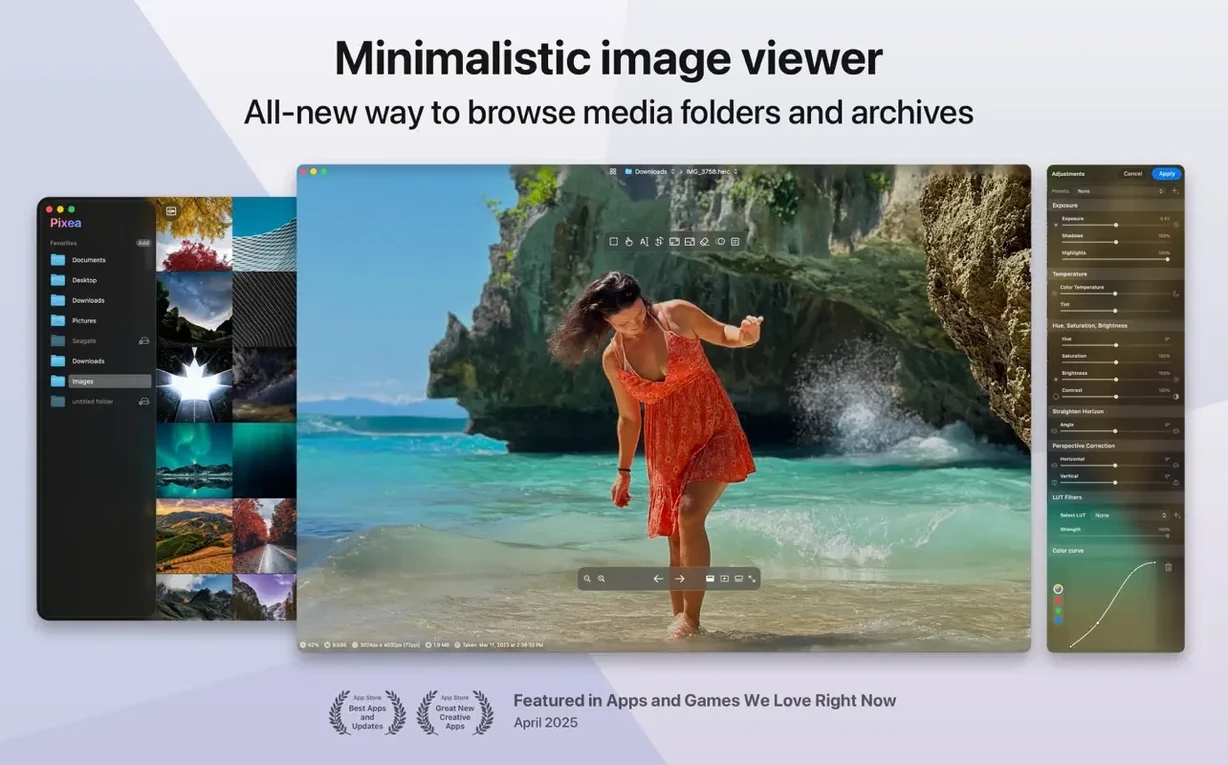
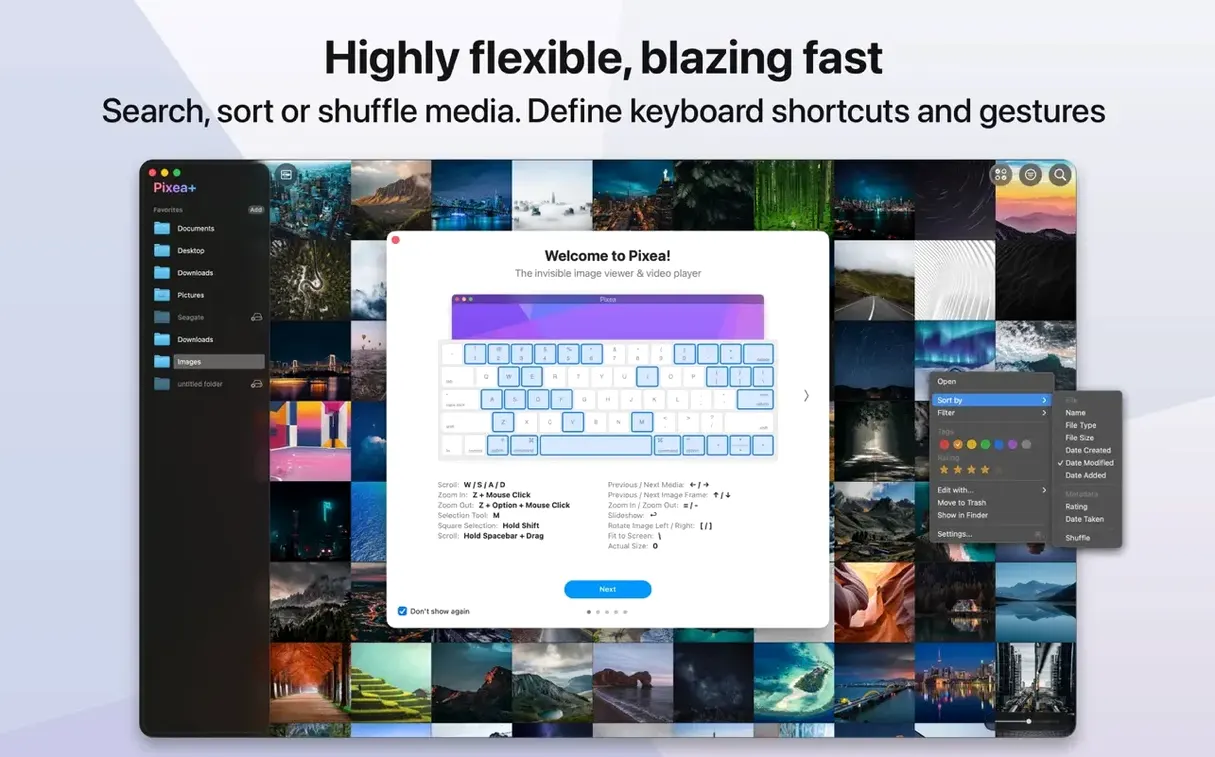
Viewer — Pixea Plus opens your folder of mixed RAW, JPEG, and PNG files in a single, uncluttered window. Scroll through with the arrow keys and it handles everything from Canon CR3 to iPhone HEIC without a hiccup.
Info panel — The built-in histogram and EXIF readout let you check exposure and lens settings at a glance. No digging through menus.
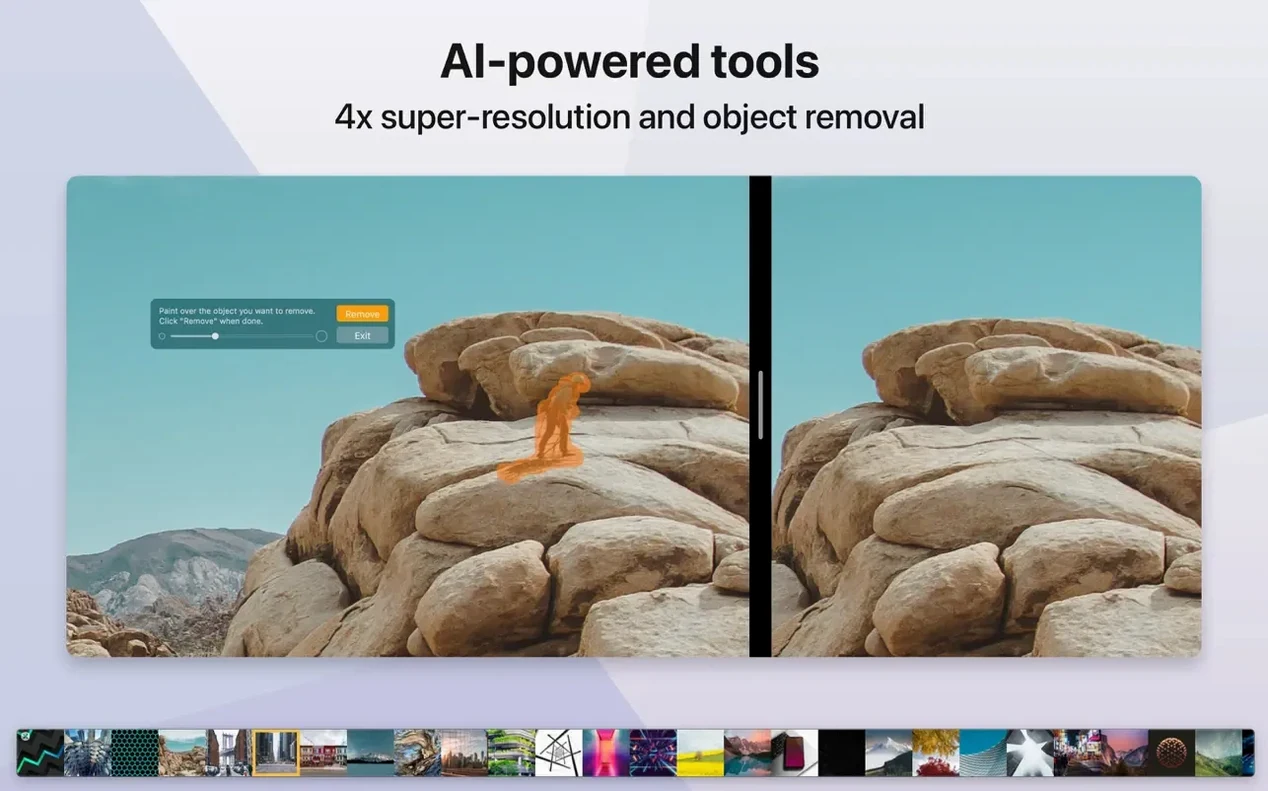
Quick edits — Found a vertical shot that’s sideways? Flip or rotate it right in the viewer. The new undo and redo commands make experimenting with the recently added mask tool feel safe.
Export — Save your straightened image or a masked version back out as a new file. The app’s own Pixea Image format keeps your adjustment layers intact for later.
Designing cards from 80 mixed raw and HEIC shots
Lin runs a small stationery boutique in Portland and designs her own greeting cards. A typical Monday starts with a folder of 80 product photos — a mix of her Sony RX100 RAWs, supplier JPEGs, and a few HEIC shots from her phone — all zipped together by her photographer. She doesn't extract the archive. She drops the whole card_stock_apr.zip onto Pixea Plus and scrolls through inside the archive, deleting the four shots where the envelope corner curled. She rotates two flat-lay images that came in sideways, checks the histogram on a dark maroon print to confirm it's not clipping, then saves the straightened versions as new JPEGs for her Etsy listing — all without opening Lightroom or creating a single catalog.
Spacebar preview skips the double-click dance
Pixea Plus is quiet about its quality-of-life touches. A few worth knowing:
- Spacebar preview — In list view or thumbnail grid, tap the spacebar for a full-size Quick Look–style preview. Tap it again to close. Faster than double-clicking each file.
- Trackpad rotation — Two-finger twist gesture rotates an image in place. No toolbar click needed. Great when you're reviewing a folder one-handed with a coffee in the other.
- EXIF overlay toggle — The info panel is useful, but if you just want a quick shutter-speed check, press
I(or use the View menu) to overlay a slim EXIF strip at the bottom of the image. Less screen clutter than leaving the full panel open. - Mask preview key — When you're painting a mask for exposure or hue, holding
Mtemporarily shows the mask as a red overlay. Let go and the effect returns. It's the fastest way to spot missed edges. - Undo stacks per image — Undo and redo aren't global; each open image keeps its own step list. Switch between two files and you won't accidentally undo the wrong edit.
Before you install
Does it replace Apple Photos or my Lightroom catalog?
No, and it doesn't try to. Pixea Plus is a viewer with editing tools, not a library manager. It won't import or organize your images, and it won't build a database. Think of it as the app you open when you need to quickly check, sort, or lightly adjust a folder of images — especially if they're still sitting on a memory card, in a ZIP, or in a mixed-format downloads folder where you don't want to import everything just to peek.
Will it handle my camera's RAW files?
If you shoot with a Leica, Sony, Olympus, Minolta, Nikon, Fuji, Canon, or Hasselblad body, the RAW support is built in. It reads the files directly — no converter, no import step. The histogram and EXIF panel work on RAWs the same as on JPEGs, which is handy for checking exposure before you commit to a full raw developer.
Is the Pixea Image format something I have to use?
Not at all. You can save straight JPEG, PNG, TIFF, and other common formats without ever touching the app's own format. The Pixea Image format is there if you want to keep masks, non-destructive adjustments, and undo history intact for later sessions — useful if you're building layered edits and might need to tweak them next week. For a quick rotate-and-save, you'll never see it.
What's the Gatekeeper situation on install?
Like many apps distributed outside the App Store, a pixea dmg might trigger a Gatekeeper prompt on first open. The workaround is straightforward: mount the disk image, open Terminal, drag the app into the window, and press Enter. After that one step, the app launches without interruption. If you've installed creative tools on a Mac before, it's the same routine.
XnView MP converts batches, Pixea Plus stays nimble
Three other Mac image viewers tend to come up in the same conversation, and each has a different focus.
Pixea Plus vs XnView MP — XnView MP is a cross-platform workhorse with format conversion, batch renaming, and a browser that resembles a file manager. It does a lot. The trade-off is interface density: menus and panels everywhere. Pixea Plus takes the opposite path, keeping the window clean and the tools hidden until you ask for them. If you enjoy configuring your workspace, XnView gives you more knobs. If you want a viewer that stays out of your way, Pixea Plus suits the quieter desk.
Pixea Plus vs Phoenix Slides — Phoenix Slides is a fast, free viewer focused almost exclusively on browsing folders and running slideshows. It's excellent for that one task. Pixea Plus adds a layer of editing — masks, rotation, color adjustments, and the option to save non-destructive projects — that Phoenix Slides deliberately avoids. If all you need is full-screen browsing with no editing temptation, Phoenix Slides is a solid lightweight. If you find yourself wanting to fix a crooked horizon or lighten a shadow mid-review, a pixea plus workflow keeps you inside one app.
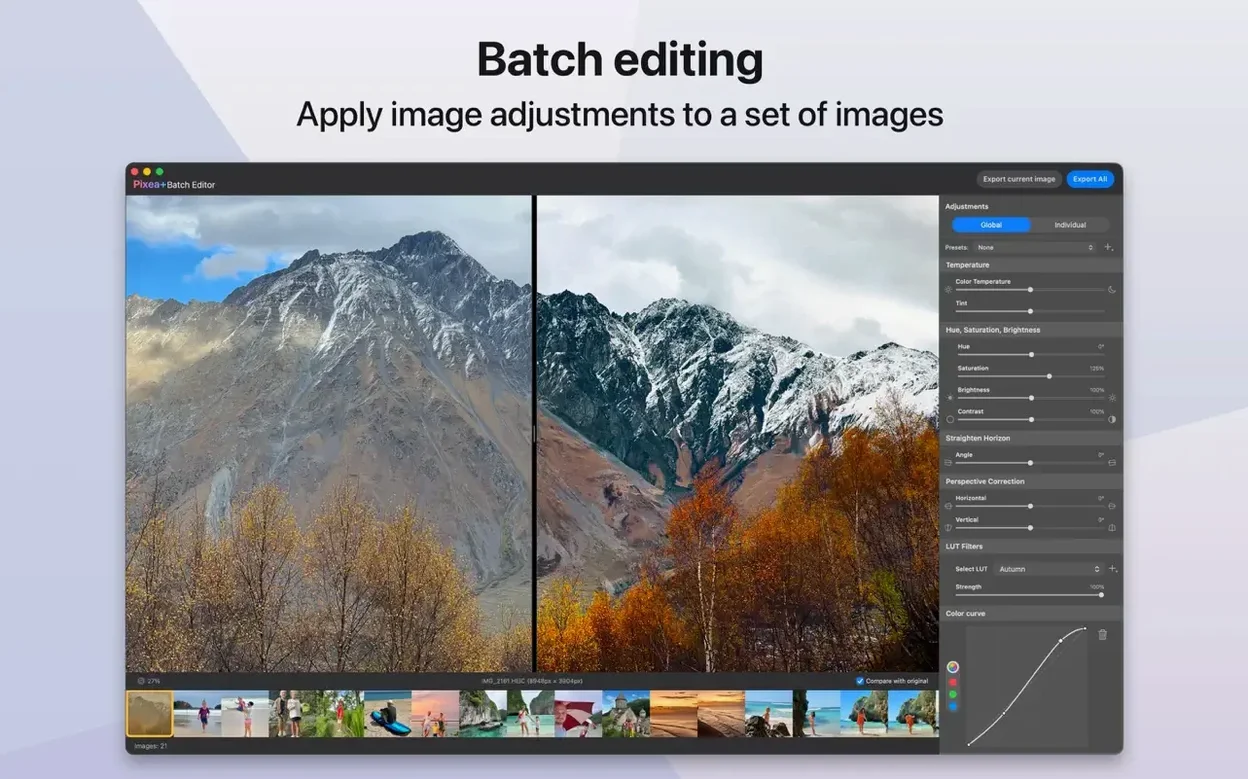
Pixea Plus vs qView — qView is a minimalist, cross-platform viewer that opens fast and does almost nothing beyond viewing. No histogram, no EXIF panel, no edits. It's a fine choice for people who want pure viewing speed and zero feature creep. A pixea mac download lands in the middle ground: still fast to open, still minimal in daily use, but with enough tools under the hood that you're not launching another app the moment you need to check exposure or rotate a batch of product shots.
Version 8.4 brings a few genuinely handy editing tools and a smarter approach to printing. Here's what's new:
- Reshape tool — tweak local geometry in your photos with the new Reshape adjustment.
- Spatial Dehaze — depth-aware haze removal that uses depth data for more natural results.
- Clarity adjustment — a new Clarity slider joins the image toolkit.
- Better printing — the print dialog now includes auto-rotate, scaling, and control over how many images fit on a sheet.
- Smarter copy to clipboard — two options now: maximize compatibility, or preserve HDR statistics and headroom.
- Improved Brilliance adjustment — the Brilliance tool got a tune-up for better results.
- UI and UX polish — small interface refinements throughout the app, plus the usual bug fixes.
- macOS 11 or later
- Apple Silicon or Intel 64-bit Mac
Notes from other shops 0
Sign in or open a shop account to leave a note.
No notes yet. If you've used this on a shop Mac, tell me how it went.