Setting up a pie menu that works for you
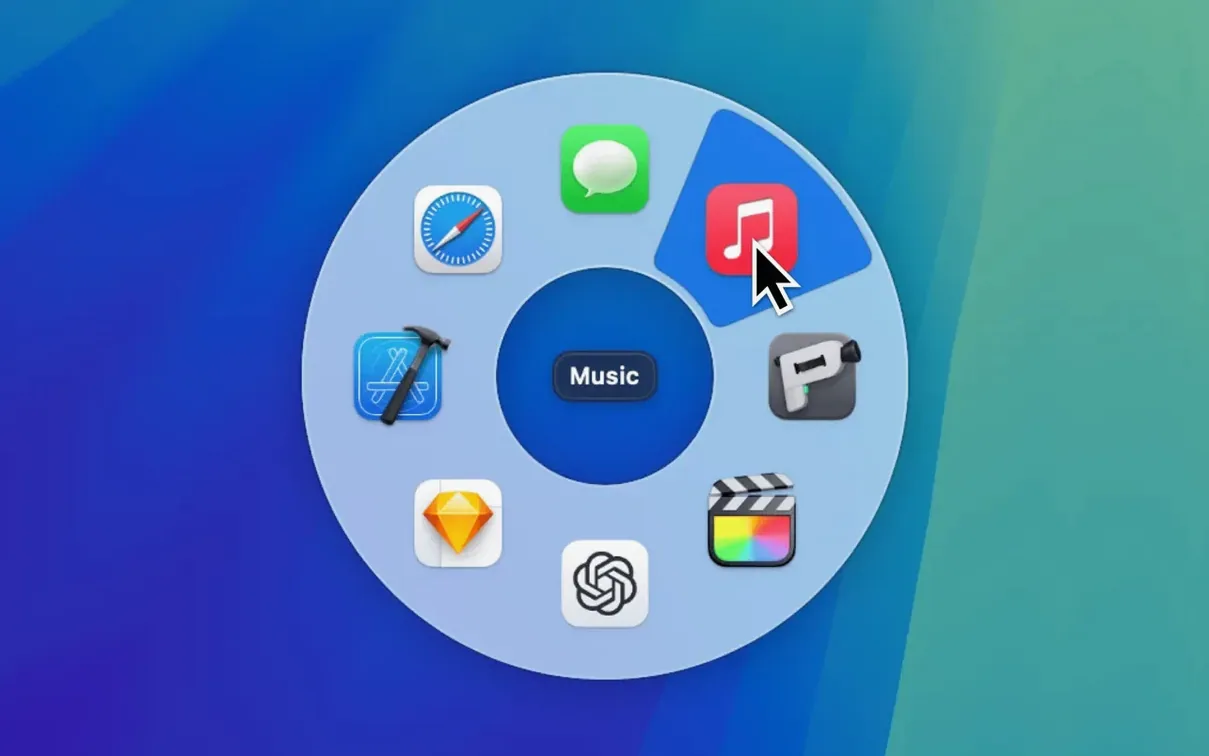
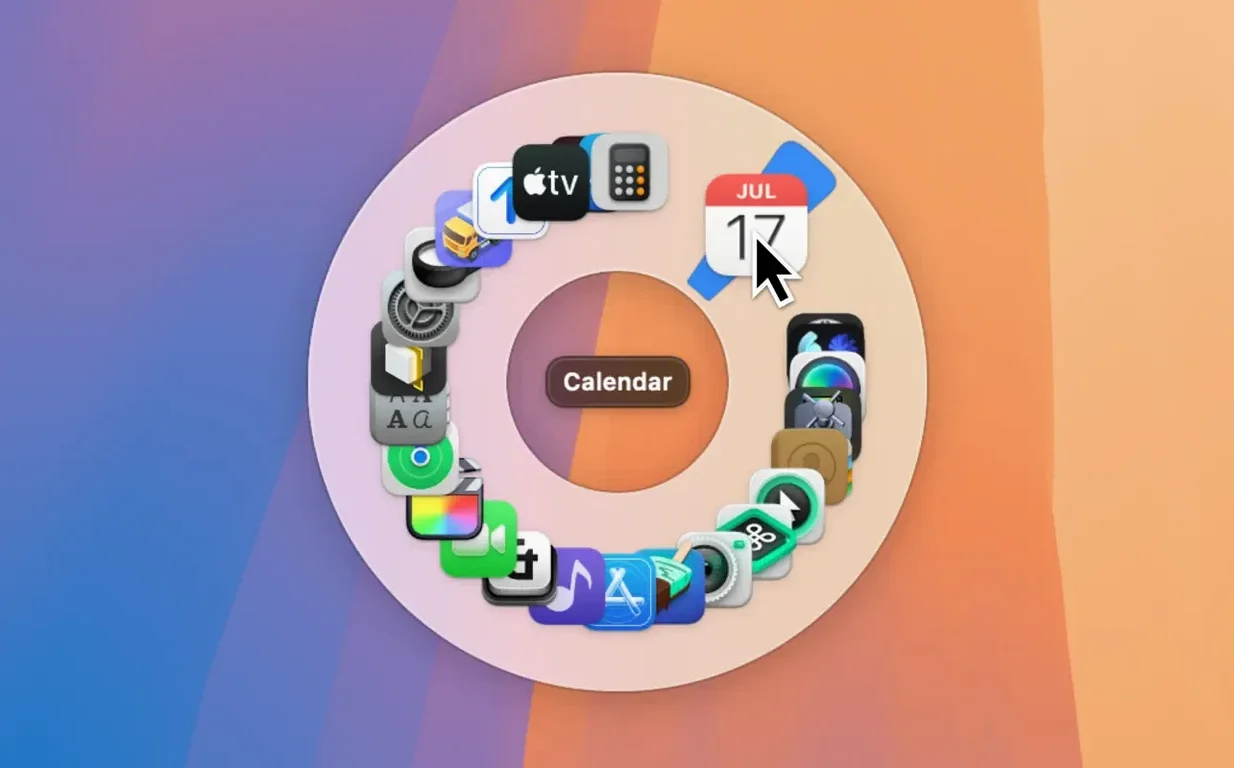
- Pick your center. Pieoneer lives in your menu bar. A single click or a hotkey you define opens a radial menu right where your cursor sits — no need to move across the screen.
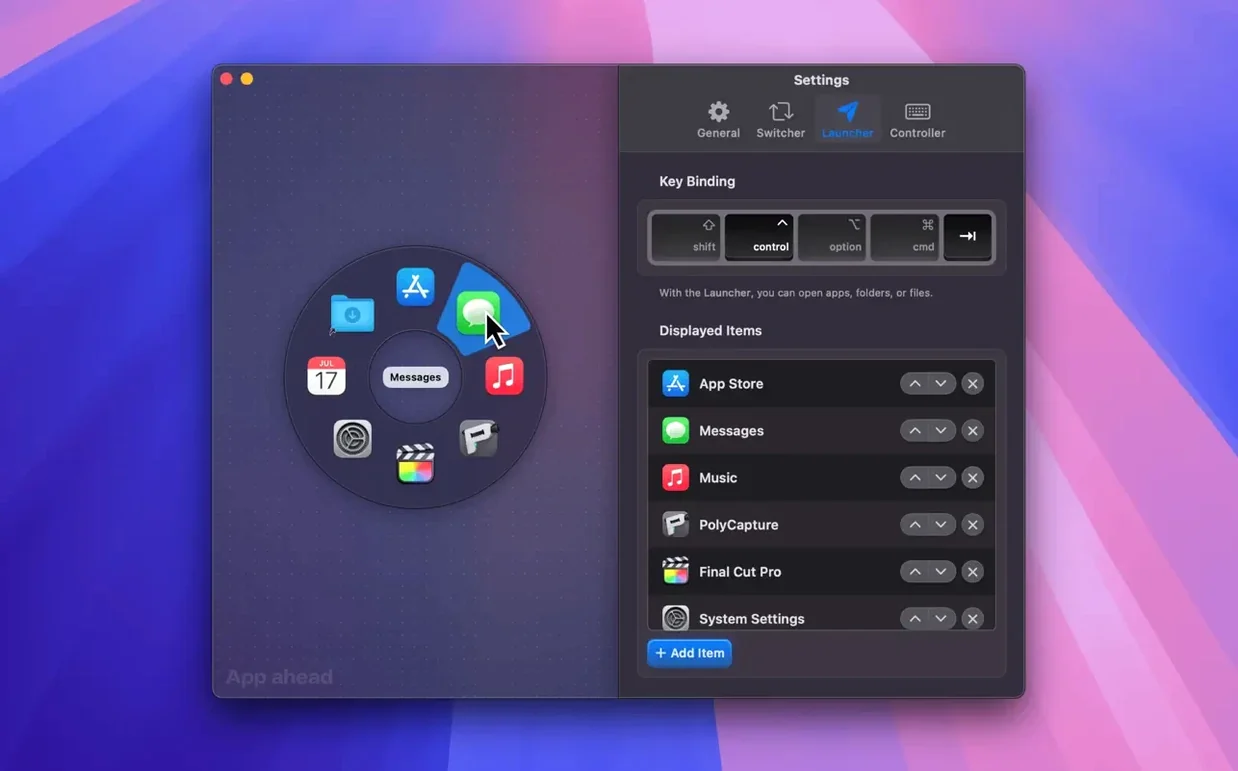
- Add what you reach for. Drag apps, folders, files, and documents into the Launcher pane. Reorder items with drag and drop so the things you use most sit under the most natural flick of your wrist.
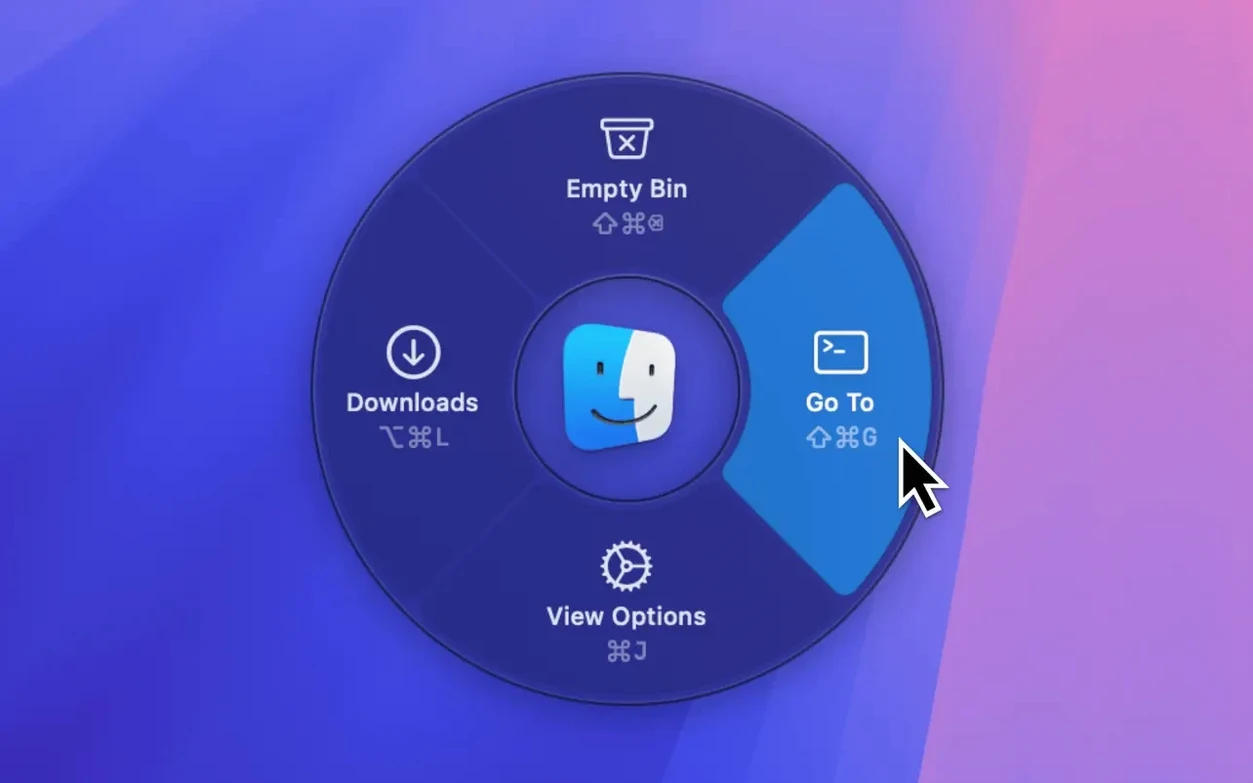
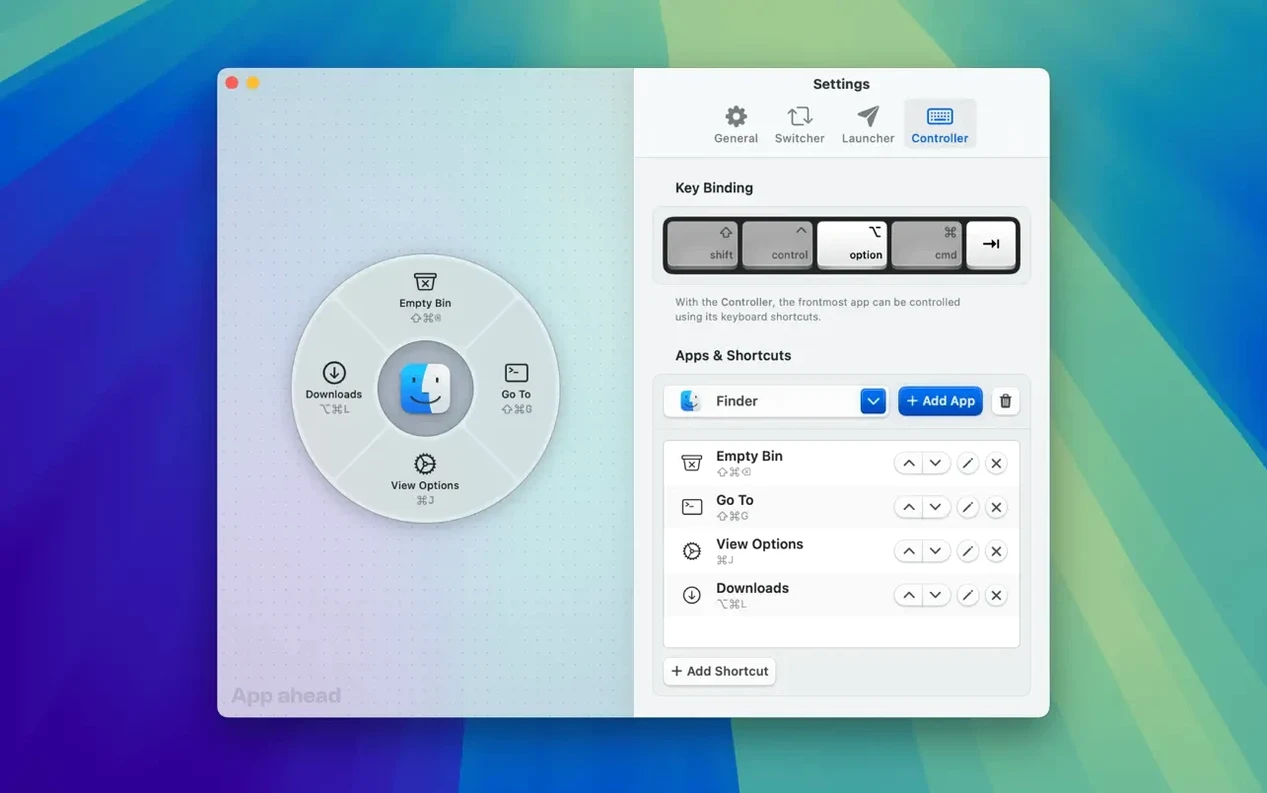
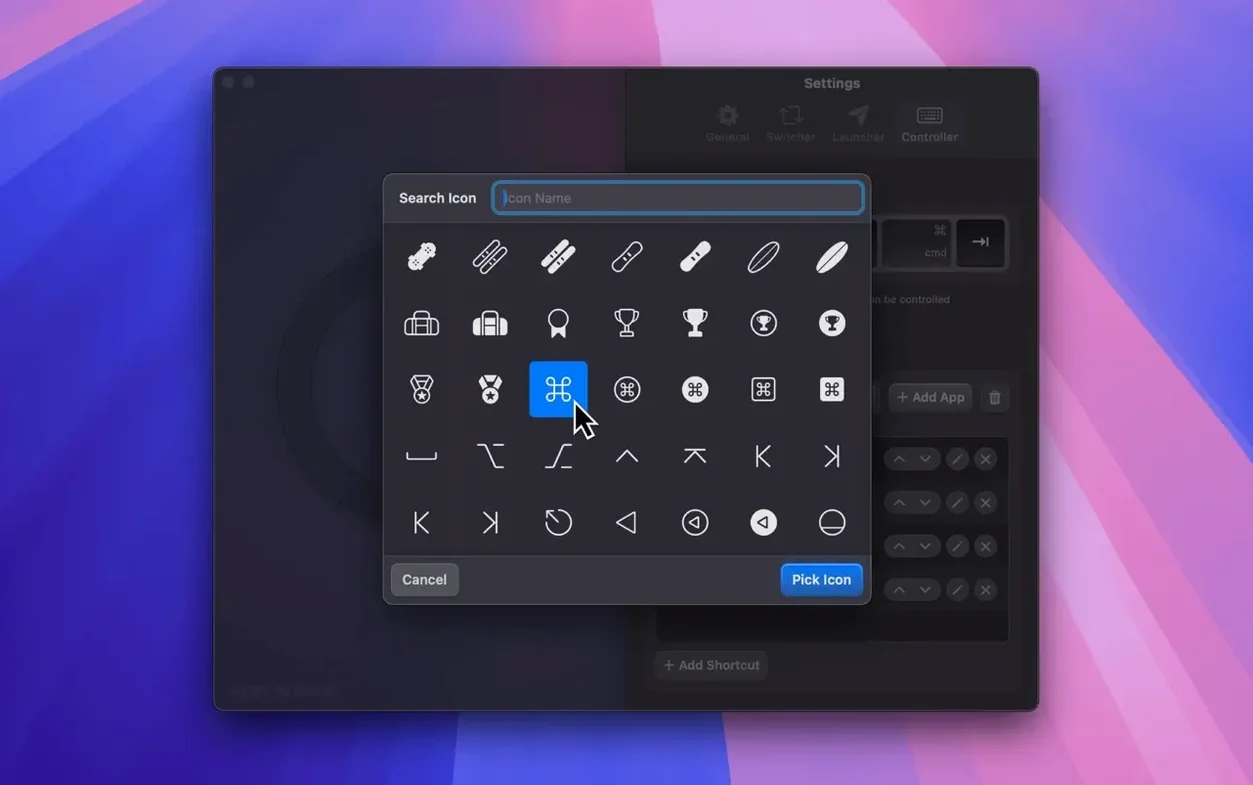
- Build a shortcut controller. Need to hand off keystrokes to another app? The Shortcuts Controller lets you stack keyboard shortcuts into a pie slice. One click sends cmd-shift-E or whatever the task needs.
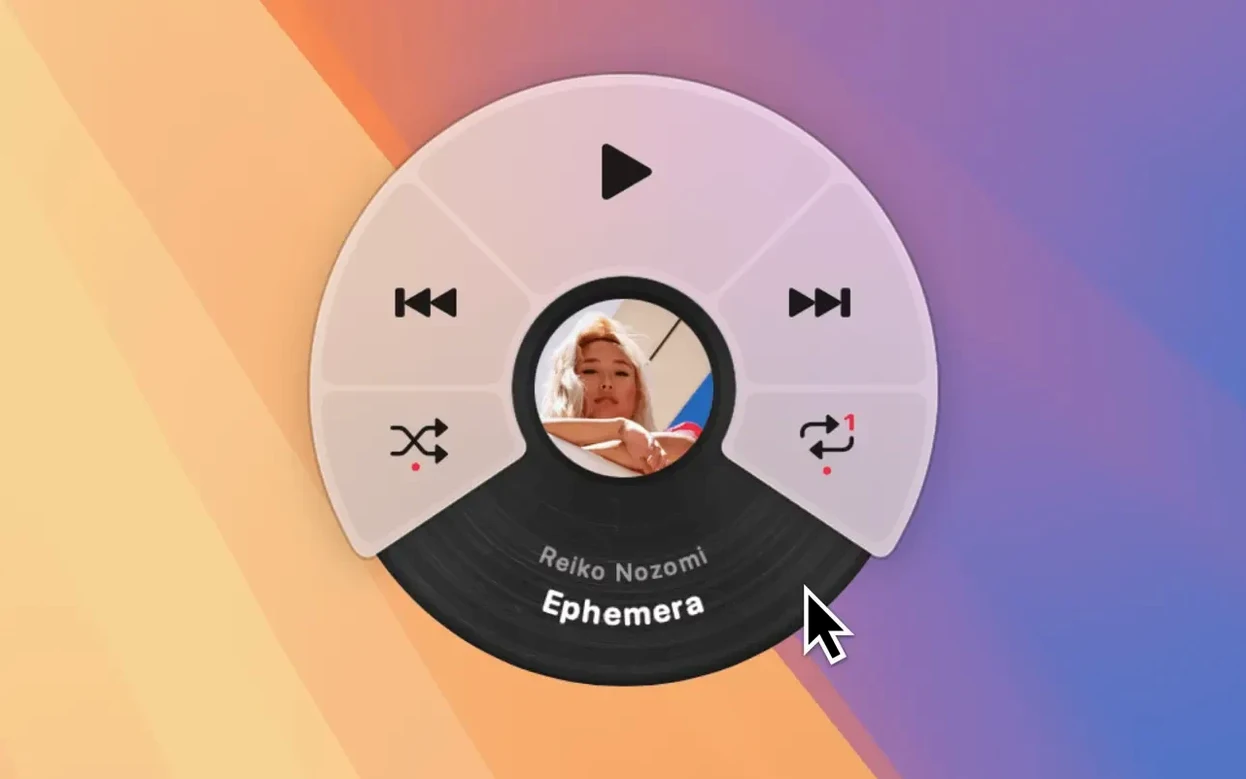
- Quiet the background noise. The Music Remote ties into Apple Music, Spotify, and Doppler. Skip tracks, adjust volume, or pause without leaving the document you’re working in.
- Make it yours. Set the number of slices, adjust colors, and pick a trigger that feels right. The interface is customizable, so the pie grows with how you work, not the other way around.
What I’d use it for: keeping my hands near the center of the screen during a layout session — switching between a vector tool, a folder of client assets, and a quick music pause, all from the same radial point. It suits anyone who moves fast between a handful of apps and wants the switcher to match that speed.
How it handles day-to-day work
After a morning of bouncing between a layout app, a Finder window full of product photos, and quick pauses in Spotify, Pieoneer stays out of the way. The menu opens instantly when I hit my chosen hotkey — no perceptible lag, no beachball, even with a dozen launcher items defined. Memory use sits modestly in Activity Monitor, rarely climbing above 90 MB on an M-series Mac. The animations feel fluid rather than flashy, adding just enough visual feedback to confirm a selection without slowing the interaction down.
What I appreciate most is the stability. Over several days of heavy use — switching apps, triggering shortcuts, tapping through album controls — I haven’t seen a single crash or frozen menu. The app respects macOS focus behavior too; it doesn’t steal keyboard focus or leave leftover windows behind. For a tool that hooks into so many parts of the system, the restraint is welcome.
A shortcut controller workflow, start to finish
Let’s say I need to export a selection from a graphics editor and rename it in the Finder, all without my right hand leaving the mouse. Here’s how that plays out with Pieoneer:
- Set up the slice. In the Shortcuts Controller pane, I add a new item and record
cmd-shift-E— the export shortcut my editor expects — then a second keystroke,return, to confirm the dialog. - Prepare the next step. I add a second slice that fires
cmd-option-N, which a Finder extension uses to open a “rename” prompt on the selected file. - Run the sequence. I select the artwork, trigger the pie menu with my hotkey, and click the export slice. The file lands on the desktop. Another flick to the right slice, and the rename field appears — all while my cursor stays in roughly the same spot.
Tip: Group related shortcuts on neighboring slices so the movement feels like a natural gesture rather than a hunt-and-click exercise. Reordering by drag and drop makes this easy to fine-tune over a lunch break.
For anyone who’s tried a pieoneer torrent mac search hoping to test the concept first, the real app’s responsiveness under load is worth experiencing directly — the menu draws cleanly even when a heavy render is running in the background, and the shortcut controller doesn’t drop keystrokes under CPU pressure.
- macOS 15.6 or later
- Works on Intel and Apple Silicon Macs
Questions from the stall
Which music services does the remote control work with?
The built-in Music Remote supports Apple Music, Spotify, and Doppler.
Can I use Pieoneer on an Intel Mac?
Yes, it runs on both ARM (Apple Silicon) and x86 64-bit Macs as long as you have macOS 15.6 or later.
What can I launch from the pie menu?
You can open apps, folders, files, and documents directly from the Launcher pane.
Notes from other shops 0
Sign in or open a shop account to leave a note.
No notes yet. If you've used this on a shop Mac, tell me how it went.