
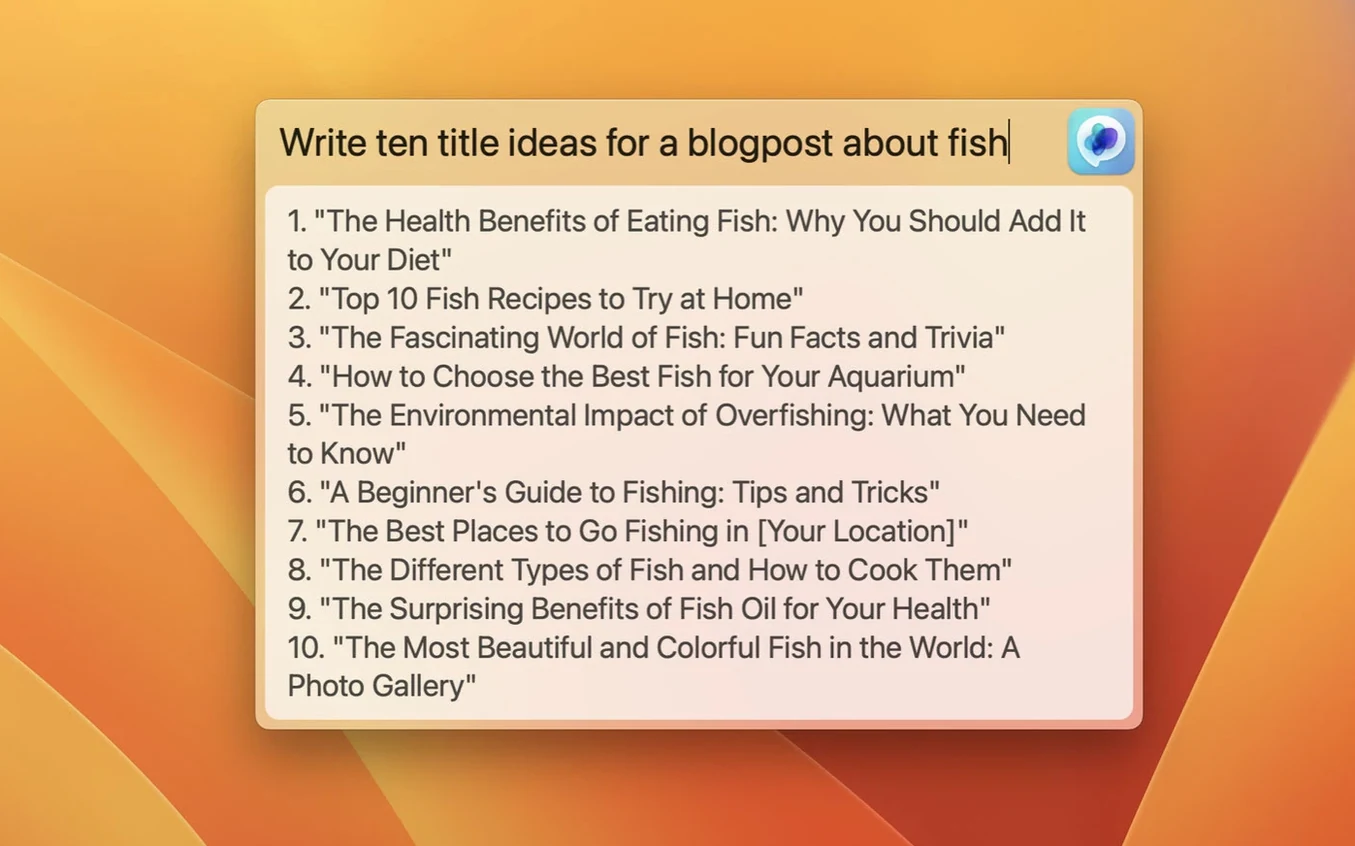
You're writing an email and need to rephrase a tricky sentence. Instead of switching to a browser tab and waiting for ChatGPT to load, you click an icon in your menu bar and a clean text field drops down, ready for your prompt. That's MacGPT.
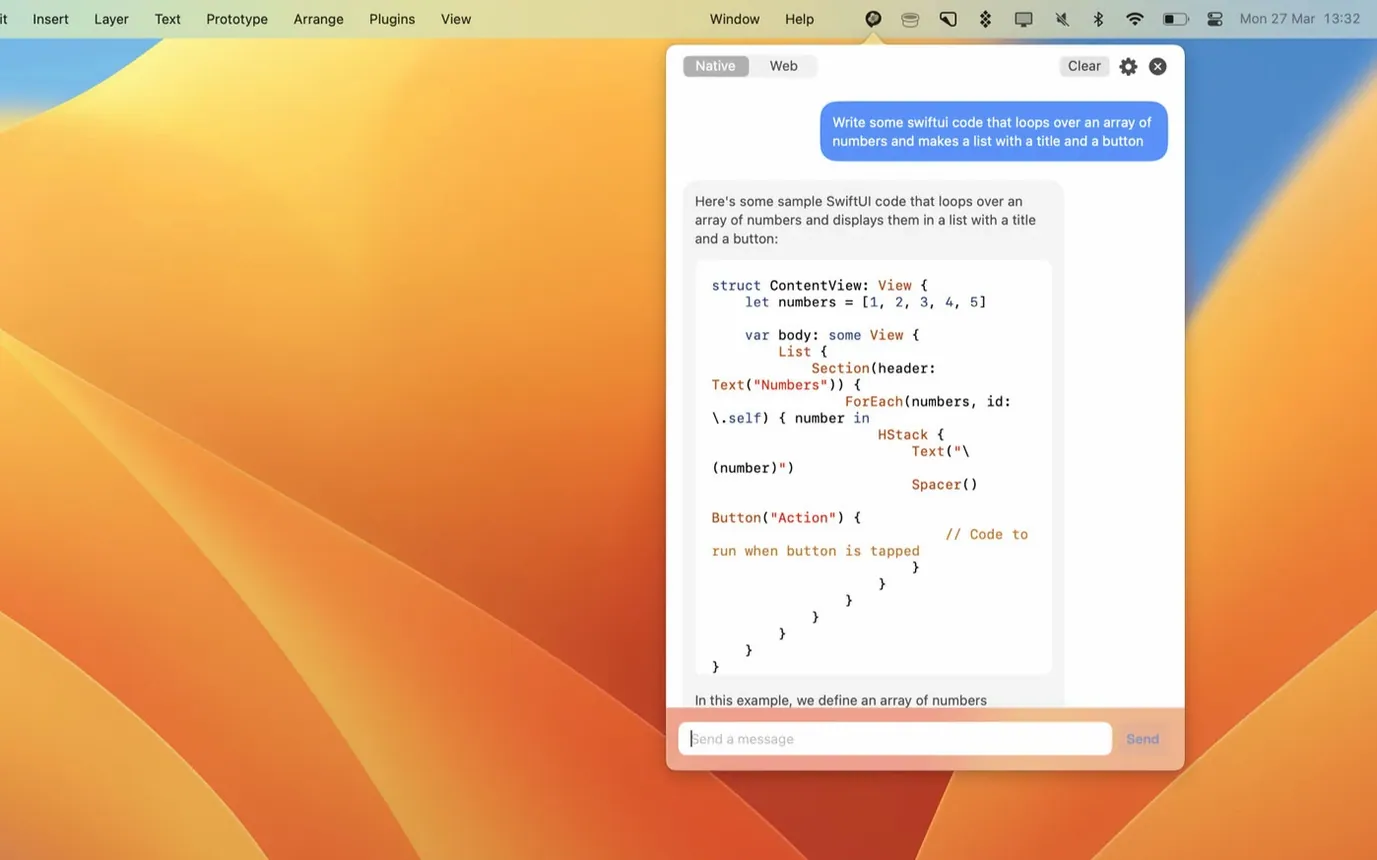
Menu bar access — A small icon lives in your menu bar. One click opens ChatGPT right there, no browser tab needed.
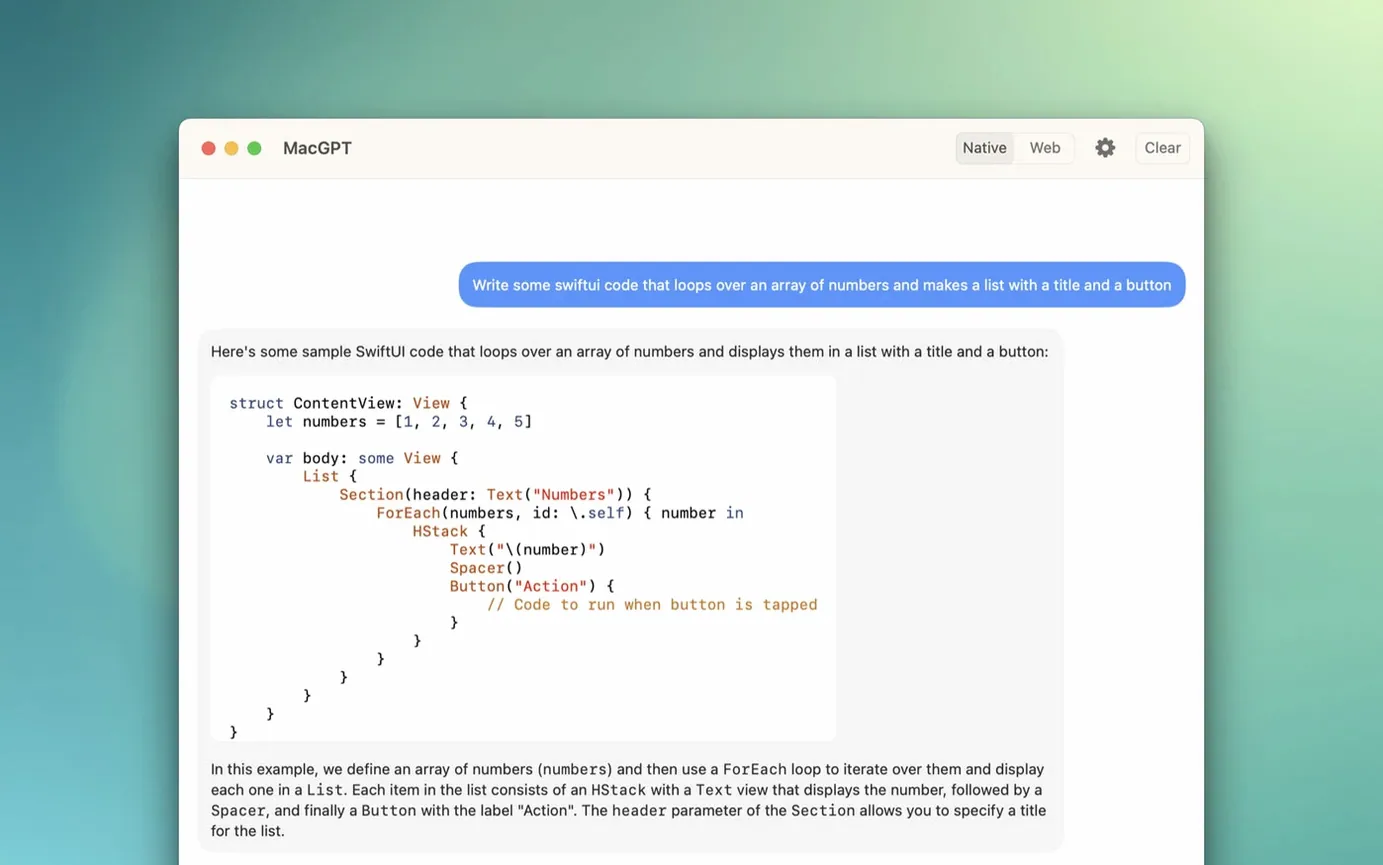
Web mode — Loads the familiar ChatGPT web interface inside the app. You log in with your OpenAI account and use it like you would on the website, just closer to hand.
API mode — Enter your own OpenAI API key for a direct, lightweight interaction that skips the web interface entirely. Also gets you clearer error messages when something's not set up right.
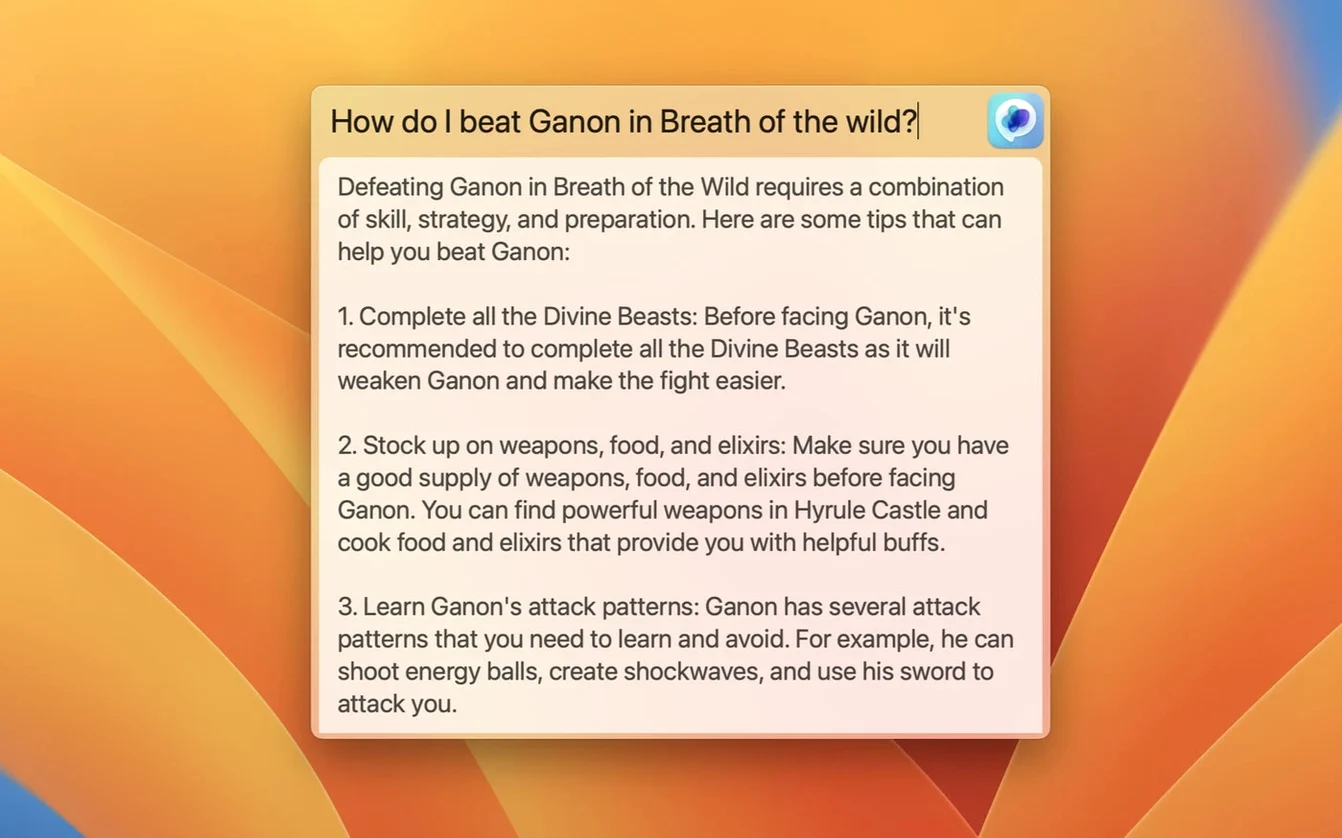
Global shortcut — Assign a keyboard combination in settings. Press it from anywhere on your Mac and a centered text field appears for your prompt. It feels like Spotlight, but for ChatGPT.
Where it fits — Sits alongside the other quick-access tools you already use. If you reach for the menu bar to check the time, trigger a snippet tool, or search with Alfred, MacGPT belongs in that same row of tiny helpers.
Pick web or API mode early and stick with it
The app is simple enough to use within minutes, but a couple of small setup choices make the first week a lot smoother.
Pick your mode and stick with it for a bit. Web mode and API mode behave differently. Web mode gives you the full ChatGPT experience — chat history, conversation branching, the familiar interface. API mode is leaner and faster, but you lose the visual chat history. Spend a day or two with each before you decide what fits your rhythm. I found API mode great for quick one-off questions, but web mode makes more sense when I'm working through a longer problem and want to revisit earlier responses.
Set the keyboard shortcut early. The Global feature only becomes muscle memory if you use the same shortcut from day one. Open MacGPT's settings and assign something you won't accidentally trigger but can reach without thinking. Avoid shortcuts already claimed by Finder or your most-used creative apps.
Check your API setup if errors appear. If you choose API mode and see vague error messages, it's almost always a key that's missing or entered with a stray space at the end. Copy-paste carefully, then test with a simple prompt. The clearer error handling in version 3.21 helps, but a malformed key still trips things up.
Using the Global popup like a full chat window
A few patterns show up again and again when people first install macGPT.
Treating the Global popup like a full chat window. The centered text field is brilliant for quick one-shots — rephrase this, translate that, summarize a paragraph. It's not meant for back-and-forth conversations. For multi-step threads, open the full interface from the menu bar instead. Beginners sometimes fire five follow-ups into the popup and get frustrated when context disappears between each one.
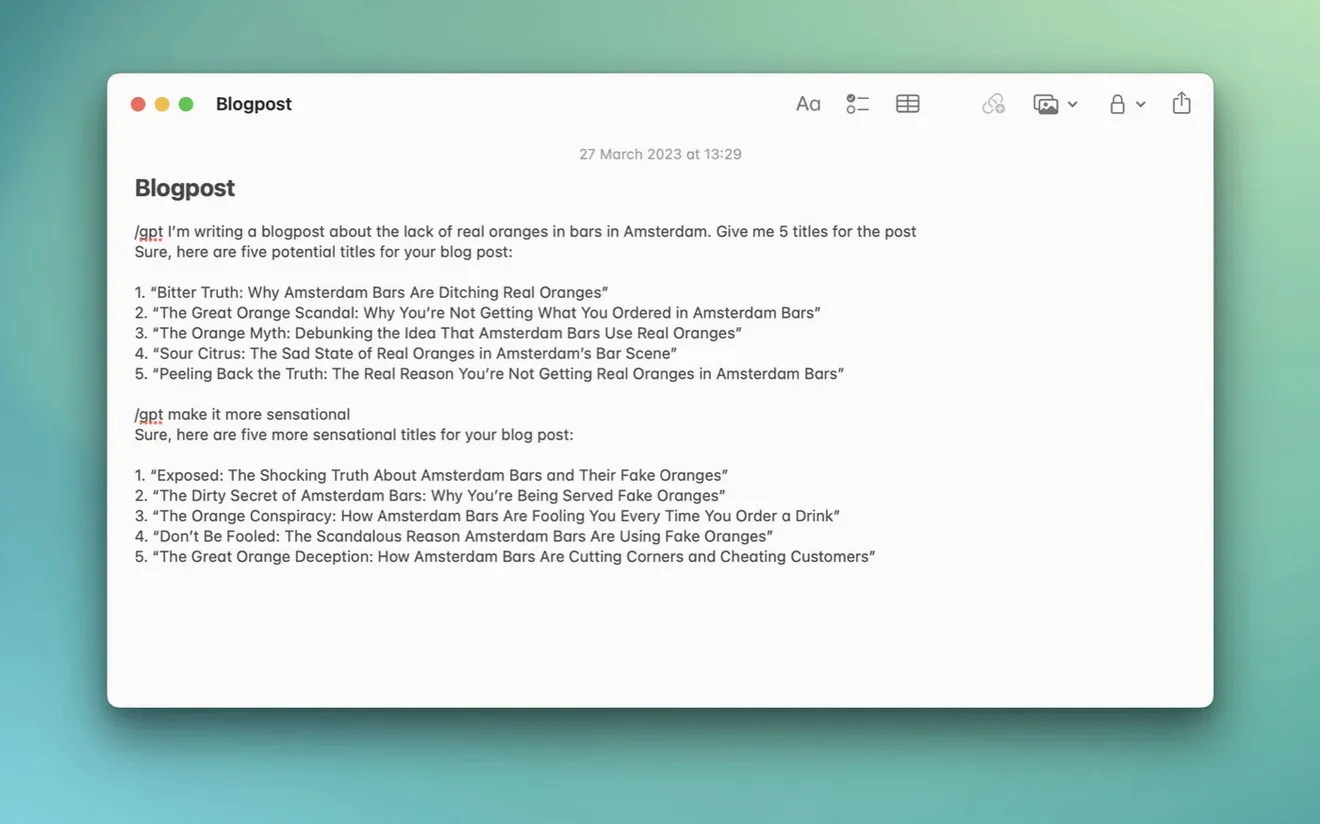
Overlooking the inline feature. The Inline tool works inside any text field — your email client, a note-taking app, a form in your browser. Select some text, trigger Inline, and MacGPT works with what's already on the page. New users often forget this exists and keep copying text back and forth manually. Try it once in a real task and you'll wonder why you didn't sooner.
Assuming API mode is always faster. It usually is, but not during peak hours or if your API key has rate limits set low in OpenAI's dashboard. If responses feel sluggish, switching to web mode for a while is a perfectly reasonable move. The app doesn't lock you into one path.
How MacGPT fits with other apps and macOS
MacGPT works best when it's part of a small ecosystem of tools, not the only one you reach for.
Alongside a clipboard manager. If you use something like Maccy or Paste, MacGPT's Global shortcut and your clipboard manager's shortcut sit near each other in both function and keyboard real estate. One grabs what you've copied; the other makes sense of it. Together they handle a surprising amount of research and writing friction.
With note-taking apps. The Inline feature pairs especially well with Bear, Obsidian, or Apple Notes. Highlight a rough draft inside your note, trigger Inline, tell it to tighten the prose, and the result lands in the same document. No export, no import, no switching windows.
Inside communication tools. Whether you're in Mail, Slack, or Messages, Inline turns MacGPT into a quiet writing assistant that lives inside the text field you're already typing in. It's one of those things that feels like a macOS feature that should have been there all along.
Tip: If you already use Spotlight or Alfred for launching apps and searching files, treat the Global shortcut the same way — a system-level trigger for a specific kind of thinking, available without touching your browser.
The app also plays nicely with macOS focus modes. Because it lives in the menu bar, it doesn't demand a window until you call it. On days when you're trying to stay out of the browser, MacGPT gives you ChatGPT access without the temptation of an open web tab full of distractions.
A small but handy update this time:
- Added support for gpt-4o, so you can pick OpenAI's newer model when using the API.
- macOS 12 Monterey or later (works on both Intel and Apple Silicon Macs)
- An OpenAI account for web mode, or an OpenAI API key for direct access
Questions from the stall
Does MacGPT work without an API key?
Yes, it runs in web mode where you log in with your regular OpenAI account, just like visiting the ChatGPT website.
Can I use the latest ChatGPT models with MacGPT?
Version 3.21 added support for gpt-4o, so you can use it through the API if your OpenAI account has access.
How do I open MacGPT without clicking the menu bar icon?
You can set a custom keyboard shortcut in the app's settings to bring up a text field from anywhere on your Mac.
Notes from other shops 0
Sign in or open a shop account to leave a note.
No notes yet. If you've used this on a shop Mac, tell me how it went.