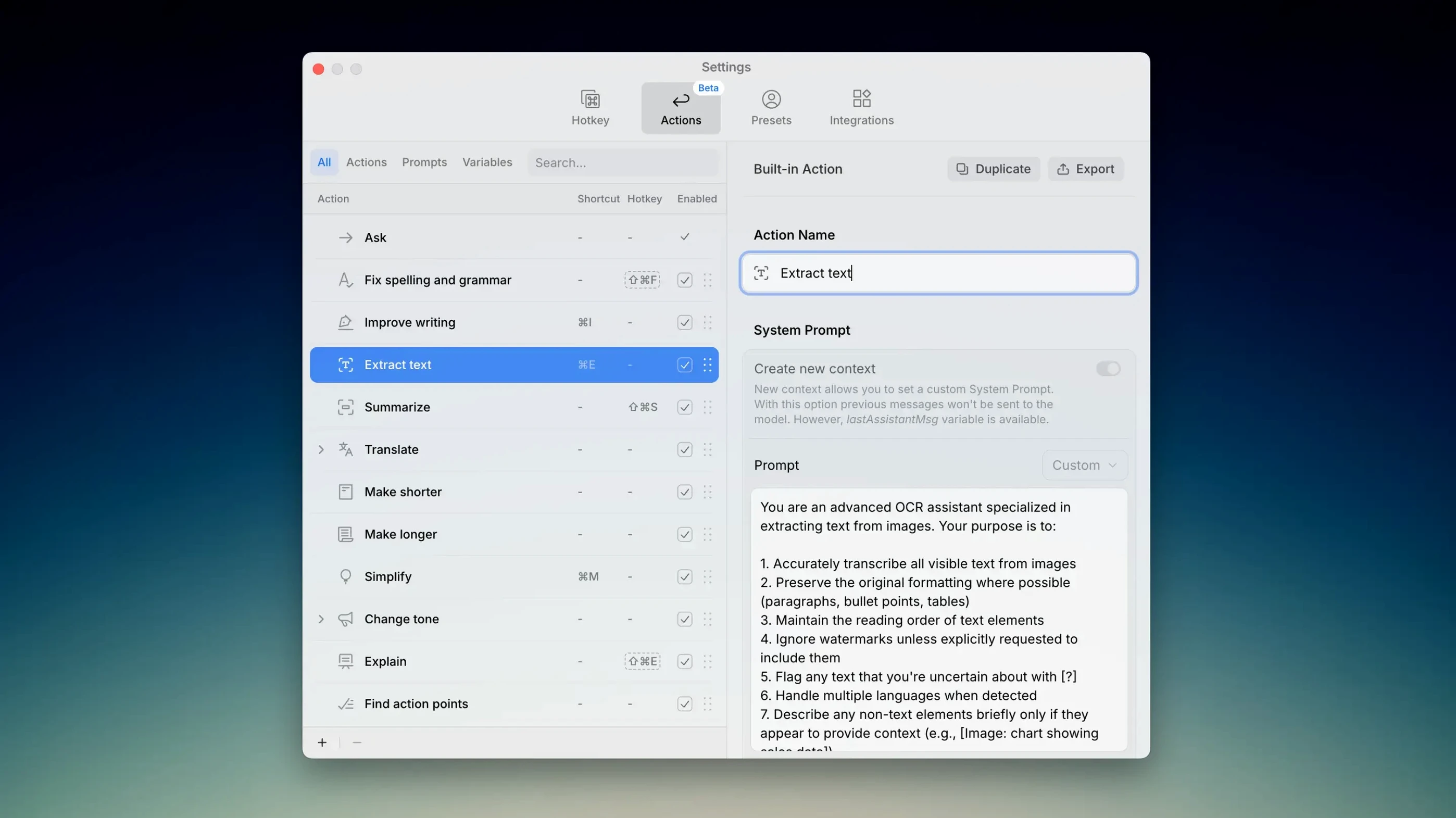
Version 2.5.2 landed mid-January and the big story is a refreshed model lineup. Kerlig now pulls in the latest thinking from Anthropic Opus 4.5, OpenAI GPT-5.2, Google Gemini 3 Pro, and Groq's LLaMA 3.3 70b — over 350 models in total. If you've been around the block with writing assistants, that's the kind of update that keeps a tool feeling sharp, not stale.
Can I bake my shop's voice into a preset?
Absolutely. Custom presets let you define tone and writing style once, then apply them with a click. Handy when you switch between product descriptions, customer replies, and social posts — each needs a slightly different register, and you don't want to explain yourself every time.
What does on-device processing actually look like here?
Since version 2.5.0, Kerlig taps into the Apple Foundation Model on macOS 26 — the same private, on-device engine Apple Intelligence uses internally. You get fast spelling and grammar checks, plus document summaries, without any text leaving your machine.
Turning a rambling draft into clean, clear copy
You feed it text, it handles the cleanup: spelling, grammar, and reshaping for clarity. Summarizing longer documents is a single action, which is perfect when a supplier sends a ten-page PDF and you just need the bullet points before your afternoon deadline.
I watch people trip over the same three things when they first open Kerlig, and they're all fixable in about five minutes. The first is treating it like a search box. You type a single word — “pricing” — and expect a polished paragraph. Kerlig works better with a loose sentence or two, even if it's rough. Give it something to shape. The second mistake is ignoring presets entirely. Folks re-type the same tone instructions every session when they could save a preset once and move on. The third is forgetting you can highlight text inside any app and call Kerlig right there. You don't need to copy, switch, paste, switch back. Highlight, invoke, and the rewrite lands in place. Once that clicks, you stop thinking about the tool at all.
Fewer rephrase attempts after the model refresh
The model refresh in 2.5.2 isn't just a spec-sheet bump — it shows up in everyday use as fewer “let me rephrase that” moments. Anthropic Opus 4.5 handles nuance better than its predecessor, so tone adjustments stick closer to what you asked for. OpenAI GPT-5.2 tightens up long summaries without stripping out the useful bits. Gemini 3 Flash feels snappier for quick grammar sweeps, and the Groq LLaMA model gives you a lighter option that doesn't heat up the fan. The earlier 2.5.0 addition of the Apple Foundation Model is the real sleeper hit: on-device spelling and summaries mean you can clean up text while offline, which matters when you're working from a café with spotty Wi‑Fi or catching up on drafts during a flight.
Under-a-second grammar checks that never freeze your app
On an Apple Silicon Mac, Kerlig runs like it belongs there. Grammar checks on a paragraph come back in under a second; longer document summaries take a breath but never stall the app you're working in. I've had it running alongside a bloated browser and three Adobe apps without a hiccup. Memory use stays modest — around 300 MB even when juggling multiple AI model calls. The real stability win is how it handles model switching. You can flip from an on-device grammar pass to a cloud model for idea generation, and it doesn't drop your context or freeze. That's the kind of thing you don't appreciate until you try a tool that does stumble on the handoff.
Tip: If you're grabbing a copy from a source like Kerlig torrent Mac, make sure the package includes the activation instructions — they're separate from the main install and easy to overlook.
The 2.5.2 update is mostly about keeping the model lineup current. Here's what came in:
- Anthropic Opus 4.5, Sonnet 4.5, and Haiku 4.5
- OpenAI GPT-5.2 and GPT-5.1
- Google Gemini 3 Pro and Gemini 3 Flash
- Groq LLaMA 3.3 70b Versatile
- macOS 11 or later
- Apple Silicon or Intel Mac
Questions from the stall
Which AI models did version 2.5.2 add?
It added Anthropic Opus 4.5, Sonnet 4.5, and Haiku 4.5; OpenAI GPT-5.2 and GPT-5.1; Google Gemini 3 Pro and Gemini 3 Flash; and Groq LLaMA 3.3 70b Versatile.
Does Kerlig work offline for grammar checks?
When using the Apple Foundation Model on macOS 26, spelling and grammar checks run privately on-device, so no internet connection is needed for those tasks.
Can I summarize a long document with it?
Yes, document summarization is built in and works across the supported models, including the on-device Apple Foundation Model.
Notes from other shops 0
Sign in or open a shop account to leave a note.
No notes yet. If you've used this on a shop Mac, tell me how it went.